



























































































































































A business laptop is not just a purchase. It is an employee workstation, an identity endpoint, a container for company data, a route into cloud services, and an asset that must remain supportable for years. A low price can become expensive when the model has a short support life, weak warranty coverage, limited repair options, insufficient memory, or a dock that fails with the employee’s displays and network connection.
A dependable laptop program connects seven decisions: role requirements, approved hardware, purchasing records, secure configuration, assignment, support, and retirement. The asset record should follow the device from the quote through final sanitization. The technical standard should be specific enough to create consistency while allowing documented exceptions for designers, engineers, field workers, executives, shared stations, and employees with accessibility needs.
ALLMSP helps businesses in Lawrenceville, Suwanee, Gwinnett County, Metro Atlanta, and across Georgia select, purchase, configure, secure, deploy, troubleshoot, repair, replace, and retire laptops. Our in-house team can also connect the fleet with managed IT, Microsoft 365, Google Workspace, cybersecurity, backup, help desk support, and business computer repair.
Build a laptop program that remains supportable after deployment
- Define role profiles: Document the applications, browser workload, mobility, displays, accessories, performance, security, and durability required for each type of employee.
- Approve complete configurations: Standardize the laptop, memory, storage, warranty, operating system, charger, dock, monitor support, network adapter, case, and essential peripherals as one tested package.
- Record custody: Track manufacturer, model, serial number, asset tag, purchase date, warranty, assigned user, location, configuration, repair history, and final disposition.
- Stage before handoff: Update firmware and the operating system, enroll management, apply security, install applications, test accessories, confirm recovery, and document acceptance.
- Support the whole workstation: Troubleshoot the laptop together with its dock, power supply, displays, network, applications, account, data, and employee workflow.
- Retire with evidence: Remove access, preserve required business data, sanitize storage, release management records, recover subscriptions, and retain a disposition record.
Choose laptops by job, support life, and total workstation cost
Begin with employee work instead of a favorite manufacturer or a single companywide specification. Inventory the applications and browser tabs used during a normal day, the largest files handled, video meeting expectations, local or cloud development tools, data sensitivity, travel frequency, battery needs, ports, wireless conditions, number and resolution of displays, and any specialized equipment. Test demanding workflows rather than relying only on minimum application requirements. A role that regularly edits large media, runs virtual machines, analyzes complex spreadsheets, or drives multiple high-resolution monitors needs a different baseline from a browser-focused shared station.
Evaluate the complete useful life. Confirm the operating system support path, processor generation, memory capacity, storage type, firmware update process, repairability, replacement-part availability, dock compatibility, warranty response, accidental damage options, and expected delivery time. Include chargers, docks, cases, displays, adapters, spare equipment, setup labor, support demand, and downtime when comparing cost. A model that costs slightly more but stays consistent, repairable, and supported can be less expensive than a bargain device that creates exceptions for three years.
- Processor and memory: Select capacity from measured workloads and expected growth, then leave enough headroom for security tools, conferencing, browser use, and future application updates.
- Storage: Size fast solid-state storage for local data, synchronization, application caches, temporary files, recovery needs, encryption, and a reasonable operating margin.
- Display and mobility: Match screen size, resolution, brightness, touch, camera, microphone, weight, battery, ruggedness, and privacy needs to where the employee actually works.
- Ports and docking: Validate charging wattage, USB-C or Thunderbolt behavior, display count, display resolution, Ethernet, audio, cameras, scanners, and specialty peripherals before a volume order.
- Security capability: Require supported firmware, hardware-backed security, encryption compatibility, manageable updates, protected startup, and the controls required by the organization’s risk profile.
- Warranty and spares: Set coverage from business impact, repair logistics, part availability, travel, shipping, on-site needs, and the number of ready replacement devices required for continuity.
The purchasing record should name the approved role, full configuration, expected support window, owner, cost, warranty, and exception rationale so later replacement decisions are based on evidence.
Stage, assign, and support each laptop as a managed business endpoint
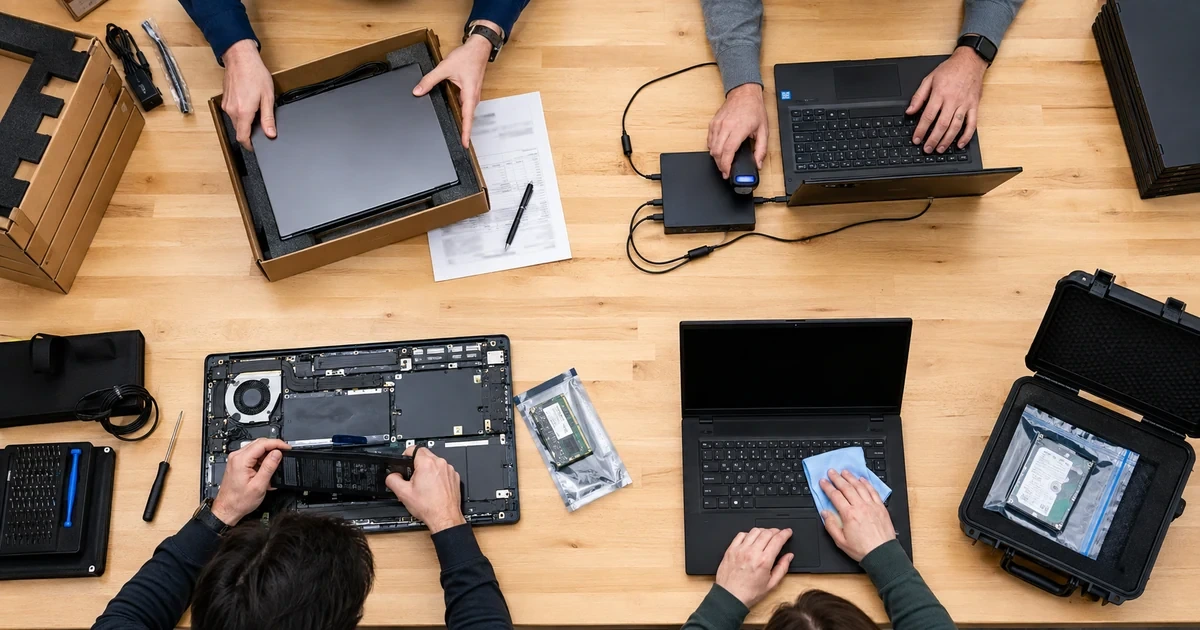
No laptop should reach an employee as an unknown consumer device. Record the serial number and asset tag at receiving, inspect for shipping damage, verify the ordered configuration, update firmware and the operating system, enroll the device in the organization’s management platform, and apply the correct role-based configuration. Confirm encryption, endpoint protection, screen lock, standard user access, browser policy, approved applications, update policy, remote support, backup or synchronization behavior, and recovery information. Remove unnecessary trial software without deleting drivers or manufacturer utilities that the support process needs.
Complete a physical and functional acceptance test. Check the charger, battery, ports, wireless connection, camera, microphone, speakers, keyboard, trackpad, display, dock, external monitors, Ethernet, VPN, printing, core applications, sign-in, multifactor authentication, and access to required files. Record the assigned user, location, date, configuration profile, accessories, and acknowledgment. Give the employee concise guidance for travel, charging, storage, support requests, suspicious prompts, liquid damage, loss, and return of company equipment.
- Receiving evidence: Match purchase order, model, serial, memory, storage, warranty, included accessories, condition, and intended role before configuration begins.
- Managed enrollment: Associate the laptop with the correct organization, owner, configuration group, compliance policy, application set, security controls, and support platform.
- Identity and privilege: Use individual business accounts, strong authentication, standard daily access, protected administrator credentials, and a documented process for temporary elevation.
- Data path: Define where business files belong, what synchronizes, what is backed up, what may remain local, how recovery works, and what the employee must not store on the device.
- Acceptance record: Retain the test date, technician, hardware checks, application checks, dock and display results, update status, encryption state, assigned accessories, and user handoff.
- Support baseline: Keep approved drivers, firmware sources, configuration history, warranty data, recovery keys, known issues, and a reproducible replacement process available to the help desk.
A good handoff gives the employee a working tool and gives support enough evidence to distinguish a device fault from an account, network, application, or accessory problem.
Use repair, replacement, and retirement rules that protect operations and data
When a laptop fails, capture the exact symptom, start time, user impact, recent changes, physical condition, event history, power behavior, peripheral state, and data risk before changing anything. Test with known-good power, docks, displays, networks, accounts, and accessories when appropriate. Preserve logs and protect business data before resets or storage work. Compare repair cost, downtime, warranty, device age, prior incidents, parts availability, remaining support life, employee productivity, and the readiness of a spare before approving repair or replacement.
Retirement needs the same discipline as deployment. Confirm the device and assigned employee, transfer required company files, remove or preserve access according to policy, collect accessories, update the asset register, release subscriptions and management assignments, and select a sanitization method that fits the storage technology and data sensitivity. Verify the outcome, record who performed and approved it, and document resale, donation, return, recycling, destruction, or redeployment. A factory reset alone should not be treated as universal proof that every retirement requirement has been met.
- Incident triage: Separate power, battery, thermal, storage, memory, display, dock, network, operating system, account, application, and physical damage symptoms before ordering parts.
- Continuity choice: Issue a tested spare when repair duration or employee impact exceeds the agreed threshold, then restore the correct applications, access, and data without sharing another user’s profile.
- Repair approval: Compare parts, labor, freight, warranty, risk, remaining life, repeat-failure history, replacement cost, and business downtime in one documented decision.
- Post-repair validation: Repeat the relevant hardware, security, update, application, network, dock, display, battery, and workload tests before returning the device.
- Offboarding control: Coordinate account changes, file ownership, legal or retention needs, equipment return, remote action, missing-device escalation, and asset reconciliation.
- Sanitization evidence: Record device identity, storage type, data classification, chosen sanitization method, verification result, operator, approver, date, and final destination.
Lifecycle management is successful when every active laptop is useful and traceable, every failed laptop has a defensible decision, and every retired laptop leaves with access and data handled correctly.
Business laptop procurement, deployment, repair, and lifecycle support from ALLMSP
ALLMSP can build role-based laptop standards, compare models and warranties, coordinate competitive purchasing, receive and inventory equipment, apply asset tags, configure firmware and operating systems, enroll management, install applications, secure accounts, test docks and accessories, train employees, and provide ongoing help desk and hardware support. When a device fails, we can diagnose it, protect data, coordinate parts and warranty service, prepare a temporary replacement, validate the repair, and update the asset history.
For organizations in Lawrenceville, Suwanee, Gwinnett County, Metro Atlanta, and throughout Georgia, our team handles the full lifecycle in house. Laptop decisions can be connected directly with managed IT services, cybersecurity, Microsoft 365, Google Workspace, data backup, and the ALLMSP computer repair workflow, which keeps ownership clear when a problem crosses hardware and software.
- Plan and procure: Role profiles, model comparison, support life, warranty, accessories, compatibility tests, pricing, purchasing records, and spare strategy.
- Configure and operate: Inventory, secure setup, management enrollment, applications, data access, acceptance testing, employee handoff, help desk, and recurring health review.
- Repair and retire: Diagnostics, continuity equipment, repair approval, parts, warranty coordination, validation, replacement, sanitization, recycling, and disposition evidence.
Primary resources for business laptop lifecycle planning
Use current platform and sanitization guidance as a technical baseline, then apply controls that match the organization’s devices, data, users, applications, and recovery needs.
- Microsoft Windows deployment documentation. Microsoft guidance for planning, preparing, deploying, updating, and troubleshooting supported Windows devices.
- Windows Autopilot documentation. Microsoft documentation for registering and preparing organization-owned Windows devices with consistent configuration and reporting.
- NIST media sanitization guidance. Current guidance for building a media sanitization program and selecting controls based on information sensitivity and storage technology.
- ALLMSP Business Computer Repair. Laptop and workstation diagnostics, repair, upgrades, data protection, testing, documentation, and business-ready handoff.
Business laptop lifecycle FAQs
What should a business record for every laptop?
Record manufacturer, model, serial number, asset tag, purchase date, warranty, operating system, configuration, assigned user, location, management status, encryption, accessories, repair history, support date, and final disposition.
Should every employee receive the same laptop?
Not necessarily. Standardize a small set of tested role profiles, then document exceptions for workloads, mobility, displays, durability, security, or accessibility that the standard models cannot satisfy.
How much memory and storage should a business laptop have?
Base capacity on measured applications, browser use, conferencing, security tools, file sizes, synchronization, local data, and expected growth. Leave operating headroom instead of purchasing only the current minimum.
What should be tested before a laptop is issued?
Test sign-in, authentication, encryption, updates, endpoint protection, applications, files, backup or sync, battery, charger, wireless, camera, microphone, keyboard, trackpad, ports, dock, displays, Ethernet, VPN, printing, and remote support.
How many spare laptops should a business keep?
Set the spare level from fleet size, failure history, warranty response, employee downtime cost, shipping time, travel, remote locations, and how quickly a spare can be configured for the correct role.
When should a business repair a laptop instead of replacing it?
Compare the cause, repair cost, warranty, parts availability, downtime, age, support life, prior failures, performance after repair, replacement price, and availability of a prepared spare.
How can repeated dock and monitor problems be reduced?
Standardize tested laptop, dock, charger, cable, display, firmware, and driver combinations. Validate power delivery, display count and resolution, Ethernet, sleep and wake, and the employee’s real accessories before broad deployment.
What should happen when an employee leaves with a company laptop?
Coordinate account protection, remote action, file ownership, legal or retention needs, equipment return, missing-device escalation, accessory recovery, management records, subscriptions, and asset reconciliation.
Is a factory reset enough before selling or recycling a laptop?
Do not assume it is. Choose and verify a sanitization method that fits the storage technology, encryption state, data sensitivity, condition, and final destination, then retain a complete disposition record.
Can ALLMSP manage the complete business laptop lifecycle?
Yes. ALLMSP handles planning, purchasing, inventory, secure setup, deployment, employee handoff, help desk support, diagnostics, repairs, replacements, data protection, sanitization, and retirement with its in-house team.