
Your phones stop ringing. Employees cannot access shared files. Accounting cannot process payroll. Customers start asking why no one is responding.
Whether the cause is a server failure, ransomware, a power surge, or storm damage to your building, the real problem is not the event itself. It is how long your business stays down.
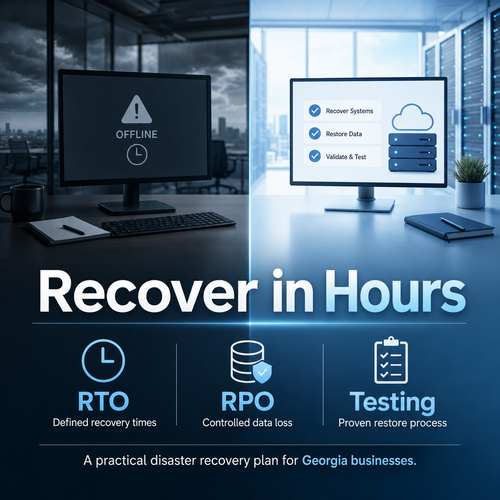
Many Georgia businesses have backups. Far fewer have a documented, tested disaster recovery plan that restores operations within hours instead of days.
This guide walks you through a practical, step by step framework to design or improve a disaster recovery plan that protects revenue, reputation, and productivity.
Key Takeaways
- Backups alone are not enough. You need defined recovery time objectives and a tested restoration process.
- Start by identifying your most critical systems and how long your business can operate without them.
- Set realistic recovery time and recovery point objectives for each system.
- Document roles, responsibilities, and step by step restoration procedures.
- Test your plan regularly so recovery takes hours, not days.
Step 1: Identify Your Mission Critical Systems
You cannot recover everything at once. The first step is deciding what truly matters.
Gather leadership and department heads. Ask one simple question:
If this system were unavailable tomorrow, how long could we realistically operate without it?
Common mission critical systems include:
- Microsoft 365 email and SharePoint data
- Line of business applications hosted on local servers or in the cloud
- Accounting and payroll systems
- VoIP phone systems
- File servers and shared drives
- Practice management or CRM platforms
- Remote access and VPN infrastructure
- On site servers vulnerable to fire, storm, or hardware failure
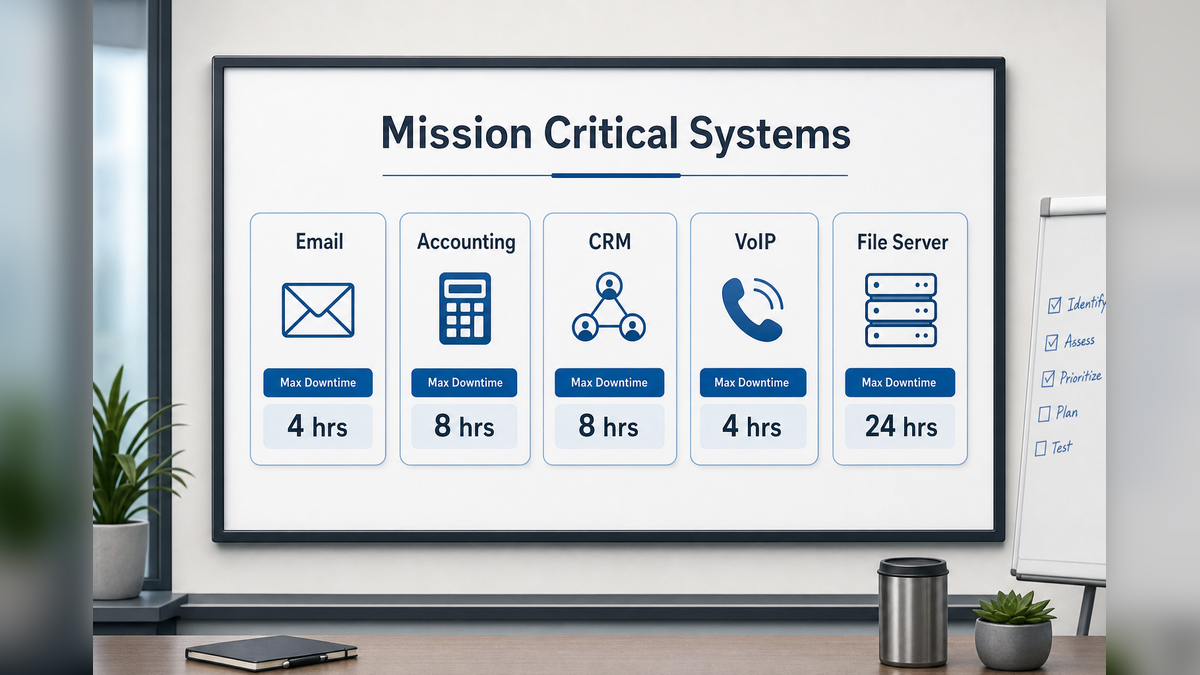
Create a simple table like this:
| System | Business Impact if Down | Maximum Acceptable Downtime |
|---|---|---|
| Client communication stops | 4 hours | |
| Accounting | Billing and payroll delayed | 24 hours |
| CRM | Sales pipeline visibility lost | 8 hours |
This exercise forces clarity. Not every system needs immediate restoration. Some do.
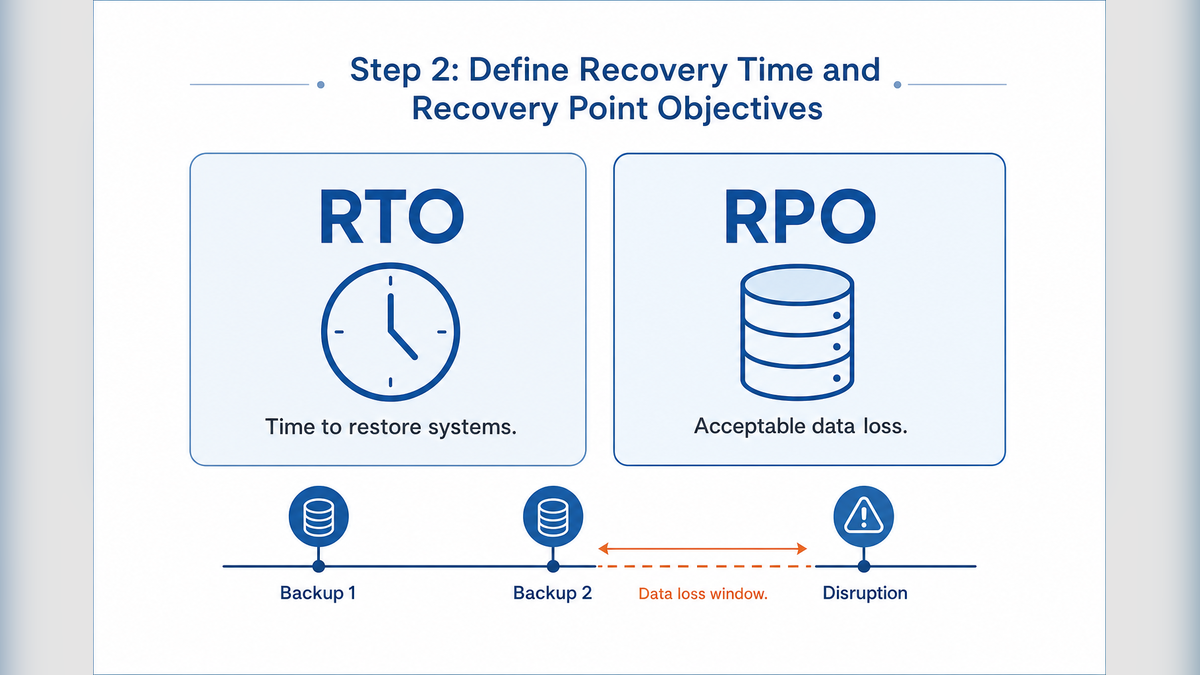
Step 2: Define Recovery Time and Recovery Point Objectives
Once you know what matters most, define two critical metrics for each system:
Recovery Time Objective or RTO
How quickly must this system be restored to avoid serious operational or financial impact?
Recovery Point Objective or RPO
How much data can you afford to lose? Minutes? Hours? A full day?
For example:
- Your RTO for VoIP phones might be 2 hours.
- Your RPO for accounting data might be 1 hour, meaning backups must capture changes at least every hour.
This step separates businesses that recover in hours from those that scramble for days. If your backup runs once per night but your acceptable data loss is one hour, there is a gap.
Document RTO and RPO targets for each critical system. These targets guide your backup architecture and recovery strategy.
Step 3: Design a Backup and Recovery Architecture That Matches Your Targets
Now align technology with your objectives.
A practical disaster recovery strategy for many Georgia businesses includes:
- Local backups for fast file restoration
- Encrypted off site or cloud replication to protect against building loss or ransomware
- Cloud based recovery options for key servers and applications
- Separate backups for Microsoft 365 data
- Redundant internet or failover options where downtime tolerance is low
Key questions to ask:
- If our building is inaccessible, where do systems run?
- How do employees access systems remotely during recovery?
- How long does it actually take to restore a full server?
- Who verifies that backups are successful each day?
A written disaster recovery plan should clearly state:
- Where backups are stored
- How to initiate recovery
- Who has authority to declare a disaster
- Who communicates with staff and customers
- The order in which systems are restored
If your plan depends on one person’s memory, it is not a plan. It is a risk.
Step 4: Document Roles, Communication, and Decision Points
During an outage, confusion wastes time.
Your disaster recovery document should include:
- Primary and secondary contacts for IT and leadership
- Escalation paths if vendors do not respond
- Internal communication templates for employees
- Customer communication guidelines if downtime affects service
- Vendor account numbers and support contacts
This is especially important for distributed teams and remote workers who rely on VPN access or cloud applications.
Clear roles reduce finger pointing and speed up response.
Step 5: Test Your Recovery Plan Before You Need It
This is where many businesses fall short.
A disaster recovery plan that has never been tested is a theory.
At least annually, and ideally more often for critical systems:
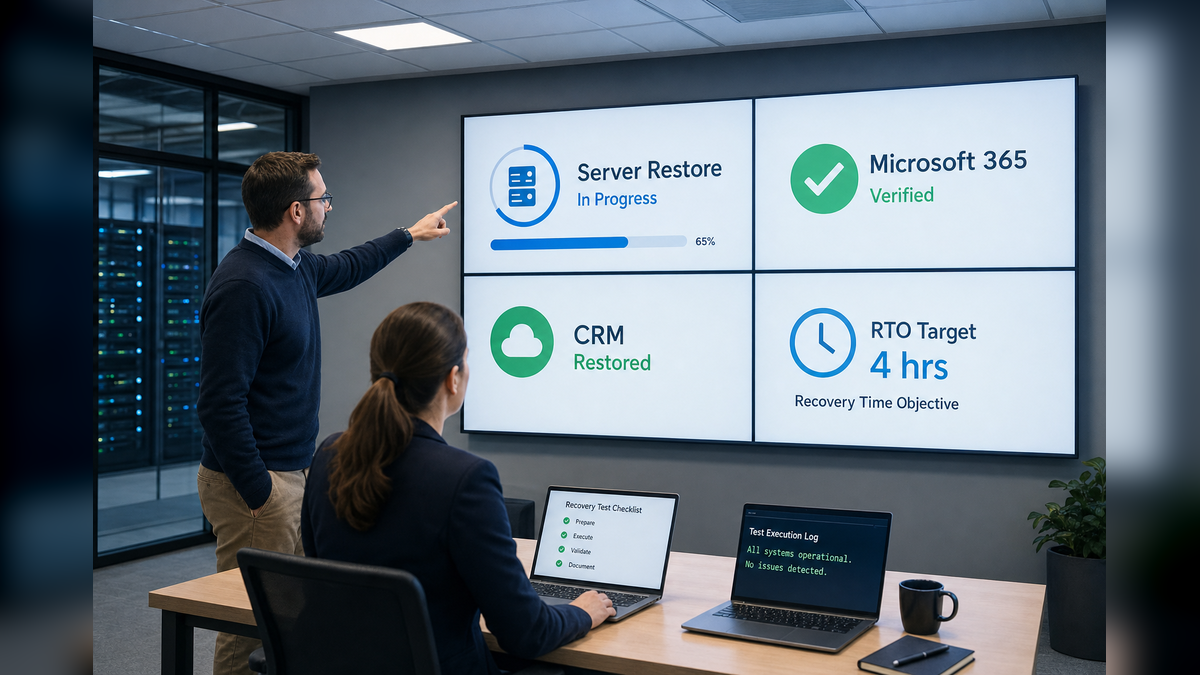
- Simulate restoration of a server from backup
- Verify Microsoft 365 data can be restored
- Test remote access during a simulated outage
- Measure actual recovery time against your RTO goals
If restoration takes 12 hours but your RTO is 4, you have actionable insight. You can adjust infrastructure before a real emergency forces the lesson.
Testing also improves confidence. Leaders know what to expect. Staff know the process. Recovery becomes controlled rather than chaotic.
Step 6: Review and Update the Plan as Your Business Changes
Your disaster recovery plan is not static.
Update it when:
- You add new software platforms
- You move systems to the cloud
- You open or relocate offices
- You increase remote work capabilities
- Your revenue or regulatory exposure grows
Schedule a formal review at least once per year. Confirm that RTO and RPO targets still reflect business reality.
Frequently Asked Questions
Q. What is the difference between backup and disaster recovery?
A. Backups are copies of your data. Disaster recovery is the documented process and infrastructure used to restore systems, applications, and operations within defined timeframes.
Q. How quickly should a business be able to recover?
A. It depends on the system. Email and phones may require recovery within hours, while less critical systems may tolerate a longer window. The right answer is based on operational and financial impact.
Q. Is cloud software automatically protected?
A. Not always. Many cloud platforms provide basic availability but limited long term backup or granular recovery. Independent backups are often necessary to meet defined recovery objectives.
Q. How often should a disaster recovery plan be tested?
A. At minimum once per year, and more frequently for highly critical systems. Any major infrastructure change should also trigger a test.
Q. What happens if our office is physically inaccessible?
A. A well designed disaster recovery strategy includes off site or cloud replication and remote access options so employees can continue working even if the building is unusable.
Q. Who should own the disaster recovery plan?
A. Executive leadership should sponsor it, but IT or a managed services partner typically maintains and tests the technical components. Clear shared responsibility ensures accountability.
How ALLMSP Helps Georgia Businesses Recover Faster
Many organizations know they need a disaster recovery plan but are unsure whether their current setup would actually restore operations within hours.
ALLMSP’s Data Backup and Recovery services focus on practical readiness, not theory. We help businesses:
- Conduct disaster recovery readiness assessments
- Validate recovery time and recovery point objectives
- Design backup and cloud replication architectures aligned to business impact
- Document clear recovery procedures
- Perform controlled recovery testing
- Monitor backups and replication for ongoing reliability
If you are unsure whether your current plan would survive a server failure, ransomware event, or building disruption, a structured plan review can identify gaps before they become downtime.
The goal is simple. Restore operations in hours, protect revenue, and reduce uncertainty for leadership and staff.