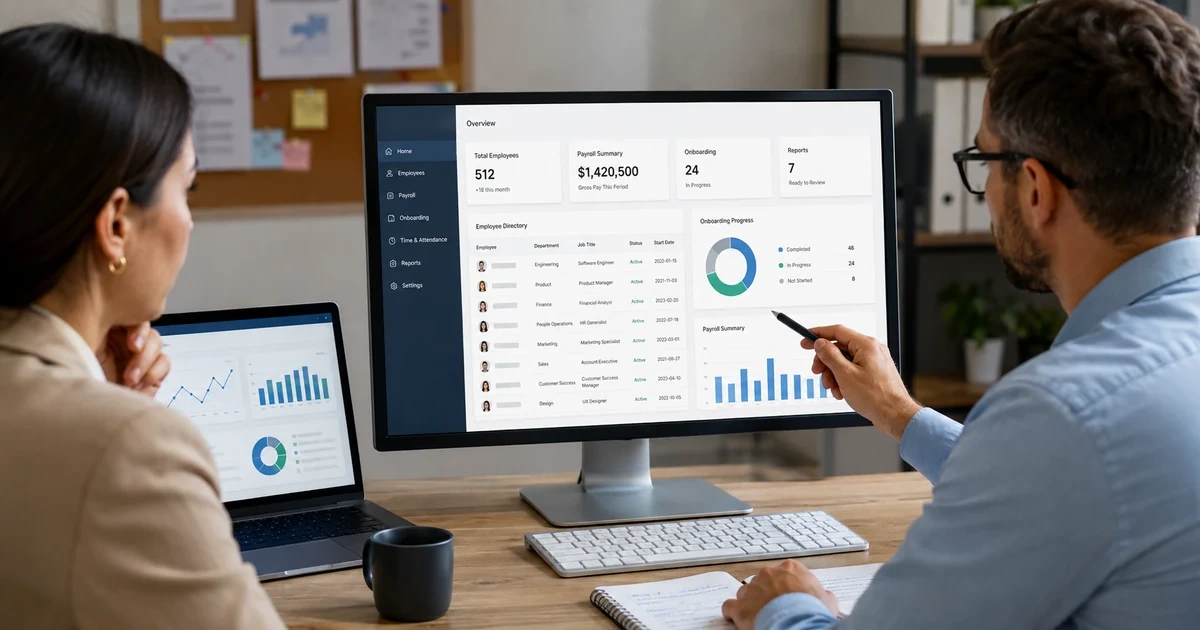
An HR system launch affects far more than an employee directory. The chosen platform may become the source for identity, payroll, benefits, timekeeping, onboarding, leave, documents, performance, training, and management reporting. A field error can reach several systems. An incorrect manager can route approvals to the wrong person. A bad start date can delay access or pay. A weak termination workflow can leave accounts active after employment ends.
Plan the launch around authoritative data and business events. Define where each employee attribute originates, who may change it, which system receives it, how quickly the change should arrive, and how an exception is handled. Inventory existing integrations, scheduled files, manual imports, reports, service accounts, administrator roles, retention rules, and spreadsheets before selecting a migration date. Preserve enough evidence to reconcile the new system with payroll, identity, finance, and required records.
ALLMSP helps organizations in Lawrenceville, Suwanee, Gwinnett County, Metro Atlanta, and across Georgia implement HR technology with accountable in-house delivery. We can assess the current environment, configure the platform, prepare data, connect identity and business systems, secure access, test workflows, train owners, support launch, and maintain the technical operating model after go-live.
Launch the HR platform as a governed system of record
- Define business outcomes: State which hiring, employee, payroll, access, reporting, compliance, and management problems the launch must solve.
- Assign data authority: Name the source and owner for identity, manager, department, title, location, employment status, dates, compensation, time, and other critical fields.
- Inventory dependencies: Document payroll, benefits, identity, email, devices, applications, finance, timekeeping, training, reporting, and file exchanges.
- Design roles: Separate employee self-service, manager actions, HR administration, payroll administration, integration accounts, reporting, and protected emergency access.
- Rehearse business events: Test hires, transfers, manager changes, location changes, compensation updates, leave, rehires, and terminations from source through every dependent system.
- Reconcile before acceptance: Compare employee counts, key fields, payroll results, account status, approvals, reports, and exceptions before retiring the prior process.
Choose scope and architecture before configuring forms
Build a current-state inventory that identifies every application, spreadsheet, file share, form, mailbox, scheduled export, integration, service account, and report used to manage employees. Record the business owner, technical owner, data handled, direction of exchange, frequency, authentication, failure notification, recovery method, and downstream impact. Ask managers and payroll staff where they keep side records, because the undocumented spreadsheet often contains a decision that the formal project overlooked.
Create a future-state data map before customizing the platform. Decide which system is authoritative for each field and which applications receive a copy. Use stable identifiers that survive name and email changes. Define validation rules for department, manager, location, status, and dates. Determine whether integrations will use supported connectors, APIs, secure file transfer, scheduled imports, or controlled manual procedures. Avoid creating two systems that can independently overwrite the same attribute without a clear precedence rule.
- Functional scope: List the exact HR, payroll, time, benefits, onboarding, records, training, performance, reporting, and employee self-service capabilities included in this phase.
- Data dictionary: Define every critical field, allowed values, format, source, editor, recipient, validation, privacy classification, and retention owner.
- Integration register: Record endpoints, owners, credentials, schedules, mappings, transformations, monitoring, retries, reconciliation, and support contacts.
- System boundaries: State what remains in payroll, identity, finance, document storage, learning, service desk, or another approved platform.
- Decision log: Retain the business reason, owner, date, dependencies, risk, and acceptance test for material configuration choices.
Architecture is ready when every important employee field and event has one trusted origin, one controlled path, and one owner for exceptions.
Clean data and configure access before migration
Profile the source data before transforming it. Count active and inactive employees, duplicate identities, missing managers, invalid locations, inconsistent departments, incomplete dates, orphaned documents, outdated addresses, and records that should not move. Decide which problems must be corrected in the source and which can be resolved through an approved transformation. Keep the original extract, transformation rules, exception file, import result, and reconciliation report so the team can explain how each production record was created.
Configure access from job responsibilities and privacy needs. Employees should see only appropriate self-service data. Managers should reach records for their authorized teams and actions. HR, payroll, benefits, reporting, and system administration require different privileges. Protect high-impact administration with strong authentication, limited assignments, separate daily and privileged accounts where appropriate, and logging. Test a user in every role, including a manager with multiple teams, a user on leave, a terminated account, and a support person who should not see sensitive HR data.
- Data profiling: Measure completeness, uniqueness, valid values, relationships, dates, duplicates, inactive records, and unexpected sensitive content.
- Migration rehearsal: Run a full test import, preserve errors, correct mappings, repeat the load, and reconcile counts and critical fields before production.
- Role matrix: Map each employee, manager, HR, payroll, reporting, integration, and administrator capability to an approved business responsibility.
- Service accounts: Use named ownership, protected credentials, minimum permissions, monitored activity, documented purpose, and a tested rotation and recovery process.
- Retention design: Have qualified owners map applicable employment and business requirements to record classes, storage, access, legal holds, deletion, and evidence.
Do not approve production migration until the data can be reconciled and every privileged role has an accountable owner and tested boundary.
Pilot real employee events and control the production launch
Test end-to-end events rather than isolated screens. Create a representative new hire, route manager approvals, complete required records, send identity attributes, provision communication and applications, enroll benefits where included, and verify payroll inputs. Repeat with a transfer, manager change, location change, leave, return, rehire, and termination. Force controlled failures such as a missing manager, duplicate identity, expired integration credential, rejected file, delayed connector, and invalid department to prove monitoring and recovery.
Use a launch plan with a data freeze, final extract, transformation, load, reconciliation, approval gate, communication, support coverage, rollback criteria, and decision authority. Run parallel validation for payroll or other high-impact outputs when appropriate. Track issues by cause and business impact. After launch, review access, integration errors, data corrections, support requests, manual work, manager adoption, employee self-service success, and reporting accuracy. Keep the prior system available only according to a defined read-only, retention, or retirement plan.
- Event test matrix: Cover ordinary and edge-case hires, changes, leaves, returns, terminations, corrections, approvals, payroll inputs, and identity outcomes.
- Failure test: Verify alert delivery, owner response, retry behavior, duplicate prevention, correction steps, reconciliation, and business communication.
- Cutover control: Name who can start, pause, roll back, accept, and communicate the launch, with times and evidence for every gate.
- Support readiness: Prepare known issues, escalation routes, vendor contacts, administrator coverage, employee instructions, and a protected emergency-access process.
- Post-launch review: Compare migration exceptions, failed events, data corrections, payroll differences, access errors, tickets, adoption, and reporting against acceptance targets.
A successful launch leaves the organization with accurate employee data, dependable events, supportable integrations, controlled access, and evidence that normal work continues.
HRIS, payroll, identity, and reporting implementation from ALLMSP
ALLMSP can lead the technical work from discovery through stabilization. That includes requirements, application and data inventory, field mapping, migration preparation, platform configuration, role design, identity integration, secure file or API exchanges, test plans, cutover, reconciliation, documentation, administrator training, launch support, and recurring technical review.
Our in-house team supports businesses across Lawrenceville, Suwanee, Gwinnett County, Metro Atlanta, and Georgia. We connect the HR platform with managed IT, Microsoft 365 or Google Workspace, cybersecurity, devices, software support, and the service desk so employee events can produce reliable technology outcomes without unclear vendor handoffs.
- Design: Scope, requirements, data authority, integrations, roles, privacy boundaries, retention ownership, architecture, and implementation sequence.
- Build and migrate: Configuration, data profiling, transformation, test loads, reconciliation, connectors, identity flows, reports, and controlled production cutover.
- Operate: Monitoring, incident response, access review, release testing, administrator support, documentation, training, reporting, and improvement planning.
Primary resources for HR system setup
Use official employment, privacy, security, and identity guidance to shape requirements, then have qualified business and legal owners confirm what applies to the organization.
- U.S. Department of Labor FLSA recordkeeping fact sheet. Official federal guidance describing wage and hour records, accuracy expectations, and general retention periods for covered employers.
- USCIS I-9 Central. Current employer resources for Form I-9 completion, corrections, storage, inspection, and retention considerations.
- NIST Privacy Framework. A voluntary framework for identifying and managing privacy risk across systems, data processing, governance, and communications.
- Microsoft Entra employee lifecycle deployment. Microsoft architecture guidance for connecting employee lifecycle events with identity provisioning and deprovisioning.
HR system implementation FAQs
What should an HR system implementation include?
Define business outcomes, authoritative data, roles, privacy boundaries, integrations, migration, reports, event testing, cutover, support, retention ownership, and measurable acceptance criteria.
Which system should be the employee system of record?
Choose one authoritative source for each critical attribute. The HR platform may own many employment fields, while payroll, identity, finance, or another system may remain authoritative for specific data.
What data should be cleaned before migration?
Review duplicate identities, missing managers, invalid departments and locations, inconsistent dates, inactive records, obsolete values, orphaned documents, formatting errors, and sensitive content that should not move.
How should HR system access be designed?
Use job responsibilities and minimum necessary access. Separate employee self-service, manager, HR, payroll, reporting, integration, and system-administration capabilities, then test every role with representative records.
Should payroll and HRIS launch on the same day?
Only when dependencies, data, testing, reconciliation, support, and rollback are strong enough. A phased approach can reduce risk, but it must avoid duplicate authority or uncontrolled manual entry.
What HR events should be tested?
Test hires, transfers, manager changes, department and location changes, compensation updates, leave, return, rehire, termination, record correction, and any event that affects payroll or access.
How are HR system integrations tested?
Test valid, missing, duplicate, late, changed, and rejected records. Verify mapping, timing, authentication, retries, alerts, correction, reconciliation, and the downstream business result.
What should happen during HR system cutover?
Use an approved data freeze, final extract, transformation, load, reconciliation, decision gate, communication plan, support coverage, rollback criteria, and documented acceptance.
How should the old HR system be retired?
Define read-only access, retention, legal holds, export, archive, administrator removal, integration shutdown, credential rotation, vendor termination, and final verification before retirement.
Can ALLMSP complete the technical HR system launch?
Yes. ALLMSP handles discovery, data and integration planning, configuration, migration support, identity connections, security, testing, cutover, documentation, training, and ongoing technical support in house.