




























































































































































Custom integrations
Connect supported UniFi interfaces to business applications, identity sources, booking platforms and operational systems. Map the data, rules and responsibility for each update.

Type at least two characters
Type at least two characters
Browse business hardware first, then explore software by the work it supports.
Managed technology, AI integration, marketing, infrastructure, and business support.
Support, protection, devices, and dependable daily operations
AI systems, integrations, automation, analytics, and governance
Marketing, websites, hosting, print, signs, and brand visibility
Cloud, backup, cabling, planning, leadership, and business support
Technology, security, automation, and marketing aligned to the way your organization works.
ALLMSP supports businesses across Lawrenceville, Suwanee, Gwinnett County, Metro Atlanta, and nationwide remote environments.
Discuss Your Environment
ALLMSP designs, integrates and supports UniFi environments—from dependable business networks to connected access and security systems. We build custom software, workflow automation and management tools that connect UniFi with the applications your team uses every day.
Based in Metro Atlanta, with remote software development and integration services for businesses and organizations beyond Georgia.
UniFi Network · Access · Protect
Your network, security systems and business software all have a job to do. ALLMSP brings them together with custom integrations, useful automation and management tools built around the way your organization works.
We design and support UniFi environments, then build the connections that help people use them effectively. That can mean coordinating employee access with an onboarding process, bringing several locations into an operational dashboard, or connecting a booking system to visitor credentials.
Our work covers architecture, software development, configuration, testing, documentation and ongoing support. We can lead a complete engagement or work alongside your internal IT staff, facilities team and installation contractors. Based in Metro Atlanta, we also deliver software development and integration services remotely.
Some projects need a small connection between two systems. Others need a maintained application with its own interface, permissions and operating procedures. We define the right scope, use the native UniFi features that fit, and develop the additional software your workflow needs.
Connect supported UniFi interfaces to business applications, identity sources, booking platforms and operational systems. Map the data, rules and responsibility for each update.
Turn approved business events into repeatable actions: prepare access, update permissions, notify an operator or open a task that needs human attention.
Bring selected device, access and integration information into a useful view for IT, operations or facilities teams, with permissions appropriate to each role.
Develop the service that receives data, checks it, applies rules and records results. Include authentication, error handling and a maintainable deployment process.
Build focused interfaces for recurring tasks, approvals, exceptions and bulk changes. Make routine work easier without giving every operator unrestricted administration rights.
Investigate failures, test platform updates, improve recurring workflows and extend the integration as systems, locations and business requirements change.
The technology should follow the work being done. These are examples of the kinds of workflows we can design; the implementation depends on the systems, permissions and equipment involved.
Coordinate employee onboarding, location access and offboarding. Give reception a manageable visitor process and give IT a clear record of completed changes.
Standardize site naming, operating roles, device inventories and escalation. Build reporting that helps the central team distinguish a local problem from a broader service issue.
Organize access around work areas, shifts and approved contractor visits. Connect selected events to operational notifications and review procedures.
Connect membership or booking records to approved spaces and schedules. Account for renewals, suspended access, temporary visitors and front-desk exceptions.
Connect reservation or registration information to time-limited access, guest communications and management reporting. Handle changes and cancellations as part of the same workflow.
Coordinate staff, volunteers, scheduled activities and visiting groups across buildings. Keep responsibility for approvals and temporary permissions clear.
A useful integration starts with deciding which system owns each piece of information. An HR platform may own employment status, a booking application may own an appointment, and a facilities team may own location permissions. We map those relationships before automating the changes.
Identity directories, HR systems, member databases, CRMs, property-management platforms and registration tools can provide the records that drive an approved workflow.
Help-desk platforms, reporting systems, messaging services and custom portals can receive relevant events, status updates and tasks for review.
We use supported APIs for the operations a platform exposes, webhooks where available, and scheduled reconciliation to catch missed changes. For systems that rely on file exchange, a controlled CSV or SFTP process can provide a practical connection with clear validation and reporting.
We review account permissions, authentication, available fields, rate limits and vendor requirements as part of the design. The result is an integration plan that states what data moves, how quickly it should move and what happens when an update cannot be completed.
Stable record identifiers prevent similar names from becoming confused. Duplicate updates should not create duplicate people or actions. Late events must be checked against newer information. An incomplete file must not be treated as an instruction to remove every missing record.
We also define how to handle invalid dates, unknown locations, conflicting source records and changes made directly by an administrator. These details keep the connection useful after the first successful demonstration.
UniFi Access can be part of a broader process for granting, changing and removing access. We build workflows around the person, the reason for access, the approved locations and the period of authorization.
| Workflow | Business event | Integration responsibility |
|---|---|---|
| Employee lifecycle | A person joins, changes role or leaves | Apply approved location permissions, handle role changes and confirm removal of access |
| Contractor access | A service visit or work assignment is approved | Limit locations and times, record the sponsor and track expiration |
| Visitor management | A host approves a visit | Prepare supported credentials, deliver instructions and retain the appropriate visit record |
| Membership access | A membership starts, renews or ends | Translate approved membership rules into the relevant access authorization |
| Reservations | A booking is confirmed, changed or canceled | Align access with the approved booking window and surface failed updates |
| Administrative exceptions | An authorized manager approves a temporary change | Record who approved it, why it was needed and when it ends |
We plan around the people who will use the system. PINs, NFC cards and fobs, visitor QR credentials, and supported mobile options each have different enrollment and hardware requirements. A physical credential may be the best fit for one group while another prefers a phone-based workflow.
The design documents reader compatibility, issuance, replacement, lost credentials and revocation. Mobile wallet options may carry separate licensing. A credential valid for one scheduled visit is also different from a credential that may be used exactly once; single-use requirements need their own compatibility and outage review.
An integration should apply the authorization your organization has approved. It should not silently invent permissions when a record is incomplete. We define which actions can run automatically and which need a manager, host or administrator to review them.
IT, facilities and operations often need different views of the same environment. We build dashboards and reporting around the decisions each team makes, with a clear distinction between a requested action, a completed change and a condition that still needs attention.
Actions can be limited by role: a receptionist may handle an approved visitor, a facilities manager may review temporary access, and an IT administrator may manage the integration. Sensitive credentials are masked where appropriate, and significant changes are attributed to an operator.
We can also connect useful events to an existing help-desk or notification process. An alert should explain what failed, which location or record is affected and what the responder should do next.
Plan camera coverage, recording retention, operator permissions and supported connections to access events. Include storage, network capacity and a practical process for reviewing incidents.
Coordinate calling, screening and remote entry with the people responsible for the location. Define unanswered calls, coverage hours and who may authorize entry.
Design supported license-plate or credential workflows around approved vehicles and entry points. Include changes, temporary authorizations and a usable fallback method.
Some functions belong in native UniFi configuration; others need a connection to an external process. We distinguish those during architecture so the custom software has a clear purpose and the system remains understandable to the people maintaining it.
Camera pairing, intercom behavior and vehicle-entry features depend on the selected consoles, devices, software and connections. We review those dependencies alongside placement, lighting, power, storage and network requirements. Physical gate operation, emergency egress and installation responsibilities stay coordinated with the appropriate site professionals.
An integration needs to do more than work when every service is available. We design for interrupted connections, incomplete data and the ordinary changes that happen during a business day.
Use supported local device behavior where it fits the workflow. Avoid making routine physical entry depend on a fresh request to a separate business application.
Retain failed work and retry it without duplicating actions. Distinguish a temporary connection failure from a record that requires human correction.
Compare the intended state with the records exposed by the connected systems, and identify changes that were missed or applied outside the integration.
Monitor both explicit errors and the absence of expected updates. A quiet connection is not automatically a healthy one.
Route failures according to business impact, urgency and location, with a defined responder and enough context to act.
Document temporary operating procedures, restoration steps and the checks needed before returning to normal automation.
Previously synchronized credentials and newly requested changes have different dependencies. We test relevant loss-of-connectivity scenarios, timing boundaries and recovery behavior on the selected equipment. Time zones and daylight-saving changes are included when schedules depend on them.
Where a system cannot confirm a final device state, the interface should say so. We define what counts as submitted, accepted and verified rather than presenting every successful request as proof of a completed real-world action.
Custom software introduces accounts, connections and data that need an owner. We include those in the security design and keep administrative access appropriate to each component’s job.
Deployment may use on-site infrastructure, managed cloud services or a combination of both. We choose the arrangement around availability, connectivity, support access and the organization’s data requirements. The documentation identifies what runs where and how it is maintained.
Review the current process, source systems, users and constraints. Agree on business rules, responsibilities, data mappings and measurable acceptance criteria.
Implement the required connections and user actions. Demonstrate the important workflows early so the operating team can review actual behavior.
Exercise permissions, updates, invalid records, duplicate events, outages and recovery. Resolve the differences between the expected and observed results before rollout.
Deploy in an agreed sequence, train the relevant teams and establish monitoring, escalation, backup and change-management procedures.
The handover can include system diagrams, configuration inventories, interface documentation, deployment instructions, test results, operator guides and recovery procedures. The engagement defines which deliverables are required and who will use them.
We work with existing IT providers, facilities staff and installation teams when they already own parts of the environment. Clear responsibilities help software, network and physical infrastructure work together through launch and ongoing support.
A custom integration should remain understandable after the original development work is complete. We define code ownership or licensing, repository and deployment access, third-party dependencies and documentation in the agreement.
The proposal separates development, equipment, installation, hosting, messaging, third-party services and ongoing support. The number of connected systems, business rules, administration features and support requirements determines the scope; device counts alone do not describe the development effort.
Maintenance can include monitoring, incident investigation, backup checks, compatibility testing and further development. Coverage hours, escalation paths and response commitments are agreed explicitly. Material vendor updates are reviewed against the supported integration before broad deployment.
Bring the process you want to improve, the systems involved and the outcome you need. We’ll help turn that into a practical design, a defined scope and a supportable implementation.
Custom development is useful when an important workflow crosses systems, requires a purpose-built interface or needs automation beyond the available configuration. We review native features first, then scope the software needed to complete the process.
Yes. We review the current consoles, devices, software versions, configuration and interfaces, then identify what can be reused and where the requested workflow has additional requirements.
Potential integration sources include identity directories, HR platforms, CRMs, booking and property-management software, membership databases and custom applications. The connection depends on the interfaces and account permissions available in each system.
Yes. A dashboard can present selected information and approved actions while the existing systems remain responsible for their underlying records. We define ownership and synchronization so users know where to make each type of change.
A validated file exchange may be appropriate. We define the format, delivery method, timing and meaning of missing records, then add reporting for invalid or stale data. The expected delay must fit the business process.
Different components have different dependencies. We design around supported local operation, queued work and recovery, then test the relevant failures. The operating guide explains what continues, what must wait and when staff need to intervene.
Yes. We can handle a specific integration or development scope while the existing team retains network, equipment or installation responsibilities. The project defines access, handoffs and support ownership.
Yes. The design can separate sites, permissions and local operating rules while sharing common integration logic. Capacity, connectivity and administration are reviewed for the intended deployment.
Ownership or licensing, repository access, documentation and maintenance responsibilities are defined in the agreement. Ongoing support can include vendor compatibility changes, operational fixes and further development.
Share the workflow you want to improve, the systems involved, the main users and any deadlines. We’ll identify the information needed for a defined scope and recommend the appropriate discovery and development work.
Access control and cameras depend on a reliable network. ALLMSP provides Ubiquiti Wi-Fi, switching, routing, gateway and cloud-management services for organizations in Lawrenceville, Suwanee, Gwinnett County, Metro Atlanta and nearby Georgia communities.
We plan coverage, capacity, cabling, VLANs, PoE, internet connectivity, redundancy and growth together. Where an existing network team handles the infrastructure, we coordinate the requirements for access control, cameras and the integration service.
Compare Ubiquiti Wi-Fi Access Points, Ubiquiti Switching, Ubiquiti Routers and Gateways, and Ubiquiti Cloud Management using coverage, capacity, building materials, cabling, VLANs, PoE, internet circuits, redundancy, cloud management, licensing, and growth. Ubiquiti purchasing is coordinated with availability and project timing so the selected equipment is ready when deployment begins.
Ubiquiti implementation work can survey locations, configure switching and wireless, install and label equipment, test roaming and throughput, document ports and networks, and prepare support access. Each Ubiquiti installation is tested and recorded for faster support after handoff.
Ubiquiti support reviews coverage, interference, capacity, switch health, firmware, alerts, configuration drift, and recurring connectivity problems. Ubiquiti findings become a prioritized repair, standardization, or refresh plan with named next actions.
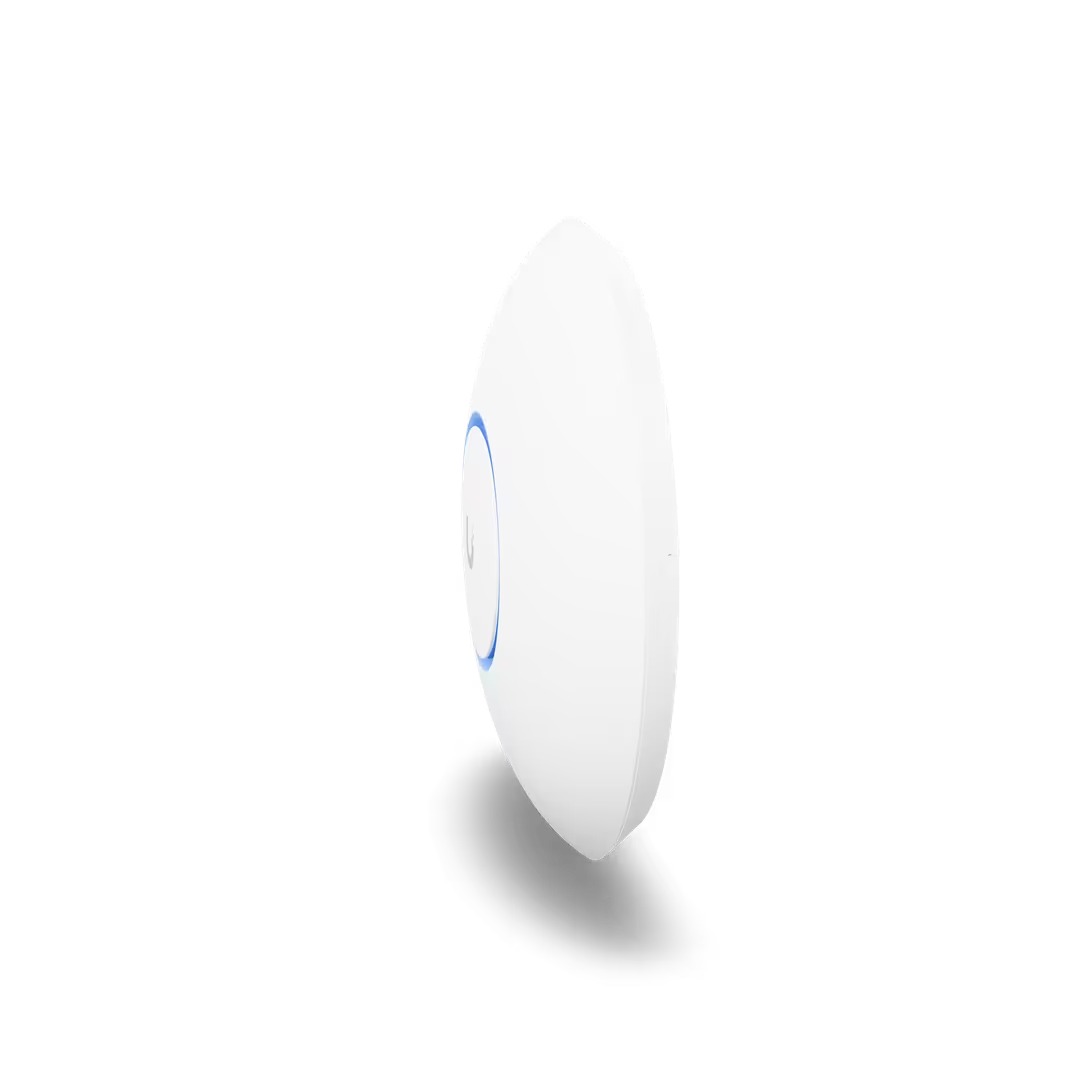
Ubiquiti Wi-Fi Access Points support from ALLMSP helps Ubiquiti customers deliver dependable wireless coverage, capacity, roaming, guest access, and secure authentication across the real building.
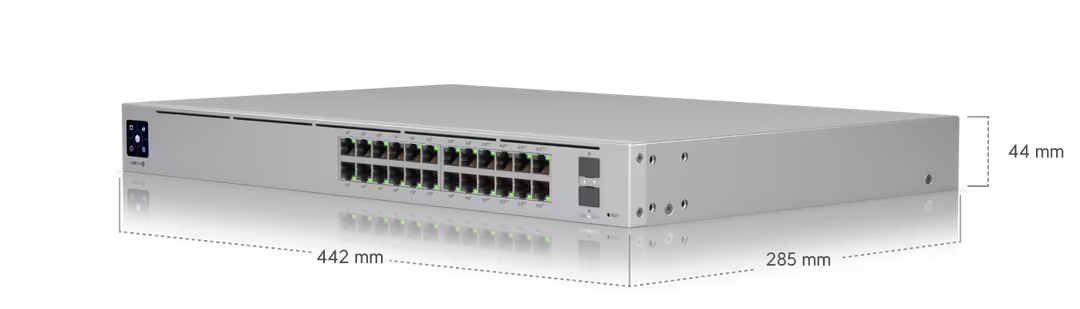
With Ubiquiti Switching, the Ubiquiti service plan focuses on the practical work needed to keep wired users, servers, phones, cameras, and access points connected through documented ports, VLANs, PoE, and resilient uplinks.
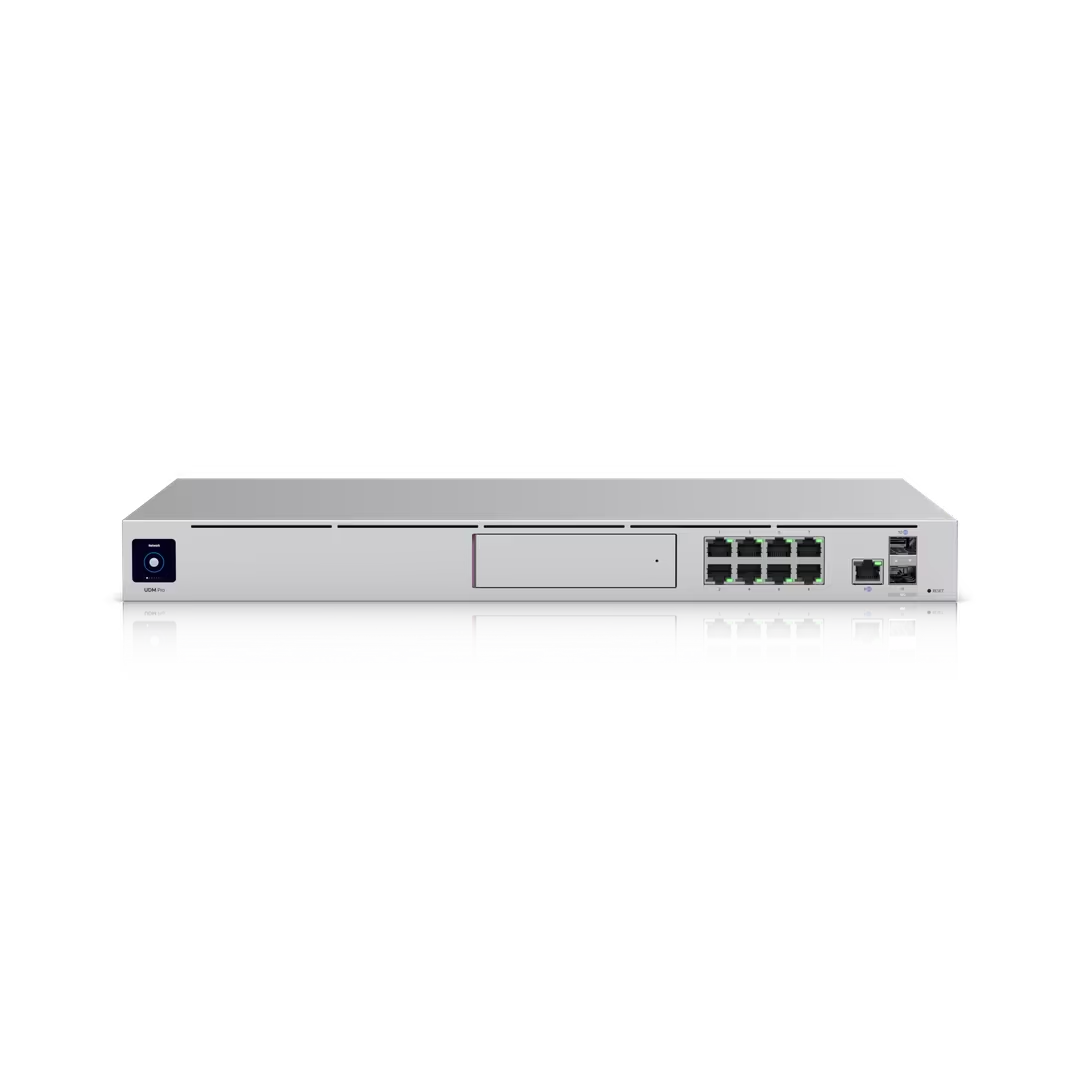
With Ubiquiti Routers and Gateways, the Ubiquiti service plan focuses on the practical work needed to provide resilient site connectivity with correct routing, segmentation, secure remote access, logging, and failover planning.
ALLMSP plans and supports Ubiquiti Cloud Management within the Ubiquiti environment to centralize network visibility, configuration, alerts, inventory, and change history across sites.
Ubiquiti often connects Ubiquiti Wi-Fi Access Points, Ubiquiti Switching, Ubiquiti Routers and Gateways, and Ubiquiti Cloud Management with the wider needs around wireless access points, switches, routers, gateways, cloud management, network security, and structured connectivity. These related services keep Ubiquiti, its users, security controls, and supporting systems working as one managed business environment.
Network Support for Ubiquiti covers the switching, wireless, internet, ports, pathways, labeling, and cable management that Ubiquiti Wi-Fi Access Points, Ubiquiti Switching, and Ubiquiti Routers and Gateways needs.
Network and Cabling for Ubiquiti covers the switching, wireless, internet, ports, pathways, labeling, and cable management that Ubiquiti Wi-Fi Access Points, Ubiquiti Switching, and Ubiquiti Routers and Gateways needs.
Cybersecurity protects Ubiquiti Wi-Fi Access Points, Ubiquiti Switching, and Ubiquiti Routers and Gateways through segmentation, secure administration, firmware, guest access, authentication, logging, configuration backup, and physical network access, with controls documented for the actual Ubiquiti environment.
A. ALLMSP supports UniFi networking, Access, Protect and custom software integrations. Services include architecture, business-system connections, access automation, dashboards, configuration, testing, documentation, training, troubleshooting and ongoing support.
A. Yes. ALLMSP provides Ubiquiti planning, implementation, and support for Atlanta and Metro Atlanta businesses. Scope is based on the organization's users, locations, current environment, risk, schedule, and the business result expected from Ubiquiti.
A. Yes. We compare Ubiquiti Wi-Fi Access Points, Ubiquiti Switching, Ubiquiti Routers and Gateways, and Ubiquiti Cloud Management using floor plans, building materials, users, devices, applications, interference, cabling, PoE, guest needs, authentication, and growth. The Ubiquiti recommendation documents fit, tradeoffs, implementation work, warranty or subscription impact as applicable, and ongoing support before a purchase or commitment is made.
A. Yes. We can lead the engagement from discovery and architecture through implementation, testing, documentation, training and ongoing support. We also handle focused integration and development scopes alongside an existing IT provider, facilities team or installation contractor.
A. Yes. We assess the current use of Ubiquiti Wi-Fi Access Points, Ubiquiti Switching, Ubiquiti Routers and Gateways, and Ubiquiti Cloud Management, preserve what is working, and identify changes that remove risk or recurring friction. The Ubiquiti improvement plan is prioritized using coverage gaps, interference, channel use, capacity, roaming, client failures, firmware, cabling, PoE, and alert quality.
A. Yes. ALLMSP can compare Ubiquiti models, compatibility, warranty, availability, project timing, and competitive pricing. Selected Ubiquiti equipment is staged, installed, tested, labeled, documented, and prepared for practical employee use.
A. For Ubiquiti equipment, ALLMSP reviews floor plans, building materials, users, devices, applications, interference, cabling, PoE, guest needs, authentication, and growth. The Ubiquiti record includes configuration, test results, warranty details, inventory, physical placement, support contacts, and replacement timing so reliability concerns remain visible.
A. Before Ubiquiti deployment, ALLMSP checks floor plans, building materials, users, devices, applications, interference, cabling, PoE, guest needs, authentication, and growth. We test Ubiquiti Wi-Fi Access Points and Ubiquiti Switching against real devices, data, applications, integrations, and employee workflows so compatibility means more than a successful sign-in or basic connection.
A. Yes. Ubiquiti training is based on the work employees and administrators actually perform with Ubiquiti Wi-Fi Access Points, Ubiquiti Switching, Ubiquiti Routers and Gateways, and Ubiquiti Cloud Management. Ubiquiti sessions include safe daily use, common errors, ownership, documentation, and the support path for questions that appear after launch.
A. Yes. ALLMSP troubleshoots Ubiquiti Wi-Fi Access Points using the product configuration, connected systems, recent changes, logs or device evidence, and the affected business workflow. Findings and completed corrections are documented so recurring Ubiquiti problems can be fixed at their source.
A. After Ubiquiti implementation, ALLMSP reviews coverage gaps, interference, channel use, capacity, roaming, client failures, firmware, cabling, PoE, and alert quality. The Ubiquiti backlog separates urgent corrections from improvements in reliability, security, usability, cost, adoption, and lifecycle or subscription management.
A. Yes. ALLMSP can establish repeatable Ubiquiti models or settings, naming, access, integrations, testing, documentation, spare or licensing standards, and support procedures. Legitimate Ubiquiti differences between locations and teams are recorded instead of being forced into one unsuitable configuration.
A. Documentation for Ubiquiti can cover ownership, equipment or subscription details, administrators, configuration, integrations, locations, test results, support contacts, recovery notes, warranty or renewal dates, and operating procedures for Ubiquiti Wi-Fi Access Points, Ubiquiti Switching, Ubiquiti Routers and Gateways, and Ubiquiti Cloud Management.
A. Yes. ALLMSP provides local services in Lawrenceville, Suwanee, Gwinnett County, Metro Atlanta and nearby Georgia communities. Custom software development and integration can also be delivered remotely for businesses and organizations in other locations, working alongside the local team.
A. Ubiquiti cost depends on the selected equipment, user or device count, locations, current condition, migration or installation work, integrations, security requirements, training, project timing, and ongoing support. ALLMSP defines assumptions and acceptance criteria before major Ubiquiti work begins.