




























































































































































Audit Microsoft 365 Security Across Identity, Email, Teams, SharePoint, and Devices
Audit Microsoft 365 identity, email, Teams, SharePoint, OneDrive, devices, audit logs, backup, and incident readiness for Georgia businesses.

Type at least two characters
Type at least two characters
Browse business hardware first, then explore software by the work it supports.
Managed technology, AI integration, marketing, infrastructure, and business support.
Support, protection, devices, and dependable daily operations
AI systems, integrations, automation, analytics, and governance
Marketing, websites, hosting, print, signs, and brand visibility
Cloud, backup, cabling, planning, leadership, and business support
Technology, security, automation, and marketing aligned to the way your organization works.
ALLMSP supports businesses across Lawrenceville, Suwanee, Gwinnett County, Metro Atlanta, and nationwide remote environments.
Discuss Your Environment
Microsoft Security can support identity, endpoint protection, email security, access control, threat detection, vulnerability reduction, monitoring, and response. ALLMSP helps Atlanta and Gwinnett businesses evaluate, configure, document, train, troubleshoot, and improve Microsoft Entra Identity and Access Management, Microsoft Defender and XDR Threat Protection, Microsoft Intune Endpoint and Application Management, and Microsoft Purview Data Security, Governance and Compliance, with every stage handled in house.
ALLMSP provides Microsoft Security cybersecurity consulting, deployment, monitoring, and response support for organizations in Lawrenceville, Suwanee, Gwinnett County, Metro Atlanta, and nearby Georgia communities. Our work covers Microsoft Entra Identity and Access Management, Microsoft Defender and XDR Threat Protection, Microsoft Intune Endpoint and Application Management, and Microsoft Purview Data Security, Governance and Compliance with planning tied to the way employees, locations, and business systems actually operate.
For Microsoft Security, discovery begins with users, devices, identities, email, cloud applications, data, compliance, integrations, alert coverage, response, and reporting. The Microsoft Security plan defines implementation, support, security, training, documentation, and the next review for the actual environment.
Compare Microsoft Entra Identity and Access Management, Microsoft Defender and XDR Threat Protection, Microsoft Intune Endpoint and Application Management, and Microsoft Purview Data Security, Governance and Compliance using users, devices, identities, email, cloud applications, data, compliance, integrations, alert coverage, response, and reporting. Microsoft Security subscriptions and administrative ownership are aligned with the people and workflows that actually need them.
Microsoft Security implementation work can configure policies and roles, deploy agents or connectors, protect administrators, test alerts, document response, train users, and verify coverage. The Microsoft Security rollout includes practical training and clear administrative documentation.
Microsoft Security optimization reviews detections, false positives, coverage gaps, policy drift, vulnerabilities, access, reporting, incidents, and product changes. Microsoft Security improvements are prioritized by business value, risk, employee impact, and the effort required to deliver them.

With Microsoft Entra Identity and Access Management, the Microsoft Security service plan focuses on the practical work needed to give employees secure access through verified identity, appropriate device trust, least privilege, and dependable joiner and leaver processes.
Microsoft Entra
Identity and network access product family for securing users, apps, devices, workloads, external identities, and least-privilege access.
Microsoft Entra ID
Cloud identity and access management service formerly known as Azure Active Directory, used for authentication, SSO, conditional access, and identity governance.
Microsoft Entra ID P1
Identity plan adding business-critical access controls such as Conditional Access, hybrid identity, self-service password reset, and app access management.
Microsoft Entra ID P2
Advanced identity plan adding risk-based identity protection, privileged identity management, and deeper governance for higher-risk environments.
Microsoft Entra Suite
Bundled identity and secure access package that brings together identity protection, governance, verified ID, private access, and internet access capabilities.
Microsoft Entra External ID
Customer and partner identity platform for secure external user sign-in, B2B collaboration, customer-facing apps, and controlled access outside the organization.
Microsoft Entra Agent ID
Identity and access governance for AI agents, helping organizations register, manage, and secure non-human AI identities.
Microsoft Entra ID Protection
Risk detection and automated response for compromised identities, risky sign-ins, anomalous behavior, and identity-based attack prevention.
Microsoft Entra ID Governance
Identity lifecycle governance for access reviews, entitlement management, joiner/mover/leaver workflows, and least-privilege access.
Microsoft Entra Verified ID
Decentralized identity credential service for issuing and verifying tamper-resistant digital credentials for employees, partners, and customers.
Microsoft Entra Internet Access
Secure internet access service for users and devices, helping replace legacy web filtering and VPN-style egress controls with identity-aware access.
Microsoft Entra Private Access
Zero Trust private application access service that gives users secure access to internal apps without exposing networks through traditional VPN.
Microsoft Entra Domain Services
Managed domain services for legacy apps that still require domain join, LDAP, Kerberos, or NTLM without operating domain controllers.
Microsoft Entra Workload ID
Identity management for apps and services so organizations can secure non-human workload identities with policy and least privilege.
Microsoft Entra Permissions Management
Cloud infrastructure entitlement management for discovering, right-sizing, and governing permissions across multicloud environments.
ALLMSP designs Microsoft Defender and XDR Threat Protection services to turn endpoint and identity telemetry into reviewed alerts, documented escalation, and timely containment decisions.
Microsoft Defender XDR
Unified extended detection and response platform that correlates identity, endpoint, email, collaboration, cloud app, and cloud signals into one incident view.
Microsoft Defender for Endpoint
Enterprise endpoint protection and EDR for Windows, macOS, Linux, iOS, and Android with attack prevention, investigation, and response.
Microsoft Defender for Business
SMB-focused endpoint security product that gives smaller organizations enterprise-style protection without the complexity of full enterprise licensing.
Microsoft Defender for Office 365
Email and collaboration security for Microsoft 365, protecting Exchange, Teams, SharePoint, and OneDrive against phishing, malware, impersonation, and unsafe links.
Exchange Online Protection
Baseline cloud email filtering service for spam, malware, anti-phishing, and transport-level protection in Exchange Online environments.
Microsoft Defender for Identity
Identity threat detection for Active Directory and hybrid identity environments, surfacing lateral movement, credential attacks, and domain compromise risk.
Microsoft Defender for Cloud Apps
Cloud access security broker for SaaS discovery, app governance, session controls, risk scoring, and data protection across cloud applications.
Microsoft Defender for Cloud
Cloud security posture management and workload protection for Azure, hybrid, and multicloud resources.
Microsoft Defender Vulnerability Management
Risk-based vulnerability management platform for discovering, prioritizing, and remediating endpoint and software exposure.
Microsoft Defender Threat Intelligence
Threat intelligence platform that gives security teams external context, adversary intelligence, and internet exposure visibility.
Microsoft Defender Experts for XDR
Managed detection and response service from Microsoft experts that helps triage incidents and accelerate threat response.
Microsoft Defender Experts for Hunting
Proactive threat hunting service that helps identify advanced threats, attacker behavior, and hidden compromise across Defender signals.
Microsoft Defender for IoT
Security monitoring and asset visibility for IoT and operational technology networks, including industrial devices and unmanaged equipment.
Microsoft Defender External Attack Surface Management
External exposure management that discovers internet-facing assets, shadow IT, and attack paths an adversary could see from outside the business.
Microsoft Security Exposure Management
Security posture and exposure management product that helps prioritize the most important attack paths and risk-reduction actions.
Microsoft Security Copilot
Generative AI assistant for security teams that helps summarize incidents, investigate alerts, write queries, and speed security operations.

ALLMSP plans and supports Microsoft Intune Endpoint and Application Management within the Microsoft Security environment to manage business computers and mobile devices through consistent enrollment, configuration, application, compliance, update, and support controls.
Microsoft Intune
Cloud endpoint management platform for Windows, macOS, iOS, Android, app protection, compliance policies, enrollment, and remote administration.
Microsoft Intune Plan 1
Core Intune licensing for device management, app management, compliance, configuration profiles, and endpoint administration.
Microsoft Intune Plan 2
Advanced Intune add-on plan for organizations needing deeper endpoint control and specialized management capabilities beyond core Intune.
Microsoft Intune Suite
Expanded endpoint management bundle including advanced analytics, remote help, privilege management, enterprise app management, and cloud PKI capabilities.
Microsoft Intune Remote Help
Secure remote assistance tool for help desks to support users while respecting role-based access, elevation controls, and auditability.
Microsoft Intune Endpoint Privilege Management
Least-privilege endpoint control that lets standard users elevate approved tasks without making everyone a local administrator.
Microsoft Intune Advanced Analytics
Endpoint analytics and reporting that helps IT identify performance, reliability, boot time, app health, and user experience problems.
Microsoft Intune Enterprise Application Management
Application lifecycle management service for discovering, packaging, deploying, and updating common enterprise apps through Intune.
Microsoft Cloud PKI
Cloud-based certificate authority service for issuing and managing certificates used by Wi-Fi, VPN, authentication, and device trust scenarios.
Microsoft Configuration Manager
Traditional endpoint management platform for complex on-premises and co-managed Windows environments that still require deep deployment control.

ALLMSP plans and supports Microsoft Purview Data Security, Governance and Compliance within the Microsoft Security environment to protect sensitive business information with clear classification, access, retention, and data handling controls.
Microsoft Purview
Unified data governance, security, and compliance portfolio for discovering, protecting, managing, and governing business data.
Microsoft Purview Suite
Comprehensive Purview licensing suite for enterprise compliance, data protection, risk management, audit, eDiscovery, and governance.
Microsoft Purview Data Security
Data security portfolio for protecting sensitive information across Microsoft 365, endpoints, cloud apps, and AI-enabled environments.
Microsoft Purview Data Security Posture Management
Risk-based visibility into sensitive data exposure, oversharing, policy gaps, and security posture across the data estate.
Microsoft Purview Information Protection
Classification, labeling, and encryption controls for protecting confidential business information across documents, email, and collaboration systems.
Microsoft Purview Data Loss Prevention
DLP policy engine for preventing sensitive data leakage across email, endpoints, Teams, SharePoint, OneDrive, cloud apps, and browsers.
Microsoft Purview Insider Risk Management
Insider risk detection and workflow tool for identifying potentially risky user behavior while supporting investigation and privacy controls.
Microsoft Purview Data Security Investigations
Investigation workflow for analyzing sensitive data incidents, user activity, and data exposure events across the organization.
Microsoft Purview Data Lifecycle Management
Retention and deletion controls for managing business content lifecycle, reducing data sprawl, and meeting legal or regulatory requirements.
Microsoft Purview Records Management
Advanced records retention, disposition, and declaration controls for organizations with formal records and regulatory obligations.
Microsoft Purview eDiscovery
Legal discovery platform for preserving, searching, reviewing, exporting, and managing electronic evidence across Microsoft 365.
Microsoft Purview Audit
Audit logging and investigation capabilities for tracking user and administrator activity across Microsoft cloud services.
Microsoft Purview Communication Compliance
Policy and review workflows for detecting inappropriate, regulated, or risky communications across collaboration channels.
Microsoft Purview Compliance Manager
Compliance assessment and improvement tool that maps controls, regulations, actions, and scores across Microsoft cloud environments.
Microsoft Purview Information Barriers
Compliance control for restricting communication and collaboration between groups that must remain separated due to regulatory or conflict rules.
Microsoft Purview Data Governance
Governance solution for mapping, cataloging, classifying, curating, and understanding enterprise data across cloud and hybrid environments.
Microsoft Purview Data Map
Foundational metadata map that scans and organizes data assets so teams can understand where business data lives.
Microsoft Purview Unified Catalog
Business data catalog that makes governed data assets discoverable, understandable, and reusable across analytics and operational teams.
Microsoft Purview Data Estate Insights
Analytics and reporting layer that helps data owners measure governance health, data estate coverage, quality, and usage patterns.
Microsoft Priva
Privacy management solution for identifying personal data risk, automating privacy workflows, and supporting responsible data handling.

Microsoft Sentinel centralizes security events and response workflows. ALLMSP helps connect alert handling, investigation notes, and follow-through to the rest of the Microsoft environment.
Microsoft Sentinel
Cloud-native SIEM and SOAR platform for collecting security logs, correlating incidents, automating response, and running advanced threat hunting.
Microsoft Security often connects Microsoft Entra Identity and Access Management, Microsoft Defender and XDR Threat Protection, Microsoft Intune Endpoint and Application Management, and Microsoft Purview Data Security, Governance and Compliance with the wider needs around identity, endpoint protection, email security, access control, threat detection, vulnerability reduction, monitoring, and response. These related services keep Microsoft Security, its users, security controls, and supporting systems working as one managed business environment.
Identity Security protects Microsoft Entra Identity and Access Management, Microsoft Defender and XDR Threat Protection, and Microsoft Intune Endpoint and Application Management through identity, MFA, least privilege, device coverage, policy, logging, evidence, alert handling, response ownership, and recovery, with controls documented for the actual Microsoft Security environment.
Endpoint Management supports Microsoft Entra Identity and Access Management, Microsoft Defender and XDR Threat Protection, and Microsoft Intune Endpoint and Application Management with compatibility checks, staged deployment, diagnostics, warranty records, inventory, repairs, and lifecycle planning.
Coordinate compliance and data protection for Microsoft Entra Identity and Access Management, Microsoft Defender and XDR Threat Protection, and Microsoft Intune Endpoint and Application Management through focused Microsoft Security planning, implementation, documentation, support, and measurable follow-through.

Audit Microsoft 365 identity, email, Teams, SharePoint, OneDrive, devices, audit logs, backup, and incident readiness for Georgia businesses.

Secure Microsoft 365 administrator roles, emergency access, audit evidence, and recovery with ALLMSP support across Atlanta and Gwinnett County.
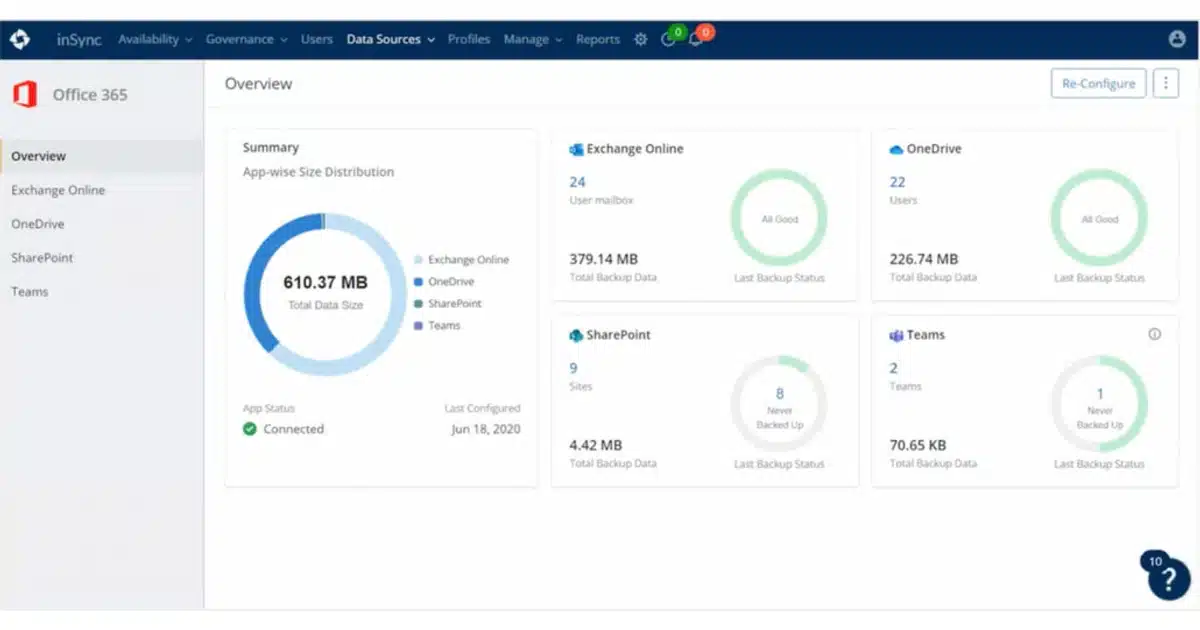
A Microsoft 365 tenant becomes part of the business’s security boundary as soon as it holds mail, files, meetings, identities, and access to connected applications.
A. ALLMSP supports business use of Microsoft Entra Identity and Access Management, Microsoft Defender and XDR Threat Protection, Microsoft Intune Endpoint and Application Management, Microsoft Purview Data Security, Governance and Compliance, and SIEM, SOAR and Security Operations. A Microsoft Security engagement can cover evaluation and account ownership, subscription or licensing review, configuration, migration, testing, documentation, training, and ongoing administration. For Microsoft Security, ALLMSP also provides troubleshooting, optimization, and a documented support plan for the selected platform.
A. Yes. ALLMSP provides Microsoft Security planning, implementation, and support for Atlanta and Metro Atlanta businesses. Scope is based on the organization's users, locations, current environment, risk, schedule, and the business result expected from Microsoft Security.
A. Yes. We compare Microsoft Entra Identity and Access Management, Microsoft Defender and XDR Threat Protection, Microsoft Intune Endpoint and Application Management, Microsoft Purview Data Security, Governance and Compliance, and SIEM, SOAR and Security Operations using applications, user groups, authentication methods, device posture, privileged roles, exceptions, recovery methods, and offboarding requirements. The Microsoft Security recommendation documents fit, tradeoffs, implementation work, warranty or subscription impact as applicable, and ongoing support before a purchase or commitment is made.
A. Yes. ALLMSP handles the Microsoft Security engagement in house from discovery and planning through account ownership, subscription or licensing review, configuration, migration, testing, documentation, training, and ongoing administration. The ALLMSP team documents Microsoft Security ownership, resolves launch issues, and continues improving the environment after handoff.
A. Yes. We assess the current use of Microsoft Entra Identity and Access Management, Microsoft Defender and XDR Threat Protection, Microsoft Intune Endpoint and Application Management, Microsoft Purview Data Security, Governance and Compliance, and SIEM, SOAR and Security Operations, preserve what is working, and identify changes that remove risk or recurring friction. The Microsoft Security improvement plan is prioritized using sign-in failures, risky access, stale accounts, weak factors, unmanaged devices, excessive privilege, policy exceptions, and recovery readiness.
A. Yes. ALLMSP reviews Microsoft Security account ownership, subscription or licensing needs, administrators, user access, integrations, billing access where applicable, and unused assignments. The result is a cleaner Microsoft Security administration model with documented owners and recovery contacts.
A. The Microsoft Security security review considers applications, user groups, authentication methods, device posture, privileged roles, exceptions, recovery methods, and offboarding requirements. ALLMSP then documents Microsoft Security administrator protection, least privilege, alert or logging needs, recovery access, test results, and the person responsible for each critical control.
A. Before Microsoft Security deployment, ALLMSP checks applications, user groups, authentication methods, device posture, privileged roles, exceptions, recovery methods, and offboarding requirements. We test Microsoft Entra Identity and Access Management and Microsoft Defender and XDR Threat Protection against real devices, data, applications, integrations, and employee workflows so compatibility means more than a successful sign-in or basic connection.
A. Yes. Microsoft Security training is based on the work employees and administrators actually perform with Microsoft Entra Identity and Access Management, Microsoft Defender and XDR Threat Protection, Microsoft Intune Endpoint and Application Management, Microsoft Purview Data Security, Governance and Compliance, and SIEM, SOAR and Security Operations. Microsoft Security sessions include safe daily use, common errors, ownership, documentation, and the support path for questions that appear after launch.
A. Yes. ALLMSP troubleshoots Microsoft Entra Identity and Access Management using the product configuration, connected systems, recent changes, logs or device evidence, and the affected business workflow. Findings and completed corrections are documented so recurring Microsoft Security problems can be fixed at their source.
A. After Microsoft Security implementation, ALLMSP reviews sign-in failures, risky access, stale accounts, weak factors, unmanaged devices, excessive privilege, policy exceptions, and recovery readiness. The Microsoft Security backlog separates urgent corrections from improvements in reliability, security, usability, cost, adoption, and lifecycle or subscription management.
A. Yes. ALLMSP can establish repeatable Microsoft Security models or settings, naming, access, integrations, testing, documentation, spare or licensing standards, and support procedures. Legitimate Microsoft Security differences between locations and teams are recorded instead of being forced into one unsuitable configuration.
A. Documentation for Microsoft Security can cover ownership, platform or subscription details, administrators, configuration, integrations, locations, test results, support contacts, recovery notes, warranty or renewal dates, and operating procedures for Microsoft Entra Identity and Access Management, Microsoft Defender and XDR Threat Protection, Microsoft Intune Endpoint and Application Management, Microsoft Purview Data Security, Governance and Compliance, and SIEM, SOAR and Security Operations.
A. Yes. ALLMSP supports Microsoft Security for organizations in Lawrenceville, Suwanee, Gwinnett County, Metro Atlanta, and nearby Georgia communities. Remote Microsoft Security support can also serve a local business with traveling staff or locations outside Georgia.
A. Microsoft Security cost depends on the selected platform, user or device count, locations, current condition, migration or installation work, integrations, security requirements, training, project timing, and ongoing support. ALLMSP defines assumptions and acceptance criteria before major Microsoft Security work begins.