





























































































































































Restaurant checkout is a chain of physical dependencies. A Square device may accept input while an order never reaches the kitchen because a network printer sits on the wrong segment. A cash drawer may stay closed because the receipt printer profile or small modular drawer cable is wrong. A brief power event may leave the register online but drop the router, switch, or accessory hub that connects the rest of the workflow.
Square’s current support library documents network protocols and domains, printer connection types, cash-drawer paths, device power requirements, and offline-payment behavior. Those sources are precise about important constraints: network accessories must share the appropriate network, one Bluetooth printer is not a shared multi-station printer, Ethernet accessories do not function in offline mode, and pending offline payments can be destroyed by signing out, switching locations or modes, deleting the app, or factory resetting hardware.
This article focuses on the physical restaurant stack and its recovery. Menu routing logic and broader Square for Restaurants configuration are software-governance topics. Hardware reliability means the counter, kitchen, network, power, cables, printers, drawers, paper, and supported offline device can be inspected and restored by a trained shift leader using evidence.
Key decisions at a glance
- Diagram each restaurant station from Square device through hub, network, printer, kitchen destination, cash drawer, power circuit, UPS, and business owner before troubleshooting begins.
- Follow Square’s network requirements for NTP, HTTPS, required domains, and local printer ports while separating guest access and avoiding captive portals on payment hardware.
- Choose printer and drawer interfaces from Square’s current compatibility data, USB, Ethernet, Wi-Fi, Bluetooth, AirPrint, and printer-driven drawers have different operating boundaries.
- Protect Square devices, network edge, switches, and critical printers with deliberate power and restart sequences, but never place kitchen heating loads on technology backup power.
- Make offline payments a governed contingency with supported-hardware checks, risk limits, pending-payment protection, restoration ownership, and an explicit prohibition on destructive resets.
Draw the Physical Order, Payment, Print, and Drawer Topology
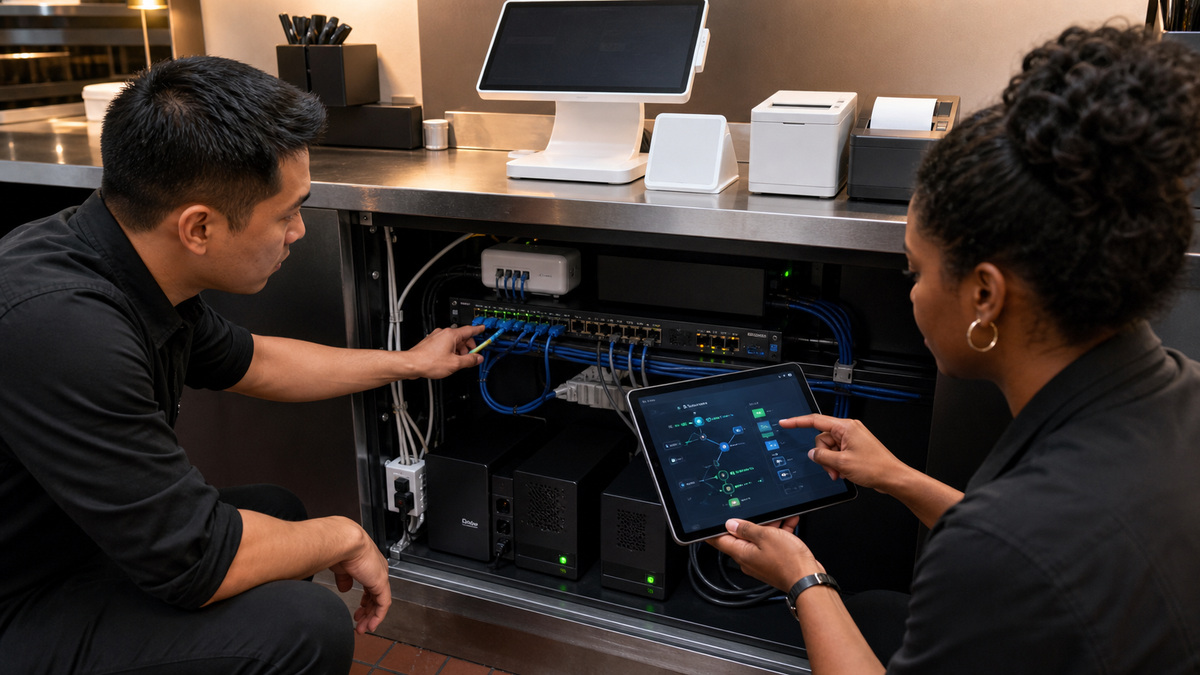
Inventory every fixed and mobile Square device, customer display, host tablet, hub, dock, receipt printer, kitchen printer, label printer, kitchen display hardware, cash drawer, scanner, router, access point, switch, UPS, network drop, outlet, and connection cable. Record model, generation, interface, physical location, intended role, power source, network segment, and the person who owns the outcome. A photo of the installed rear connections is often more useful during dinner service than a generic wiring note.
Trace a representative order from employee entry to every required output. The front-counter receipt, hot-line ticket, cold-line ticket, label, customer display, drawer action, and mobile handheld may use different connections. Distinguish direct USB accessories from network devices and a printer-driven drawer from a USB drawer. The diagram should show exactly which printer must be available for an attached drawer to open automatically.
Verify compatibility per endpoint rather than per brand. Square currently supports multiple printer connection types, but support varies by Square hardware, mobile device, operating system, printer model, and intended use. A Bluetooth printer can be paired to only one point-of-sale device, if multiple stations need a printer, Square directs sellers toward a network printer. Kiosk accessory behavior can also change with the application in use, so exclude any unproved assumption.
- Number physical stations and accessories with an internal identifier that matches the network, power, and support record without exposing payment serials publicly.
- Photograph USB, Ethernet, power, hub, printer, and small modular cash-drawer connections after final cable management.
- Document which station prints receipts, each kitchen or label ticket, void tickets, and which printer physically drives a drawer.
- Maintain a current spare list for paper, cables, approved adapters, hubs, printer interfaces, and a known-good compatible payment device.
Engineer Square Network and Power for the Actual Service Period
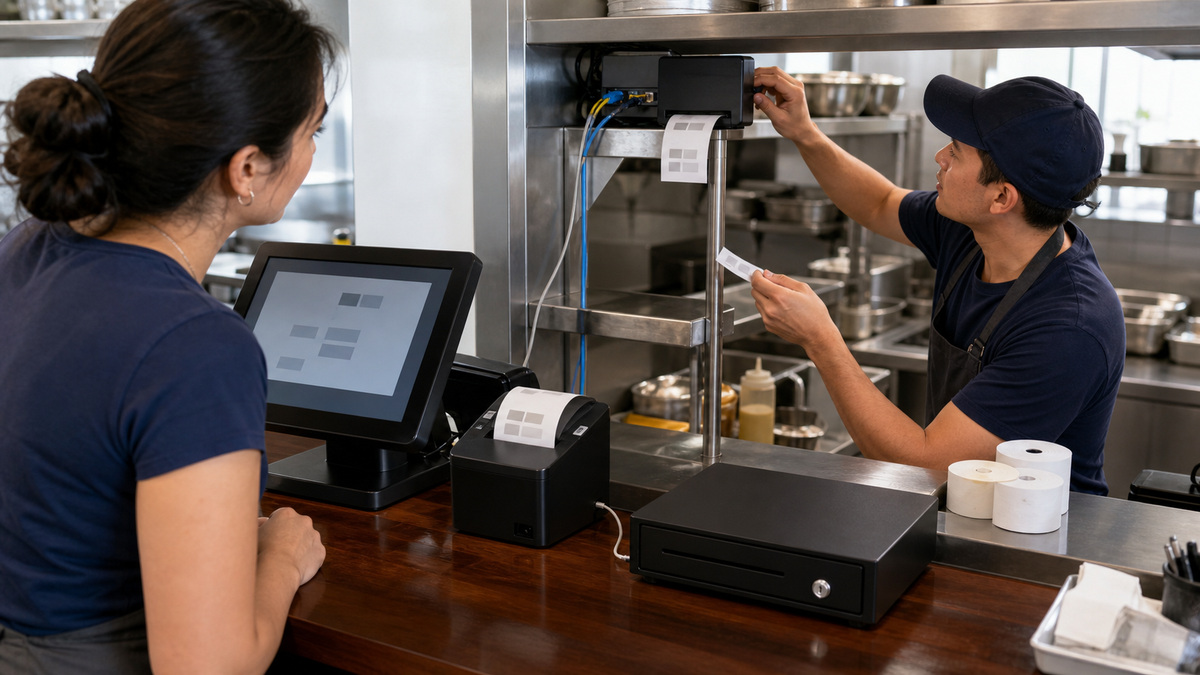
Square’s networking guide identifies NTP for correct device time, HTTPS on port 443, required Square-related domains, and local ports used by supported network printers. Implement only the current documented requirements and validate them from the payment network. Avoid TLS interception or filtering changes that make certificate validation unreliable, and ensure DNS, DHCP, gateway, and time services remain available after a router or firewall update.
Create a business-managed payment and operations network rather than using guest Wi-Fi. Register and Handheld documentation says captive portals are unsupported. Put Square devices and network printers where intended local discovery and printing can work while guest clients cannot reach them. Test access-point capacity, roaming, interference, signal strength, and wired switch paths during a production-like meal period, not only in an empty restaurant.
Protect the complete low-wattage technology path: Square hardware, approved hubs and chargers, router, firewall, switch, access points, and business-critical printer where the electrical design permits. Size and test UPS devices with an electrician or qualified technician, label protected outlets, and define safe shutdown. Refrigeration, cooking, warming, and other high-load equipment require their own facilities plan and must not be improvised onto the POS backup system.
- Validate NTP, HTTPS, required domains, DNS, DHCP, gateway, and documented local printer ports after every firewall or network replacement.
- Keep Square payment traffic off the public guest network and prohibit captive-portal dependencies at fixed or mobile stations.
- Measure signal and roaming at counters, tables, patios, pickup areas, kitchen pass, and any place Handheld or Terminal is carried.
- Run a protected-power test that confirms the register, network edge, switch, access point, and critical printer remain available for the planned window.
Make Printers and Cash Drawers Testable Before Every Shift
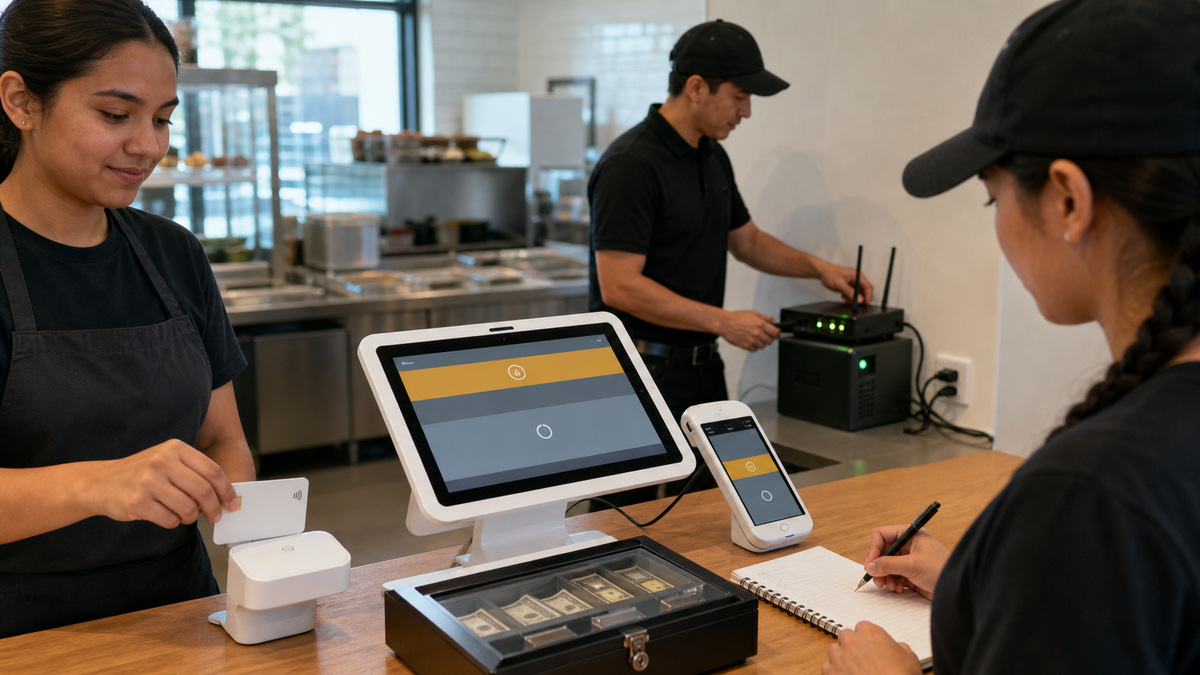
Select the interface deliberately. USB is generally a direct and reliable path when the Square device and hub support it. Ethernet printers attach to a router or switch and are reached over the local network, Wi-Fi printers must share the appropriate network, Bluetooth is a one-printer-to-one-device relationship, and AirPrint has its own device constraints. Square Terminal needs Hub for Square Terminal for connected printers. Verify the precise current compatibility record instead of buying by interface alone.
For a printer-driven drawer, connect the small modular drawer cable to the correct receipt-printer port and ensure the printer is configured for receipts. Square notes that printer-driven drawers do not necessarily appear as available drawers, so use the Test Cash Drawer function to verify the physical result. Keep the emergency key controlled, record who may use it, and never substitute a visually similar cable without checking the drawer and printer manufacturer requirements.
Create a pre-shift test that sends one identified ticket to each destination, prints a receipt, opens each configured drawer, confirms paper and cutter condition, and checks that cables and power are secure. When a failure occurs, test from the physical layer upward: paper and cover, power, cable, link, shared network, device recognition, profile assignment, test print, restart, diagnostic evidence, and only then a controlled reset if current Square guidance calls for it.
- Use the Square compatibility page to approve each printer model, connection type, Square device, mobile platform, and intended receipt, ticket, or label use.
- Label paper stock by printer and keep a clean spare roll at the station without storing it where heat, grease, or moisture will damage it.
- Confirm that a printer-driven cash drawer uses the correct small modular cable and opens from the expected receipt printer test.
- Record failed test prints by station, printer, interface, network path, and destination so recurring physical faults can be identified.
Rehearse Outages Without Destroying Pending Offline Payments
Square’s current offline-payment guidance must be read by hardware generation and operating mode. Supported and unsupported combinations differ. The page states that Square Reader for contactless and chip first generation versions 1 and 2 are not supported for offline payments, and it distinguishes timing behavior for Register, Terminal, Handheld, Reader second generation, Reader first generation version 3, and Stand. Confirm the live page and the settings on every production device before promising a fallback.
Protect pending transactions. Square warns not to sign out, delete the POS application, switch modes, switch locations, or factory reset a device with pending offline payments because those payments will be permanently lost. Reconnect and upload promptly, Square currently says they expire after 72 hours and recommends uploading within 24 hours to reduce risk. The seller remains responsible for expired, declined, or disputed offline payments, so management should set transaction and risk limits.
Run a quiet-hours drill: identify whether the failure is local internet or a Square service disruption, verify the supported device shows the expected offline state, take an approved test transaction, preserve the pending record, restore network and power, confirm upload, and reconcile completion or decline. ALLMSP can help Georgia restaurants build this hardware topology, pre-shift test, protected-power design, outage card, and escalation record.
- Verify the current offline-payment setting, supported Square generation, application mode, employee authority, and transaction-risk limit for each lane.
- Post a clear prohibition against signing out, deleting the app, switching modes or locations, or factory resetting while offline payments are pending.
- Keep an approved cash fallback, controlled drawer key, outage contact list, Square status-page route, and manual reconciliation procedure available.
- After restoration, confirm pending payments uploaded, review completed and declined outcomes, test every printer and drawer, and record the incident cause.
Official product documentation and ALLMSP resources
- Square: Network requirements for Square hardware
- Square: Connect a printer to your point of sale
- Square: Troubleshoot printer connection issues
- Square: Connect a cash drawer to your point of sale
- Square: Troubleshoot your cash drawer
- Square: Process offline payments
- Square: Troubleshoot Square Stand connection and power failures
- ALLMSP Square Hardware Support
- ALLMSP Hardware Support
- ALLMSP Retail and Restaurants
- Contact ALLMSP
Frequently Asked Questions
What belongs on a Square restaurant hardware diagram?
Include every Square device and display, host tablet, hub, dock, receipt and kitchen printer, label printer, kitchen display hardware, drawer, scanner, network drop, access point, switch, router, UPS, outlet, cable, interface, destination, and responsible owner.
Which network services does current Square hardware guidance require?
Square’s current network article identifies NTP for correct time, HTTPS on port 443, required Square-related domains, and local ports used by network printers. Follow the live documentation and validate DNS, DHCP, gateway, time, firewall, and printer reachability from the intended network.
Should Square devices use restaurant guest Wi-Fi?
Use a business-managed operations network instead. Guest access creates isolation, captive-portal, capacity, and security problems. Square Register and Handheld documentation says captive portals are unsupported. Design local printer access and segmentation with a qualified network professional.
Is USB or Ethernet better for a Square receipt printer?
USB is a direct, generally reliable connection when the Square device and hub support the model. Ethernet can support network sharing but depends on router, switch, cabling, addressing, and local discovery. Choose from Square’s current compatibility data and the restaurant’s recovery requirements.
Can multiple Square stations share one Bluetooth printer?
Square’s current printer troubleshooting guidance says a single Bluetooth printer can pair with one point-of-sale device and does not support multiple POS devices sharing that Bluetooth connection. Use an approved network-printer design when several stations need the same destination.
Why will a printer-driven cash drawer not appear in Square hardware settings?
Square notes that printer-driven drawers may not appear under available drawers. The drawer depends on the receipt printer, its profile and receipt use, the correct small modular interface cable, and physical power. Use the Test Cash Drawer action to prove the result.
What should a restaurant put on UPS power for Square reliability?
Where properly designed, protect the Square station, network edge, switch, access point, hubs, and critical printer needed for the continuity plan. Size and test the load professionally. Do not improvise cooking, warming, refrigeration, or other high-load equipment onto technology backup power.
Does every Square device support offline card payments?
No. Support varies by hardware generation, application, mode, and connection arrangement. Square’s current page lists unsupported Reader versions and other exceptions. Verify the exact device and settings, train staff, and set risk limits before treating offline payments as a fallback.
What must staff avoid when Square offline payments are pending?
Do not sign out, delete the Square POS app, switch modes, switch locations, or factory reset the device or hardware. Square warns these actions permanently lose pending payments. Restore connectivity and upload promptly, then reconcile completed and declined results.
How can ALLMSP improve Square restaurant hardware uptime?
ALLMSP can document the physical order path, verify accessories, engineer network and protected power, test printers and drawers, prepare spares, rehearse supported offline workflows, train shift leaders, and build an escalation record for Georgia restaurants.


