





























































































































































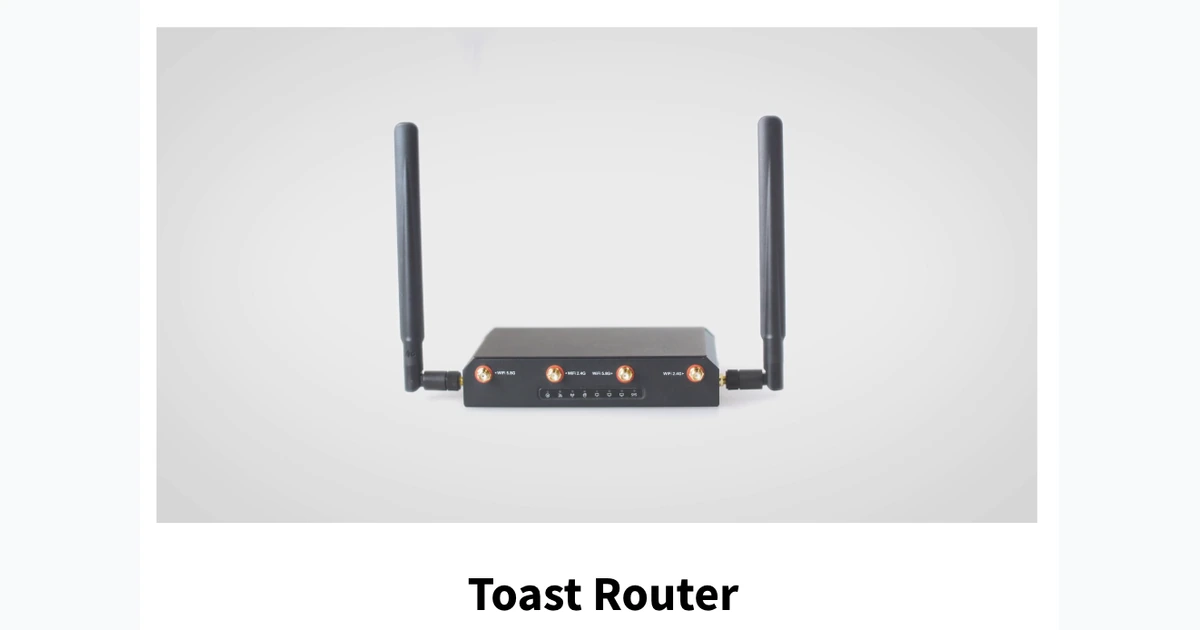
The phrase Toast is offline can describe several different failures. One handheld may have lost Wi-Fi while the rest of the restaurant works. The internet provider may be down even though the local network still carries print jobs. The local router or switch may have failed, leaving powered terminals unable to reach printers or one another. Toast services may be unavailable while the restaurant’s LAN remains healthy. A utility interruption can stop everything, or it can leave only equipment on battery backup alive. Recovery becomes slower and riskier when staff treat all of those conditions as the same incident.
Toast’s own offline guidance draws an important boundary between internet or cloud connectivity and the restaurant’s local network. If the LAN remains functional, some printer and eligible local-sync behavior may continue, if the local network fails, devices can lose communication with kitchen printers and each other. Offline payment handling introduces another boundary: a transaction accepted into a queue has not necessarily been approved by the issuer, and it may decline when submitted after reconnection. Managers need written limits and financial ownership before a crisis, not an improvised answer during a line of guests.
This playbook organizes resilience around four layers: a documented network path, an approved offline operating policy, redundant kitchen and receipt output, and protected power with tested escalation. It uses current Toast documentation to identify prohibited outage actions and configuration dependencies without promising that every feature remains available. ALLMSP can monitor and support the restaurant infrastructure, but the business must decide its acceptable payment exposure, manual fallback, guest communication, and authority to pause service.
When an organization in Lawrenceville, Suwanee, Gwinnett County, Metro Atlanta, or elsewhere in Georgia needs to keep Toast online through network, printer, and power failures, ALLMSP handles the work in house from initial review through validation and ongoing support.
Key decisions at a glance
- Train managers to distinguish a single-device problem from a local-network outage, internet-provider loss, Toast service interruption, printer failure, and utility event.
- Protect the local network because live electricity or cellular service on one device does not restore communication among terminals, printers, and KDS equipment.
- Treat Toast offline card acceptance as a business-risk decision: queued authorizations can fail after reconnection, and unsupported features remain unavailable.
- Never clear app data, uninstall the Toast app, log out, or reboot the router during an outage when those actions could destroy context or interrupt backup printing.
- Prove backup printers, eligible local-sync behavior, cellular failover, and UPS-supported network runtime through controlled drills rather than relying on configuration screenshots.
Separate device, LAN, internet, cloud, and power symptoms
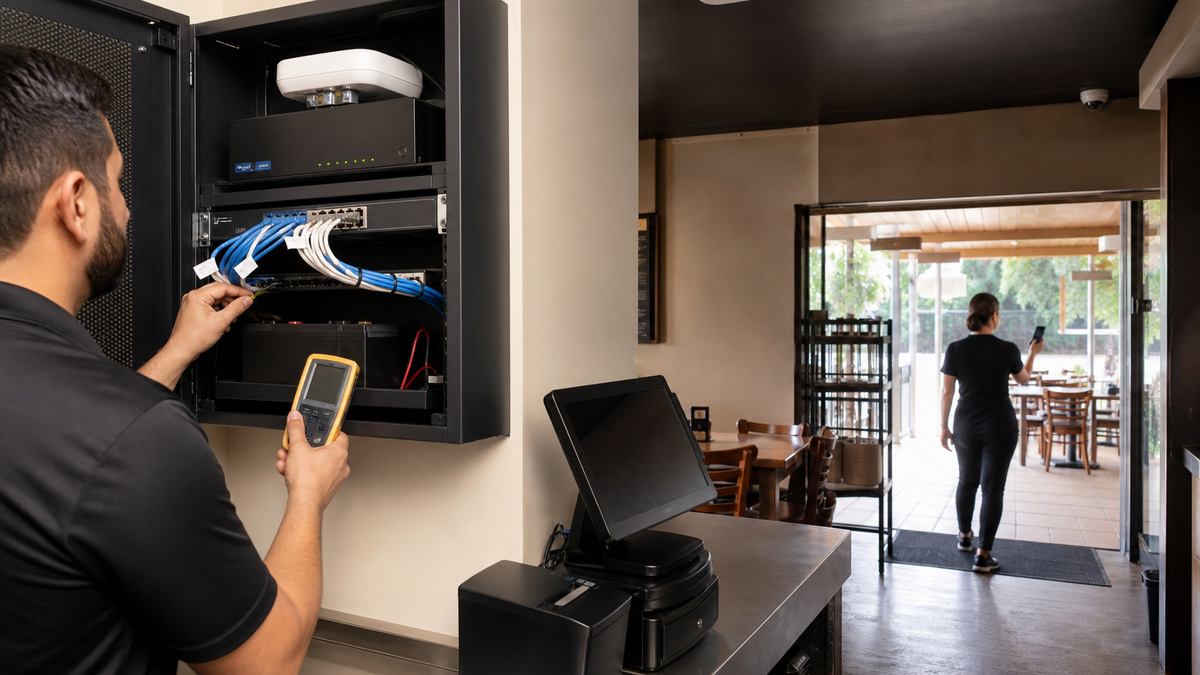
Create a small fault-domain diagram from each Toast device to the service it needs. Show stationary Ethernet links, handheld wireless access points, printers, switch, router, internet handoff, eligible local hub, cellular backup, and protected power. Use the actual restaurant port and device names. A manager should be able to answer whether the affected device has power, whether nearby devices work, whether local printing works, whether the internet is reachable through an approved test, and whether a known Toast service notice exists before anyone starts unplugging hardware.
Toast Device Status provides useful evidence on the device. Its Status information can help reveal network or service conditions, Queues can expose printing or card-processing work, and Device details include identifiers such as IP address, Device ID, serial number, and Toast version. Device Hub in Toast Web adds a centralized view of online or offline state, last-seen time, alerts, connections, and serials. Remember that a remote view may show the last reported configuration rather than a live reading when the device cannot reconnect.
Choose one safe first-check sequence for managers. Confirm the scope, photograph indicator lights and on-screen status without guest data, note the time, check power and visibly loose cables, compare one wired terminal and one handheld, and test an approved local printer path. Escalate before resetting shared infrastructure. A router reboot may erase the evidence window and, more importantly, Toast warns against rebooting the router while the restaurant relies on backup printing during offline operation.
- One failed handheld suggests device, battery, dock, or coverage trouble before it suggests a restaurant-wide internet outage.
- Several wireless devices failing while a wired terminal still prints points toward access-point or radio-path investigation.
- Powered devices that cannot reach local printers may indicate a LAN, switch, cabling, or addressing problem even when cellular phones work.
- A healthy local print path with unavailable cloud features calls for a different response from a dead network cabinet.
- Capture which Toast banner, queue state, indicator light, and device group was affected before support changes anything.
Write an offline policy around limits and payment exposure
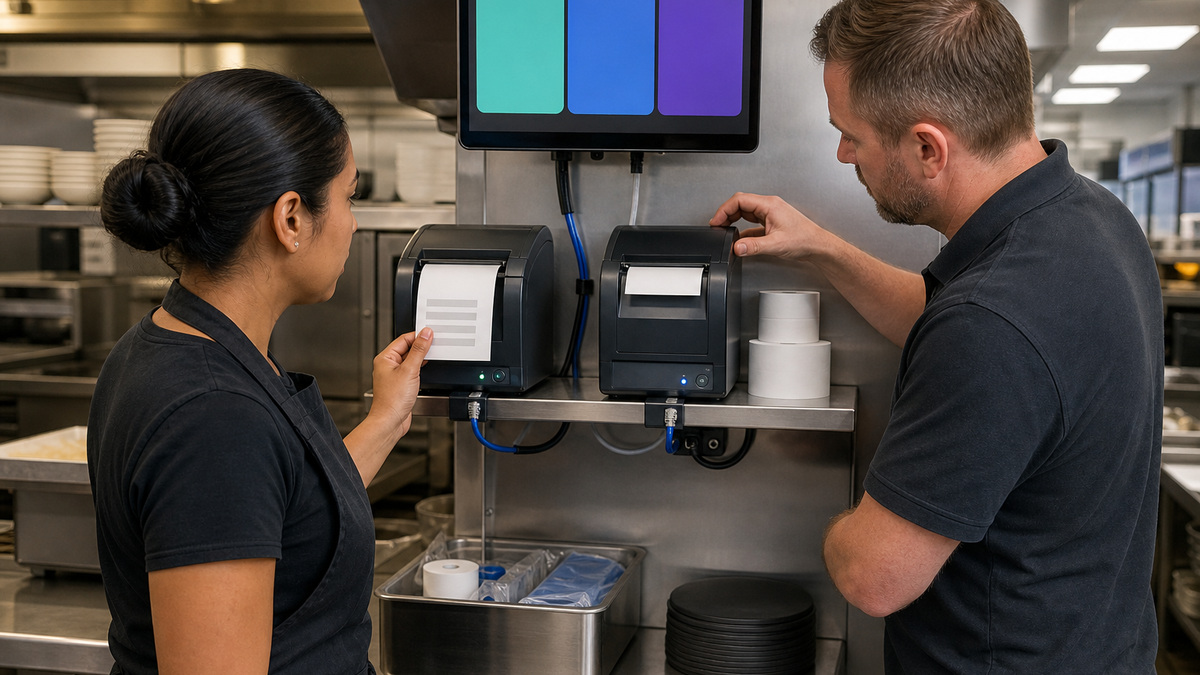
List the exact functions the restaurant will permit during each outage type. Toast documents that some capabilities are unavailable offline, including network-dependent gift and loyalty behavior, and that operating characteristics differ between legacy offline behavior and local-sync configurations. The runbook should state whether staff may open new checks, add to existing checks, split work across devices, print manually, accept cash, accept queued card payments, or stop taking orders. Tie every choice to a named manager role and a maximum duration or exposure threshold.
Queued offline card payments require explicit risk ownership. A card can be captured locally and submitted when connectivity returns, but later authorization may fail. Define per-check and aggregate limits, whether manager approval is required, how signed merchant copies are handled where appropriate, and when card acceptance stops. Do not describe the queue as approved revenue. After reconnection, finance or management should review submission outcomes, declined payments, duplicates, reopened checks, tips, refunds, gift and loyalty exceptions, and any manual records before declaring the incident closed.
Protect queued state while the restaurant is offline. Toast warns users not to uninstall or reinstall the app, clear cache or application data, log out, or take other destructive actions that can remove local context. Do not move an order between devices casually in a legacy offline workflow, and avoid a router restart when backup printing depends on the LAN. Put those prohibitions in bold in the manager runbook and require support authorization for resets that are outside the approved device-specific procedure.
- Set a written offline card limit based on the restaurant’s risk tolerance, technology staff should not invent financial policy during the event.
- Keep a timestamped incident log of checks opened, tenders accepted, manual promises made, and managers who approved exceptions.
- Use a single device for the same order when the applicable Toast offline mode requires it, rather than assuming every terminal shares state.
- Preserve merchant documentation securely and never write full card data into an outage spreadsheet, text message, or support ticket.
- Reconcile the card queue and disabled network-dependent features after service returns instead of treating the restored banner as final proof.
Keep kitchen and receipt output from becoming a single point of failure
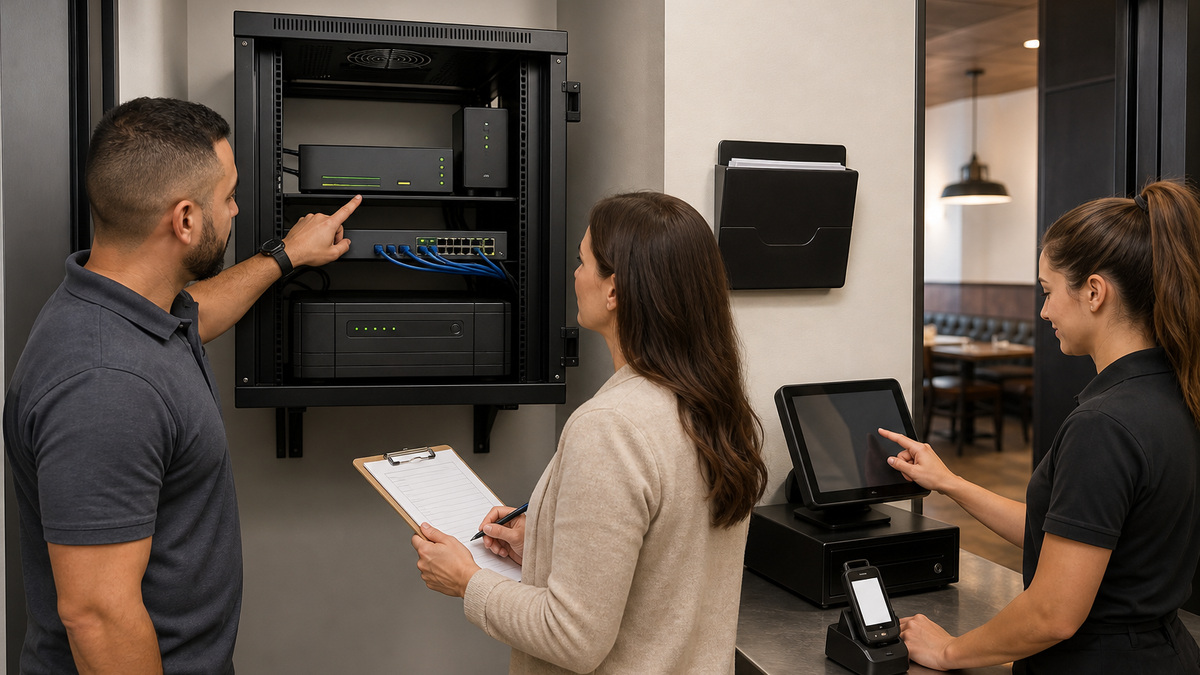
Map each receipt and kitchen printer to its physical location, network or USB path, assigned devices, prep stations, paper type, and backup. Toast’s Printing Hub troubleshooting material distinguishes power, terminal, network, paper, routing, and hardware conditions. That separation matters: a red error light and a jam are different from a disconnected Ethernet path, while duplicate or wrong-location tickets often trace back to configuration rather than a failed printer. Teach managers to observe before they swap cables or change routing.
For a KDS restaurant, place and test the backup kitchen printer called for by the supported Toast design. A printer on a shelf with no validated route is inventory, not redundancy. During a controlled test, make the primary unavailable, send representative items, confirm that preparation and expo receive the intended tickets, verify paper and ribbon visibility, and record how the route returns to normal. Test without real guest information and without creating a dangerous ticket backlog during active service.
Use printer status and queue evidence to narrow the fault. Check power indicators, paper orientation and jams, Ethernet seating, the selected receipt printer in Device Setup, Printer Setup connection state, serial or configured network identity, and physical drawer cable where relevant. Toast’s current Printing Hub guidance offers device-specific steps, so match the model before applying them. If a printer fault remains, preserve a diagnostic report or status slip securely and contact support rather than repeatedly power-cycling the entire restaurant network.
- Store the correct paper and ribbon for each printer type at a protected, labeled operations location away from heat and moisture.
- Document whether a printer is Ethernet-connected, USB-connected to one terminal, or serving a particular kitchen route before troubleshooting reachability.
- Test cash-drawer operation after any receipt-printer reassignment because the drawer depends on the printer relationship.
- Investigate duplicate tickets through menu, prep-station, expo, and printing rules before purchasing replacement hardware.
- Escalate suspected internal faults with serial, indicator, queue, test-ticket, and cable evidence so vendor support can act efficiently.
Protect the network core and rehearse recovery in a quiet window
Place the router, switches, access points or controllers, eligible local hub, and other critical Toast network components on appropriately sized battery backup where supported by the electrical design. A UPS is not a promise that the dining room can run indefinitely, it buys controlled time for network continuity, brief utility events, and safe decisions. Record supported load, measured runtime under realistic conditions, battery age, alarm behavior, bypass risk, and which outlets are actually protected. Keep the cabinet locked, ventilated, elevated, and free of cleaning supplies.
If cellular failover is part of the plan, validate it with Toast and the network owner rather than assuming a consumer hotspot can replace the approved restaurant network. Test failover, return to the primary ISP, DNS and vendor reachability, handheld behavior, printer communication, and payment queue results. Toast notes that handheld variants and network designs can differ, and secure Toast-managed networks restrict non-approved devices. Keep guest Wi-Fi, televisions, personal phones, and unrelated business equipment off the dedicated Toast network when the vendor design requires that separation.
Run a tabletop exercise and a controlled technical drill at least after major changes and on a sensible recurring schedule. Simulate a single handheld failure, access-point loss, ISP interruption, primary kitchen-printer outage, and brief power event without endangering active payments. Measure detection, diagnosis, decision, escalation, recovery, and reconciliation. ALLMSP can maintain monitoring, cabling, UPS and network records, while Toast Customer Care handles vendor-specific service and restaurant management approves whether operations continue.
- Post the support contact tree and incident roles where managers can reach them without needing the failed application or network.
- Keep router, switch, access-point, hub, UPS, and ISP identifiers in restricted documentation, never on a public counter checklist.
- Define who may restart a printer, terminal, access point, switch, router, or UPS and what evidence must be collected first.
- Include a return-to-normal checklist for queued cards, gift and loyalty exceptions, duplicate tickets, clock issues, and manual adjustments.
- Review drill findings with operations and finance because technical recovery alone does not resolve payment and guest-service consequences.
Official product documentation and ALLMSP resources
- Toast Platform Guide: Offline Mode Overview
- Toast Platform Guide: Offline Mode
- Toast Platform Guide: Offline KDS Devices
- Toast Platform Guide: Post-Outage Processing
- Toast Platform Guide: KDS Overview
- Toast Platform Guide: Verify Device Status Information
- Toast Support: Network Connection Requirements for Toast Devices
- Toast Support: Get Help With the Toast Printing Hub
- Toast Support: Toast Device and Network Security FAQ
- ALLMSP Hardware Support
- ALLMSP Managed IT Services
- ALLMSP Cybersecurity Services
- ALLMSP Retail and Restaurant Resources
- ALLMSP Toast Hardware Support Category
- Contact ALLMSP
Frequently Asked Questions
What does it mean when Toast says a device is offline?
It may mean one device lost connectivity, the wireless path failed, the local network is down, the internet provider is unavailable, Toast cloud services cannot be reached, or power is interrupted. Check scope, Device Status, local printing, wired and wireless peers, network indicators, and known service conditions before choosing a reset.
Will Toast printers work when the internet is down?
They may continue in some internet or cloud outage scenarios when the restaurant’s local network and applicable configuration remain healthy. A local-network failure can prevent devices from reaching printers even though they have power. Validate the exact design and backup route instead of treating offline printing as guaranteed.
Can Toast KDS keep running during an outage?
Toast documents eligible local-sync behavior that requires a functioning local network and an appropriate local hub, with limitations and configuration dependencies. It is not identical across every deployment. Keep the hub connected, provide the recommended backup printer, rehearse the supported mode, and document functions that remain unavailable.
Are offline Toast card payments guaranteed to approve later?
No. Offline card transactions can be queued and submitted after reconnection, but the issuer may decline them later. The restaurant should set exposure limits, manager-approval rules, documentation requirements, and a stopping point, then reconcile every queued outcome after service returns.
What actions should staff avoid while Toast is offline?
Toast warns against uninstalling or reinstalling the app, clearing cache or application data, logging out, and other actions that can remove local context. It also warns against rebooting the router while relying on backup printing. Follow the current vendor runbook and escalate before destructive or shared-infrastructure changes.
Why can one Toast handheld fail while the rest of the restaurant works?
That pattern can result from battery or charging trouble, a device-specific network profile, weak coverage in one zone, a hardware fault, or a single-device application state. Compare another handheld in the same location, check the dock and battery, record Device Status evidence, and avoid changing the whole network first.
How should a restaurant troubleshoot a Toast printer that is not printing?
Identify the printer model and connection type, inspect power and error indicators, paper orientation and jams, cables, network or USB state, Printer Setup status, selected receipt printer, serial or address match, and queue evidence. Use the current Toast model-specific procedure and contact Customer Care when hardware or compatibility remains suspect.
Does a UPS keep an entire Toast restaurant operating?
Usually a UPS protects selected network and device loads for a measured interval, it does not create unlimited runtime or keep unprotected kitchen, refrigeration, lighting, and payment equipment alive. Size and test it professionally, record the protected outlets and battery age, and define when managers pause service or shut down safely.
How often should a Toast outage drill be performed?
Run one after installation, material menu or routing changes, network redesign, hardware replacement, or a failed real incident, plus a recurring drill based on business risk. Cover device, access point, ISP, printer, and power scenarios without disrupting active guests, then track recovery and reconciliation actions to completion.
How can ALLMSP improve Toast outage readiness?
ALLMSP can document and monitor the restaurant network, validate wired and wireless paths, coordinate UPS and failover testing, standardize printer and device evidence, maintain an escalation runbook, support drills, and work with Toast Customer Care. Restaurant management and finance retain authority over offline payments, service continuity, and guest remedies.


