





























































































































































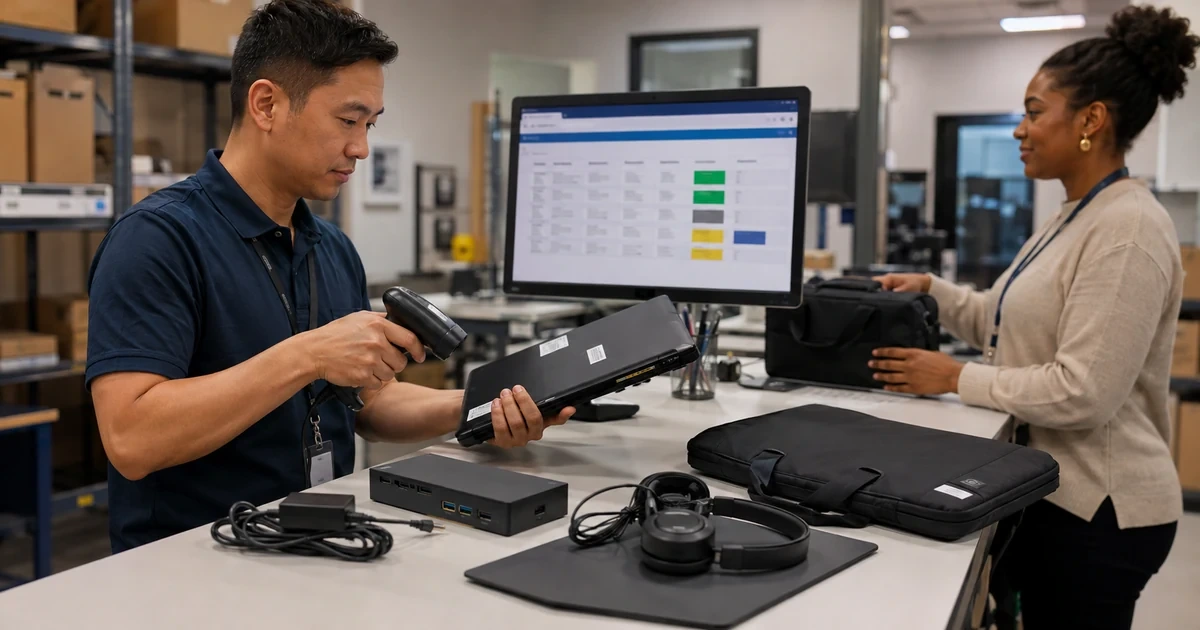
A new laptop creates value only when it arrives on time, matches the employee’s work, has the right warranty and accessories, enrolls in company management, passes security and application tests, and reaches the assigned person with clear support information. Buying the lowest visible price without planning those steps can create delays, missing ports, incompatible docks, licensing surprises, repeated setup work, and equipment that nobody can trace.
Treat procurement and assignment as one controlled workflow. The approved request should define the role, start or project date, standard device profile, justified exception, accessories, software, data migration, delivery location, budget, and approvers. The asset record begins at the purchase decision and follows receiving, tagging, staging, quality assurance, custody transfer, and support acceptance.
ALLMSP can source, stage, configure, secure, deliver, and support business devices with its in-house team across Lawrenceville, Suwanee, Gwinnett County, Metro Atlanta, and Georgia. We coordinate lead times and competitive pricing with the technical work required for a reliable first day.
Connect each purchase to a ready employee and a complete asset record
- Approve need: Capture role, workload, location, timing, standard profile, exception, budget, software, accessories, and owner.
- Source correctly: Validate exact configuration, support, warranty, availability, supplier, price, substitutes, and delivery commitment.
- Receive and tag: Match shipment to order, inspect condition, record identifiers, label assets, reconcile accessories, and update status.
- Enroll and configure: Apply identity, management, security, updates, applications, role settings, printers, network, and remote support.
- Test readiness: Verify hardware, battery, ports, camera, audio, connectivity, encryption, applications, access, and business workflows.
- Transfer custody: Record user, location, date, condition, accessories, acknowledgment, training, support path, and return duties.
Turn an approved request into the right configuration, warranty, accessories, price, and delivery date
Require a device request that states the employee or shared role, department, manager, location, target date, applications, data needs, mobility, displays, docking, ports, camera and audio, printing or scanning, durability, accessibility, remote work, travel, and security requirements. Match the request to an approved profile. An exception should explain the business need and receive both budget and technical approval before ordering.
Compare complete configurations rather than model-family names. Verify processor class, memory, storage, graphics, display, wireless, webcam, microphone, ports, power adapter, operating system edition, management eligibility, security hardware, repairability, warranty, accidental coverage when needed, and expected support life. Confirm that docks, display cables, adapters, cases, scanners, card readers, headsets, and spare power are compatible. Record an approved substitute and reapproval threshold for changes in specification, warranty, price, or delivery.
Plan timing from the employee-ready date backward. Include approval, supplier lead time, shipping, receiving, asset entry, automated registration when available, staging, updates, application deployment, security checks, data migration, quality assurance, delivery, and user orientation. Maintain visibility into backorders and partial shipments. Competitive pricing matters, but an inexpensive device that arrives after the project or requires unplanned accessories may cost more overall.
- Approved request: Define role, workload, start date, location, profile, exception, budget, owner, software, migration, and accessories.
- Exact configuration: Verify processor, memory, storage, graphics, display, wireless, ports, operating system, security, and management support.
- Complete kit: Match docks, displays, cables, adapters, power, bags, headsets, input devices, scanners, and specialty peripherals.
- Commercial terms: Record supplier, price, tax, shipping, availability, warranty, coverage, return terms, and approved substitutes.
- Delivery plan: Schedule receiving, registration, staging, updates, apps, security, migration, testing, delivery, and orientation.
The order is ready when the business, technical, commercial, accessory, support, and delivery requirements are explicit enough to prevent an unreviewed substitution or incomplete employee kit.
Receive, register, enroll, configure, and test every device before assignment
Inspect each shipment against the purchase order. Confirm quantity, model, configuration, serial, warranty, accessories, seals, and physical condition. Photograph and report shipping damage when useful, and keep packaging through the acceptance period according to policy. Create the asset record and label before the device leaves receiving. Record current location and staging custody so new equipment does not disappear between delivery and assignment.
Use automated enrollment and configuration where the platform supports it. Microsoft states that Windows Autopilot can use the OEM-installed version of Windows and enroll an organization-owned device when the user signs in. Whether automated or technician-led, apply the approved device name, ownership, management, identity, security baseline, encryption and key custody, updates, endpoint protection, applications, browser configuration, network access, VPN, certificates, printers, backup or file synchronization, remote support, and role-specific settings.
Run a documented readiness test. Check physical condition, power, battery, storage, memory, camera, microphone, speakers, keyboard, pointing device, displays, ports, dock, wireless, Bluetooth, and accessories. Confirm operating-system activation, updates, enrollment, policy, encryption, security tools, application licensing, user access, file migration, cloud synchronization, printing, line-of-business workflows, backup behavior, remote support, and restart. Record exceptions and resolve them before handoff or clearly authorize temporary acceptance with an owner and deadline.
- Receiving control: Match order, shipment, model, serial, configuration, warranty, accessories, condition, discrepancy, and return window.
- Asset registration: Create the inventory record, apply tag and naming, record custody, and connect procurement and warranty evidence.
- Managed configuration: Enroll the device and apply identity, security, encryption, updates, applications, connectivity, backup, and support settings.
- Hardware QA: Test condition, power, battery, storage, camera, audio, inputs, displays, ports, dock, wireless, and accessories.
- Workflow QA: Verify sign-in, apps, licenses, files, collaboration, printers, business systems, security, backup, support, and restart.
Staging is complete when inventory is accurate and a representative employee workflow passes on the exact hardware, configuration, accounts, applications, and accessories being assigned.
Transfer custody with user orientation, support ownership, and a recoverable assignment record
Schedule handoff early enough to solve access or migration problems before the employee’s critical work begins. Confirm the person’s identity and authorization. Review the device and accessory list, physical condition, asset tag, assigned location, return obligations, acceptable-use expectations, travel or remote-work rules, and what to do if the system is lost, stolen, damaged, or unavailable. Capture acknowledgment in the organization’s chosen system.
Provide focused orientation based on the role. Show secure sign-in and multifactor authentication, approved storage, collaboration, printing, VPN, password and recovery practices, updates and restarts, phishing reporting, support contact, remote-support consent, backup expectations, and any specialized devices or applications. Avoid overwhelming a new employee with every possible feature. Give them a concise reference and test the few workflows required for the first day.
Close the deployment by reconciling the user, manager, department, location, status, device identifiers, configuration, accessories, assignment date, acknowledgment, training, support group, warranty, and next review. Monitor the first check-ins for management, compliance, encryption, security, updates, applications, and backup. Confirm that the previous device, if any, enters its repair, spare, reassignment, or retirement workflow instead of remaining untracked at a desk or home office.
- Custody record: Capture user, manager, location, device, condition, accessories, date, acknowledgment, return duty, and exceptions.
- First-day access: Test identity, multifactor authentication, files, email, collaboration, business apps, printing, network, and support.
- User orientation: Cover approved storage, secure access, reporting, updates, backup, travel, damage, support, and essential role workflows.
- Initial monitoring: Confirm enrollment, check-in, configuration, compliance, encryption, protection, updates, applications, and backup.
- Previous asset: Move replaced equipment into a documented repair, spare, reassignment, sanitization, or retirement status.
Assignment is complete when the employee can work securely, the business can support the device, and every item of equipment has a current owner, location, condition, and next review.
Timely business hardware procurement, setup, and deployment from ALLMSP
ALLMSP can help select standards, source complete equipment kits at competitive pricing, track project dates, receive and tag assets, automate or perform configuration, apply security, migrate data, test workflows, deliver devices, orient users, and support the finished deployment in house.
We coordinate laptops, desktops, workstations, displays, docks, peripherals, warranties, software, cloud access, endpoint management, and replacement equipment. Customers receive a usable device and an accurate lifecycle record, not merely a shipping box.
- Procure: Match roles to approved configurations, complete accessories, commercial terms, availability, and project deadlines.
- Prepare: Receive, register, enroll, configure, secure, update, migrate, and test each device before handoff.
- Assign: Transfer custody, verify first-day workflows, orient users, monitor check-in, and maintain support ownership.
Official device procurement and enrollment references
Use platform guidance to support enrollment and inventory decisions, then validate each device against the organization’s own standards, applications, users, and support process.
- Microsoft Intune planning guide. Covers objectives, device inventory, platforms, ownership, costs, policies, rollout, communication, and support.
- Windows enrollment guide. Describes organization-owned enrollment choices including Windows Autopilot and Microsoft Intune.
- Microsoft Intune core concepts. Explains enrollment, configuration, compliance, application protection, and retirement across device platforms.
- Microsoft Intune device details. Lists device ownership, identifiers, hardware, operating system, applications, compliance, configuration, and recovery information.
- CISA Cybersecurity Performance Goals. Provides prioritized security practices including maintaining visibility into organizational assets.
Business device procurement and assignment FAQs
What information should a business computer request include?
Include user or role, manager, location, target date, applications, workload, mobility, displays, ports, accessories, accessibility, security, data migration, standard profile, exception, budget, owner, and approval.
Why should exact specifications be checked before ordering?
Model families can contain different processors, memory, storage, screens, ports, operating systems, security features, management eligibility, warranties, and accessories that materially affect business use and support.
What accessories should be planned with a laptop?
Consider dock, displays, power, adapters, display and network cables, bag, headset, keyboard, mouse, privacy screen, scanner, card reader, and role-specific peripherals as one compatible kit.
How far ahead should devices be ordered?
Work backward from the ready date through approval, supplier lead time, shipping, receiving, registration, staging, updates, applications, security, data migration, testing, delivery, and orientation, while allowing for exceptions.
What should happen when new equipment arrives?
Match it to the order, inspect condition, confirm serial and configuration, register warranty, create the asset record, apply a tag, record custody, reconcile accessories, and resolve discrepancies.
What should be configured before a device is assigned?
Configure identity, management, security, encryption, updates, applications, licenses, browsers, network, VPN, certificates, printing, storage, backup, remote support, and role-specific settings.
How should a newly configured computer be tested?
Test hardware, battery, ports, dock, camera, audio, wireless, displays, sign-in, encryption, policies, security, updates, applications, files, collaboration, printers, business workflows, backup, remote support, and restart.
What should an employee receive during device handoff?
Provide the complete equipment list, secure sign-in help, essential workflow checks, storage and support guidance, loss or damage instructions, return duties, and a clear acknowledgment of custody.
Can ALLMSP procure and deploy business computers in house?
Yes. ALLMSP can handle standards, sourcing, competitive pricing, receiving, tagging, enrollment, configuration, security, migration, testing, delivery, orientation, and support with its in-house team.
Where does ALLMSP provide device procurement and setup?
ALLMSP supports deployments in Lawrenceville, Suwanee, Gwinnett County, Metro Atlanta, and across Georgia according to device quantity, locations, platforms, and project schedule.


