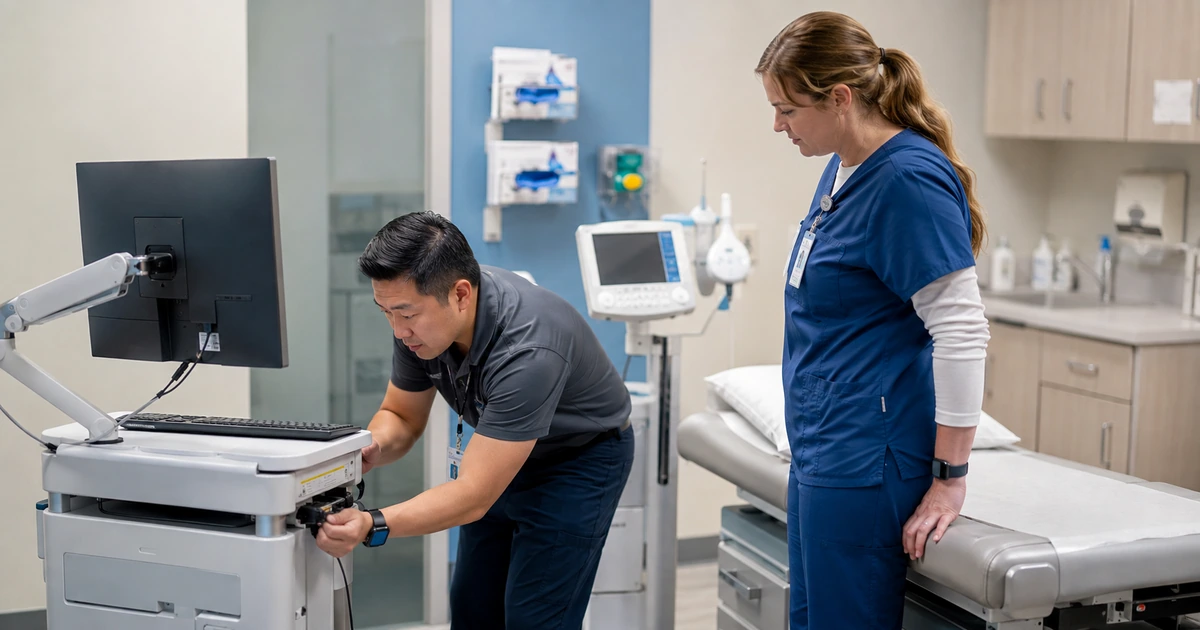
Recurring medical technology problems often come from visibility gaps rather than one defective computer. Unknown devices share the network, former employees retain access, vendor accounts never expire, unsupported workstations remain in service, application ownership is unclear, and every outage begins with a search for basic information. A structured cleanup should reduce those unknowns while protecting patient-care workflows from careless changes.
The work starts with evidence from endpoints, identity systems, network infrastructure, applications, support records, purchasing, and staff interviews. Each discovered asset and account needs an owner, purpose, support status, data relationship, and next action. Changes should be tested against scheduling, registration, clinical documentation, results, billing, communications, and connected-device requirements before they reach normal operations.
ALLMSP handles healthcare IT cleanup and reliability work in house for practices in Lawrenceville, Suwanee, Gwinnett County, Metro Atlanta, and throughout Georgia. We can reconcile assets, remove stale access, standardize endpoints, improve networks, coordinate vendors, establish monitoring, and operate a help desk that documents causes instead of repeatedly applying temporary fixes.
Remove the unknowns that make medical technology unreliable
- Discover: Collect endpoint, network, cloud, account, application, vendor, support, and procurement evidence before changing systems.
- Classify: Assign owner, purpose, location, data, workflow, support status, risk, dependency, and disposition to every item.
- Control access: Reconcile workforce and vendor identities, roles, multifactor status, remote pathways, dormant accounts, and exceptions.
- Stabilize systems: Standardize supported endpoints, updates, drivers, peripherals, network configurations, and tested application baselines.
- Monitor service: Watch availability, performance, capacity, security, backups, certificates, interfaces, and recurring support patterns.
- Manage change: Test, schedule, communicate, validate, document, and recover changes according to patient and operational risk.
Reconcile every device, account, application, connection, and vendor
Combine multiple evidence sources because no single console sees the whole practice. Compare endpoint management, directory sign-ins, firewall and switch tables, wireless controllers, vulnerability results, EHR device lists, remote-support tools, backup consoles, cloud administration, purchasing, inventory, vendor records, and help desk history. Physically inspect treatment areas, front desks, offices, communications closets, mobile equipment, shared stations, and storage. Include printers, scanners, phones, tablets, specialty computers, building systems, and connected medical devices where they fall within the approved technical scope.
Classify each asset by owner, assigned user, location, purpose, workflow, operating system or firmware, support status, network segment, data handled, remote access, vendor, backup, monitoring, and planned disposition. Resolve duplicates and orphaned records. Investigate devices that appear on the network but not in inventory, inventory items that no longer check in, and cloud accounts without a current workforce or vendor owner. The cleanup is complete only when unknown items have been identified, contained, removed, or accepted through a documented decision.
Build an application and integration register alongside the hardware inventory. Record EHR, scheduling, billing, clearinghouse, laboratory, imaging, prescription, referral, patient communication, accounting, file, email, security, and remote-support services. Include data exchanged, authentication, interface method, administrator, business owner, support contact, renewal, subscription, criticality, backup responsibility, downtime alternative, and decommissioning process. This register prevents an overlooked connector or vendor account from undermining an otherwise careful cleanup.
- Endpoint evidence: Compare inventory, management, security, sign-in, backup, purchasing, warranty, support, and physical inspection records.
- Network evidence: Review firewall, switch, wireless, DHCP, DNS, remote-access, monitoring, and segmentation information.
- Application register: Track purpose, owner, data, users, administrators, integrations, vendor, renewal, recovery, and retirement.
- Unknown item: Identify, isolate when necessary, research, assign, remove, or accept through a recorded risk and ownership decision.
- Authoritative inventory: Define which record controls identity, custody, configuration, status, ownership, and disposition for each asset class.
Reliability work becomes manageable when every active technology component can be connected to a purpose, owner, support path, security state, and lifecycle decision.
Remove stale access and stabilize endpoints, networks, and vendor pathways
Reconcile current workforce records with directory users, EHR accounts, cloud applications, email, file access, VPN, remote desktop, local accounts, administrative roles, and shared resources. Disable or investigate identities with no current owner, including former employees, test users, temporary access, duplicate accounts, and dormant vendor credentials. Review direct grants and nested groups, then map access back to approved job duties. Preserve required records and follow the organization’s authorized offboarding and retention procedures before deleting data or accounts.
Review vendor access as a separate control set. Identify who can connect, through which tool, to which device or network segment, with what authentication, from where, during which hours, for what purpose, and with whose approval. Replace shared credentials where feasible, require multifactor authentication where supported, limit privileges and duration, monitor sessions or logs, and close access when service ends. Coordinate changes with application and medical-device providers so protective work does not interrupt operation or conflict with supported configurations.
Stabilize endpoints and networks in controlled waves. Remove unsupported or unused software, apply approved updates, correct failed security agents, enforce encryption and locking, standardize drivers and peripherals, fix naming and inventory, improve cable and wireless conditions, renew certificates, and document exceptions. Prioritize internet-facing systems, known vulnerabilities, privileged workstations, remote access, systems handling ePHI, and devices causing recurring incidents. HHS healthcare cybersecurity performance goals highlight mitigation of known vulnerabilities as an essential practice for reducing common attack paths.
- Workforce access: Match each identity, group, role, subscription, application, remote pathway, and privilege to current authorized duties.
- Vendor control: Use known identities, multifactor authentication, limited scope, approval, logs, support records, expiration, and accountable ownership.
- Endpoint cleanup: Correct unsupported software, failed agents, encryption, patches, local administration, applications, inventory, and peripherals.
- Network stabilization: Resolve addressing, segmentation, wireless coverage, cabling, switch, firewall, DNS, certificate, and capacity problems.
- Clinical coordination: Validate manufacturer, vendor, safety, interface, and workflow requirements before changing connected medical technology.
Cleanup should reduce unsupported technology and unnecessary access without creating a new clinical disruption through untested or uncoordinated changes.
Use monitoring, change control, and support evidence to prevent repeat disruptions
Monitor the services that staff and patients depend on, not only whether a server responds. Track internet and firewall availability, switch and wireless health, endpoint check-in, security-agent status, storage and capacity, certificates, backup results, interface queues, application response where observable, and vendor service notices. Set thresholds and escalation based on care and business impact. Avoid collecting unnecessary patient information in monitoring tools, alerts, screenshots, or ticket descriptions.
Create a change process sized to the environment. Record reason, affected service, risk, owner, approver, planned time, test, communication, backup or rollback, dependencies, vendor requirements, validation, and result. Group routine preapproved maintenance separately from changes that can affect patient care, ePHI, network segmentation, EHR access, connected devices, or recovery. Schedule high-risk changes with appropriate staff available and verify the full workflow after completion, including interfaces and peripherals that may fail even when the primary application opens.
Review support patterns monthly. Group incidents by service, location, device model, application version, network area, user workflow, root cause, and recurrence. Distinguish training needs from technical defects and one-time faults from structural problems. Use repeated printer disconnects, slow sign-ins, failed scans, wireless drops, application timeouts, locked accounts, backup alerts, and vendor escalations to drive specific corrective work. Measure repeat incidents, unowned assets, unsupported systems, stale accounts, patch exceptions, failed monitoring, and overdue actions until the environment is demonstrably cleaner.
- Service monitoring: Observe connectivity, endpoint state, security, capacity, certificates, backup, interfaces, and provider notices.
- Impact-aware alert: Route alerts by affected workflow, patients, location, duration, workaround, security significance, and escalation path.
- Controlled change: Document purpose, risk, approval, timing, test, communication, rollback, vendor needs, validation, and result.
- Incident analysis: Classify symptoms, affected workflow, evidence, root cause, resolution, recurrence, and preventive action.
- Cleanup metrics: Track unknown items, unsupported systems, stale identities, access exceptions, repeat disruptions, and overdue remediation.
The environment stays reliable when monitoring finds meaningful problems early, changes are validated against real workflows, and support evidence drives permanent corrections.
Healthcare technology cleanup and reliability support from ALLMSP
ALLMSP can discover and reconcile devices, accounts, applications, networks, subscriptions, integrations, and vendor access. Our in-house team can remove stale access, standardize endpoints, improve connectivity, apply approved updates, establish monitoring, document changes, coordinate vendors, and provide ongoing technical support.
Practices in Lawrenceville, Suwanee, Gwinnett County, Metro Atlanta, and across Georgia can use the service for a focused cleanup or as the beginning of managed IT operations. Every recommendation is tested against the practice’s care and business workflows, supported configurations, risk priorities, and compliance guidance.
- Discover: Reconcile live evidence and assign an owner, purpose, status, risk, support path, and disposition to each item.
- Stabilize: Correct access, endpoint, network, vendor, update, configuration, and monitoring weaknesses in planned waves.
- Sustain: Use controlled changes, service alerts, incident analysis, documentation, and measurable corrective actions.
Official medical technology reliability and cybersecurity references
Use authoritative guidance to inform risk and change decisions, then confirm product support, clinical requirements, contracts, and applicable legal obligations for the specific environment.
- HHS healthcare cybersecurity performance goals. Lists voluntary essential and enhanced practices for common healthcare cyber risks and operational resilience.
- HHS Security Rule guidance materials. Collects educational resources covering risk management, remote access, mobile devices, ransomware, and safeguards.
- FDA medical device cybersecurity. Provides current device guidance, safety resources, reporting information, and shared-responsibility context.
- FDA postmarket medical device cybersecurity guidance. Addresses structured management of cybersecurity vulnerabilities for marketed medical devices.
- CISA ransomware guidance. Provides prevention, response, reporting, and recovery recommendations for ransomware incidents.
Medical technology reliability FAQs
Why do medical offices experience the same IT problems repeatedly?
Recurring issues often come from unknown assets, unsupported systems, inconsistent configurations, stale access, poor network visibility, uncoordinated vendor changes, incomplete monitoring, or support tickets that resolve symptoms without correcting causes.
How should a practice find unmanaged devices?
Compare endpoint, identity, firewall, switch, wireless, DHCP, security, backup, procurement, inventory, vendor, and physical-inspection evidence. Investigate every item that lacks an owner or expected record.
What should be recorded for each medical office device?
Track model, serial, asset tag, owner, user, location, purpose, support status, operating system or firmware, network segment, data, management, encryption, protection, backup, vendor, warranty, and disposition.
How should former employee access be cleaned up?
Reconcile workforce records with directories, applications, email, files, VPN, local accounts, administrative roles, subscriptions, tokens, and shared resources, then follow approved offboarding, preservation, and retention procedures.
What makes vendor remote access safer?
Use known identities, multifactor authentication where supported, approved purpose, least privilege, limited scope and duration, encrypted connections, monitoring, support records, expiration, and a responsible practice owner.
Can every connected medical device be patched like a normal computer?
No. Coordinate with the manufacturer or authorized provider and consider safety, validated configuration, support status, network controls, vulnerability information, and clinical workflow before changing the device.
What should healthcare IT monitoring cover?
Monitor critical connectivity, firewalls, switches, wireless, endpoint check-in, security agents, storage, certificates, backups, interfaces, service availability, capacity, and provider notices without collecting unnecessary patient data.
What information belongs in a technology change record?
Record purpose, affected service, owner, risk, approval, schedule, communication, prerequisites, test, rollback, vendor requirements, validation, outcome, incidents, and documentation updates.
How can a practice measure whether an IT cleanup worked?
Track unknown assets, unsupported systems, stale accounts, access exceptions, failed agents, patch gaps, repeat incidents, unplanned downtime, monitoring coverage, overdue actions, and successful workflow tests.
Where does ALLMSP provide medical technology support?
ALLMSP provides remote and onsite assistance for practices in Lawrenceville, Suwanee, Gwinnett County, Metro Atlanta, and throughout Georgia based on location and technical requirements.