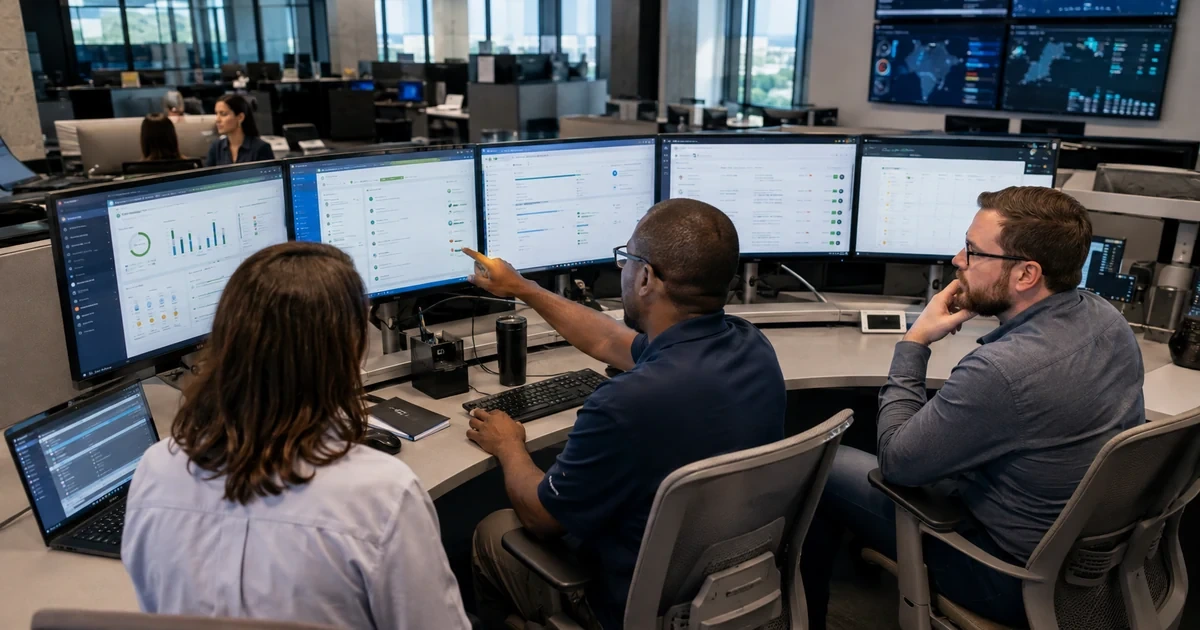
An HR platform needs an operating model after implementation. Employee data changes every day, administrators change roles, integrations expire, reports acquire new definitions, managers request exceptions, vendors release updates, and regulations or company policies evolve. Without scheduled ownership, small inconsistencies become payroll corrections, access risk, unreliable reports, and long support investigations.
Treat the HR environment as a connected service. Maintain an inventory of platforms, data flows, privileged roles, service accounts, reports, record classes, business owners, support paths, and recovery procedures. Define how hires, changes, leaves, returns, rehires, and terminations move through the system. Separate daily administration from configuration changes. Review exceptions and failed events instead of allowing manual work to become an invisible permanent process.
ALLMSP supports HR technology for small and growing businesses in Lawrenceville, Suwanee, Gwinnett County, Metro Atlanta, and throughout Georgia. Our in-house team can administer technical settings, monitor integrations, coordinate identity and device events, troubleshoot users, test releases, maintain documentation, and provide recurring health and security reviews.
Operate HR technology with clear service ownership
- Maintain the system register: Track HR, payroll, benefits, time, learning, performance, identity, document, reporting, and support systems with owners and dependencies.
- Control administration: Keep privileged roles limited, individually assigned, strongly authenticated, logged, reviewed, and recoverable through protected emergency access.
- Monitor lifecycle events: Reconcile hires, changes, leaves, rehires, and terminations across authoritative records, integrations, accounts, and applications.
- Review failed work: Assign rejected imports, stalled approvals, connector errors, overdue tasks, duplicate identities, and manual corrections to named owners.
- Test changes: Use representative roles and records to test vendor releases, configuration changes, fields, workflows, permissions, and integrations before broad impact.
- Measure service health: Report data quality, event completion, approval time, integration success, access exceptions, support causes, and recovery readiness.
Document ownership for systems, data, access, and records
Assign a business owner and technical owner for every HR-related platform and integration. The business owner defines policy, data use, process, approvals, retention, and acceptable outcomes. The technical owner manages configuration, identity, security, integration, monitoring, change, backup where applicable, and incident response. Name backup owners and protect emergency access. Vendor support can assist with a product, but the organization still needs internal accountability for decisions, credentials, data, and acceptance.
Maintain a data dictionary and processing map. Identify each critical employee field, its source, authorized editors, recipients, purpose, classification, validation, retention owner, and correction path. Document scheduled and event-driven exchanges. Keep an inventory of API clients, service accounts, certificates, secrets, secure file locations, reports, and exports. Review ownership after reorganizations and staff changes so a departed administrator does not remain the only person who understands a critical payroll or identity connection.
- Service register: Platform, purpose, business owner, technical owner, backup owner, vendor contact, data, users, integrations, support level, and renewal.
- Privilege register: Administrator, role, justification, approval, authentication, last use, review date, emergency status, and removal condition.
- Data map: Field source, allowed values, recipients, transformation, privacy class, retention, correction, reporting use, and reconciliation method.
- Integration inventory: Endpoint, method, credential, owner, schedule, mapping, monitor, retry, error queue, dependency, and recovery steps.
- Record ownership: Qualified HR and legal owners define applicable retention, legal holds, access, export, deletion, and audit response.
The environment becomes supportable when a second authorized person can locate the owners, understand the data path, and recover each critical connection.
Run daily, monthly, and quarterly controls around employee events
Daily operations should focus on exceptions and time-sensitive events. Review failed integrations, rejected records, stalled approvals, pending hires, terminations, urgent access changes, payroll-impacting corrections, and security alerts. Confirm that accountable owners receive actionable information rather than a generic success email. For each failure, record the affected population, cause, correction, downstream reconciliation, and whether the standard process must change.
Monthly and quarterly reviews should look beyond tickets. Reconcile active employees across HR, payroll, identity, key applications, and device records. Review administrators, service accounts, external access, inactive users, manager hierarchy, department and location values, overdue workflows, integration credentials, report definitions, manual imports, and unresolved exceptions. Test a sample joiner, mover, and leaver event. Review vendor releases and upcoming renewals. Confirm that recovery instructions, ownership, and protected credentials remain usable.
- Daily queue: Failed events, urgent employee changes, rejected records, overdue approvals, access risk, payroll-impacting items, and user incidents.
- Monthly reconciliation: Employee status, identity, licenses, critical applications, devices, administrators, integrations, errors, data quality, and open exceptions.
- Quarterly access review: HR, payroll, reporting, administrator, integration, external, and emergency access compared with current responsibilities.
- Lifecycle sample: Trace one recent hire, transfer, manager change, leave, return, rehire, and termination through every relevant destination.
- Recovery check: Verify configuration exports, documentation, credential custody, vendor access, contact paths, restore options, and business validation steps.
A recurring schedule catches quiet drift before it becomes a pay issue, privacy incident, failed offboarding, or unreliable management report.
Control releases, configuration changes, incidents, and improvement work
Review vendor release notes and tenant notices for changes to authentication, APIs, exports, fields, workflows, reports, roles, mobile applications, and supported browsers. Assess the affected business processes and integrations. Test changes with non-sensitive representative records and users from each role. Record the baseline, proposed change, risk, owner, approvals, test, rollback, communication, and production result. Avoid making untracked configuration changes while diagnosing an incident.
Use support data to drive improvement. Categorize tickets by root cause such as source data, role design, workflow routing, integration, permissions, user instruction, device, browser, vendor defect, or outage. Measure business impact and recurrence. Correct high-value causes through controlled projects, then update runbooks, forms, role profiles, training, and monitoring. Keep a small roadmap for reporting, automation, data quality, employee experience, and security so the system improves without destabilizing payroll or employee records.
- Change record: Reason, affected process, owner, prior state, risk, approvals, test group, success criteria, rollback, timing, communication, and result.
- Release review: Identity, API, integration, report, workflow, field, role, mobile, browser, privacy, and retirement impacts.
- Incident discipline: Preserve evidence, establish scope, communicate impact, isolate one cause, repair safely, reconcile records, and verify normal work.
- Support knowledge: Maintain known issues, role context, error meanings, safe corrections, escalation, vendor cases, and normal-user verification steps.
- Improvement roadmap: Prioritize recurring causes, data quality, automation, reporting, security, employee self-service, and administrative resilience.
Ongoing support creates value when each change is controlled and repeated incidents produce a better standard instead of another one-time workaround.
Ongoing HR technology administration and support from ALLMSP
ALLMSP can maintain the technical operating model across HR applications, payroll connections, identity, employee devices, reporting, access, integrations, and service desk support. We provide monitoring, routine reviews, administrator assistance, change testing, incident diagnostics, documentation, access cleanup, connector maintenance, reconciliation support, and planned improvements.
Companies across Gwinnett County and Metro Atlanta, including Lawrenceville and Suwanee, can work with the same internal ALLMSP team that supports their wider technology environment. This keeps HR system issues connected to cloud identities, networks, security controls, software, hardware, backups, and user support instead of fragmenting accountability.
- Administer: Technical configuration, roles, service accounts, connectors, fields, workflows, reports, documentation, and protected recovery access.
- Monitor and reconcile: Employee events, data quality, imports, API jobs, approvals, identity outcomes, errors, access, and critical reports.
- Support and improve: Incident response, user assistance, release testing, root-cause analysis, runbooks, training, security review, and roadmap execution.
Primary resources for operating HR systems
Use current official guidance to shape governance and controls, while the organization’s qualified owners decide employment, payroll, privacy, and retention requirements.
- NIST Cybersecurity Framework 2.0 resource center. A current structure for governing roles, understanding systems and risk, protecting access, monitoring events, responding, recovering, and improving.
- NIST Privacy Framework resource center. Tools for incorporating privacy-risk decisions into data processing, system design, governance, controls, and communication.
- Microsoft Entra lifecycle workflows. Product guidance for managing joiner, mover, and leaver identity tasks, workflow history, audit logs, and troubleshooting.
- ALLMSP Managed IT Services. Ongoing identity, security, device, cloud, network, application, and support operations that connect with employee lifecycle events.
HR systems management FAQs
Who should own an HR system after launch?
Assign a business owner for policy, process, data use, approvals, and outcomes, plus a technical owner for configuration, security, integrations, monitoring, change, recovery, and support. Name backup owners too.
What should an HR system inventory contain?
Record platforms, purpose, owners, administrators, users, data, integrations, credentials, reports, scheduled jobs, support contacts, renewals, recovery, retention ownership, and dependencies.
How often should HR system access be reviewed?
Set frequency from data sensitivity and risk. Review high-impact administrative, payroll, reporting, integration, external, and emergency access regularly and after job or employment changes.
Which employee events should be reconciled?
Reconcile hires, transfers, manager changes, department and location changes, leave, return, rehire, termination, name changes, corrections, and any event that affects payroll, identity, or access.
What should be checked every day?
Review failed integrations, rejected records, pending time-sensitive events, stalled approvals, access risk, payroll-impacting corrections, security alerts, and incidents affecting employee work.
How should HR software releases be handled?
Review impact, identify affected roles and integrations, test representative records, document risk and rollback, communicate changes, verify production, and update support guidance.
What makes an HR system alert useful?
It should identify the affected system and population, failed event, timestamp, business impact, probable owner, response time, runbook, and escalation route.
How should service accounts for HR integrations be managed?
Use minimum permissions, individual ownership, protected credentials, rotation, monitoring, expiration tracking, documented purpose, backup ownership, and a tested recovery process.
How can HR support tickets improve the system?
Classify them by root cause, quantify recurrence and impact, correct the underlying rule or process, and update monitoring, documentation, training, role profiles, and tests.
Can ALLMSP provide ongoing HR technology support in house?
Yes. ALLMSP can administer technical settings, monitor and repair integrations, support users, review access, test changes, document the environment, and coordinate improvements with its in-house team.