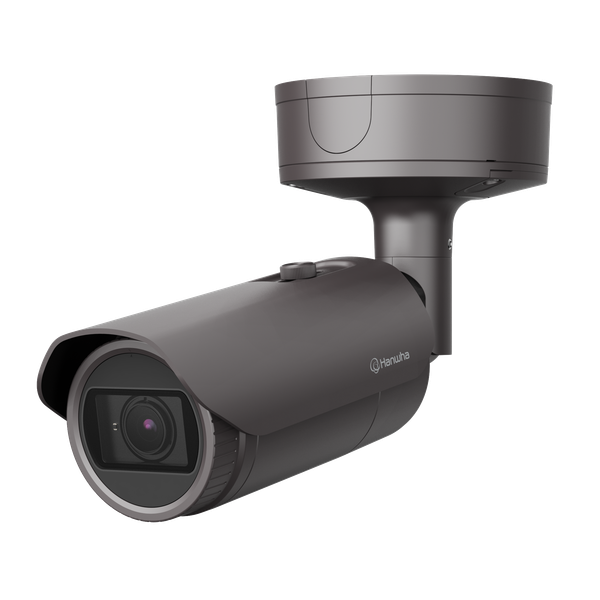
QNAP manufacturer product image from the TS-673A page. Check the exact installed model and its supported operating systems before planning storage.
Choose the QNAP operating system and storage layout before moving business files. A QTS thick volume, a thin volume and a QuTS hero shared folder allocate capacity differently. That choice affects the room available for growth and snapshots, the meaning of a full-pool warning and the migration work needed later.
Start with the exact NAS model, installed operating system, drive inventory and required applications. This guide uses the documented QTS 5.2.x and QuTS hero h5.2.x storage structures; verify the corresponding guide for your installed release. It does not assume every QNAP can run both systems or that a feature mentioned on another model is available on yours.
Establish what the actual model and workload support
Write down which folders will hold active business files, which will hold backup repositories and which applications need storage. Record who owns the data, current usable data size, expected change and a recovery requirement. An accounting database, virtual-machine datastore and ordinary document share are different workloads; check the application owner’s supported storage design before treating them alike.
Use QNAP’s compatibility lookup for the exact model and intended drives, memory or expansion components. Physical fit is one check, not the complete support decision. Keep the selected combination in the purchase and handoff record.[1]
Dual-OS support is model-specific. For example, the TS-673A product documentation explicitly lists QTS and QuTS hero, their different file systems and memory requirements. It also gives a drive-removal requirement for switching to QuTS hero. That is a model example, not permission to switch another NAS or to treat an OS change as an ordinary update. Establish a separately recoverable copy and the model-specific migration procedure first.[2]
Draw the storage objects before creating them
In QTS, a static volume sits directly on a RAID group. Thick and thin volumes use a storage pool. A thick volume reserves its allocated capacity; a thin volume consumes pool capacity as data is written. QTS can reclaim deleted thin-volume space for the pool. A thin volume’s advertised size can exceed physical free capacity, which creates a monitoring obligation rather than extra disks.[3]
QuTS hero uses a different planning unit: create a storage pool, then shared folders directly from that pool. QNAP compares a QuTS hero shared folder with a QTS volume containing one shared folder. Do not copy a QTS volume checklist into QuTS hero and assume the objects are identical.[4]
| Structure | Decision it makes | Question before approval |
|---|---|---|
| QTS static volume | Allocates the RAID group directly to one volume; no volume snapshots | Can the workload accept the documented feature limits? |
| QTS thick volume | Allocates pool capacity to the volume in advance | How much pool capacity must remain for other objects and snapshots? |
| QTS thin volume | Allocates physical pool capacity on demand | Who watches total pool use and responds before allocation runs out? |
| QuTS hero shared folder | Defines a storage space from the pool directly | Which shared-folder settings and reservation choices fit this workload? |
The table describes allocation, not a universal performance ranking. Measure the real workload if throughput or latency is a purchasing requirement. A feature-rich configuration on paper cannot establish performance for a particular drive set, network path or application.
Budget space that remains outside the working files
Separate four quantities in the plan: physical usable pool capacity after the selected RAID layout, allocated volume or shared-folder capacity, current live data and capacity reserved for snapshots or other functions. Avoid adding raw drive-label capacities and treating the sum as usable file space.
Illustrative allocation example: suppose a QTS pool has 10 units of usable capacity after RAID. Allocating eight units to thick volumes leaves only two outside those allocations before any other reservations. If users store only three units in those volumes, that does not turn the five unused internal units into five additional unallocated pool units. These are simplified planning units, not a product capacity estimate.
QTS pool creation includes the alert threshold and optional guaranteed snapshot space. It also explicitly warns that creating the pool deletes data on selected disks. Review the disk identities, existing ownership, RAID choice and summary with another authorized person before confirming a destructive provisioning step.[5]
Choose a space alert that leaves enough response time for the measured rate of change and the actual expansion route. There is no single useful percentage for every workload. Use the QTS pool-full diagnostic guide to understand why free space inside a thick volume does not resolve every pool warning.
Prove the file workflow with a small migration sample
| Test | A useful pass | Do not accept this substitute |
|---|---|---|
| Approved user | Creates, edits, renames and removes a disposable file in the intended share | Administrator access alone |
| Restricted user | Cannot read or change a share outside the approved role | A folder merely hidden from browsing |
| Real application | Opens and saves a representative file through the intended client path | Only a copied file count |
| Capacity evidence | Records both pool availability and the relevant volume or shared-folder usage | A single client free-space reading |
| Recovery sample | Restores a known file to a separate location and checks its contents | A successful backup job icon |
Use ordinary accounts and the real application, filename patterns and network name. Record the exact source and destination, failures and permission differences. Keep the former source protected until the data owner accepts the pilot and final reconciliation. The checklist is a suggested acceptance method, not a claim that these tests were run on your equipment.
Hand over a recovery route as well as a share name
Record the authorized administrator, recovery-contact route, drive map, operating-system build, application versions, share and group mapping, backup destination and alert owner. Keep encryption recovery material available to authorized staff outside the storage that it unlocks.
A system-configuration file is not the business-data backup. QuTS hero’s restoration guide excludes shared-folder contents and specific application settings, and requires the same OS with a compatible version. A copied configuration therefore does not establish a working file server on arbitrary replacement hardware.[6] Prove the relevant file recovery separately with the HBS 3 and QDFF restore exercise.
ALLMSP’s QNAP support offering includes storage planning, file permissions and backup workflows. Request a QNAP deployment review with the model, existing data layout, required applications and acceptance criteria. A useful review should finish with a supported design and evidence for the work people actually need to do.
Frequently asked questions
Should I choose QTS or QuTS hero before moving files?
Can every QNAP NAS run both QTS and QuTS hero?
What is the difference between a QTS static and thick volume?
A static volume uses a RAID group directly and does not support volume snapshots. A thick volume is allocated from a storage pool and supports snapshots, while reserving its allocated capacity in that pool.
[3]Does a thin volume create more physical storage?
No. Thin provisioning allocates pool space as data is written. A larger advertised volume size does not add drives, so monitor the physical pool and all workloads drawing from it.
[3]Does QuTS hero use the same volume structure as QTS?
No. QuTS hero creates shared folders directly from storage pools. QNAP compares one QuTS hero shared folder with a QTS volume containing a single shared folder; use the guide for the actual operating system.
[4]Why can a thick volume be mostly empty while its pool is allocated?
A thick volume reserves capacity in advance. Unused space inside that allocation is different from unallocated space outside it in the parent pool.
[3]What must be checked before creating a QNAP storage pool?
How much free space should a business QNAP keep?
Set the operating margin from observed growth, snapshot changes, application needs and the time required to respond or expand. Monitor the pool as well as its storage objects rather than relying on one universal percentage.
Is a QNAP system-configuration backup also a file backup?
No. QuTS hero documents that shared-folder contents and specific application settings are not included in its system-configuration file. Keep and test the relevant data backup separately.
[6]When is a QNAP file migration ready for acceptance?
When ordinary authorized users complete the real file workflow, restricted users remain denied, representative data is reconciled and an owner verifies a restored sample. Record the remaining exceptions and rollback decision before retiring the old source.