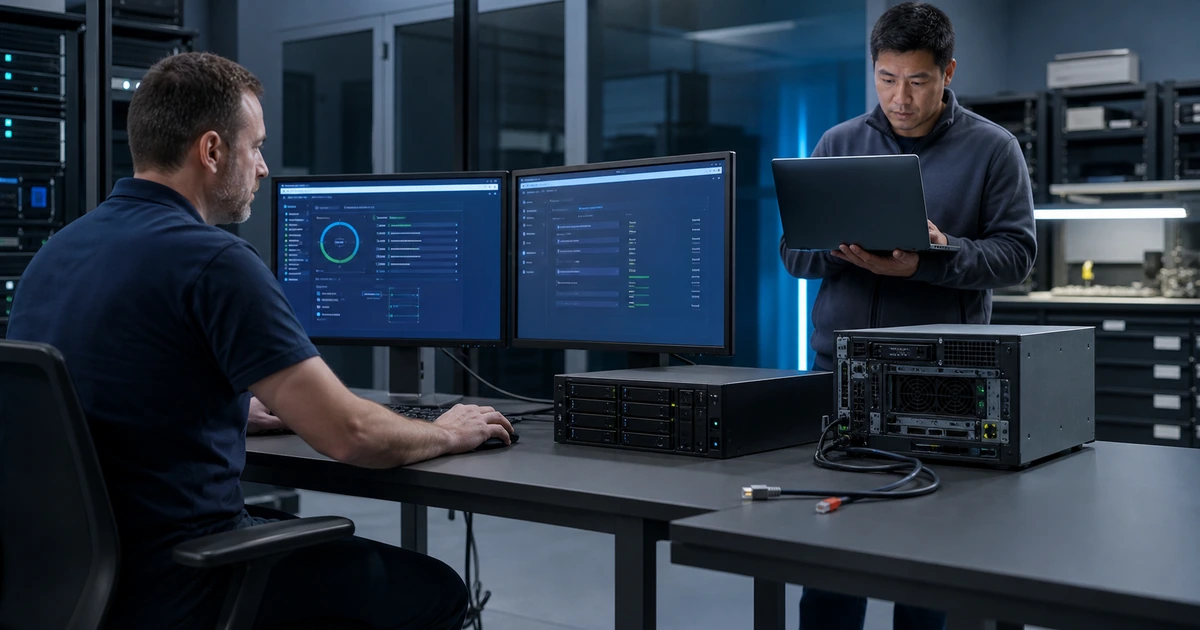
A ransomware exercise should force the organization to make the decisions a real incident demands. Who declares the incident, isolates networks, preserves evidence, contacts leadership, engages insurance and counsel, reports to authorities, evaluates possible data theft, approves public statements, selects a recovery point, and authorizes production service? A document that no one can use under pressure is not readiness.
The exercise also needs technical depth. Modern ransomware may follow identity theft, remote access, privilege escalation, data collection, and backup tampering. Encryption can be the visible final action rather than the beginning of the compromise. Recovery teams must avoid destroying evidence or reconnecting clean systems to an unsafe environment while business leaders need clear facts, options, limitations, and timing.
ALLMSP conducts ransomware response exercises and provides in-house technical incident and recovery support for businesses in Lawrenceville, Suwanee, Gwinnett County, Metro Atlanta, and across Georgia. We test roles, communications, containment, evidence handling, trusted restoration, and operational recovery, then implement and verify the technical improvements the exercise reveals.
Exercise the decisions that determine containment and recovery
- Detect and declare: Define reliable reporting, triage, severity, incident authority, initial facts, secure collaboration, and activation criteria.
- Contain safely: Prioritize affected systems, network isolation, account control, remote access, backups, business impact, and approval boundaries.
- Preserve evidence: Maintain a protected timeline, logs, images, memory where appropriate, artifacts, messages, actions, custody, and expert direction.
- Coordinate decisions: Give leadership, counsel, insurance, privacy, communications, finance, law enforcement, and operations verified technical inputs.
- Authorize recovery: Select trusted sources, rebuild foundations, validate systems and data, approve stages, monitor closely, and keep rollback.
- Learn and retest: Document causes, control gaps, response delays, business effects, corrective owners, evidence, and repeated exercise results.
Run detection, declaration, containment, and evidence decisions in sequence
Begin with a realistic report such as an unexpected ransom note, inaccessible files, unusual administrator creation, endpoint alert, disabled security tool, cloud sharing spike, backup deletion attempt, or data-leak claim. Test how employees report the event when normal channels may be monitored or unavailable. The technical lead should establish what is known, what is suspected, affected users and systems, business impact, active threat indicators, and immediate options without overstating certainty.
CISA advises determining affected systems and immediately isolating them, with broader network isolation considered when several systems or subnets appear affected. An exercise should make participants choose between device isolation, account disabling, session revocation, remote-access shutdown, network segmentation, site disconnection, service suspension, and full network interruption. Each choice needs an authorized decision maker, business-impact input, technical executor, communication route, evidence record, and condition for reversal.
Practice evidence preservation under time pressure. Protect logs, alerts, system and cloud audit data, ransom messages, suspicious files, email, identity events, remote-access records, network data, administrator changes, backup activity, timelines, screenshots, and technical notes. Avoid modifying affected systems more than required for safety and containment. Follow guidance from authorized incident-response and legal advisors for forensic collection and custody. Record every action because a containment step can change or destroy useful evidence.
- Initial report: Capture reporter, time, system, account, symptom, message, business effect, location, actions already taken, and evidence.
- Incident declaration: Assign severity, incident lead, secure channel, participants, update cadence, timeline owner, and executive contact.
- Containment choice: Record systems, accounts, network scope, expected impact, authority, executor, timing, validation, and reversal criteria.
- Evidence register: Track source, identifier, collector, method, timestamp, integrity, storage, access, transfer, and analysis status.
- Unknowns list: Maintain questions about entry, persistence, privilege, data access, exfiltration, backups, scope, timing, and attacker access.
A disciplined opening protects people and operations while preserving the facts needed for investigation, notification, insurance, and safe recovery.
Test leadership, insurance, legal, reporting, and communication coordination
Give every stakeholder the information needed for their decision without flooding them with raw technical output. Executive updates should state confirmed impact, affected business services, containment status, current threat, data concerns, recovery options, expected decisions, risks, timing, and unknowns. Counsel and privacy reviewers need system and data scope, jurisdictions, contracts, affected people, preservation, and investigation facts. Insurers need prompt notice through approved contacts and policy-specific information. Finance and operations need credible workarounds and spending authority.
Practice government and law enforcement reporting. The FBI directs ransomware victims to contact a local field office or submit a report to the Internet Crime Complaint Center. CISA provides cyber incident reporting channels and its StopRansomware response checklist. The organization’s authorized leadership and advisors should decide the applicable timing and scope, but the exercise should ensure that contacts, identifiers, affected systems, indicators, messages, payment addresses, timelines, and evidence can be assembled without relying on compromised email.
Test internal and external communication. Prepare short verified employee instructions about device use, passwords, remote access, alternate work, suspicious contact, and where to report new evidence. Build customer, supplier, regulator, media, and public holding statements that can be adapted by authorized reviewers. Maintain one source of approved status and a cadence for updates. Avoid promises about restoration or data exposure before evidence supports them. Preserve every approved message and the facts used to create it.
- Executive update: State confirmed facts, business impact, containment, data concerns, options, decisions needed, timing, risk, and unknowns.
- Advisor packet: Provide affected systems, information types, people, locations, contracts, jurisdictions, evidence, actions, and investigation status.
- Reporting kit: Prepare contacts, organization details, indicators, attacker messages, payment addresses, timeline, affected assets, and evidence references.
- Employee instruction: Explain device and account use, alternate work, suspicious contact, evidence reporting, support routes, and next update.
- Public control: Use approved speakers, verified facts, legal and privacy review, audience-specific messages, preserved copies, and correction procedures.
Coordinated communication lets each responsible leader act from the same verified situation without exposing sensitive information or creating conflicting promises.
Authorize clean recovery, monitor restored services, and close the exercise with proof
Require explicit recovery gates. The incident lead should approve the restoration source, recovery environment, administrator trust, credential reset scope, system build, network boundary, and monitoring. Technical teams should validate patches, hardening, malware scans, configurations, logs, identity, data integrity, application behavior, and integrations. Business owners should test representative work. Do not reconnect a restored system merely because the backup completed. Confirm that the path used for initial or persistent access has been addressed or contained.
Return services in prioritized stages with rollback. Monitor identity events, endpoint detections, network connections, administrator activity, backup operations, application errors, and data changes more closely after recovery. Reconcile manual work completed during the outage. Validate customer and employee communication, transactions, queues, messages, integrations, reporting, and scheduled tasks. Keep affected evidence isolated and do not overwrite it during cleanup unless authorized procedures permit it.
End with an evidence-based after-action review. Reconstruct detection, declaration, containment, contact, evidence, decisions, communications, clean build, restoration, validation, and return-to-service times. Identify root and contributing causes, control failures, unclear authority, missing contacts, unavailable tools, documentation gaps, business workaround problems, and communication delays. Assign each corrective action an owner, due date, measurable result, evidence, and retest. Update the plan only after the operational change is completed.
- Recovery gate: Approve source, destination, trust, credentials, build, configuration, scan, data, application, network, monitoring, and owner.
- Business acceptance: Test priority users, transactions, records, communications, reports, integrations, printing, remote work, and expected performance.
- Enhanced monitoring: Watch identity, endpoints, networks, administration, backup, applications, data, errors, and threat indicators after restoration.
- Outage reconciliation: Enter approved manual work, resolve duplicates, confirm transactions, process queues, update records, and notify owners.
- Corrective proof: Track finding, impact, root cause, owner, action, due date, evidence, verification, runbook update, and retest.
The exercise creates value when technical and organizational corrections are completed, verified, and practiced again under a new scenario.
Ransomware exercises and in-house technical incident support from ALLMSP
ALLMSP can design and facilitate ransomware exercises, test secure reporting, evaluate containment choices, establish evidence procedures, prepare technical decision packets, coordinate clean recovery, validate restored services, document results, and implement corrective controls. During a real event, our in-house team can support technical containment, investigation inputs, restoration, monitoring, and operational recovery.
Organizations in Lawrenceville, Suwanee, Gwinnett County, Metro Atlanta, and across Georgia can use ALLMSP for a focused tabletop, a technical recovery exercise, or ongoing managed cybersecurity and backup operations. We build procedures around the customer’s actual systems, people, business services, and decision authority.
- Exercise: Test detection, declaration, isolation, evidence, leadership, insurance, counsel, reporting, communication, and continuity.
- Recover: Control trust, credentials, sources, clean builds, validation, staged restoration, monitoring, rollback, and reconciliation.
- Improve: Reconstruct the timeline, identify causes, assign corrective work, preserve evidence, update procedures, and retest.
Official ransomware incident and reporting references
A real incident requires situation-specific decisions by authorized leadership, counsel, insurers, law enforcement, regulators, and technical responders. Confirm current reporting and notification requirements during preparation and again during the event.
- CISA StopRansomware Guide. Includes a ransomware response checklist covering detection, analysis, containment, restoration, and post-incident activity.
- NIST SP 800-61 Revision 3. Frames incident response as an organization-wide component of cybersecurity risk management.
- CISA StopRansomware information. Provides a federal starting point for ransomware guidance, alerts, services, and response resources.
- Internet Crime Complaint Center. Provides the FBI’s online reporting portal for internet-enabled crime.
- CISA incident reporting. Lists current methods for reporting cyber incidents and suspicious activity to CISA.
- OFAC cyber-related sanctions resources. Links the updated federal advisory concerning sanctions risks and ransomware payments.
Ransomware incident exercise FAQs
What should a ransomware tabletop exercise test?
Test reporting, declaration, authority, containment, evidence, leadership updates, insurance, counsel, law enforcement, communications, business workarounds, clean recovery, validation, and corrective action.
Who should participate in a ransomware exercise?
Include executive leadership, IT, security, operations, communications, finance, human resources, facilities, legal and privacy decision makers, insurance contacts, and key service owners.
Why is ransomware evidence preservation important?
Evidence supports investigation, scope, containment, notification, insurance, law enforcement, recovery decisions, lessons learned, and the ability to distinguish facts from assumptions.
When should affected systems be isolated?
The approved plan should provide rapid technical authority based on credible signs of compromise, affected scope, active spread, business impact, safety, evidence, and available containment options.
What should executives receive during an incident?
Provide confirmed impact, affected services, containment, data concerns, options, decisions needed, risks, timing, recovery status, and clearly labeled unknowns.
How should employees be contacted if corporate email is compromised?
Maintain tested alternate contact routes and approved instructions outside the primary identity and communication systems, with a trusted source employees can verify.
When can a restored system return to production?
Require approved sources, trusted administration, clean builds, credential controls, security checks, data and application validation, business acceptance, monitoring, and rollback.
What should happen after the exercise?
Reconstruct the timeline, identify causes and gaps, assign owners and dates, implement corrections, preserve evidence, update runbooks, and retest the failed decisions or controls.
Can ALLMSP lead the technical exercise and implement fixes?
Yes. ALLMSP designs exercises, supports technical response and recovery, documents evidence, implements controls, updates procedures, and retests through its own team.
Where does ALLMSP provide ransomware incident support?
ALLMSP serves Lawrenceville, Suwanee, Gwinnett County, Metro Atlanta, and organizations across Georgia with onsite and secure remote response capabilities.