





























































































































































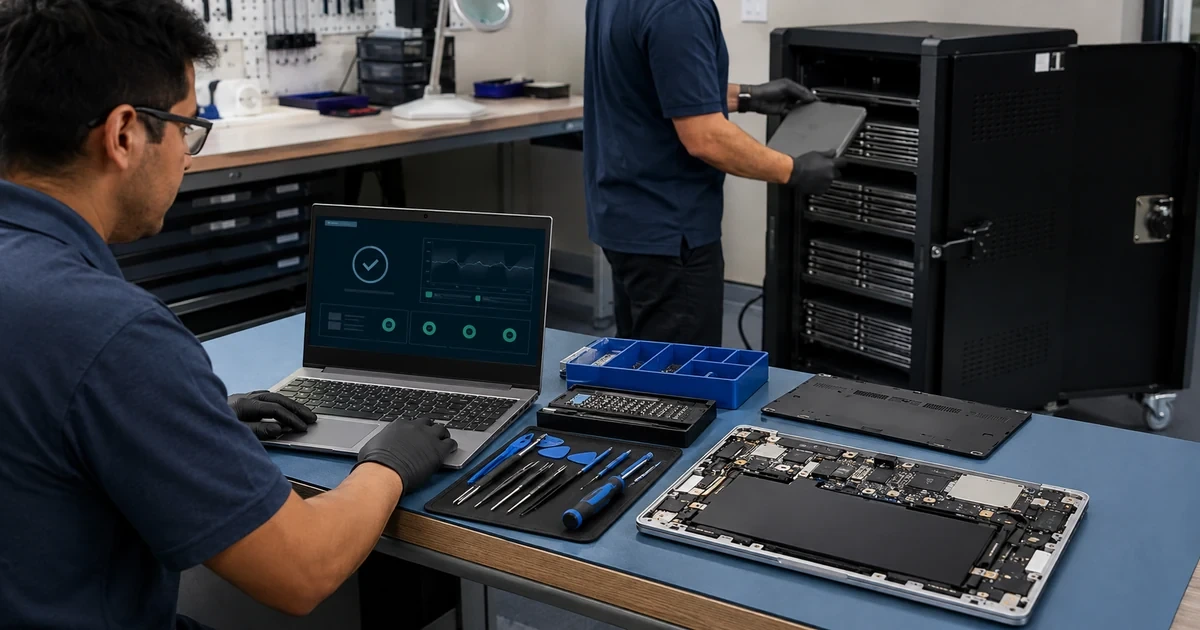
A failed Chromebook can look like a simple hardware ticket while the real cause sits in the user’s account, an inherited policy, a wireless certificate, an extension, a damaged charger, a depleted battery, or a web application. Resetting the device too early can destroy local evidence and unsynchronized files without fixing the underlying problem. Sending it for repair without updating management records can also leave the organization uncertain about custody, upgrade status, and the device that comes back.
A safe support process separates user, service, network, policy, accessory, operating system, and hardware causes before destructive action. It protects business or school data, gives the user a prepared spare when downtime matters, records every custody change, and repeats a complete acceptance test after repair. Repurposing and retirement require additional decisions about deprovisioning, management upgrades, local data, account access, storage sanitization, warranty returns, resale, donation, and recycling.
ALLMSP provides Chromebook troubleshooting, repair coordination, spare-device preparation, repurposing, and retirement support for Lawrenceville, Suwanee, Gwinnett County, Metro Atlanta, and organizations across Georgia. Our in-house team can work across the Google Admin console, Google Workspace, Wi-Fi, user accounts, peripherals, hardware, and inventory so the device returns to service with a complete record.
Resolve Chromebook failures without losing custody, data, or management
- Capture the incident: Record the user, device, serial number, location, exact symptom, timing, business impact, recent changes, physical condition, and local-data risk.
- Isolate the cause: Compare known-good users, devices, networks, chargers, accessories, applications, policies, and browser sessions before wiping or ordering parts.
- Protect continuity: Prepare spare Chromebooks by role and restore approved access without copying another person’s profile or bypassing enrollment.
- Control repair custody: Document warranty, authorization, data decision, deprovisioning need, shipping, receiving, repair result, serial changes, and upgrade handling.
- Prove the return to service: Re-enroll when needed, apply the intended policy, update ChromeOS, test hardware and applications, and reconcile the asset record.
- Retire deliberately: Remove access, preserve required files, sanitize local storage, release management, recover eligible upgrades, and document final disposition.
Triage the user, account, network, policy, and hardware before resetting
Begin with a precise incident record. Capture the assigned user, asset tag, serial number, model, organizational unit, location, ChromeOS version, last known policy synchronization, battery state, charger, connected accessories, network, exact error, start time, frequency, and the business or classroom task that failed. Ask what changed immediately before the problem, including password updates, policy changes, new extensions, application updates, travel, drops, spills, power events, or a different dock. Photograph physical damage and record custody before the device moves.
Use comparisons to narrow the fault. Test the same user on a known-good managed Chromebook, and test a known-good user on the affected device when privacy and policy allow. Try an approved network, charger, cable, display, or peripheral. Check Google service health, account status, device policy, organizational unit, application access, storage, update state, and relevant logs. Guest mode or an unmanaged account may hide a policy problem and should not be treated as a universal diagnostic shortcut. Protect unsynchronized local downloads before any action that will erase them.
- User comparison: Determine whether the issue follows the account, permissions, profile, application data, multifactor authentication, organizational unit, or assigned policy.
- Device comparison: Use a known-good managed device to test the same workflow without changing the affected Chromebook’s evidence or custody.
- Connectivity test: Compare office, classroom, guest, hotspot, and home networks while checking certificates, DNS, filtering, proxy, VPN, and captive portal behavior.
- Accessory isolation: Test approved chargers, USB-C cables, docks, displays, headsets, cameras, printers, scanners, and adapters one at a time.
- Physical inspection: Check liquid indicators, impact damage, hinges, keyboard, trackpad, display, ports, charger, swelling, overheating, odor, and unauthorized repair attempts.
- Data protection: Identify local downloads, offline files, unsynchronized work, browser data, account-owned cloud files, retention needs, and what a wipe would remove.
The first support objective is not to reset the Chromebook. It is to locate the failing layer while preserving the information and records needed for a safe recovery.
Use spares, warranty service, repair controls, and complete acceptance testing
Set a continuity threshold for each user group. A student cart may tolerate a different response than a field employee, front desk, teacher, executive, or shared service counter. Keep spare devices enrolled or ready for controlled enrollment, updated, physically inspected, and mapped to the applications and peripherals required by the role. When a spare is issued, record the temporary assignment, accessories, date, expected return, and any approved transfer of cloud data. Never solve urgency by giving one employee access to another person’s saved profile.
Before shipping or handing a device to a repair channel, confirm warranty, estimated time, cost, data condition, local storage, management status, deprovisioning requirement, upgrade implications, and authorization. Google’s lifecycle guidance notes that a device may need to be deprovisioned for testing or repair and provides specific reasons for same-model and different-model replacements. When the device returns, verify its serial number and hardware, wipe or recover it when required, re-enroll it, restore the intended organizational unit, apply policies, update ChromeOS, and repeat functional and security tests before reassignment.
- Spare readiness: Maintain supported models, current updates, working batteries, approved chargers, known enrollment steps, available upgrades, tested applications, and accurate inventory.
- Repair decision: Compare warranty, cause, physical damage, parts, labor, freight, turnaround, update life, repeat failures, replacement cost, user impact, and spare capacity.
- Custody record: Log every handoff, date, person, location, package, tracking number, device condition, data decision, authorization, and expected next action.
- Replacement mapping: Document whether the replacement is the same model, a different model, or a permanent retirement because management upgrade handling can differ.
- Return inspection: Confirm serial number, model, repaired components, physical condition, charger, battery, ports, display, keyboard, camera, microphone, wireless, and warranty result.
- Acceptance test: Validate enrollment, organizational unit, policy, version, sign-in, applications, extensions, data access, printing, conferencing, peripherals, remote support, and inventory.
A repaired Chromebook should return only after the hardware, management state, security controls, user workflow, and asset record all agree.
Repurpose, deprovision, sanitize, and retire Chromebooks with complete records
Repurposing starts by deciding whether the device remains under the same organization and management purpose. Remove the prior assignment, preserve or transfer required cloud files through the account and retention process, clear local user data, inspect hardware, check the automatic update date, update the device, and place it in the correct organizational unit for its new role. Forced re-enrollment is useful when a wiped device should remain managed. Confirm that the new user receives only the intended applications, printers, networks, and data access.
Deprovision only for the correct lifecycle reason. Google’s guidance distinguishes devices leaving management, same-model warranty replacement, different-model replacement, resale, donation, and permanent retirement. Record the reason because it can affect management upgrade handling and future enrollment. Before disposal or transfer, coordinate account removal, retention, local-data sanitization, asset status, accessories, physical labels, warranty or lease obligations, and final destination. Verify that the device no longer appears as active and that the receiving or recycling record identifies the correct serial number.
- Repurpose review: Confirm remaining update life, condition, battery, performance, new role, organizational unit, applications, accessories, warranty, and expected service period.
- Account transition: Transfer business-owned files, remove the prior user, preserve required records, revoke sessions when appropriate, and verify the new user’s least-privilege access.
- Wipe decision: Choose remote reset, factory reset, recovery, or another approved method based on management state, local data, device condition, and the next use.
- Deprovision reason: Select and record the accurate repair, replacement, resale, donation, or retirement reason before releasing the device from management.
- Sanitization proof: Retain the serial number, storage and encryption context, action performed, result, technician, approver, date, exception, and chain of custody.
- Disposition closure: Reconcile the Admin console, asset register, assigned user, management upgrade, accessories, warranty, recycler or recipient, and final status.
Retirement is closed only when the organization can prove what happened to the device, its data, its account access, its management record, and any reusable entitlement.
Chromebook troubleshooting, repair, and retirement support from ALLMSP
ALLMSP can receive support requests, identify the affected user and device, preserve local data, isolate account and policy problems, test networks and accessories, diagnose hardware, prepare spares, coordinate warranty and parts, manage repair custody, re-enroll returned devices, validate applications, update inventory, and complete repurposing or retirement. We can also correct repeated issues in Google Admin instead of resetting one Chromebook at a time.
Schools and businesses in Lawrenceville, Suwanee, Gwinnett County, Metro Atlanta, and throughout Georgia can use one in-house ALLMSP team for ChromeOS administration, Google Workspace access, wireless troubleshooting, hardware service, user communication, spare devices, secure data handling, and final disposition. That keeps the technical fix connected to the employee or student experience.
- Diagnose and restore: Incident intake, evidence, user and device comparisons, policy review, network tests, accessory isolation, data protection, and corrective action.
- Repair and validate: Spare issue, warranty, parts, authorization, custody, deprovisioning decisions, receiving, enrollment, updates, testing, and reassignment.
- Repurpose and retire: File transfer, account cleanup, local reset, role change, upgrade handling, sanitization, asset reconciliation, recycling, and disposition records.
Primary resources for Chromebook repair and retirement
Use Google’s current lifecycle instructions for managed status and device actions, then add the organization’s own data, custody, warranty, continuity, and evidence requirements.
- Google repair, repurpose, and retirement guidance. Google’s deprovisioning reasons, repair and replacement considerations, disabling, re-enrollment, and lifecycle steps.
- Google ChromeOS device wipe guidance. Remote and manual reset options, enrollment cautions, and the local information removed by a wipe.
- Google forced re-enrollment guidance. Behavior and configuration for returning wiped devices to management when they remain organization property.
- ALLMSP Hardware Support. Business hardware diagnostics, deployment, repair, warranty coordination, spares, inventory, and lifecycle planning.
Chromebook support, repair, and retirement FAQs
What information should a Chromebook support ticket include?
Include the user, asset tag, serial number, model, location, organizational unit, ChromeOS version, exact symptom, start time, business impact, recent changes, network, charger, accessories, physical condition, and local-data risk.
How can support tell whether the problem is the user or the Chromebook?
Test the affected user on a known-good managed device and an approved test user on the affected device when policy permits. Compare account, organizational unit, application, network, and device results without erasing the original evidence.
When should a managed Chromebook be wiped?
Use a wipe when it is an appropriate documented troubleshooting, reassignment, data removal, recovery, or lifecycle action. Protect unsynchronized local files first and confirm how the device will return to management afterward.
What information can a Chromebook wipe remove?
Google states that local account information and data not synchronized through Chrome Sync can be deleted, including downloads, photos, and saved networks. Identify and protect required local information before the reset.
When should a spare Chromebook be issued?
Issue a tested spare when the expected repair or investigation time exceeds the user’s continuity threshold. Record temporary custody and provide the correct enrollment, policy, applications, accessories, and cloud access for that role.
What should be checked after a Chromebook repair?
Verify identity and serial number, physical condition, battery, charger, ports, keyboard, display, camera, microphone, wireless, enrollment, organizational unit, policies, version, sign-in, applications, data, printing, peripherals, and asset status.
What is the difference between wiping and deprovisioning a Chromebook?
A wipe resets local device data while the device can remain managed and re-enroll. Deprovisioning releases the device from organization management and removes device policies, so it should use the correct lifecycle reason and approval.
How should a lost or stolen Chromebook be handled?
Confirm the device and user, protect the account, disable the managed device when appropriate, preserve records, assess exposed data, document recovery efforts, follow notification requirements, and decide the final wipe or retirement action.
Can an old Chromebook be repurposed for a lighter role?
Yes when its automatic update life, condition, battery, performance, management upgrade, applications, warranty, and security requirements fit the new role. Reset, re-enroll, reassign policy, and test it before handoff.
Can ALLMSP handle Chromebook support and retirement in house?
Yes. ALLMSP handles troubleshooting, Google Admin review, network and accessory tests, local-data protection, spares, repair coordination, re-enrollment, validation, repurposing, sanitization records, and final asset closure.


