





























































































































































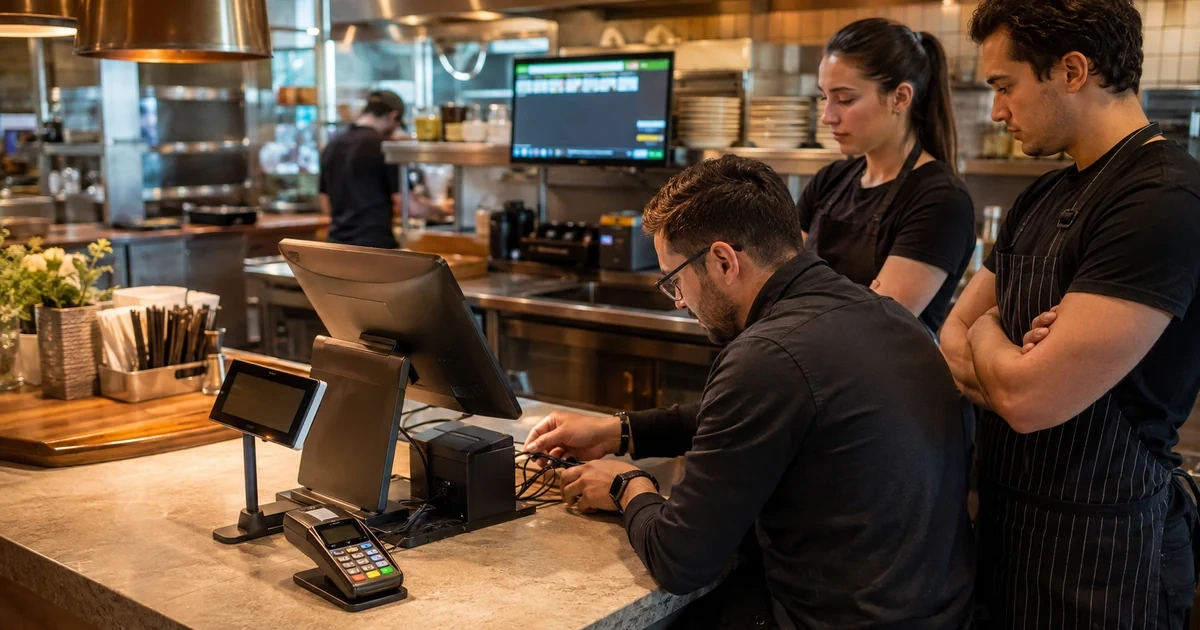
A Toast deployment can appear finished when the screens light up, yet still fail during the first demanding service. A handheld may lose coverage at the patio, a counter terminal may point to the wrong receipt printer, the cash drawer may be connected to a printer that is not assigned to that device, or a kitchen display may route an item to the wrong preparation area. Those are not cosmetic defects. They interrupt ordering, payment, production, and reconciliation at precisely the time a restaurant has the least capacity to improvise.
The practical unit of design is a restaurant station, not a box on a purchase order. Toast describes terminals, handhelds, printers, cash drawers, card readers, and KDS devices as components with different connection and configuration requirements. Device Setup is performed on individual devices, while printer and prep-station behavior depends on both physical connections and administrative choices. A good rollout therefore connects the floor plan, network, power, hardware inventory, Toast configuration, staff roles, and test evidence in one implementation record.
This guide gives Georgia restaurant operators a sequence for that work: document the service model, create a station schedule, prepare wired and wireless infrastructure, install the counter and kitchen chains, and commission each route with representative transactions. ALLMSP can coordinate the low-voltage, endpoint, documentation, and support portions while restaurant leadership owns menu behavior, financial policy, and operating decisions. The goal is not merely a successful installation day, it is a supportable Toast environment that a manager can understand at 7 p.m. on a Saturday.
Key decisions at a glance
- Draw the service path before ordering or mounting hardware, including every counter position, handheld charging point, prep station, expo position, and backup route.
- Match stationary Toast devices to supported wired connections and validate wireless coverage wherever handheld staff actually take orders and payments.
- Configure each terminal or handheld deliberately because Toast Device Setup settings and primary mode are device-specific and permission-controlled.
- Treat the receipt printer, cash drawer, kitchen printers, KDS screens, and local network as one operational chain rather than unrelated accessories.
- Commission the rollout with realistic orders, exceptions, shift changes, and recovery tests, then preserve serials, settings, results, and ownership in the support record.
Start with the restaurant journey and a station schedule
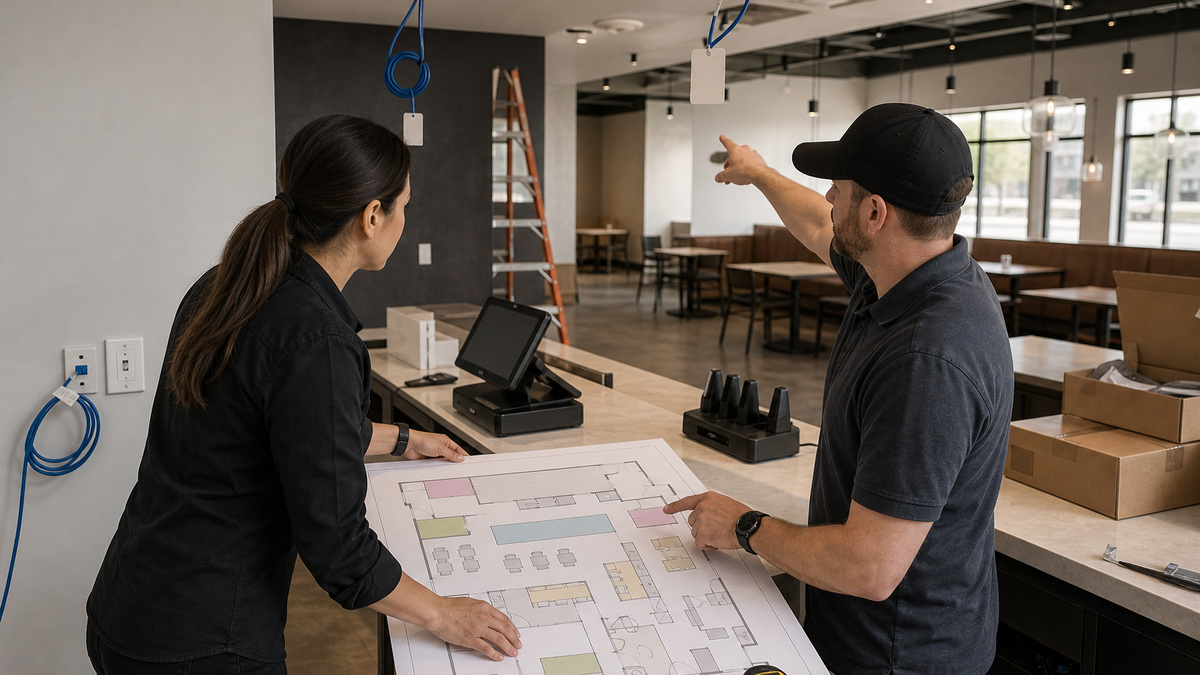
Walk the building in the same order that a guest and an order travel through it. Mark host stand, bar, counter, dining sections, patio, drive-through or pickup area, each preparation station, expo, manager office, network cabinet, and receiving area. For every location, write the work performed there, the busiest expected load, the employee role, the device class, and the failure consequence. A Toast Go handheld used only for line busting has a different charging and coverage requirement from one that remains with a server through ordering, payment, and receipt delivery.
Turn that walk into a station schedule with a stable device name and physical home. Include Toast Flex or other stationary terminals, guest-facing displays, card readers, handhelds and docks, KDS screens, receipt printers, kitchen impact printers, cash drawers, scanners, scales, access points, switches, router, local hub where applicable, and battery-backed power. Toast’s hardware glossary distinguishes several generations and form factors, so record the exact model rather than writing only terminal or printer. Compatibility, power supplies, mounts, and replacement procedures can differ across generations.
Design the network and electrical work from the schedule. Toast’s current connection guide identifies stationary devices such as Toast Flex and Toast Printer as Ethernet-connected, while Toast Go handhelds require wireless access through an access point. Validate the requirements for the specific model and configuration being installed. Provide protected outlets, safe cable routes, ventilation, service clearance, and separation from heat, grease, splash, foot traffic, and cleaning chemicals. The plan should also identify which devices must remain reachable when furniture, queue rails, or kitchen equipment move into their final positions.
- Assign one identifier to the physical station and one distinct identifier to each device, do not name several units simply Front or Bar.
- Measure handheld coverage at tables, patio edges, pickup shelves, freezer-adjacent areas, and other real service positions rather than only beside the access point.
- Document outlet, Ethernet, mount, printer, drawer, dock, and accessory requirements before walls or millwork close.
- Reserve a protected charging location and a shift procedure for every handheld so devices do not migrate to random outlets.
- Record the approved model, serial, power supply, cable type, and intended spare for each critical hardware class.
Build the counter chain from network jack to cash drawer
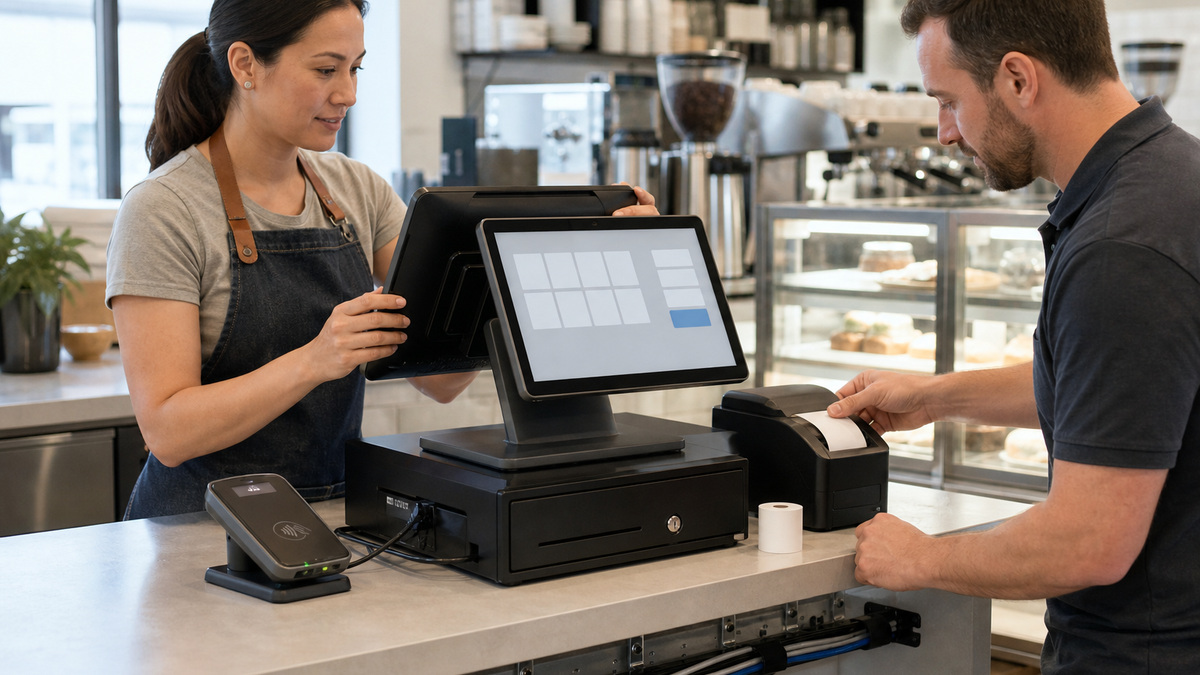
Install one counter station at a time and trace the entire chain before copying the pattern. Confirm the correct Ethernet path, protected power source, terminal stand, payment reader, guest display, receipt printer, and cash drawer connection. Toast documentation explains that cash drawers attach physically to printers and that the device must have a receipt printer selected before the drawer can open as intended. A disconnected drawer cable can look like an application problem, while the wrong selected printer can send receipts and drawer commands to another station.
Open Toast Device Setup on the actual device with an authorized account. Set a descriptive device name, confirm the intended primary mode, choose the correct receipt printer, and review only the options relevant to that station. Toast limits Device Setup capabilities through permissions, so use a controlled administrator or installer role and remove temporary access after commissioning. Do not assume settings copied from a nearby terminal are appropriate: bar, cashier, kiosk, expo, and manager stations may have different modes, timeout behavior, cash access, and peripherals.
Test the station as a system, not as isolated hardware. Sign in as a realistic employee role, create a small order with modifiers, send it, accept an approved test payment method, print a receipt, open the assigned drawer through the normal workflow, and confirm the guest display and reader remain usable from the intended angle. Then repeat with the printer disconnected, paper absent, and the device restarted during a maintenance window. Capture the observed error and recovery path without including guest, card, or credential data in screenshots.
- Photograph the finished cable route and port placement without exposing passwords, full serials publicly, or payment information.
- Use the same physical-to-logical naming convention in Device Setup, printer configuration, the asset register, and the floor plan.
- Verify cash-drawer enablement, receipt-printer selection, RJ11 seating, and drawer keys before diagnosing a drawer as defective.
- Check that staff can reach the screen and payment reader without twisting cables, blocking an aisle, or placing hardware in a spill path.
- Keep model-specific spare paper, approved cables, and power supplies separated so an employee cannot force an incompatible connector.
Route kitchen work through KDS and a deliberate print fallback
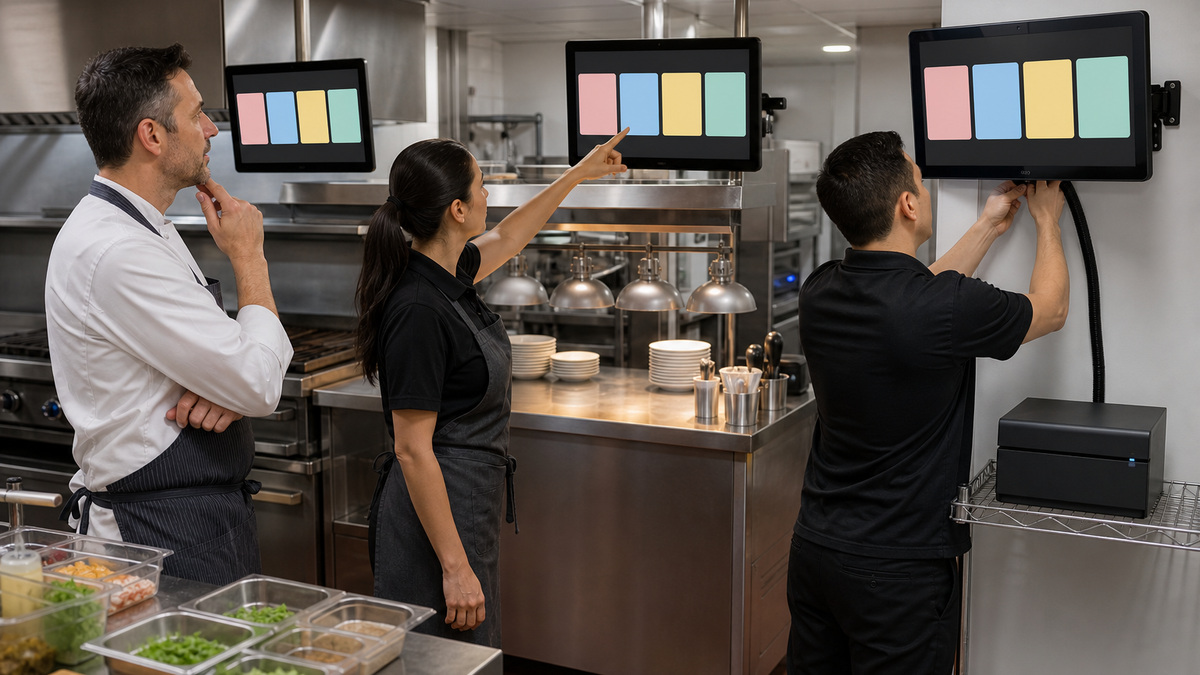
Kitchen design begins with prep stations and fulfillment decisions, not with screen count. List which items belong at grill, fry, cold prep, bar, bakery, expo, and packaging, identify items that require more than one station, and decide where an expediter needs the complete order. Map those decisions to Toast prep-station and printing configuration, then verify the result with real menu examples. A KDS mounted at the wrong height or behind a heat source can be operationally unusable even when the routing is technically correct.
Toast’s KDS guidance calls for thoughtful appearance and ticket behavior and emphasizes backup printing for continued operation in relevant offline scenarios. Plan at least one supported kitchen printer where the documented Toast design requires it, keep it away from steam and grease, and give it an unambiguous configuration name. A backup is valuable only if its paper, ribbon where applicable, Ethernet, power, and routing have been tested. Print samples for single-station items, multi-station meals, modifications, voids, courses, takeout, delivery, and expo handoff.
If the restaurant expects local KDS continuity during an internet or Toast-cloud interruption, validate the exact deployment. Toast’s local-sync behavior depends on an eligible local hub and a functioning local network, it is not a universal promise that every KDS layout works normally without internet. Document which device is the hub, where it is powered, what workflows remain available, and which actions staff must avoid during an outage. Losing the local network can also break printer and device communication even if every screen still has electricity.
- Mount KDS hardware where cooks and expediters can see and operate it without crossing hot, wet, or contaminated work zones.
- Name kitchen printers by physical role and location, then verify their model and network identity before assigning prep stations.
- Test a backup printer with the primary deliberately unavailable during a controlled window, a dormant configured printer is not proof of recovery.
- Keep the local hub connected and protected if the Toast design depends on it for local synchronization during eligible outages.
- Have culinary leadership approve routing examples because technicians cannot infer the restaurant’s intended production sequence from menu names alone.
Commission the complete order path and hand it to operations
Commissioning should resemble a short service, not a showroom demonstration. Run dine-in, bar, takeout, delivery, split-payment, modifier-heavy, void, refund, and manager-approval examples that match the restaurant’s actual policy. Move handhelds through every coverage zone, fill printer queues with several controlled tickets, test drawer assignments on each cash station, and watch KDS behavior at prep and expo. Use synthetic orders and approved test tenders so the evidence contains no real guest or card information.
Record results by station and issue, including the device name, model, serial, physical location, wired or wireless connection, primary mode, assigned receipt printer, cash drawer, KDS or prep role, app and firmware information available to the team, test cases, owner, and retest status. Toast Device Status can expose network, queue, device, serial, IP, and version information useful for support. Preserve only what is necessary, restrict the record, and note whether the evidence was collected on the device or from a remote view that may reflect the last reported state.
Close with an operational handoff. Train opening and closing managers to recognize the difference between a device problem, printer problem, local-network failure, internet failure, and vendor-service issue. Provide safe first checks, a contact tree, spare locations, and escalation criteria. ALLMSP’s hardware support and managed IT teams can maintain the site diagram, network cabinet, asset history, remote evidence, and vendor coordination, while restaurant managers retain control of tenders, menu routing, cash policy, and employee permissions.
- Require signoff from front-of-house, kitchen, finance, and the technical owner instead of accepting a single installer checklist.
- Retest after final furniture, patio equipment, refrigeration, and kitchen appliances are operating because radio and access conditions can change.
- Store a sanitized station map near the manager runbook and a fuller technical version in restricted support documentation.
- Remove temporary installer permissions, shared codes, packaging debris, unneeded Wi-Fi profiles, and unused extension cables before opening.
- Schedule a post-launch review after several busy shifts to resolve recurring printer queues, charging gaps, misroutes, and ergonomic problems.
Official product documentation and ALLMSP resources
- Toast Platform Guide: Hardware Components
- Toast Platform Guide: Configure Device Setup
- Toast Support: Network Connection Requirements for Toast Devices
- Toast Support: Identify Your Toast Hardware
- Toast Platform Guide: Cash Drawer Setup
- Toast Platform Guide: KDS Configuration Quick Reference
- Toast Platform Guide: Add a Kitchen Printer
- Toast Platform Guide: KDS Overview
- Toast Platform Guide: Verify Device Status Information
- ALLMSP Hardware Support
- ALLMSP Managed IT Services
- ALLMSP Retail and Restaurant Resources
- ALLMSP Toast Hardware Support Category
- Contact ALLMSP
Frequently Asked Questions
What should a restaurant map before ordering Toast hardware?
Map the guest and order journey, every employee role, counter and kitchen station, handheld travel area, printer and cash-drawer relationship, KDS and expo position, access point, cable drop, outlet, network cabinet, and fallback route. Record the busiest expected load and the consequence of losing each station before choosing quantities or mounts.
Should Toast terminals and printers use Ethernet?
Toast’s current network-connection guidance identifies several stationary devices, including Toast Flex and Toast Printer, as requiring an Ethernet connection for optimal operation, while Toast Go handhelds require wireless access. Confirm the exact model and current vendor guidance, provide managed cabling, and never assume a temporary Wi-Fi test is the supported permanent design.
How should Toast devices be named?
Use a stable convention that combines business location, physical station, role, and a short unique device number. The same name should appear in Toast configuration, the floor plan, asset record, printer map, and support ticket. Avoid repeated names such as POS or Front because they make remote diagnosis and replacement mapping ambiguous.
Why does Toast Device Setup need to be checked on every terminal?
Toast Device Setup configures an individual device, including its name, primary mode, selected printer, and other applicable options. Settings shown and changes allowed depend on permissions. Verify each physical unit rather than assuming a nearby terminal’s configuration automatically represents it, and remove temporary elevated access after the rollout.
How is a Toast cash drawer connected and assigned?
Toast documentation describes the cash drawer as physically attached to a printer. The relevant printer and drawer settings must be enabled, and the POS device needs an assigned receipt printer for normal drawer operation. Verify the cable, printer selection, drawer keys, employee permissions, and actual payment workflow before treating the drawer as faulty.
How many KDS screens does a restaurant need?
The answer depends on prep-station layout, menu routing, service volume, sightlines, heat and splash exposure, expo responsibilities, and fallback requirements. Start with the production path and test representative tickets. Adding screens without a routing model can multiply duplicates and missed work instead of increasing kitchen capacity.
Does every Toast KDS continue working normally without internet?
No blanket promise is safe. Toast documents local-sync behavior that depends on a functioning local network and an eligible local hub, and some features remain unavailable offline. Validate the restaurant’s exact hardware and mode, keep the hub connected, add the recommended backup printing, and rehearse the limitations with managers.
What should be included in a Toast rollout acceptance test?
Test realistic employee sign-in, ordering, modifiers, routing, receipts, cash drawer, payment, voids, refunds, KDS bumping, takeout, delivery, handheld roaming, charging, printer loss, and approved recovery steps. Capture station-specific results with synthetic data and require front-of-house, kitchen, finance, and technical owners to sign off.
Can staff move a Toast printer or handheld dock after installation?
Only through a controlled change. Moving hardware can alter cable strain, power protection, network identity, radio coverage, printer selection, routing, and the documented station map. Record the new location, inspect the environment, retest connected workflows, and update support records before the change becomes permanent.
How can ALLMSP help with a Toast hardware rollout?
ALLMSP can coordinate Georgia restaurant site surveys, low-voltage readiness, wired and wireless validation, device and station documentation, protected power, installation support, acceptance testing, asset records, escalation runbooks, and ongoing troubleshooting. Restaurant leadership remains responsible for menu design, tender rules, cash controls, employment decisions, and approval of operational routing.


