





























































































































































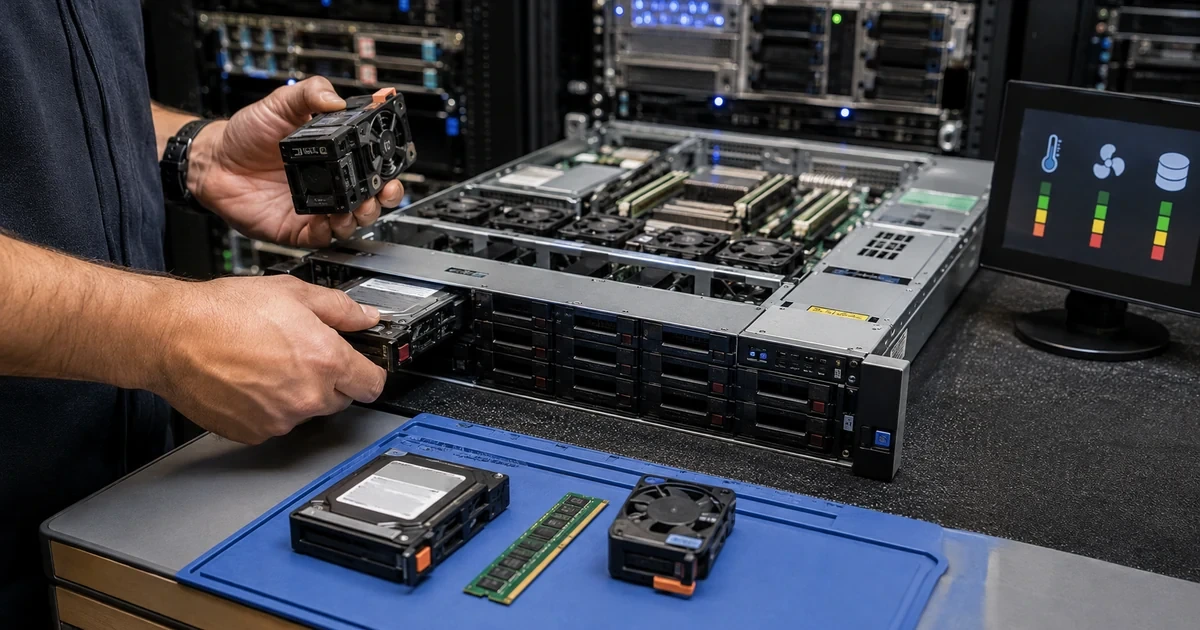
A degraded server needs an evidence-based response, not a reflexive drive swap. A storage alert may be caused by failing media, a controller, cache protection, backplane, cable, power condition, thermal event, firmware incompatibility, or an earlier replacement that never rebuilt correctly. Replacing the wrong component can increase stress on the remaining array and turn a recoverable warning into data loss.
The first priorities are people, data, and stability. Confirm the business impact, protect a usable recovery point, preserve logs, inspect power and cooling, collect hardware diagnostics, and understand the storage layout before opening the chassis or clearing an alert. The exact vendor procedure and support entitlement matter because component order, approved firmware, online replacement, and rebuild behavior vary by platform.
ALLMSP provides in-house server diagnostics, component replacement, storage repair coordination, workload validation, and recovery support for businesses in Lawrenceville, Suwanee, Gwinnett County, Metro Atlanta, and throughout Georgia. This guide explains how to sequence a hardware incident so the team protects the service instead of merely replacing a part.
Protect the workload before disturbing a degraded server
- Classify impact: Identify affected users, applications, data, redundancy, performance, security, recovery objectives, and acceptable maintenance.
- Preserve evidence: Collect management-controller logs, hardware events, array state, operating-system evidence, metrics, configuration, and recent changes.
- Protect recovery: Confirm recent backup status and restore evidence, preserve configuration, and avoid risky jobs that increase load or overwrite recovery points.
- Stabilize conditions: Check power, UPS, cooling, airflow, temperature, fans, cables, seating, rack access, and physical signs of damage.
- Diagnose the path: Distinguish media, controller, cache, backplane, cable, firmware, file-system, operating-system, and application symptoms.
- Replace and verify: Use approved parts and procedures, monitor rebuild, validate data and workloads, update records, and investigate root cause.
Triage the business impact, protect data, and collect hardware evidence
Record the exact alert, timestamp, server, chassis, bay, logical volume, component identifier, state, and source. Determine whether the service is available, degraded, read-only, slow, restarting, or offline. Identify affected applications, users, transactions, jobs, shares, databases, virtual machines, and sites. Confirm whether redundancy remains and whether another component in the same fault domain is warning. Set an incident owner, technical lead, business contact, maintenance decision, and communication interval.
Protect recovery before invasive work. Review the last successful backup, protected scope, repository health, isolation, retention, and recent restore evidence. Capture current configuration, array layout, disk order, controller settings, encryption and key requirements, virtual-machine placement, application state, and important logs. Avoid starting a new full backup against unstable media without understanding the risk. Do not initialize, clear, import, reconfigure, or force a degraded array based only on an unfamiliar prompt.
Collect vendor diagnostics from the management controller, system event log, storage controller, disks, power, thermal sensors, memory, processors, network interfaces, operating system, hypervisor, and applications. Check predictive failure data, uncorrectable and corrected errors, link resets, timeouts, controller cache state, battery or capacitor health, rebuild history, drive firmware, and recent parts. Preserve raw reports before acknowledging alerts. Compare evidence across sources because one layer may report only the downstream symptom.
- Incident scope: Record service state, users, applications, data, location, redundancy, performance, timing, impact, owner, and communication.
- Recovery check: Confirm backup time, scope, job evidence, repository, isolation, restore history, recovery objective, and responsible technician.
- Configuration capture: Save chassis, bays, disk order, array, controller, cache, firmware, encryption, volumes, virtual machines, and dependencies.
- Diagnostic package: Collect controller, media, power, thermal, memory, processor, network, operating-system, hypervisor, and application evidence.
- Change freeze: Pause unrelated updates, migrations, scans, reporting jobs, storage expansion, and configuration changes that could obscure evidence.
A careful triage creates room to make the right repair by protecting data, recording the configuration, and separating the business emergency from the component alert.
Stabilize power and cooling, then isolate the component or configuration failure
Inspect the environment before replacing storage. Check utility and UPS events, power supplies, input redundancy, battery or runtime status, fans, airflow direction, blocked intakes, exhaust recirculation, temperature history, dust, liquid exposure, loose cables, rack movement, and recent electrical or cooling work. A power interruption or thermal event can produce multiple faults and corrupt cache or writes. Correct unsafe conditions and follow approved shutdown procedures when continued operation threatens people, data, or hardware.
Trace the storage path. Map the application and file system to the logical volume, array or pool, controller, cache, backplane, expander, cable, enclosure, physical media, multipath connections, and power. Review whether the device is failed, predictive, rebuilding, foreign, missing, offline, or merely reporting through another layer. Check sector or media errors, link resets, timeouts, wear, temperature, firmware, model compatibility, negotiated speed, queue behavior, and controller logs. Confirm that the replacement is compatible and not a repurposed drive with unknown history.
Consider non-storage hardware and software causes. Correctable memory errors can become uncorrectable. A failing power supply, fan, network interface, host bus adapter, cache module, or motherboard can cause application and storage symptoms. Unsupported firmware and drivers can create timeouts or false alerts. File-system corruption, database problems, filter drivers, backup agents, antivirus, and application load can resemble hardware latency. Use vendor diagnostics, supported combinations, and a controlled test rather than assuming the most visible alert is the origin.
- Power and thermal check: Inspect source, UPS, supplies, redundancy, batteries, fans, airflow, temperature, dust, events, shutdown, and physical safety.
- Storage path: Map file system, volume, pool or array, controller, cache, backplane, cable, enclosure, media, multipath, and power.
- Media evidence: Review state, errors, wear, temperature, timeouts, link resets, firmware, model, speed, queue, rebuilds, and replacement history.
- Compatibility check: Confirm supported part number, capacity, interface, sector format, firmware, controller, carrier, warranty, and replacement procedure.
- Alternate cause: Test memory, power, cooling, adapters, network, drivers, file systems, databases, filter software, jobs, and application demand.
Hardware-first diagnosis means understanding power, environment, components, and supported configuration before changing the storage layout.
Replace safely, monitor rebuild, validate workloads, and document root cause
Use the vendor’s current service procedure and support guidance. Confirm identity by chassis, bay, serial, indicator, and management interface before removing anything. Verify whether the part is hot-swappable, whether the array can tolerate replacement, which order is required, and whether another fault must be corrected first. Protect against electrostatic discharge and physical injury. Label removed parts and preserve them according to warranty, evidence, and data-destruction requirements.
Monitor the entire replacement and rebuild process. Record start time, new part identity, firmware, array state, estimated completion, speed, temperature, errors, and workload effect. Reduce nonessential load when appropriate, but do not change controller or array policies casually during a rebuild. Watch remaining media closely because rebuilds increase reads and can expose latent errors. If a second component degrades or the rebuild stalls, stop and reassess against the backup and recovery plan.
After hardware returns to a healthy state, verify more than the alert. Check controller and system logs, redundancy, cache protection, file-system integrity, database consistency, virtual machines, services, authentication, applications, shares, jobs, backups, replication, and representative user transactions. Compare performance with the baseline. Record root or probable cause, triggering and contributing conditions, parts, firmware, work performed, downtime, data impact, validation, warranty status, monitoring changes, and follow-up actions. Update the asset and spare inventory.
- Replacement gate: Confirm backup, configuration, identity, compatibility, procedure, redundancy, maintenance, safety, rollback, and decision authority.
- Part control: Record old and new part, serial, bay, firmware, source, warranty, custody, data handling, return, and inventory update.
- Rebuild watch: Track status, rate, errors, temperature, remaining media, controller, workload impact, completion, and escalation triggers.
- Workload validation: Verify storage, file systems, databases, virtual machines, services, identity, applications, jobs, backups, and user transactions.
- Cause record: Document evidence, root or probable cause, trigger, contributors, correction, downtime, data effect, validation, and prevention.
Successful repair restores healthy redundancy and proves the business workload, while the final record makes the next incident faster and less risky.
Server hardware diagnostics and repair from ALLMSP
ALLMSP can triage server incidents, collect diagnostics, verify backups, inspect power and cooling, isolate hardware and storage failures, source compatible parts, coordinate warranty service, replace components, monitor rebuilds, validate workloads, and document root cause. Our in-house team can also improve monitoring, backups, lifecycle planning, networking, virtualization, and cybersecurity after the repair.
We provide server repair and support in Lawrenceville, Suwanee, Gwinnett County, Metro Atlanta, and across Georgia for businesses that depend on physical hosts, storage arrays, virtualization, databases, file services, and branch infrastructure.
- Triage: Protect people and data, classify impact, capture configuration, preserve logs, verify recovery, and control changes.
- Repair: Inspect environment, isolate the fault, confirm compatibility, replace safely, monitor rebuild, and validate the workload.
- Improve: Document cause, adjust alerts, update assets, test backups, correct environmental issues, and plan lifecycle work.
Official server storage, vulnerability, and recovery references
Follow current model-specific vendor procedures and support guidance together with applicable safety, data-handling, warranty, and business-continuity requirements.
- NIST storage security guidance. Covers storage architecture, threats, configuration, access, data protection, restoration assurance, and encryption.
- NIST contingency planning guide. Connects business impact analysis with recovery objectives, backup strategies, testing, and plan maintenance.
- CISA Known Exploited Vulnerabilities Catalog. Provides evidence of vulnerabilities exploited in the wild for risk-based remediation decisions.
- NIST enterprise patch planning guidance. Frames patching as preventive maintenance with prioritization, planning, implementation, and verification.
Server hardware repair FAQs
Should a failed-drive alert always lead to an immediate drive swap?
No. First verify the exact component, redundancy, backup, array state, controller, cache, backplane, power, cooling, firmware, compatibility, and approved replacement procedure.
What evidence should be collected before server repair?
Collect management-controller, array, media, power, thermal, memory, processor, network, operating-system, hypervisor, application, and recent-change evidence before clearing alerts.
Why verify backups before replacing hardware?
Replacement and rebuild can increase load or expose a second fault, so the team needs a recent protected recovery point and realistic restore evidence.
Can power or cooling create storage errors?
Yes. Interruptions, unstable power, failed supplies, depleted UPS batteries, fan problems, obstructed airflow, and high temperature can cause resets, faults, and data risk.
What can look like a drive failure but come from another component?
Controller, cache, backplane, cable, expander, host adapter, power, firmware, driver, file-system, database, or application problems can produce similar symptoms.
What should be monitored during a RAID rebuild?
Monitor progress, speed, errors, temperature, remaining media, controller health, workload impact, backup status, and triggers for stopping or escalating.
How is a server hardware repair validated?
Confirm hardware health, redundancy, cache, logs, file systems, databases, virtual machines, services, authentication, applications, jobs, backups, and user transactions.
What information belongs in the final repair record?
Record evidence, root or probable cause, parts and serials, firmware, work, downtime, data impact, rebuild, validation, warranty, monitoring changes, and follow-up.
Can ALLMSP source and install server parts?
Yes. ALLMSP diagnoses the failure, confirms compatibility, sources parts, manages replacement, monitors recovery, and validates the environment through its in-house team.
Where does ALLMSP provide server repair?
Organizations in Lawrenceville, Suwanee, Gwinnett County, Metro Atlanta, and elsewhere in Georgia can use ALLMSP for on-site and remote server support.


