





























































































































































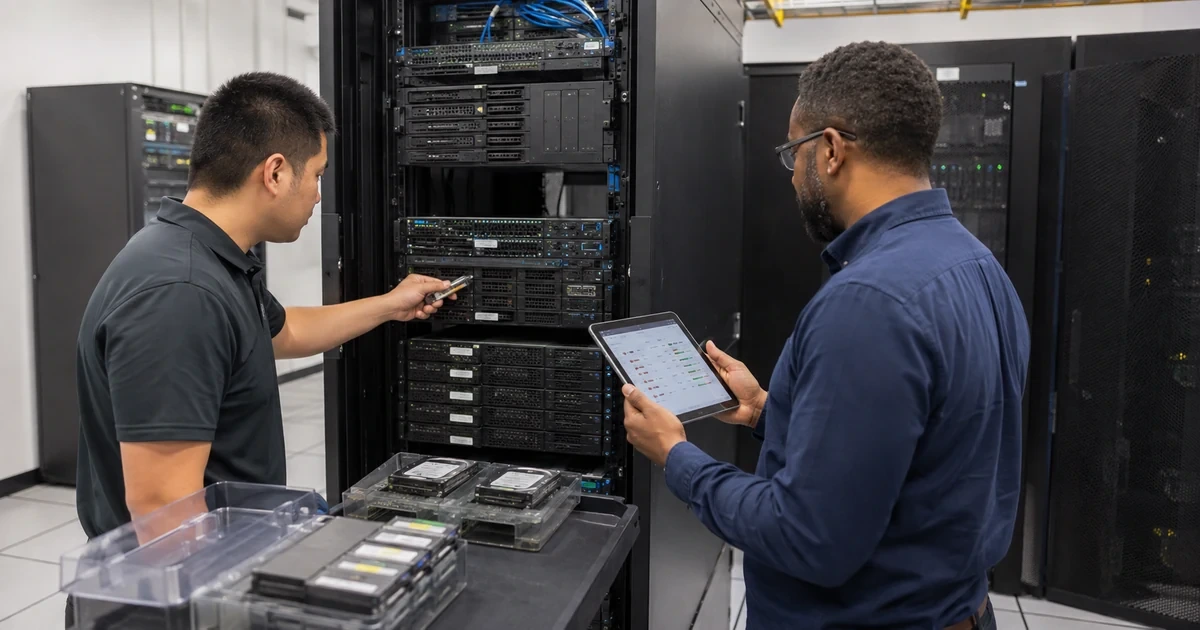
A server support audit should answer whether the business knows what it owns, what each system supports, who can administer it, how failure would be detected, and whether recovery has been proven. Asset lists often stop at a hostname and serial number. They miss virtual machines, storage paths, service accounts, licensing, remote-management access, backup dependencies, application owners, warranty status, and the sequence required to restore operations.
The audit must compare records with direct evidence. A backup policy is not the same as a successful restore. A redundant array is not resilient when it has been degraded for months. A supported operating system does not make an unsupported application safe. A monitoring agent is not useful if alerts reach an abandoned mailbox. The reviewer should inspect configuration, telemetry, contracts, access, and test results, then connect each gap to business impact.
ALLMSP performs server infrastructure audits and corrective work through its in-house team for businesses in Lawrenceville, Suwanee, Gwinnett County, Metro Atlanta, and across Georgia. The result is a practical current-state record and a prioritized roadmap for reliability, security, recovery, capacity, and lifecycle decisions.
Verify the server estate through records, telemetry, and recovery evidence
- Discover assets: Find physical hosts, virtual machines, storage, appliances, cloud instances, management systems, networks, power, backups, and dependencies.
- Confirm ownership: Assign business and technical owners, company-controlled accounts, administrators, recovery, billing, support, licensing, and offboarding.
- Assess condition: Review hardware events, firmware, support status, resources, storage health, environment, vulnerabilities, and workload behavior.
- Test visibility: Validate monitoring agents, logs, alerts, synthetic checks, time synchronization, escalation, ticketing, and closure evidence.
- Prove recovery: Inspect backup scope, isolation, retention, job health, restore results, runbooks, recovery objectives, and alternate dependencies.
- Plan remediation: Rank risk and improvement by business impact, exposure, likelihood, control gap, urgency, dependency, cost, owner, and verification.
Reconcile physical, virtual, storage, network, power, and application records
Discover assets from multiple sources. Compare procurement and warranty records, rack and room inspection, management controllers, hypervisors, clusters, directory services, DNS, DHCP, network switches, storage managers, backup platforms, monitoring, vulnerability tools, cloud consoles, application records, and finance. Record servers that are powered off, reserved, in repair, at branch sites, used for testing, or managed through an unknown account. Track serials, asset tags, location, rack position, warranty, support, purchase date, and planned retirement.
Map the logical environment. Connect each physical host to processors, memory, adapters, firmware, storage controllers, local media, shared storage, networks, power, hypervisor, virtual machines, containers, and management services. For each workload, record operating system, role, applications, databases, data, identity dependencies, licenses, integrations, service accounts, certificates, jobs, users, business owner, technical owner, maintenance window, criticality, recovery point, and recovery time.
Inspect storage and resilience architecture. Document direct-attached, network-attached, block, file, object, hyperconverged, and cloud storage used by servers and backups. Record arrays or pools, redundancy scheme, spares, paths, controllers, cache protection, snapshots, replication, encryption, keys, capacity, growth, tiering, retention, and restore dependencies. Identify when high availability, replication, snapshots, and backups are being treated as interchangeable even though they address different failures.
- Discovery source: Compare purchasing, physical inspection, controllers, hypervisors, directory, network, storage, backup, monitoring, cloud, and finance.
- Physical asset: Record model, serial, location, rack, hardware, firmware, warranty, support, purchase, condition, owner, and replacement.
- Logical workload: Track operating system, role, application, data, identity, licensing, integrations, jobs, users, owner, maintenance, and criticality.
- Storage design: Document type, pool or array, redundancy, controllers, paths, snapshots, replication, encryption, capacity, growth, and dependencies.
- Resilience distinction: State what clustering, replication, snapshots, backups, spares, warranty, and alternate systems can and cannot recover.
Reconciled physical and logical records expose forgotten systems, hidden dependencies, and resilience assumptions before an outage tests them.
Verify condition, supportability, access, monitoring, maintenance, and capacity
Review hardware health and environment using current telemetry and history. Inspect processors, memory events, power supplies, fans, temperature, storage media, controllers, cache protection, network interfaces, adapters, firmware, management-controller logs, UPS, cooling, airflow, racks, cables, and physical access. Identify predictive failures, corrected errors that are increasing, repeated resets, degraded arrays, stalled rebuilds, failed batteries, unsupported combinations, and alerts that were acknowledged without resolution.
Assess supportability and security. Record operating-system, hypervisor, firmware, driver, database, backup, and application support dates. Review vulnerabilities in context, including known exploitation, exposure, privilege, affected workload, mitigation, and recovery. Verify company-controlled administrative ownership, named accounts, multifactor authentication, least privilege, protected remote management, secure protocols, service-account purpose, credential rotation, logging, and prompt offboarding. Check whether out-of-band management interfaces are isolated and limited to authorized administrators.
Test monitoring and capacity assumptions. Confirm every critical server and service reports to the intended system, uses accurate time, retains useful logs, and sends actionable alerts to a primary and backup. Trigger controlled tests for hardware, service, storage, backup, certificate, and synthetic-transaction alerts. Compare current and peak compute, memory, storage, latency, network, backup duration, licensing, power, and cooling with growth and required headroom. Identify resource reservations, oversubscription, noisy neighbors, and single nodes that cannot absorb maintenance or failure.
- Condition evidence: Review hardware events, trends, predictive alerts, redundancy, firmware, power, thermal, UPS, environment, and unresolved warnings.
- Support matrix: Track vendor, platform, version, compatibility, end of support, warranty, parts, contract, exception, and migration deadline.
- Administrative control: Verify owner, named users, MFA, least privilege, remote access, management isolation, service accounts, logs, and removal.
- Monitoring test: Trigger component, service, capacity, storage, backup, certificate, and transaction alerts and verify routing and response.
- Capacity model: Compare average, peak, growth, headroom, failure reserve, maintenance reserve, licensing, power, cooling, cost, and forecast.
An audit should prove that warning signals reach someone who can act and that the environment has enough supported capacity to survive planned and unplanned change.
Validate backups and runbooks, then build a funded remediation roadmap
Map backup protection to every critical workload and data set. Confirm volumes, virtual machines, databases, application-consistent methods, system state, configuration, repositories, encryption keys, and cloud dependencies. Review schedule, retention, isolation, immutability or administrative separation where appropriate, off-site copies, job monitoring, failure escalation, repository capacity, and credential separation. Compare the last successful job with changed-data patterns so a suspiciously small or fast backup is investigated.
Select representative high-impact and ordinary systems for restore testing. Recover into an isolated environment and verify boot, storage, file systems, database consistency, applications, authentication, permissions, network, integrations, jobs, and user transactions. Measure the recovery point and elapsed time. Walk through server, storage, site, identity, network, power, ransomware, and provider-outage scenarios. Confirm startup order, alternate access, emergency contacts, decision authority, communications, and documentation available outside the affected infrastructure.
Turn findings into a sequenced roadmap. Prioritize exposed compromise, failed recovery, lost administrative ownership, unsupported internet-facing systems, degraded redundancy, unsafe power or cooling, and undetected critical workloads. For every action, document business impact, evidence, recommendation, owner, prerequisite, maintenance window, cost range, target date, rollback, and verification. Group work into immediate stabilization, near-term risk reduction, planned lifecycle replacement, capacity investment, and ongoing operations. Review accepted risks with an accountable business owner.
- Protection map: Connect each workload and data set to backup method, frequency, retention, repository, isolation, owner, and recovery objective.
- Restore test: Verify selected point, isolated target, boot, data, application, identity, permissions, integrations, timing, exceptions, and approval.
- Recovery runbook: Document scenario, authority, contacts, prerequisites, order, credentials, alternate systems, testing, communications, and return to service.
- Roadmap action: State finding, evidence, impact, priority, owner, dependency, cost, target, maintenance, rollback, and verification.
- Risk acceptance: Record residual risk, rationale, compensating control, expiration, review trigger, accountable owner, and planned reconsideration.
The audit creates value when technical evidence becomes an owned, funded, and verifiable sequence of reliability and security improvements.
Server infrastructure audits and corrective support from ALLMSP
ALLMSP can discover physical and virtual assets, map workloads and storage, inspect hardware condition, review firmware and support status, secure administrative access, test monitoring, analyze capacity, validate backups, exercise recovery, and create a prioritized remediation roadmap. Our in-house team can then perform the repairs, upgrades, migrations, monitoring, and ongoing server management.
We conduct server and infrastructure audits for businesses in Lawrenceville, Suwanee, Gwinnett County, Metro Atlanta, and throughout Georgia, with recommendations based on business criticality and direct technical evidence.
- Discover: Reconcile physical, virtual, storage, network, power, application, licensing, ownership, and support records.
- Verify: Inspect health, access, vulnerabilities, monitoring, capacity, backups, recovery, environment, and operating procedures.
- Remediate: Prioritize findings, budget lifecycle work, correct risks, test results, document controls, and establish ongoing management.
Official server audit, storage, patching, and recovery references
Use these references with current product documentation, support matrices, safety procedures, licensing terms, and business requirements for the environment.
- NIST Cybersecurity Framework 2.0. Supports risk-based assessment and communication across governance, protection, detection, response, and recovery.
- NIST storage security guidance. Addresses storage architecture, threats, access, configuration, protection, isolation, restoration assurance, and encryption.
- NIST enterprise patch planning guidance. Describes risk-based enterprise patch management as preventive maintenance with defined processes and verification.
- NIST contingency planning guide. Provides detailed guidance for business impact, recovery strategies, plans, testing, and maintenance.
Server infrastructure audit FAQs
What should a server support audit deliver?
It should deliver reconciled assets, dependency and ownership maps, health and support findings, monitoring and recovery evidence, prioritized risks, responsible owners, and a verifiable roadmap.
How are forgotten servers discovered?
Compare physical inspections, controllers, hypervisors, directory and DNS records, network tables, storage, backups, monitoring, cloud consoles, applications, purchasing, and finance.
Why map virtual machines to physical hardware?
The mapping shows shared failure domains, capacity, maintenance impact, storage and network dependencies, licensing, recovery order, and whether another host can absorb a failure.
What should be reviewed for server administrative access?
Review company ownership, named users, MFA, least privilege, remote-management isolation, secure protocols, service accounts, recovery, activity logs, and offboarding.
How can monitoring be tested during an audit?
Trigger controlled hardware, service, storage, capacity, backup, certificate, and transaction conditions and verify alert content, routing, acknowledgment, escalation, and closure.
What is the difference between replication and backup?
Replication supports availability or rapid failover but can copy corruption or malicious changes. A backup preserves recoverable points according to scope, retention, isolation, and restore procedures.
How are end-of-support servers prioritized?
Consider internet exposure, criticality, data, vulnerabilities, compensating controls, hardware condition, parts, dependencies, recovery, replacement complexity, and business timing.
What proves a server backup is usable?
A controlled restore should recover the selected point and verify system startup, data consistency, applications, authentication, permissions, integrations, jobs, transactions, and timing.
Can ALLMSP complete the audit and the remediation?
Yes. ALLMSP performs discovery, assessment, repair, replacement, migration, backup, monitoring, cybersecurity, documentation, and ongoing server support in house.
Where does ALLMSP perform server infrastructure audits?
ALLMSP performs server health and ownership audits for organizations in Lawrenceville, Suwanee, Gwinnett County, Metro Atlanta, and elsewhere in Georgia.


