Classroom technology does not fail as one product. A lesson can stop because the teacher cannot sign in, the laptop chose the wrong display, wireless coverage changed after furniture moved, a document camera lost its driver, a filter blocked required content, or a shared device never received an update. Reliable classrooms come from treating the complete teaching setup as a supported service.
The goal is to make ordinary problems predictable, visible, and quick to recover. Standard equipment, known configurations, device management, wireless design, monitoring, spare units, clear ownership, and a teacher-friendly support path reduce both the number and length of interruptions.
ALLMSP provides local school IT support in Lawrenceville, Suwanee, Gwinnett County, Metro Atlanta, and throughout Georgia. We handle classroom devices, identity, networks, Wi-Fi, interactive displays, cloud platforms, help desk service, documentation, and on-site escalation with one team.
Build reliability around the complete classroom experience
- Define the classroom standard: Document the teacher device, student devices, display, audio, camera, adapters, network, applications, accounts, and startup sequence for each room type.
- Measure wireless conditions: Design for device density, roaming, interference, channel use, capacity, and the applications students and teachers actually run.
- Manage devices consistently: Enroll equipment, apply supported versions and settings, monitor compliance, schedule updates, and keep inventory tied to location and user.
- Prepare fast recovery: Stock tested spares, adapters, chargers, cables, and replacement devices according to common failures and the time needed to obtain parts.
- Make support easy: Give teachers one clear way to report the room, device, lesson impact, symptoms, and urgency, with visible status and escalation.
Find the real causes of classroom interruption
Review help desk tickets, wireless logs, device compliance, login failures, application status, classroom walk-throughs, and teacher feedback. Group incidents by room, model, software, time, network area, and symptom. Repeated quick fixes often point to a shared cause that individual tickets never reveal.
Observe a normal lesson setup from start to finish. Time sign-in, display connection, content access, audio, student device readiness, printing or scanning where used, and the transition between teachers. Include substitute and guest scenarios because they expose dependencies on saved passwords, personal adapters, or one employee’s memory.
- Identity failures: Track password resets, multifactor problems, license assignment, profile loading, stale group membership, and accounts not ready on the first day.
- Endpoint failures: Find unsupported versions, low storage, failed updates, battery problems, damaged ports, missing drivers, and unmanaged software.
- Display and audio failures: Record cable types, adapters, input selection, resolution, wireless casting, audio routing, firmware, and control-panel behavior.
- Wireless failures: Compare signal, interference, retries, roaming, client count, airtime, bandwidth, and application behavior at the time and location of the complaint.
- Application failures: Distinguish vendor outage, filtering, DNS, browser, extension, certificate, device policy, licensing, and account permission problems.
Create a short list of the highest-volume and highest-impact failure patterns. Fixing one shared cause can remove dozens of interruptions that previously looked unrelated.
Standardize rooms, devices, and wireless service
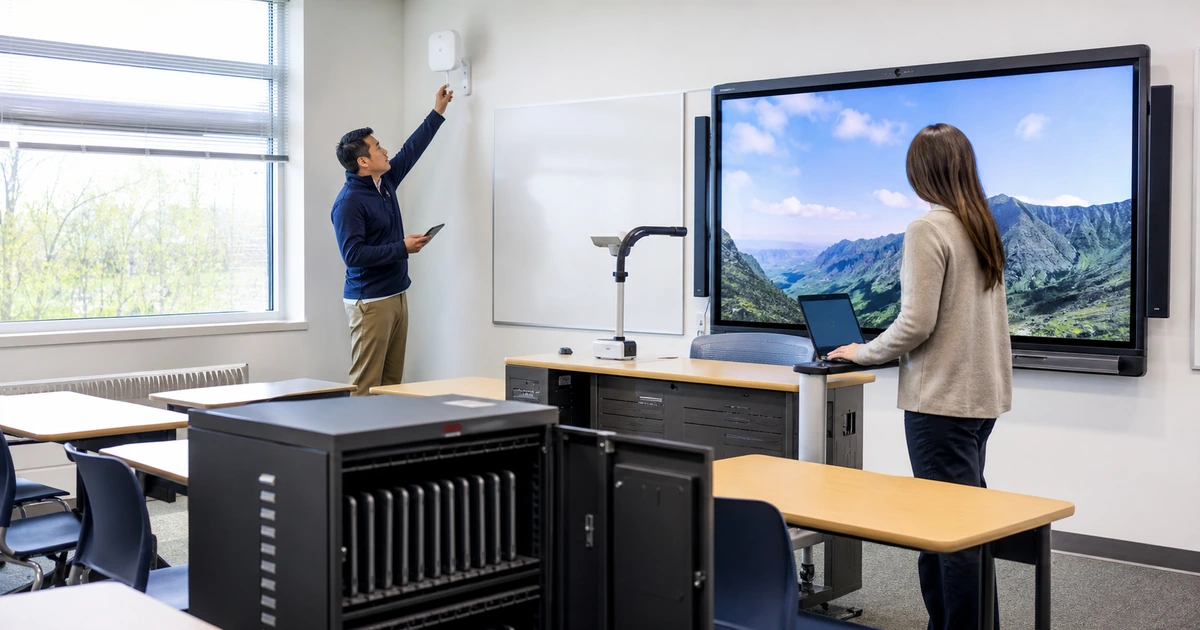
Use a small number of documented classroom designs. Standardization should cover connection methods, device models, mounting, labeling, power, adapters, display controls, audio, supported applications, and the location of spare equipment. Exceptions should be intentional and tied to a teaching requirement.
Wireless work should use measurements rather than visual guesses. Review coverage and capacity in occupied conditions, map access-point placement, inspect interference, confirm switching and internet capacity, and test roaming between instructional areas. A strong signal icon does not prove that dozens of devices can use a demanding application reliably.
- Configuration baseline: Maintain approved settings for operating systems, browsers, extensions, filtering, certificates, printers, displays, casting, and classroom applications.
- Update schedule: Test important releases, stage deployment, communicate restarts, avoid instructional peaks, and report devices that miss the window.
- Room labeling: Label inputs, cables, controls, network ports, devices, and spare locations so a teacher or technician can identify the correct component quickly.
- Spare strategy: Keep ready-to-use teacher and student devices, common adapters, cables, power supplies, peripherals, and batteries based on observed failure rates.
- Monitoring: Alert on access-point outages, switch problems, internet degradation, low storage, inactive security tools, failed updates, and other conditions before a lesson begins.
- Lifecycle planning: Forecast warranty, support, battery health, capacity, operating system eligibility, and replacement lead time before equipment becomes unreliable.
Test the standard in several room types before broad rollout. A lab, classroom, media center, auditorium, and mobile cart may need different details while still sharing the same support model.
Give teachers a support path built for instruction
Teachers should not need to diagnose the network before asking for help. A short support form or phone process can collect the room, affected activity, number of users, device or display, symptom, start time, and whether an alternate method is available. Support can gather deeper technical evidence without placing that burden on the classroom.
Create priority rules around instructional impact. One damaged student device may use the spare process. A teacher unable to display the lesson needs faster response. Multiple rooms losing access may indicate a shared service incident. Publish realistic response expectations and keep the teacher informed when the issue cannot be resolved immediately.
- Acknowledge: Confirm that support received the request and give the teacher a simple reference and expected next contact.
- Restore instruction: Use a tested workaround or spare when that is faster and safer than completing the permanent repair during class.
- Diagnose: Collect device, account, network, application, timing, and room evidence while preserving the conditions needed to find the cause.
- Repair and test: Correct the cause, repeat the original classroom task, and ask the teacher to confirm the result where practical.
- Prevent recurrence: Update the baseline, monitoring, spare stock, documentation, training, or broader configuration when the issue can affect other rooms.
Measure lost instructional minutes, repeat incidents, first-contact restoration, time to permanent repair, device readiness, wireless health, and teacher satisfaction. Ticket closure alone does not show whether the classroom recovered.
ALLMSP classroom technology and school help desk support
ALLMSP can support the classroom as a complete service, from the internet connection and wireless network through identity, teacher devices, student devices, displays, printers, cloud platforms, applications, security, and the help desk. We document the standard, monitor shared dependencies, maintain inventory, coordinate vendors, and provide on-site response when remote support is not enough.
Projects can include wireless surveys and upgrades, device enrollment, classroom refreshes, interactive display deployment, cloud migrations, account cleanup, support process design, spare planning, and preparation for a new term or campus opening.
- Classroom assessment: Room-by-room inventory, workflow observation, ticket analysis, wireless measurements, and a prioritized reliability plan.
- Standard deployment: Documented equipment, cabling, display, audio, network, applications, settings, labels, and acceptance tests.
- Managed devices: Enrollment, policies, applications, updates, security, inventory, remote support, secure reset, and lifecycle reporting.
- School help desk: Teacher-friendly intake, remote troubleshooting, clear escalation, on-site response, communication, and root-cause follow-up.
- Continuous improvement: Review of downtime, recurring incidents, wireless health, device compliance, spare use, support quality, and future needs.
Reliable technology should fade into the lesson. When something does fail, teachers need a fast path back to instruction and confidence that the underlying cause will be addressed.
Related classroom technology services
Use these ALLMSP service areas to connect classroom reliability with the infrastructure and support behind it.
- ALLMSP education services. Technology, cybersecurity, cloud, marketing, and AI support designed for schools.
- ALLMSP managed IT. Help desk, identity, endpoints, networks, cloud administration, documentation, and vendor management.
- ALLMSP cybersecurity. Protection and monitoring for school accounts, devices, email, cloud services, and networks.
- Google Search Essentials[1]. Included for school web teams responsible for reliable, useful, and discoverable public information.
Official guidance and ALLMSP resources
Frequently asked questions about classroom technology reliability
What causes the most classroom technology downtime?
Common causes include sign-in and license problems, failed updates, damaged cables or adapters, incorrect display inputs, low battery, unsupported devices, wireless interference or capacity, filtering, vendor outages, and inconsistent room configurations. Ticket and monitoring data should determine local priorities.
How can a school standardize classrooms without limiting teachers?
Standardize the parts that support reliability, such as connections, controls, devices, security, applications, labeling, and support. Document intentional exceptions for instructional needs, test them, and make sure replacement equipment and technicians can support them.
Why does Wi-Fi fail even when the signal looks strong?
Signal strength is only one factor. Interference, retries, channel use, access-point capacity, roaming, wired uplinks, internet service, DNS, filtering, and the application itself can affect performance. Test under realistic device density and workload.
What classroom spares should a school keep?
Stock should reflect actual failures and replacement lead times. Common items include ready-to-use teacher and student devices, chargers, power supplies, display cables, adapters, keyboards, mice, styluses, batteries, document-camera cables, and a small number of supported access or network components.
How should teachers report a classroom problem?
Provide one clear channel that captures the room, affected lesson, number of users, device or display, symptom, time, and urgency. Teachers should not be required to identify the technical cause before receiving help.
What should happen when a repair cannot finish during class?
Support should use a tested fallback such as a spare device, alternate cable, local copy, backup display method, or temporary room procedure. Restore instruction first when safe, then complete diagnosis and permanent repair with evidence.
How often should classroom equipment be checked?
Perform readiness checks before major terms and testing periods, monitor managed systems continuously, review repeated incidents monthly, and inspect high-use shared components on a planned schedule. Check again after room moves, construction, network changes, or major software releases.
Which classroom reliability metrics are useful?
Track instructional minutes lost, repeat incidents, rooms affected, first-contact restoration, permanent repair time, device compliance, wireless health, spare use, unresolved problems, and teacher feedback. Avoid relying only on the number of closed tickets.
Can ALLMSP provide both remote and on-site school IT support?
Yes. ALLMSP combines remote help desk, monitoring, device and cloud administration, vendor coordination, projects, and on-site service for classrooms, networks, displays, cabling, and equipment that requires physical attention.
Where is local classroom technology support available?
ALLMSP supports schools in Lawrenceville, Suwanee, Gwinnett County, Metro Atlanta, and other Georgia locations. Service plans can cover one campus, multiple schools, or an internal IT team that needs additional capacity.
Sources
- Google Search Essentials ↩
- CISA SMB resources. for the Education Organizations IT cleanup plan ↩
- CISA K-12 cybersecurity resources ↩
- U.S. Department of Education K-12 cybersecurity guidance ↩