






























































































































































A Zebra mobile-computer project can fail even when every unit powers on. Devices may arrive with different Android or LifeGuard builds, a staging barcode may expose a wireless credential, an application may inherit the broad default DataWedge profile, a ring scanner may pair to the wrong host, or a five-slot cradle may be installed without sufficient circuits and airflow. Those are rollout design defects, not isolated user mistakes.
The deployment unit is the operating kit: handheld or wearable, integrated or Bluetooth scanner, battery, spare battery, boot, strap, cradle, charger, power supply, network, certificate, application, DataWedge profile, management identity, and store assignment. Standardizing that kit makes swaps predictable. It also gives support a known comparison when a device scans differently, drains faster, loses Wi-Fi, or returns from repair with a different baseline.
This guide turns Zebra mobile computer rollout into a controlled build for Georgia retailers, restaurants, stockrooms, and distribution teams. Connect it with ALLMSP’s [Zebra hardware resource center](https://www.allmsp.com/category/hardware-support/hardware-support-zebra/), [Retail and Restaurants](https://www.allmsp.com/category/retail-and-restaurants/), and [Hardware Support](https://www.allmsp.com/category/hardware-support/) guidance while using Zebra’s current model, OS, MX, accessory, and software documentation for the exact fleet.
Key decisions at a glance
- Build the rollout bill of materials from the complete Zebra device family, battery, boot, scanner, cradle, cable, power, and mounting combination, not the handheld alone.
- Choose StageNow, Zebra OEMConfig through an EMM, or another approved management route according to OS, MX, ownership, scale, and support requirements.
- Configure Zebra DataWedge by application and activity, with intentional scanner selection, decoders, processing, output, feedback, and Profile0 behavior.
- Pilot on real store and warehouse Wi-Fi with genuine damaged, reflective, curved, and low-contrast labels before approving a scan configuration.
- Hand each location a tested charging layout, spare pool, asset record, operator guide, incident path, and rollback procedure.
Define the Complete Zebra Hardware and Power Baseline
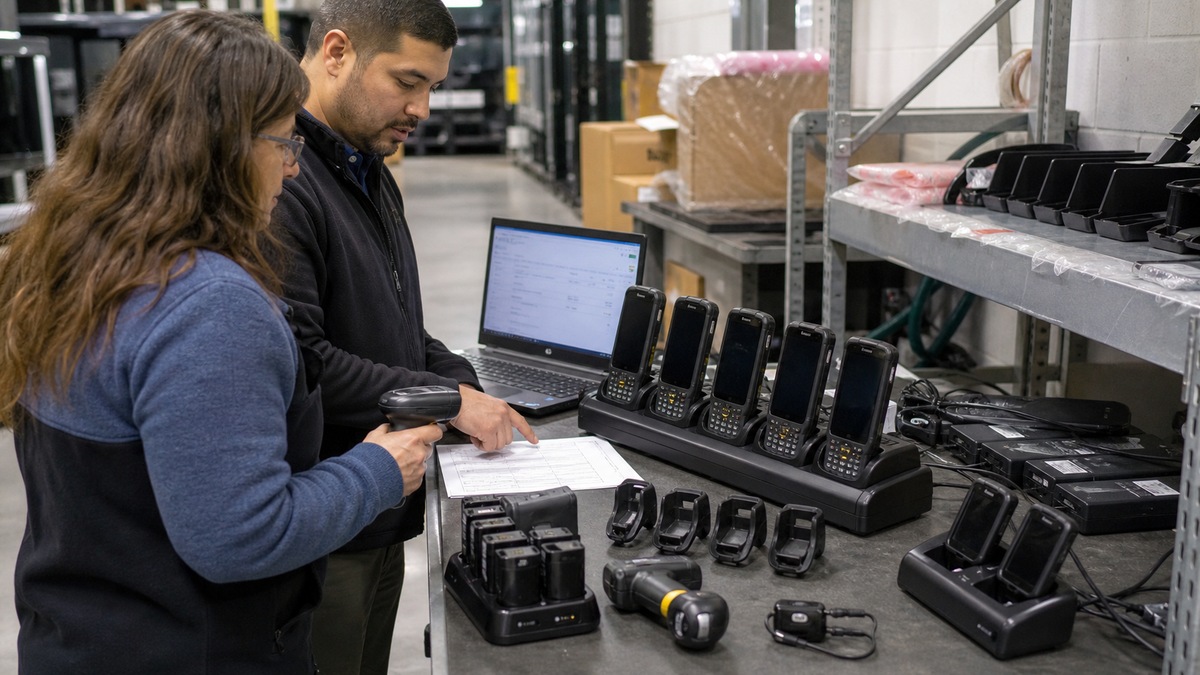
Create an approved configuration by use case before ordering at scale. A grocery receiving associate, restaurant line expediter, apparel stockroom worker, curbside picker, and distribution operator may need different scan range, keypad, glove support, drop rating, sealing, battery, display, camera, and mounting. Record the exact Zebra model and configuration, Android and build target, integrated scan engine, external scanner if used, protective boot, hand strap or wearable mount, battery size, and environmental constraints.
Treat cradles and charging as infrastructure. Zebra’s current TC53 accessory documentation distinguishes two-slot device-and-spare-battery cradles, five-slot charge-only and Ethernet cradles, four-slot battery chargers, vehicle mounts, and other combinations with specific power supplies. Map where devices park, who owns each slot, how spare batteries circulate, which units require Ethernet, and how power is protected. Verify counter space, rack mounting, cable strain, ventilation, cleaning, food-splash exposure, and emergency egress before installation.
Asset records should join physical and logical identity. Capture serial number, model, configuration, battery identifiers where managed, cradle location, store or department, cost center, EMM record, Wi-Fi certificate identity, assigned application set, OS build, LifeGuard level, staging profile version, and warranty or service entitlement. Apply durable asset labels without covering scan windows, vents, speakers, sensors, regulatory marks, or removable-battery latches. Reconcile received hardware against the purchase order before staging.
- Approve one Zebra kit per workflow, including mobile computer, scanner, battery, boot, strap, cradle, power supply, cable, mount, and spare ratio.
- Survey charging locations for outlets, circuit load, counter or rack space, cable protection, airflow, cleaning, moisture, and secure overnight storage.
- Record serial, model, OS, build, LifeGuard level, battery, cradle, site, EMM identity, certificate, application, and entitlement.
- Receive and inspect in lots so damaged screens, triggers, scan windows, connectors, batteries, or accessories do not enter staging.
Choose a Version-Aware Staging and Management Path
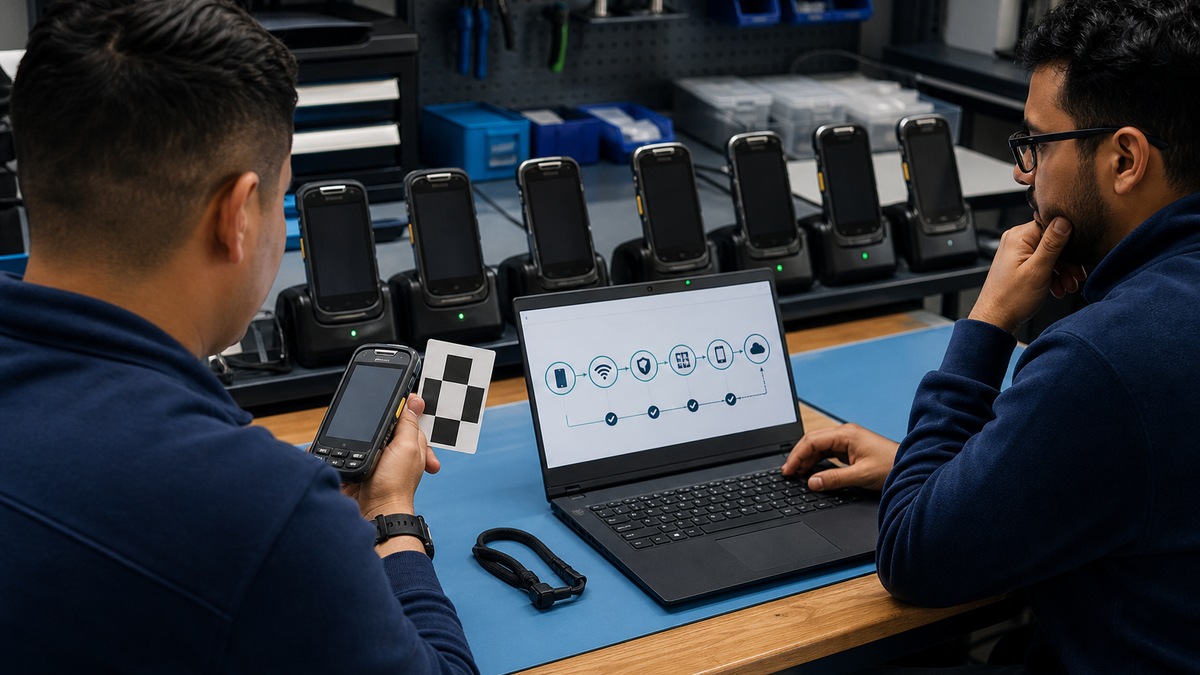
Zebra StageNow creates XML-based profiles for configuring supported devices and presents wizards for software and setting workflows. Zebra OEMConfig provides managed configurations through an enterprise mobility management system and can use Android Enterprise APIs or Zebra MX capabilities. These tools overlap but are not interchangeable in every environment. Select the supported route by device model, Android version, MX version, ownership mode, EMM, network conditions, technician skill, audit need, and expected scale.
Version compatibility is a release gate. StageNow TechDocs identify the current tool version and publish notices about specific profile, platform, OS, and LifeGuard combinations. OEMConfig documentation warns that there are two Zebra OEMConfig versions and that the Powered by MX package is for Android 11 and later. Keep a matrix of device build, MX, management agent, StageNow or OEMConfig version, profile version, required license, and test result. Never send a profile to untested hardware merely because the model name is similar.
Protect enrollment artifacts. A StageNow barcode or NFC package can contain powerful configuration instructions, including network or application settings. Generate it in a controlled workspace, limit distribution, avoid posting it in a public store area, rotate exposed credentials, and retire obsolete profiles. For EMM enrollment, define ownership, zero-touch or token method, certificate issuance, compliance state, lost-device action, factory-reset response, and who can approve a local exception. Store source profiles in version control with change approval and rollback.
- Document why StageNow, Zebra OEMConfig, EMM-native controls, or a combined path is supported for each device and Android group.
- Test profile compatibility against exact model, OS, build, MX, agent, license, and peripheral combinations before production use.
- Treat staging barcodes, NFC payloads, Wi-Fi profiles, certificates, enrollment tokens, and XML files as controlled configuration artifacts.
- Keep signed-off profile versions, test evidence, distribution history, expiration, recovery instructions, and a known-good rollback package.
Engineer DataWedge Profiles Around Real Applications
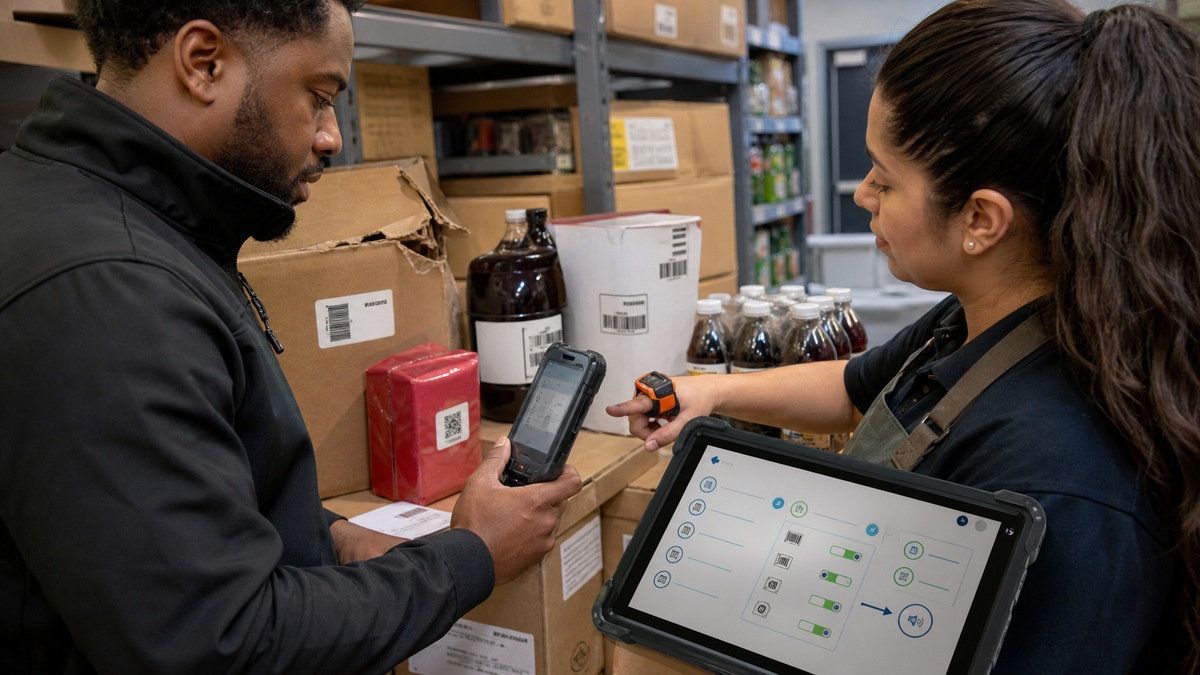
Zebra DataWedge is preinstalled on Zebra Android devices and routes captured data through profiles. A profile associates one or more applications or activities with input, optional processing, and output behavior. Barcode input can select the integrated imager, camera, Bluetooth scanner, USB scanner, or other supported hardware and can control decoders, symbology parameters, trigger behavior, feedback, and scanning modes. Build a named profile for each operational application instead of relying on unexamined defaults.
Profile0 automatically applies to foreground applications that lack a specific association. That makes scanning work out of the box, but it may also allow data capture in an unintended app. DataWedge permits Profile0 to be disabled when administrators want only explicitly associated applications to scan. Decide the desired state, then test point-of-sale, inventory, receiving, ordering, browser, keyboard, camera, accessibility, and support tools. Remember that one activity can be associated with only one DataWedge profile.
Limit decoding to the symbologies and lengths the workflow needs. Zebra notes that narrowing decoders can reduce errors and improve performance. Test UPC and EAN retail labels, Code 128 logistics labels, QR codes, damaged symbols, reflective packaging, curved containers, dense barcodes, poor contrast, multiple codes in view, and negative samples that must not decode. Verify input, formatting, output method, application field, suffix or prefix, good-decode sound, vibration, LED, duplicate handling, and scanner reconnection after reboot or firmware change.
- Associate each DataWedge profile with the intended app or activity and document input, processing, output, feedback, and scanner choice.
- Choose whether Profile0 remains enabled, then prove that sensitive or unrelated apps cannot receive scans unintentionally.
- Enable only required decoders and validate symbology, length, check digits, formatting, prefixes, suffixes, and rejected examples.
- Test integrated imagers, Bluetooth scanners, USB cradles, ring scanners, camera input, triggers, reconnects, and multiple-scanner use where applicable.
Pilot the Store Workflow and Hand Off a Supportable Fleet
Run a pilot at representative locations before broad shipment. Include a quiet store and a busy site, strong and marginal Wi-Fi zones, cold and hot areas, warehouse racks, checkout or kitchen congestion, and staff with different roles and glove needs. Test login, application launch, scan, data validation, roam, suspend and resume, battery change, cradle seating, peripheral pairing, printing if used, shift handoff, wipe, re-enrollment, and rollback. Capture timed tasks and error rates rather than relying only on participant impressions.
Battery and charging controls belong in the pilot. Zebra’s safety guidance defines acceptable charging temperature for the referenced mobile device and warns against incompatible batteries and chargers, debris or combustibles around charging, damaged batteries, short circuits, crushing, heat, and water exposure. Use the exact device guide for limits. Teach staff how to inspect, isolate, and report swelling, heat, impact, connector damage, or abnormal runtime, and keep damaged batteries out of the ordinary spare pool.
The production handoff should include asset imports, location and cradle maps, approved staging and DataWedge versions, operator quick guides, manager checks, spare-device and spare-battery levels, help-desk triage, lost-device response, warranty or OneCare details, and escalation contacts. Track enrollment success, scan failure, battery swaps, Wi-Fi incidents, damaged accessories, no-fault returns, and profile drift by site. Use ALLMSP’s [Cybersecurity](https://www.allmsp.com/category/cybersecurity/) guidance for identity and network controls or [contact ALLMSP](https://www.allmsp.com/contact-us/) for a scoped Zebra rollout review.
- Pilot full shifts at representative retail, restaurant, stockroom, cold, loading-dock, and weak-signal locations before scaling.
- Measure task time, first-pass scan rate, rejected scans, reconnect time, battery runtime, cradle failures, drops, and support contacts.
- Train on safe charging, damaged-battery isolation, scan-window cleaning, correct cradle seating, peripheral pairing, and lost-device reporting.
- Release by controlled waves with a help-desk bridge, spare pool, rollback trigger, site acceptance, and daily reconciliation of failed enrollments.
Official product documentation and ALLMSP resources
- Zebra: Mobile Computers Support
- Zebra TechDocs: StageNow
- Zebra TechDocs: About OEMConfig
- Zebra TechDocs: About DataWedge
- Zebra TechDocs: DataWedge Profiles
- Zebra TechDocs: Barcode Input
- Zebra TechDocs: DataWedge FAQ
- Zebra: TC53 Touch Computer Quick Start Guide
- Zebra: TC53 and TC58 Device Accessories
- Zebra: Battery Safety Guidelines
- ALLMSP Zebra Hardware Support
- ALLMSP Retail and Restaurants
- ALLMSP Hardware Support
- ALLMSP Cybersecurity
- Contact ALLMSP
Frequently Asked Questions
What belongs in a Zebra mobile computer rollout kit?
Include the exact device configuration, integrated or external scanner, battery and spares, protective boot, strap or wearable mount, cradle, charger, power supply, cable, Ethernet module if used, mounting, application, network identity, management record, staging profile, and location assignment.
What is Zebra StageNow used for?
StageNow creates XML-based profiles through guided workflows to configure supported Zebra devices. Use the current TechDocs compatibility guidance, protect the staging artifacts, test against the exact model and build, and retain both the approved source profile and rollback.
What is Zebra OEMConfig?
Zebra OEMConfig exposes managed configurations through an enterprise mobility management system, using Android Enterprise APIs where possible and Zebra MX capabilities where needed. Zebra documents two OEMConfig versions, so the administrator must choose the package compatible with the targeted Android fleet.
Can the same staging profile be used on every Zebra Android device?
Not safely by assumption. Validate the exact model, Android version, build, MX version, management agent, StageNow or OEMConfig version, license, peripheral, and profile action. Zebra notices may identify exceptions for particular platforms or LifeGuard combinations.
What is a Zebra DataWedge profile?
It is a configuration associated with one or more applications or activities that defines capture input, optional data processing, and output. It can also control scanner selection, decoders, parameters, trigger behavior, feedback, and utilities for the associated workflow.
What is DataWedge Profile0?
Profile0 is the default profile for foreground apps that have no specific DataWedge association. It supports out-of-box capture but can be disabled when administrators want scanning limited to explicitly configured apps. Test the chosen state against every operational and support application.
Should every barcode decoder remain enabled?
No. Enable the symbologies and parameters the workflow requires. Zebra notes that narrowing decoders can improve performance and reduce errors. Use both valid and invalid samples to confirm UPC, EAN, Code 128, QR, lengths, check digits, formatting, and rejection behavior.
Why must Zebra scanning be tested on real hardware?
Scan engine, build, DataWedge version, optics, trigger, packaging, lighting, distance, damage, curvature, Bluetooth behavior, and application focus all affect results. Zebra recommends actual hardware testing when possible, and a pilot should recreate the store or warehouse workflow.
How should Zebra cradles be planned?
Match the approved Zebra cradle and power supply to the device and use case, then verify device and spare-battery capacity, Ethernet need, outlet and circuit load, mounting, cable strain, airflow, cleaning, moisture, secure storage, slot ownership, and shift handoff.
What should be measured during a Zebra rollout pilot?
Measure enrollment success, task time, first-pass scan rate, rejected and duplicate scans, application errors, roaming and reconnect time, battery runtime, cradle seating, peripheral pairing, drop damage, shift handoff, wipe and re-enrollment, support contacts, and rollback time.


