





























































































































































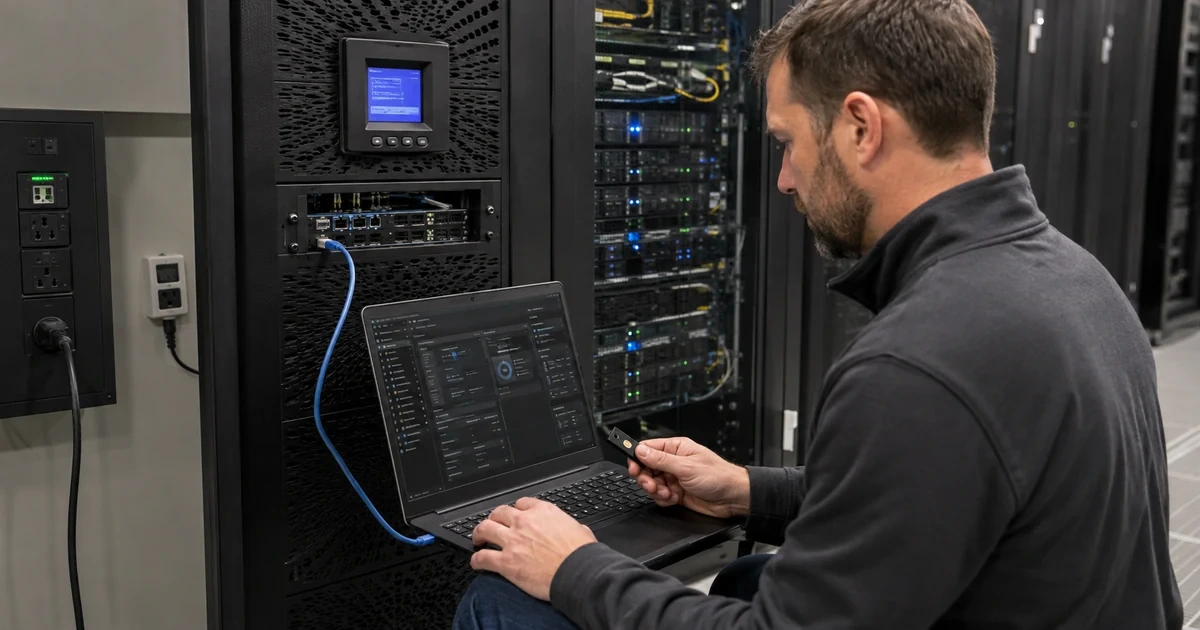
An APC Network Management Card is not just a monitoring accessory. It can expose UPS state, send notifications, initiate control actions, manage outlet groups, integrate with automation, and participate in unattended shutdown. If that interface sits on a flat user network with default-style access, weak certificates, broad SNMP communities, or forgotten accounts, the power layer becomes an avoidable security and availability risk.
Schneider Electric’s current Network Management Card 3 user guide covers AP9640, AP9641, and AP9643 models, UPS and outlet control, IPv4 and IPv6, notifications, logs, supported management protocols, environmental monitoring, firmware, and PowerChute integration. Its NMC3 security handbook treats authentication, encrypted services, certificates, access control, event records, and service reduction as explicit security controls. PowerChute Network Shutdown 5.2 adds its own supported platforms, UPS topologies, event actions, shutdown sequences, logging, SSH actions, SNMP integration, and environment-specific behavior.
This runbook joins those layers without publishing live infrastructure details. IP addresses, hostnames, UPS names, authentication phrases, certificates, community strings, account lists, firewall rules, server inventory, event logs, and shutdown commands belong in restricted operational systems. Public documentation should describe control objectives and verified procedure, not hand an attacker a management map. Changes should be tested on the exact firmware, PCNS version, platform, UPS topology, and workload before broad deployment.
ALLMSP's in-house team helps organizations in Lawrenceville, Suwanee, Gwinnett County, Metro Atlanta, and across Georgia secure APC network management cards and PowerChute shutdown, then validates the result and documents the support path.
Key decisions at a glance
- Inventory every AP9640, AP9641, AP9643, embedded NMC3, UPS application, firmware version, UPS association, IP and DNS record, certificate, account, protocol, notification, integration, and support owner in a protected system.
- Place NMC access on a restricted management plane, use trusted certificates and unique roles, prefer HTTPS, SSH, and SNMPv3, disable unused legacy services, synchronize time, centralize logs, and test break-glass access.
- Model PowerChute Network Shutdown from the actual single, redundant, parallel, outlet-group, virtualization, and application topology rather than copying settings from an unrelated UPS or site.
- Test events and shutdown timing from alert receipt through workload stop, host shutdown, reserve, UPS turnoff, utility return, and controlled startup without forcing an uncontrolled production discharge.
- Treat NMC firmware, PCNS releases, operating systems, certificates, credentials, firewall rules, configuration backups, subscriptions, and retirement as one governed lifecycle with staged change and rollback.
Build a Protected NMC3 and PowerChute Dependency Inventory

Discover NMCs through purchasing, UPS SmartSlot inventories, DHCP and IP address management, management VLANs, certificate records, DNS, monitoring, SNMP managers, configuration systems, firewall rules, Schneider Electric subscriptions, and physical rack inspection. For each device, record exact card or embedded controller model, serial, hardware platform, boot monitor, APC operating system and application firmware, UPS model and UPS ID, physical slot, MAC, protected management address, DNS name, certificate subject and expiry, enabled protocols, local and remote users, authentication source, roles, SNMP managers and trap receivers, email or syslog destinations, environmental sensors, outlet-group permissions, PCNS registrations, time source, configuration backup, firmware entitlement, warranty, site, service owner, security owner, and break-glass custodian. Keep sensitive values in a secret manager rather than the asset record. Map the dependency graph around each PowerChute instance. Name the protected operating system or virtual appliance, supported PCNS release, licensing state, Java or appliance baseline where applicable, firewall path, NMC endpoints, UPS configuration type, outlet group, virtualization manager, clusters, hosts, virtual machines, storage, network services, identity, DNS, time, scripts, application owners, shutdown priority, startup owner, and maximum tolerated outage. Schneider Electric publishes separate PCNS guidance for standard, VMware, Hyper-V, and other environments because the actions and prerequisites differ. Do not apply a generic server script to a hyperconverged cluster or assume one PCNS node protects equipment connected to another UPS. Reconcile power and data dependencies. PCNS cannot contact the NMC if the management switch, firewall, DNS, or authentication service loses power too early. A storage array cannot stop safely after the hypervisor hosting its management path is gone. Keep critical network, time, identity, and logging services available for the intended sequence, and document local fallback when centralized dependencies are unavailable. The inventory is complete only when each UPS, NMC, PCNS instance, protected host, outlet group, event action, credential owner, and recovery path has an accountable relationship.
- Inventory exact NMC3 model, hardware, AOS and application firmware, UPS and UPS ID, management address, certificate, accounts, roles, protocols, integrations, sensors, PCNS registrations, time, backup, entitlement, and owners.
- Map PCNS platform, version, license, NMC endpoints, UPS topology, outlet groups, firewalls, virtualization, storage, network, identity, scripts, applications, shutdown order, and startup owner.
- Keep authentication phrases, passwords, private keys, community strings, firewall details, and host lists in protected systems.
- Confirm that the management network and dependencies remain powered and reachable long enough to execute the intended shutdown.
- Quarantine unknown cards, duplicate addresses, unsupported firmware, expired certificates, orphaned PCNS nodes, and unowned integrations until resolved.
Harden APC NMC3 Access, Protocols, Certificates, and Logging

Place NMC3 devices on a dedicated infrastructure management segment with explicit routes from approved administration, monitoring, logging, and PowerChute systems. Deny direct user, guest, wireless, and Internet access. Use source restrictions, firewall logging, and an administrative jump path appropriate to the organization, do not depend on obscurity or a nonstandard port. Replace initial credentials immediately, create named administrator and read-only roles for accountable use, remove or disable stale users, restrict powerful device actions, and keep a tested break-glass account whose secret is vaulted, monitored, and rotated after use. The current NMC3 security handbook should decide which authentication features and cryptographic options the installed firmware supports. Prefer HTTPS with an organization-trusted certificate, SSH for command access, and SNMPv3 with unique authentication and privacy settings. Disable HTTP, Telnet, FTP, SNMPv1/v2c, unused discovery, unused industrial protocols, and other unneeded services after dependencies are migrated. If a legacy monitoring platform temporarily requires an older protocol, document exact source, read-only scope where possible, compensating network restriction, owner, expiry, and replacement project. Do not export configuration files casually, they can reveal network and integration state even when passwords are obscured. Establish certificate governance. Use a hostname that matches the certificate, protect the private key, record issuing authority and expiry, renew before the operational freeze window, and test every browser, API, PCNS, monitoring, and automation client that validates the endpoint. Self-signed certificates may encrypt traffic but do not establish centrally trusted identity. Configure authoritative time and verify timezone so event chronology can be reconciled across UPS, NMC, PCNS, hypervisor, operating system, firewall, and ticketing systems. Send security and power events to resilient central logging and alert on authentication failure, account change, configuration change, protocol enablement, certificate problem, firmware action, communication loss, on-battery, low runtime, bypass, overload, battery fault, and control operations. Review event destinations after personnel, mail, logging, or monitoring changes, an alert configured to a retired system is no alert. Finally, back up a sanitized, access-controlled configuration and prove local console or recovery access before disabling the last known management path.
- Isolate NMC3 devices on a restricted management plane with explicit administration, monitoring, logging, and PowerChute flows.
- Use unique named roles, vaulted break glass, trusted HTTPS certificates, SSH, SNMPv3, source restrictions, authoritative time, and centralized events.
- Disable unused HTTP, Telnet, FTP, SNMPv1/v2c, discovery, and industrial protocols only after every dependency has migrated and been tested.
- Track legacy exceptions by source, privilege, compensating control, owner, expiry, and replacement plan.
- Protect configuration exports and certificate keys, verify recovery access, and alert on identity, configuration, protocol, firmware, communication, UPS, battery, load, and control events.
Configure and Test PowerChute Network Shutdown 5.2 by Topology
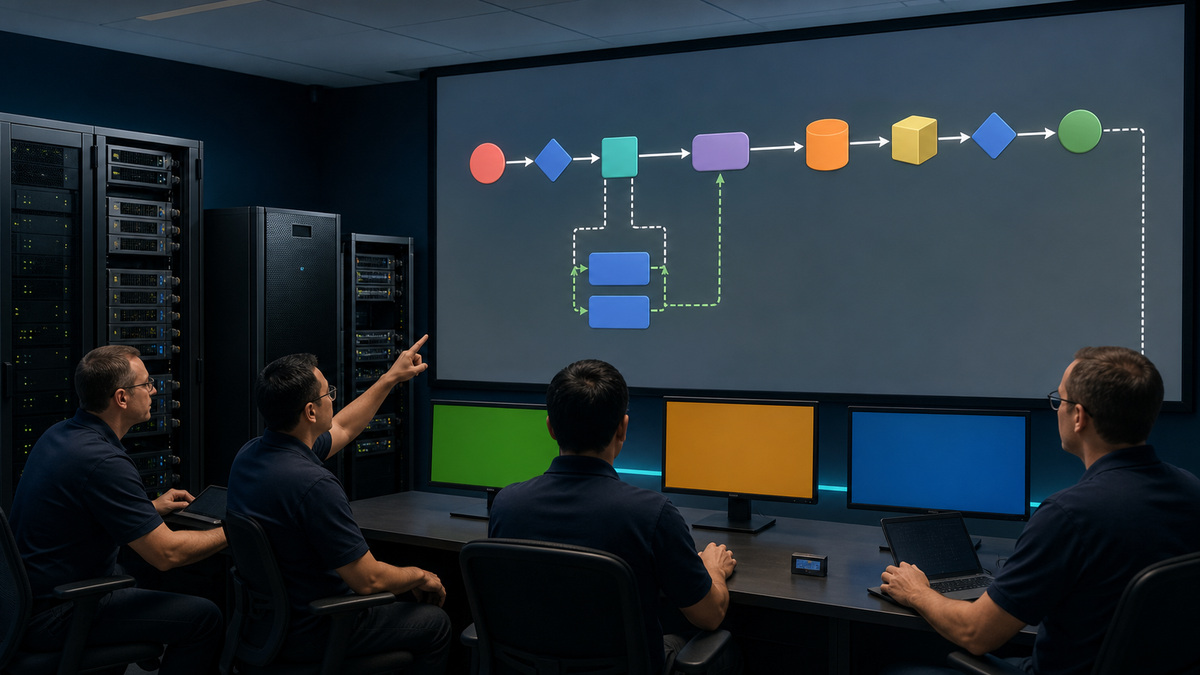
Select the PCNS edition and installation path from Schneider Electric’s compatibility and installation guidance for the exact platform. Record operating system or appliance build, PCNS 5.2 release, license, NMC support, firewall requirements, certificate behavior, virtualization manager, service account, storage and cluster prerequisites, and upgrade path before installation. Register only the NMC addresses and UPS topology that physically protect the host or cluster: single UPS, redundant UPS, parallel system, advanced configuration, or outlet group. Use a unique protected authentication phrase and ensure the NMC and PCNS values agree without exposing it in tickets or scripts. Separate NMC administrative credentials from application authentication and give virtualization or operating-system service accounts the minimum permissions documented for the selected actions. Translate business priorities into event configuration. Define which on-battery, low-runtime, communication-loss, UPS-off, bypass, battery, overload, or environmental events start notifications, commands, migration, workload shutdown, host shutdown, or UPS turnoff. Time the sequence backward from usable battery reserve. Allow for event confirmation, scripts, application drain, database checkpoints, virtual-machine prioritization, storage stop, host shutdown, command timeout, communication variance, and battery aging. A long delay that consumes all reserve is not resilience, an aggressive delay that stops production during a brief transfer may also be wrong. Validate with a tabletop review first, then a controlled functional test. Confirm NMC-to-PCNS authentication, certificate trust, event receipt, log timestamps, firewall behavior, command permissions, application and VM priority, outlet-group registration, and notification paths. Inject only approved test conditions or use vendor-supported test mechanisms, do not create an uncontrolled outage to prove software. During a planned failover exercise, observe the full chain from UPS event through PCNS action, workload stop, host power state, remaining runtime, UPS behavior, utility return, and startup ownership. Test failure cases too: one NMC unreachable in a redundant topology, DNS unavailable, logging offline, expired certificate in a lab, a shutdown command that returns nonzero, a host already down, and an operator cancel or stop condition. Preserve logs and timings without exposing infrastructure secrets. A passing test documents expected event, actual timestamps, variance, reserve, exceptions, corrective owner, and next rehearsal.
- Match PCNS edition, release, platform, license, firewall, NMC compatibility, certificates, service accounts, virtualization, storage, and cluster prerequisites.
- Register the physical UPS and outlet topology that actually protects each host, do not copy another site’s NMC list.
- Build event and shutdown timing backward from reserve, including confirmation, scripts, application drain, VM priority, storage, host stop, communication, and aging.
- Test authentication, trust, logging, permissions, event actions, failure cases, stop authority, reserve, utility return, and startup ownership through approved methods.
- Keep authentication phrases, service credentials, host lists, scripts, and live logs out of public records.
Patch, Recover, Audit, and Retire the APC Power Control Plane
Review Schneider Electric advisories, NMC3 firmware, the NMC application package for the attached UPS, PCNS releases, supported operating systems, certificates, cryptographic policy, and virtualization compatibility on a scheduled cadence. Version 3 and later NMC3 firmware uses the Secure NMC System tool and associated subscription route described by Schneider Electric, older 2.5-and-lower methods and files are not interchangeable with that lifecycle. Identify the correct hardware platform and application before every update. A firmware package for Smart-UPS is not a rack-PDU package, and a card can become unavailable if an upgrade is interrupted or mismatched. Stage change in a representative lab or low-risk site, back up configuration, verify current alarms and power state, record hash or signed-source evidence where published, schedule an operational window, maintain local access, and monitor the NMC reboot separately from the attached UPS load. After change, verify firmware, application, UPS communication, certificates, users, roles, protocols, firewall access, SNMP, logs, alerts, PCNS registration, sensors, outlet groups, time, and configuration drift. For PCNS upgrades, validate supported source version, license, platform, Java or appliance requirements, backup, service state, virtualization privileges, event settings, scripts, and end-to-end shutdown after the upgrade. Keep a recovery package that includes exact model, console cable or access method, IP recovery procedure, trusted firmware source, current configuration, certificate and key custody, account recovery, PCNS reinstall media, license record, topology, shutdown settings, and contacts. Practice restoration without using production secrets in an uncontrolled lab. Audit quarterly for shared or dormant accounts, legacy protocols, expired certificates, unexpected configuration changes, open firewall paths, missing logs, failed notifications, stale DNS, unsupported firmware, duplicate IPs, orphaned PCNS instances, unowned scripts, unused service accounts, and shutdown tests older than policy allows. When a UPS, NMC, server, or site retires, remove PCNS registration and integrations before power disappears, revoke certificates and credentials, delete DNS and firewall objects, archive required logs and configuration, update monitoring, clear reusable NMC configuration through the supported process, remove subscription or license assignments, and reconcile physical and logical assets. Retirement is complete when no management route, trusted certificate, service account, alert destination, automation action, or shutdown dependency still points at the removed device.
- Track NMC hardware, application-specific firmware, Secure NMC subscription or tool, PCNS release, platform support, certificates, advisories, and change owners.
- Pilot exact packages, protect backups and keys, keep local recovery, monitor the management-interface reboot, and verify every security and power integration afterward.
- Maintain a tested recovery kit for address, console, firmware, configuration, certificate, accounts, PCNS reinstall, license, topology, and contacts.
- Audit accounts, protocols, trust, firewall paths, logs, alerts, DNS, firmware, IP uniqueness, PCNS nodes, scripts, service accounts, drift, and test age.
- Retire registrations, credentials, certificates, routes, monitoring, licenses, configuration, logs, and physical assets as one coordinated change.
Official product documentation and ALLMSP resources
- Schneider Electric: Network Management Card 3 user guide
- Schneider Electric: Network Management Card 3 security handbook
- Schneider Electric: PowerChute Network Shutdown 5.2 standard guide
- Schneider Electric: PowerChute Network Shutdown 5.2 installation guide
- Schneider Electric: NMC3 firmware for Smart-UPS
- Schneider Electric: How to upgrade APC Network Management Card firmware
- ALLMSP APC Hardware Support
- ALLMSP Hardware Support
- ALLMSP IT Consulting
- ALLMSP Managed IT Services
- ALLMSP Cybersecurity Services
- Contact ALLMSP
Frequently Asked Questions
Why is an APC Network Management Card a privileged system?
It can disclose power and environmental state, change configuration, control outlet groups, send commands, and participate in shutdown. Protect it like other infrastructure control planes, not like a passive web sensor.
Should APC NMC3 devices be reachable from user networks?
Generally no. Place them on a restricted management segment and allow only approved administration, monitoring, logging, and PowerChute paths with source controls and resilient recovery access.
Which protocols should an APC NMC3 use?
Prefer the secure services supported by the installed firmware and dependencies, typically HTTPS, SSH, and SNMPv3. Disable HTTP, Telnet, FTP, SNMPv1/v2c, and other unused services after migration and testing.
Is a self-signed NMC certificate sufficient?
It can encrypt traffic but does not provide centrally trusted device identity. Use a certificate and hostname lifecycle that approved browsers, APIs, monitoring, automation, and PowerChute clients can validate.
Can one PowerChute configuration be copied to every site?
No. PCNS behavior depends on physical UPS topology, outlet groups, platform, virtualization, storage, network dependencies, event thresholds, application timing, reserve, and recovery ownership.
What should determine PowerChute shutdown timing?
Work backward from required battery reserve and include event confirmation, scripts, application drain, database checkpoints, VM priority, storage, host shutdown, network availability, communication variance, and battery aging.
Does an NMC firmware upgrade turn off the attached UPS?
The management interface can reboot separately from the protected load, but exact impact and prerequisites depend on the card, application, firmware, device state, and update method. Pilot and monitor the full integration.
How is NMC3 firmware version 3 or later updated?
Schneider Electric directs NMC3 version 3-and-later firmware through the Secure NMC System tool and applicable subscription. Confirm the exact hardware and application package, older update methods are not a universal substitute.
What belongs in an APC management recovery kit?
Include exact model, console or address recovery, trusted firmware source, current protected configuration, certificate and key custody, account recovery, PCNS reinstall and license records, topology, shutdown settings, and contacts.
How can ALLMSP harden APC NMC and PowerChute operations?
ALLMSP can inventory dependencies, segment management access, govern certificates and roles, reduce protocols, centralize events, model PCNS sequencing, stage firmware, test failover, and close retirement objects.


