





























































































































































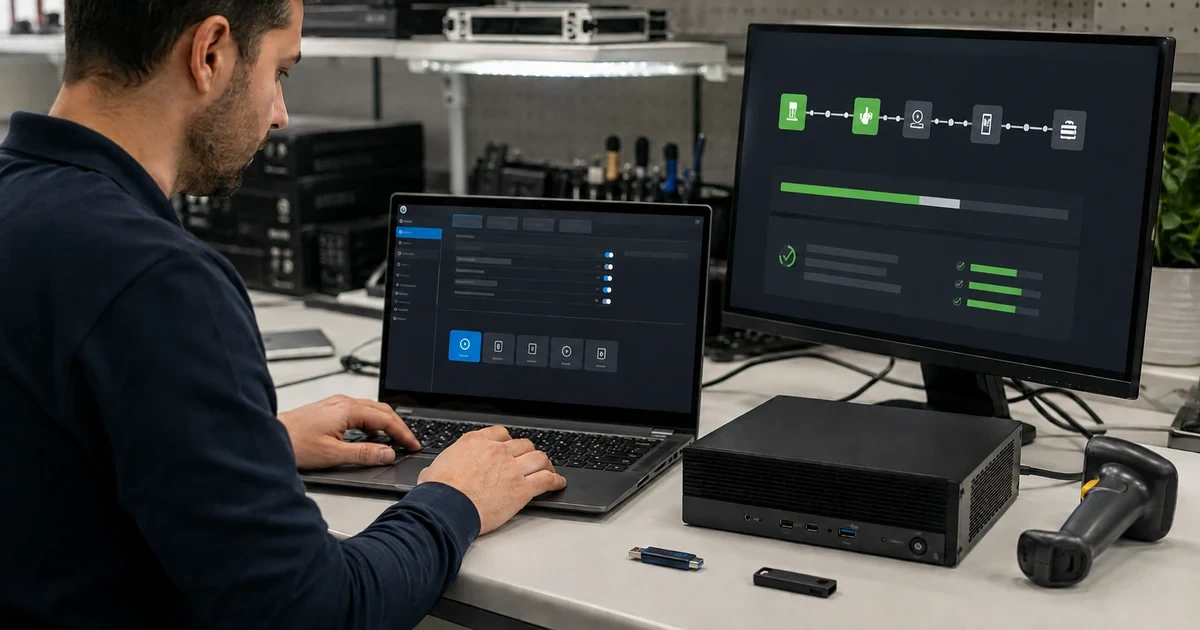
Firmware security is a chain: the approved ASUS package, device identity, power, boot policy, Secure Boot databases, encryption protectors, administrator access, management tooling, and recovery custody all affect whether a computer can start safely after change. Treating a BIOS update as an isolated executable hides the dependencies that most often turn maintenance into an outage.
ASUS interfaces differ across models and generations, including classic UEFI screens and MyASUS in UEFI. The operational record must therefore describe the intended state and evidence, while the exact support page supplies the authorized procedure for each device.
The runbook below is deliberately conservative. It preserves encryption recovery, avoids shared-password shortcuts, separates validation from deployment, and gives commercial-PC teams a practical way to track Secure Boot certificate readiness during the 2026 transition.
ALLMSP supports Lawrenceville, Suwanee, Gwinnett County, Metro Atlanta, and Georgia businesses that need to manage ASUS BIOS, Secure Boot, and encryption readiness, with local assistance available when the work requires an on-site component.
Key decisions at a glance
- Bind every firmware action to an exact ASUS model, approved package, business reason, maintenance window, owner, and recovery plan.
- Verify BitLocker or device-encryption recovery access before any BIOS, Secure Boot, TPM, boot, or board-level change.
- Manage Secure Boot state and the 2026 certificate transition through model-specific ASUS guidance and measured compliance evidence.
- Keep BIOS administrator credentials in controlled custody with tested emergency access and no ticket or script exposure.
- Validate boot, encryption, security controls, drivers, peripherals, thermal behavior, sleep, networking, and management after change.
Authorize the Change and Prove Recovery Before Touching Firmware

Start with a change record that names the exact ASUS model, serial reference, current BIOS version, target version, release reason, published source, package hash, supported update method, owner, ring, window, user impact, dependencies, success tests, stop conditions, and backout or repair path. Confirm that the endpoint is checking in and that recent inventory reflects reality. Determine whether BitLocker or device encryption is active, where its recovery material is escrowed, who may retrieve it, and how access will work if the device loses network connectivity. Test the recovery process with authorized personnel without copying keys into a routine ticket. Record AC adapter identity, battery health, free storage, pending restart state, and any dock or peripheral involved in the reported defect. Capture current Secure Boot state, boot order, security settings, virtualization dependencies, and approved BIOS deviations in a restricted baseline. Do not change several opaque firmware settings while also updating the BIOS, separate actions so unexpected behavior remains attributable. ASUS warns that firmware and Secure Boot changes can trigger a BitLocker recovery prompt, so a device without verified key custody is not ready. Define an escalation path to ASUS support or an authorized repair center for an interrupted update, lost BIOS password, or suspected board failure.
- Name the exact model, current and target versions, package source, hash, reason, ring, and owner.
- Verify encryption recovery through an authorized, tested path before the maintenance window.
- Capture power, battery, storage, restart, dock, and peripheral readiness.
- Record the current Secure Boot, boot, security, and approved deviation state.
- Set stop and escalation conditions before making the first firmware change.
Use the Exact ASUS Package and Supported Update Method

Obtain BIOS files through MyASUS or the official support page for the exact model. ASUS documents Windows-based update packages and Firmware Update or EZ Flash paths, but availability and interface vary, so the change plan must not assume one method works across the fleet. Match the package to model and architecture, review the description and version, validate its hash after download, and place it in a controlled repository. ASUS requires stable external power and notes a battery threshold for supported update flows, the current guidance calls for at least 20 percent battery in relevant interfaces. Remove uncertainty from remote changes by confirming the correct adapter, reliable power, user communication, and a realistic uninterrupted window. Save work and resolve pending operating-system restarts first. Follow the official sequence without force shutdown, power removal, or an unapproved downgrade. When the tool restarts the endpoint into a firmware screen, monitor through the expected cycle and allow multiple restarts where documented. Preserve evidence of the selected model, package, precheck, start, final BIOS version, timestamps, and any recovery prompt without exposing credentials or keys.
- Download only from MyASUS or the exact official ASUS product support page.
- Choose Windows, Firmware Update, EZ Flash, or another path only when supported by that model.
- Confirm package identity, hash, stable AC power, battery threshold, and maintenance duration.
- Never interrupt the flash or improvise an unsupported downgrade.
- Record the final BIOS version and recovery events in restricted evidence.
Govern Secure Boot State, Keys, and the 2026 Certificate Transition

Define the required Secure Boot state for each managed ASUS commercial configuration and measure it from both firmware and the operating system. ASUS states that Secure Boot prevents unauthorized operating systems and malicious boot software from loading and generally recommends leaving it enabled unless a specific need requires otherwise. A temporary exception must name the incompatible tool, affected device, business owner, duration, security impact, compensating controls, and restoration test. Do not clear or replace Secure Boot keys simply to make a status indicator turn green. On commercial PCs, review ASUS guidance for the Windows Secure Boot certificate update because Microsoft’s 2011 certificates are being replaced beginning in 2026. ASUS identifies many business PCs shipped in 2024 or later as having the newer certificates pre-integrated, while other listed models require status verification and documented action. Inventory the exact model and BIOS before applying the vendor’s remediation path. Pilot certificate or firmware changes with encryption recovery available, confirm the Windows boot chain and security state afterward, and retain evidence that default keys and expected certificate state are present. Track unassessed, compliant, scheduled, failed, exception, and retired devices separately so fleet percentages cannot hide unknown endpoints.
- Define and measure the approved Secure Boot state in firmware and Windows.
- Time-limit any exception and document the workload, risk, control, owner, and restoration test.
- Assess exact commercial models against ASUS guidance for the 2026 certificate transition.
- Do not clear or restore key databases without authorization and recovery readiness.
- Report unknown, compliant, scheduled, failed, exception, and retired populations distinctly.
Control BIOS Administrator Passwords and Emergency Access
Use BIOS administrator passwords only with an organization-wide custody design. ASUS distinguishes administrator and user or boot password behaviors, and warns that a lost firmware password may require ASUS support or an authorized repair center and could incur service cost. Generate unique credentials or controlled model-appropriate secrets according to the organization’s platform capability rather than reusing a fleet-wide phrase. Store them in an enterprise secrets system with role-based access, approval, logging, break-glass review, and recovery ownership. Never place a password in a deployment script, image, ticket, asset note, screenshot, chat, or technician worksheet. Test that authorized staff can retrieve the credential during an offline incident and that a departed administrator cannot. Record whether the device enforces an administrator password, user or boot password, or another firmware-access control, because those states have different user and support consequences. Plan credential rotation around model capabilities and service events. Before sending hardware for repair, follow the approved service instructions without disclosing more credential material than necessary, and reconcile firmware security when it returns.
- Understand the ASUS distinction between administrator and user or boot passwords.
- Avoid a universal firmware password and store secrets only in the approved vault.
- Require logged, role-based, reviewed access with an offline break-glass route.
- Keep credentials out of scripts, tickets, screenshots, chats, and asset notes.
- Revalidate password and security state after board service or repair.
Validate the Whole Endpoint After BIOS or Security Changes
A successful version display is only the beginning of validation. Confirm expected BIOS version, date, Secure Boot state, encryption protection, recovery escrow, TPM visibility where applicable, boot order, virtualization features, endpoint-management check-in, security-agent health, and operating-system compliance. Exercise cold boot, restart, sleep, wake, shutdown, AC and battery transitions, charging, thermals, fans, wired and wireless networking, Bluetooth, audio, camera, USB, dock, displays, and critical applications. Compare Device Manager, hardware IDs, driver versions, and error logs with the prechange snapshot. Watch for repeated recovery prompts, missing protectors, altered security baselines, peripheral enumeration failures, fan or performance anomalies, and new system events. If ASUS diagnostics are supported on the model, run the relevant checks and retain their result or diagnostic code in the restricted incident record. Keep the endpoint in its ring for the defined observation period instead of declaring success at first login. A failed validation must identify the exact symptom, scope, evidence, containment, recovery step, vendor case need, and criteria for retry.
- Verify firmware, Secure Boot, encryption, recovery, TPM, management, and security state.
- Test boot, power, thermal, network, dock, display, camera, audio, USB, and applications.
- Compare device identities, driver versions, and event evidence with the prechange snapshot.
- Observe the device for the full ring period before promotion.
- Document containment and retry criteria for every failed validation.
Run Firmware Security as a Measured Service
Maintain a fleet view by exact model, current BIOS, approved target, Secure Boot state, certificate readiness, encryption state, password custody status, last verification, ring, exception, support entitlement, and owner. Review ASUS advisories and support pages on a cadence that matches organizational risk, but do not deploy a new BIOS solely because its version is numerically higher. Tie each change to a documented security, stability, compatibility, or hardware need and preserve the vendor release context. Sample management telemetry against physical devices to expose stale records. Measure update success, recovery-key prompts, boot failures, peripheral regressions, exception age, unassessed certificate state, and time to restore service. Rehearse an interrupted-update and lost-password escalation route with spares available. Retire firmware records when hardware leaves custody, and remove its management, certificate, recovery, and secret associations. The service is healthy when every active ASUS endpoint has a known state, an authorized next action, and a tested recovery owner.
- Track exact model, BIOS, Secure Boot, certificate, encryption, custody, ring, and owner.
- Use advisories and business need rather than version numbers alone to authorize updates.
- Reconcile telemetry with sampled physical evidence.
- Measure failures, recovery prompts, regressions, exceptions, and restoration time.
- Remove device-bound security and recovery associations at retirement.
Official product documentation and ALLMSP resources
- ASUS: Enter the BIOS Configuration Screen
- ASUS: Update BIOS with Firmware Update or EZ Flash
- ASUS: Configure or Resolve a BIOS Password
- ASUS: Enable or Disable Secure Boot
- ASUS: Commercial PC Windows Secure Boot Certificate Update
- ALLMSP Asus Hardware Support
- ALLMSP Hardware Support
- ALLMSP IT Consulting
- ALLMSP Managed IT Services
- ALLMSP Cybersecurity Services
- Contact ALLMSP
Frequently Asked Questions
Why can an ASUS BIOS update trigger BitLocker recovery?
Firmware and boot-security changes can alter measurements used by encryption protection. Verify authorized recovery-key access before the change and investigate repeated prompts rather than sharing or bypassing the key.
Can the same ASUS BIOS file be used across similar-looking models?
No. Use the package and method published for the exact model and architecture. Similar family names can hide different boards, firmware branches, devices, power requirements, and update interfaces.
What power checks does ASUS require before a BIOS update?
Current ASUS guidance for relevant update interfaces requires the AC adapter to remain connected and a battery level of at least 20 percent. An MSP should also ensure stable power, adequate time, and no forced shutdown.
Should Secure Boot normally remain enabled on ASUS business PCs?
Yes, unless a documented compatibility requirement justifies a temporary exception. ASUS says Secure Boot helps block unauthorized operating systems and malicious boot software and recommends enabling it absent a specific need.
What is the ASUS commercial-PC Secure Boot certificate issue in 2026?
Microsoft is replacing older 2011 Secure Boot certificates. ASUS published model-specific guidance identifying newer business PCs with updated certificates and procedures to assess or remediate other commercial models.
Can technicians clear Secure Boot keys to fix a status warning?
Not as an unguided shortcut. Key-database changes affect the trusted boot chain and require exact-model instructions, authorization, encryption recovery, a maintenance window, and post-change verification.
How should ASUS BIOS administrator passwords be stored?
Use an access-controlled enterprise secrets system with logging, approval, recovery ownership, and tested offline access. Never expose firmware passwords in scripts, tickets, screenshots, chats, or general asset notes.
What must be tested after an ASUS firmware change?
Verify BIOS, Secure Boot, encryption, recovery, management, and security state, then test boot, power, thermals, networking, docks, displays, audio, camera, USB, drivers, and critical applications through the observation window.
When should an ASUS BIOS rollout stop?
Pause when failures exceed the defined threshold, recovery access is uncertain, telemetry is incomplete, a model mismatch appears, power readiness fails, or boot, encryption, peripheral, thermal, or application regressions emerge.
How can ALLMSP help manage ASUS firmware security?
ALLMSP can inventory exact models, design change controls and recovery custody, assess Secure Boot readiness, stage BIOS rings, verify endpoint behavior, manage exceptions, and coordinate supported escalation.


