





























































































































































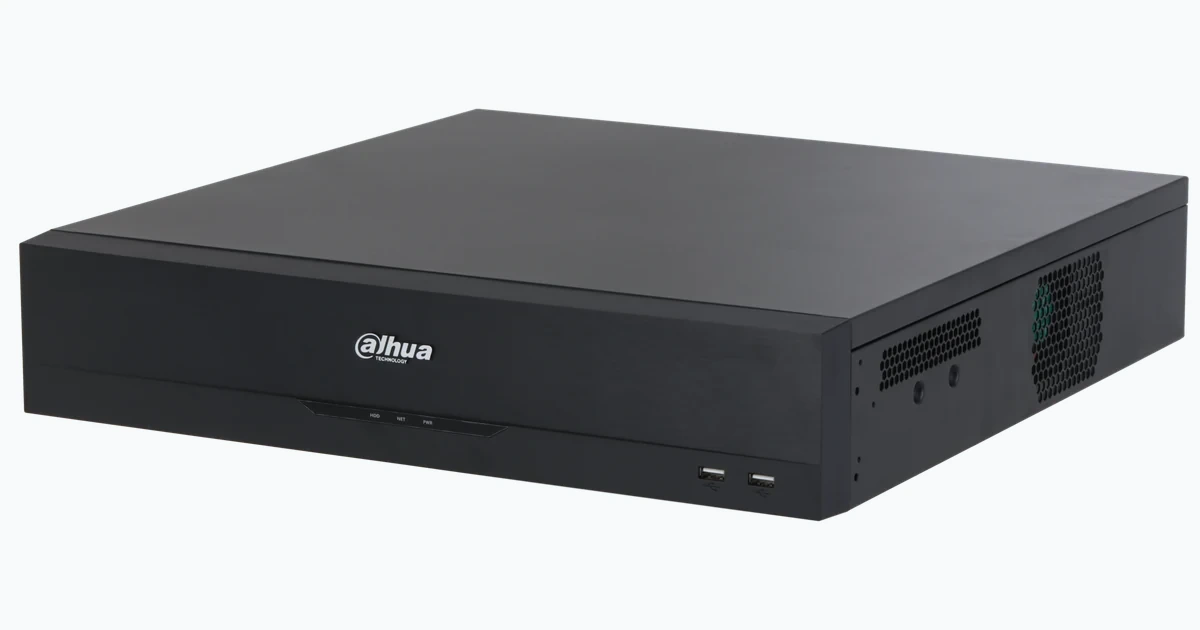
Dahua cameras and recorders are not passive lenses and disks. They expose web, streaming, discovery, integration, time, messaging and remote-access functions, and a recorder often holds credentials for many cameras. One inherited password, forgotten ONVIF account or unnecessary internet path can weaken the entire evidence system.
Dahua’s current camera manual describes HTTPS certificate handling, ONVIF service control and optional audio/video transmission encryption. Its hardening guide emphasizes firmware, passwords, time, unnecessary services and network restriction. Current PSIRT advisories continue to direct affected customers toward repaired firmware and identify device build time as part of version verification.
A durable baseline links firmware provenance, identity, network policy, service configuration, logging, recovery and operational tests. ALLMSP can apply that baseline without making the system unsupportable: each restriction has an owner, a business purpose and a documented recovery path.
When an organization in Lawrenceville, Suwanee, Gwinnett County, Metro Atlanta, or elsewhere in Georgia needs to harden Dahua cameras and NVRs: accounts, HTTPS, ONVIF, and firmware, ALLMSP handles the work in house from initial review through validation and ongoing support.
Key decisions at a glance
- Inventory exact models, hardware revisions, firmware versions and build times, then reconcile them with Dahua’s current download center and PSIRT advisories.
- Use unique managed credentials, separate named roles and current ONVIF accounts, remove inherited defaults and uncontrolled installer access.
- Enable HTTPS with a managed certificate where supported, restrict management sources and disable services, discovery and cloud paths that have no approved purpose.
- Place cameras and NVRs in controlled network zones with explicit viewing, recording, time, update and administration flows rather than exposing them directly to the internet.
- Back up configurations, centralize useful alerts and logs, and test the hardened state after upgrades, replacements and recovery exercises.
Inventory Firmware, Build Time, and Support Status

Create a device register with exact model, hardware revision, serial context, firmware version, build time, MAC, address, site, camera number, recorder relationship and configuration owner. Dahua advisories commonly use product family, software version or build time to determine exposure. A label that says only ‘Dahua camera’ cannot support an urgent vulnerability decision or a safe replacement plan.
Use Dahua’s official download center, current product page or local technical support to identify approved firmware for the exact hardware. Review release notes and advisories, verify file provenance and checksums when Dahua publishes them, and avoid firmware obtained from resellers, forums or a visually similar model. Record the current and intended versions before changing anything.
Classify devices that no longer receive an appropriate fixed build. Reduce exposure, isolate management, replace unsupported equipment on a defined schedule and document the business owner who accepted temporary risk. A camera that still produces video is not necessarily a supported security endpoint. Track the recorder, cameras and client applications separately because their lifecycles do not always move together.
- Record exact model, revision, version and firmware build time.
- Map each device against current Dahua advisories and downloads.
- Use only official firmware for the matching hardware.
- Plan compensating controls and replacement for unsupported units.
- Retain version evidence before and after every maintenance window.
Replace Shared Credentials with Managed Dahua Identities

Initialize devices with unique high-entropy credentials stored in the organization’s approved vault. Do not reuse the NVR administrator password across cameras, sites or client software merely because automated enrollment can propagate a value. Confirm recovery email and reset procedures under company custody, not a former employee or installer. Test recovery before the site depends on it.
Create named operator, reviewer, exporter and administrator roles with only the channels and functions each job requires. Restrict configuration, account management, firmware, storage changes, playback export and live audio to appropriate users. Remove dormant accounts after the cutover and review any temporary vendor access. Shared viewing accounts erase accountability and often accumulate more privileges than their original purpose.
Treat ONVIF credentials as a distinct integration secret. Dahua documentation warns that older firmware may not automatically align the ONVIF password when system credentials change. On current firmware, explicitly review ONVIF users, rotate inherited values and disable the service when no approved VMS or recorder uses it. Update integrations in a controlled sequence so hardening does not silently stop recording.
- Store unique device and recorder credentials in an approved vault.
- Keep recovery contacts under organizational control.
- Use named least-privilege roles for viewing, export and administration.
- Audit ONVIF accounts separately from local web accounts.
- Remove installer and dormant access after acceptance.
Protect Web, Streaming, and Integration Services
Enable HTTPS using the certificate workflow supported by the exact Dahua firmware. Prefer a certificate issued by the organization’s trusted authority where operations can maintain renewal and name resolution. Validate the certificate from administrator workstations, record its owner and expiration, and redirect or block plaintext management where supported. A self-signed certificate can encrypt traffic, but unmanaged warnings train users to ignore identity failures.
Review services one by one: HTTP, HTTPS, RTSP, ONVIF, CGI, SNMP, SMTP, FTP, DDNS, UPnP, P2P, multicast, audio/video transmission encryption and any vendor integration. Retain only functions tied to a documented flow and verify client compatibility before disabling or encrypting them. Dahua’s camera manual notes that transmission encryption requires compatible devices and software, so test the entire recording and viewing path.
Change default ports only as a minor hygiene measure, not as the security boundary. Do not place cameras or recorders in a router DMZ or forward broad port ranges. Prefer an approved VPN, brokered access service or controlled management network for remote administration. If P2P or cloud features are authorized, name the account owner, require strong authentication, review linked devices and document how the service is revoked during offboarding.
- Deploy and monitor HTTPS certificates where firmware supports them.
- Disable unused discovery, integration and remote-access services.
- Test encrypted streams with every required recorder and client.
- Avoid direct internet exposure and broad port forwarding.
- Assign ownership and revocation procedures to approved cloud access.
Segment Cameras, Recorders, Viewers, and Management
Place camera endpoints in a restricted video zone and recorders in a controlled services zone appropriate to the topology. Permit cameras to reach only the NVR or VMS, approved time source, update path and explicitly required services. Limit recorder egress and prevent camera-originated access to user networks. Integrated NVR PoE ports can create an internal camera segment, but the recorder still requires a documented policy on its production interface.
Allow administration only from managed support systems or a secured jump path. Restrict operator viewing and export to authorized stations and identities. Use firewall policy, switch access controls and supported Dahua IP filtering or trusted-host features where they fit the architecture. Keep a tested local recovery procedure so a routing or certificate mistake does not force an uncontrolled factory reset.
Disable UPnP-created mappings and remove legacy forwarding discovered during the audit. Separate DNS, NTP, mail relay and monitoring flows so the rule set explains why each connection exists. Capture a deny-log sample during commissioning to find dependencies that were missed, then correct the design rather than opening a broad any-to-any exception.
- Use dedicated video and management zones with explicit trust boundaries.
- Permit only recorder, time, update, alert and administration flows.
- Limit support access to managed sources.
- Remove automatic or legacy internet mappings.
- Retain an offline recovery path and configuration evidence.
Secure Time, Logs, Alerts, Configuration, and Evidence Export
Configure the NVR and cameras to an approved time source and verify time zone and daylight-saving behavior. Security investigations depend on matching video with access, network and application events. Protect NTP paths and alert on unreasonable drift where monitoring supports it. A recorder with the correct wall-clock display can still export channels whose camera timestamps disagree.
Enable useful account, configuration, storage, offline, tamper and system alerts, then deliver them to an owned destination. Export or centralize logs within device capability and retention needs. Avoid logging sensitive credentials or publishing camera names that reveal unnecessary physical details. Test alert delivery with a controlled event and confirm the message identifies the correct site and device.
Back up accepted configurations after hardening and after material change. Protect backups as sensitive data because they can contain topology, users and service settings. Document a known-good export and recovery procedure for each firmware family. Define who may preserve or release incident video, how exports are verified and where chain-of-custody notes are stored.
- Align every video endpoint with the trusted time design.
- Route security and health alerts to accountable recipients.
- Preserve useful logs outside short device retention when required.
- Encrypt and control access to configuration backups.
- Document authorized video export and evidence handling.
Upgrade Safely and Prove the Hardened State
Before upgrading, confirm the exact image, supported migration path, available storage, stable power, current configuration backup and rollback or replacement plan. Test representative hardware when a site has many devices. Schedule cameras so required coverage is not removed at once, and keep a live inventory of devices completed, deferred or failed.
After each change, verify version and build time, accounts, HTTPS certificate, ONVIF, enabled services, address, time, recording, main and substreams, analytics, alerts, edge storage and remote viewing. A successful reboot is not an acceptance test. Compare the post-upgrade service list and firewall observations with the approved baseline to catch features that were re-enabled or reset.
Run a recovery exercise for a lost administrator credential, failed camera, recorder replacement and configuration restore. Confirm that the vault, backups, firmware files, local access path and escalation contacts are usable by the current team. ALLMSP can retain the evidence and exceptions in a lifecycle register so future technicians know what was hardened, why an exception exists and when it must be reviewed.
- Back up and stage exact-model firmware before maintenance.
- Preserve required coverage while devices are upgraded.
- Retest identity, services, video, analytics, alerts and time.
- Compare the final state with the approved baseline.
- Exercise credential and configuration recovery periodically.
Official product documentation and ALLMSP resources
- Dahua Product Security Hardening Guide
- Dahua Network Camera Web 3.0 Operation Manual
- Dahua Download Center
- Dahua PSIRT NVR/XVR Security Advisory
- Dahua Network Video Recorder User’s Manual
- ALLMSP Dahua Hardware Support
- ALLMSP Hardware Support
- ALLMSP Managed IT Services
- ALLMSP Cybersecurity Services
- ALLMSP Network Security
- Contact ALLMSP
Frequently Asked Questions
How often should Dahua firmware be reviewed?
Review the inventory against the official download center and PSIRT advisories on a defined cadence and whenever Dahua publishes a relevant notice, urgent fixes should follow a tested change process.
Where should Dahua firmware be obtained?
Use Dahua’s official download center, the exact product page or authorized Dahua technical support, and verify model, hardware revision, release notes and published checksums.
Should all Dahua cameras share the NVR administrator password?
No. Use unique managed credentials and least-privilege roles, and explicitly understand any supported password propagation during camera initialization.
Does changing a Dahua system password always change ONVIF credentials?
Do not assume it does. Dahua documentation notes older firmware behavior, so audit ONVIF users separately and rotate or disable them based on the approved integration.
How should HTTPS be configured on a Dahua device?
Use the certificate workflow supported by the exact firmware, preferably with an organizationally trusted certificate, then validate name, trust, renewal and client compatibility.
Which Dahua services should be disabled?
Disable any unneeded HTTP, RTSP, ONVIF, CGI, SNMP, FTP, DDNS, UPnP, P2P, multicast or other service after confirming that recording, monitoring and recovery do not depend on it.
Should a Dahua recorder be exposed directly to the internet?
Avoid direct exposure and broad forwarding. Use controlled remote access such as an approved VPN or brokered service with strong identity, limited authorization and revocation ownership.
Why does accurate time matter for Dahua security?
Trusted synchronized time allows video, access, network and application events to be correlated and makes exported incident evidence easier to validate.
What should be retested after a Dahua firmware upgrade?
Verify build time, accounts, certificates, services, address, time, recording, streams, analytics, alerts, storage, edge recovery and every required viewing path.
How can ALLMSP harden a Dahua environment?
ALLMSP can inventory versions, plan upgrades, segment video networks, establish account and certificate custody, reduce services, validate recovery and maintain exception evidence.


