






























































































































































An Aruba access point can appear online in Central and still be deployed badly. It may sit in the wrong group, inherit a WLAN meant for another building, draw power from an oversubscribed switch, use a cable that negotiates below design speed, or hang above a ceiling where construction materials distort coverage. The cloud connection proves management reachability, it does not prove that ownership, radio design, physical installation, policy, and client experience are correct.
Current HPE Aruba Networking guidance separates device onboarding from network structure. Devices enter HPE GreenLake inventory, receive an application assignment and subscription, then join the appropriate Central group and site. In the newer Central model, sites and device functions are part of configuration readiness, while groups remain configuration containers. Aruba also documents AirMatch as a service that uses network RF data to optimize channels, channel widths, and transmit power. These capabilities are powerful only when the device record and physical deployment are trustworthy.
This runbook keeps serial numbers, cloud activation keys, MAC addresses, subscriptions, site addresses, WLAN names, RADIUS endpoints, pre-shared keys, certificates, management URLs, and customer floor plans in restricted systems. A public ticket or review record should show process, decision, and sanitized outcome. The operational goal is a device that is owned, assigned, mounted, powered, configured, observable, recoverable, and demonstrably useful to clients.
ALLMSP's in-house team helps organizations in Lawrenceville, Suwanee, Gwinnett County, Metro Atlanta, and across Georgia deploy Aruba access points with Central, sites, and AirMatch, then validates the result and documents the support path.
Key decisions at a glance
- Reconcile every access point across purchase records, HPE GreenLake inventory, Central application assignment, subscription, group, site, physical location, switch port, firmware, and operational owner.
- Design group inheritance and site membership before power-on because moving a device can apply a destination configuration and create an avoidable outage or policy mismatch.
- Validate AP model, regulatory domain, uplink speed, cable path, PoE class and budget, mount, ceiling material, antenna orientation, density, roaming, and 6 GHz client needs in the physical plan.
- Use AirMatch as radio-resource management over a sound survey and placement design, not as a substitute for correcting hidden APs, excessive density, poor cabling, or inadequate power.
- Promote WLAN and firmware changes through representative rings with user-experience tests, stop conditions, rollback or recovery steps, and evidence from Central telemetry and the audit trail.
Build the Aruba Inventory, Group, Site, and Ownership Record

Begin with a controlled record for each AP. Capture purchase order, authorized reseller, model and radio capabilities, country or regulatory domain, serial and MAC in a restricted field, subscription tier and term, warranty or support entitlement, HPE GreenLake workspace, Central application instance and region, group, site, building, floor, room or grid location, intended mount, switch and port, cable identifier, negotiated speed target, PoE requirement, WLAN role, firmware train, installer, validation state, and operational owner. Do not paste cloud activation keys or full device exports into routine tickets. Reconcile four views before installation: purchasing proves ownership, GreenLake proves the device is in the correct workspace and application, Central proves subscription and network-structure assignment, and field records prove where the hardware and cable actually exist. A device missing from any view remains an exception. Define intake paths for purchase-order discovery, CSV or manual addition, replacement hardware, lab stock, recovered units, and returns. HPE documents serial-plus-MAC and cloud-activation-key methods for adding networking devices, protect those values as administrative material. Confirm that a valid subscription is applied and that the device is assigned to the intended Central application instance. Build groups around truly shared configuration, not organizational convenience. Record whether AP configuration is UI-based or template-based, which common WLAN, radio, security, and services policies are inherited, and which deviations are permitted. A device belongs to one group at a time, and current Aruba guidance warns that a moved device adopts the destination configuration. Require a pre-move comparison, change window, connectivity plan, and backout decision before changing group membership on a live AP. Use sites for location and operational context. Validate the complete address and map location, assign the AP before field work where the workflow permits, and give installers only the sites they need. The installer record should match scanned hardware, planned location, cable, switch port, mount, photo evidence, and final Central state. Establish least-privilege roles for inventory, subscription, group, site, configuration, firmware, and troubleshooting. Review departed users, stale API clients, shared accounts, unassigned devices, expired subscriptions, and devices in default or quarantine structures on a fixed cadence. A readiness dashboard should separate not-in-inventory, not-assigned, not-subscribed, wrong-group, wrong-site, offline, configuration-pending, firmware-noncompliant, and accepted devices so a green online count does not hide incomplete governance.
- Record ownership, model, regulatory domain, subscription, workspace, Central instance, group, site, physical location, switch port, cable, PoE, firmware, installer, validation, and owner.
- Reconcile purchasing, GreenLake, Central, and field records before acceptance.
- Protect serial, MAC, activation, subscription, network, and location details.
- Design groups around shared configuration and treat live moves as configuration changes.
- Audit privileges, unassigned inventory, defaults, subscriptions, and stale access regularly.
Survey RF, PoE, Cabling, Mounting, and Capacity Before Power-On
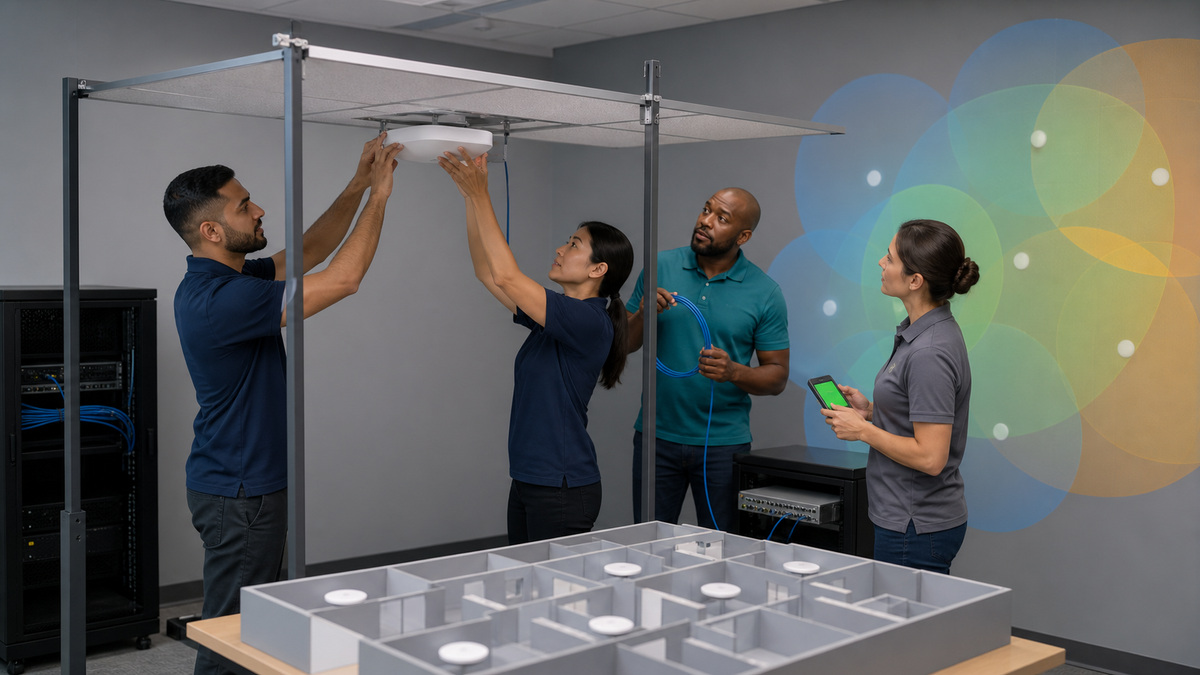
Translate business requirements into a physical design before selecting the final AP count. Identify applications, voice and video expectations, client classes, peak concurrency, device density, mobility paths, guest and IoT populations, accessibility needs, outdoor or hazardous areas, 2.4, 5, and 6 GHz requirements, and failure tolerance. Record wall and floor construction, ceiling type and height, metal shelving, machinery, elevators, glass, neighboring RF, and temporary event loads. Aruba’s validated RF guidance emphasizes survey, appropriate AP selection, placement, orientation, and mounting, AirMatch cannot overcome an AP hidden above a drop ceiling or blocked by an I-beam. Use a predictive design for initial layout and an onsite survey for unusual construction, high density, manufacturing, healthcare, warehouse, or other difficult environments. Validate AP model and antenna pattern against the planned orientation. Check model-specific mount kits, plenum or environmental requirements, grounding where applicable, temperature, moisture, physical security, and service access. Avoid improvising a wall orientation for a down-tilt ceiling AP unless the supported mount preserves the intended antenna geometry. Keep exact floor plans and heat maps restricted. The acceptance record can contain sanitized coverage, SNR, channel use, retry, capacity, and roaming results. Treat the wired edge as part of wireless design. For every AP, verify cable category and certification, path length, patch panels, labeling, switch model and port, multigigabit need, VLAN or role expectation, LLDP behavior, link speed, errors, and PoE class. Calculate both chassis and per-port power headroom with all radios and accessories active. Reserve margin for boot, peak operation, future radio enablement, and a power-supply or stack-member failure. Do not accept an AP that repeatedly reboots or disables radios because the port delivers insufficient power. Coordinate UPS runtime and maintenance behavior for access switches that power critical coverage. Define the physical installation packet: exact location, mount and fasteners, orientation, cable and service loop, nearby obstruction, switch port, asset tag, installer authorization, work-at-height controls, and photo angles. Scan and compare the device before mounting. After power-on, confirm the expected AP appears at the correct site and group, obtains the intended configuration, negotiates the required wired speed and power, reports healthy radios, and has no configuration or onboarding errors. Quarantine model, location, port, power, or identity mismatches instead of fixing the record after users begin relying on the AP.
- Document applications, client density, bands, roaming, materials, interference, event loads, failure tolerance, and survey method.
- Match AP model, antenna, orientation, mount, environment, and service access to the design.
- Certify cable, switch port, multigigabit target, errors, PoE class, chassis budget, failure headroom, and UPS behavior.
- Give installers exact location, mount, cable, port, identity, and safety controls.
- Quarantine any mismatch before production use.
Configure WLAN Policy, AirMatch, and a Representative Pilot

Build WLANs from user and device trust requirements rather than copying every legacy SSID. For each network, document purpose, owner, authentication and credential lifecycle, encryption, user role or VLAN outcome, RADIUS and certificate dependencies, DHCP and DNS path, gateway and firewall policy, captive portal or guest terms, application visibility, multicast needs, client isolation, rate or bandwidth controls, supported bands, minimum data rates, roaming behavior, and retirement date. Minimize SSIDs because each additional beacon consumes airtime. Separate a business requirement from an implementation detail: a printer or scanner population may need a dedicated policy, but not necessarily a new broadcast name if role-based enforcement can provide the boundary. Keep shared secrets, certificate templates, identity endpoints, and policy maps restricted. Validate the dependency chain from AP to switch, gateway, DNS, DHCP, identity, certificate services, Internet, and Central. Decide which radio settings are manually constrained and which AirMatch manages. Aruba describes AirMatch as analyzing RF information to select channels, channel widths, and power while adapting to density and interference. Preserve the intended channel-width strategy, regulatory restrictions, DFS tolerance, 6 GHz Preferred Scanning Channels, transmit-power bounds, and optimization window. Avoid locking many static channels during troubleshooting and then forgetting them, document every override, reason, expiry, and owner. Review AirMatch outcomes against observed client experience rather than treating an optimization percentage as proof. Pilot the exact group and site configuration on representative AP models, switch and PoE conditions, floor types, client chipsets, operating systems, authentication methods, and applications. Test association, authentication, address assignment, DNS, Internet and internal reachability, role or VLAN, certificate validation, roaming, voice and video, sleep and wake, captive portal, guest expiry, IoT behavior, 2.4-to-5 GHz steering, 6 GHz discovery, failure of a RADIUS node, WAN impairment, AP reboot, and loss of a neighboring AP. Capture client time-to-connect, DHCP and authentication failures, retries, channel utilization, SNR, throughput appropriate to the design, roaming interruption, and support cases. Use test identities and sanitized packet evidence. Define stop conditions for broad deployment: credential exposure, wrong-role access, widespread authentication failure, DHCP exhaustion, unstable roaming, high retry or channel utilization, unacceptable latency, radio shutdown from power limits, or material regression for a critical client class. Promotion requires security, network, application, support, facilities, and site-owner acceptance, plus a clear recovery path that does not depend on reaching a misconfigured WLAN.
- Define each WLAN’s purpose, identity, encryption, role, DHCP and DNS, gateway policy, bands, roaming, guest or IoT behavior, owner, and retirement.
- Let AirMatch operate inside documented regulatory, width, power, and maintenance constraints.
- Track every manual radio override and expiry.
- Pilot representative APs, switches, floors, client chipsets, identity paths, applications, and failure modes.
- Promote only after experience metrics, access policy, support, and recovery meet explicit criteria.
Stage Firmware, Validate Handoff, and Operate the Aruba AP Fleet
Create firmware rings by architecture, AP family, site risk, redundancy, client mix, and business calendar. Separate lab, IT, low-risk pilot, standard production, critical locations, and documented holdouts. For each ring, capture target version, source and release-note review, Central recommendation, security reason, hardware compatibility, subscription requirement, maintenance window, time zone, download and reboot behavior, expected service effect, backups or configuration evidence, communications, stop condition, recovery route, approver, and observation period. Aruba Central distinguishes standard upgrades, which can interrupt service, from supported live-upgrade workflows for appropriate clustered AP and gateway environments with licensing and prerequisites. Confirm exact eligibility instead of promising zero disruption. Verify WAN capacity, DNS, time, power, flash or storage health, cluster condition, neighboring coverage, client drain behavior, and support availability before a change. Do not update every site at once merely because the dashboard offers a global action. Observe download, installation, reboot, return, configuration synchronization, radio health, client reconnection, authentication, DHCP, application use, AirMatch state, alerts, and audit trail. Pause promotion when a model, site, or client class crosses defined failure thresholds. If a device fails to return, use the documented console, local recovery, replacement, or vendor-support path, do not improvise destructive reset steps without current model guidance and a preserved configuration record. Handoff requires more than an online icon. Confirm asset and physical record, mount, cable, port, link speed, PoE, site and group, subscription, firmware, configuration status, radios, WLANs, authentication, client tests, survey deltas, labels, photographs, support entitlement, spare strategy, alert routing, dashboard ownership, and escalation contacts. Establish operational baselines for clients, throughput, retries, channel utilization, noise, authentication, DHCP, AP uptime, power, and support volume. Review Central alerts, audit trail, configuration changes, AirMatch recommendations, firmware compliance, offline devices, subscription expiry, and sites with recurring experience issues. Close field exceptions with an accountable decision rather than normalizing them. Retire an AP by removing production service, preserving required evidence, clearing configuration under authorized procedure, updating GreenLake and Central assignment or subscription, reconciling support and asset records, and controlling reuse, return, sale, or recycling. A fleet is complete only when onboarding, configuration, physical reality, monitoring, and disposition tell the same story.
- Use model- and site-aware firmware rings with prerequisites, windows, impact, communications, stop conditions, recovery, and observation.
- Verify whether a standard or supported live upgrade actually applies.
- Validate configuration, radio, client, identity, DHCP, application, alert, and audit state after every ring.
- Hand off physical, cloud, network, support, and acceptance evidence together.
- Baseline and review experience, configuration, firmware, subscriptions, failures, and retirement outcomes.
Official product documentation and ALLMSP resources
- HPE Aruba Networking: Configuration Readiness
- HPE Aruba Networking Central: Onboarding Devices
- HPE Aruba Networking Central: Assigning Devices to Groups
- HPE Aruba Networking: RF Design
- HPE Aruba Networking Central: AirMatch
- ALLMSP Aruba Hardware Support
- ALLMSP Hardware Support
- ALLMSP IT Consulting
- ALLMSP Managed IT Services
- ALLMSP Cybersecurity Services
- Contact ALLMSP
Frequently Asked Questions
What must happen before an Aruba AP is installed?
Confirm ownership, GreenLake inventory, Central application and subscription, group and site, AP model, regulatory domain, survey location, mount, cable, switch port, PoE, firmware, and installer assignment.
What is the difference between an Aruba group and site?
A group is primarily a configuration container for devices with shared settings. A site represents physical or operational location context and is required in newer Central workflows.
Can an Aruba AP be moved between groups safely?
Yes, with change control. The AP adopts the destination configuration, so compare policies, preserve reachability, choose a window, and define backout before moving a live device.
Does AirMatch replace an RF survey?
No. AirMatch optimizes radio resources, but it cannot correct a hidden AP, wrong antenna orientation, severe obstruction, poor cabling, insufficient PoE, or fundamentally bad placement.
Why verify PoE after an Aruba AP is online?
An AP may connect while limiting radios, negotiating unexpectedly, or rebooting under load. Confirm actual power state, link speed, port errors, chassis headroom, and failure behavior.
How many WLANs should an Aruba deployment broadcast?
Use the fewest that meet distinct identity and policy requirements. Extra SSIDs consume airtime, role-based enforcement may separate device classes without another broadcast name.
What should an Aruba AP pilot test?
Test authentication, DHCP, DNS, roles, roaming, voice and video, guest or IoT flows, major client classes, radio bands, AP and identity failures, upgrades, and recovery.
Are Aruba firmware upgrades always nondisruptive?
No. Standard upgrades can interrupt service. Live upgrade applies only to supported clustered designs with the required licenses and prerequisites, which must be verified.
What evidence closes an Aruba AP deployment?
Reconcile physical identity and location, group, site, subscription, port, PoE, firmware, configuration, radios, WLAN tests, client experience, support, alerting, and owner acceptance.
How can ALLMSP support an Aruba wireless rollout?
ALLMSP can reconcile Central inventory, review RF and PoE readiness, build groups and sites, test WLANs, stage firmware, validate client experience, and operate exceptions.


