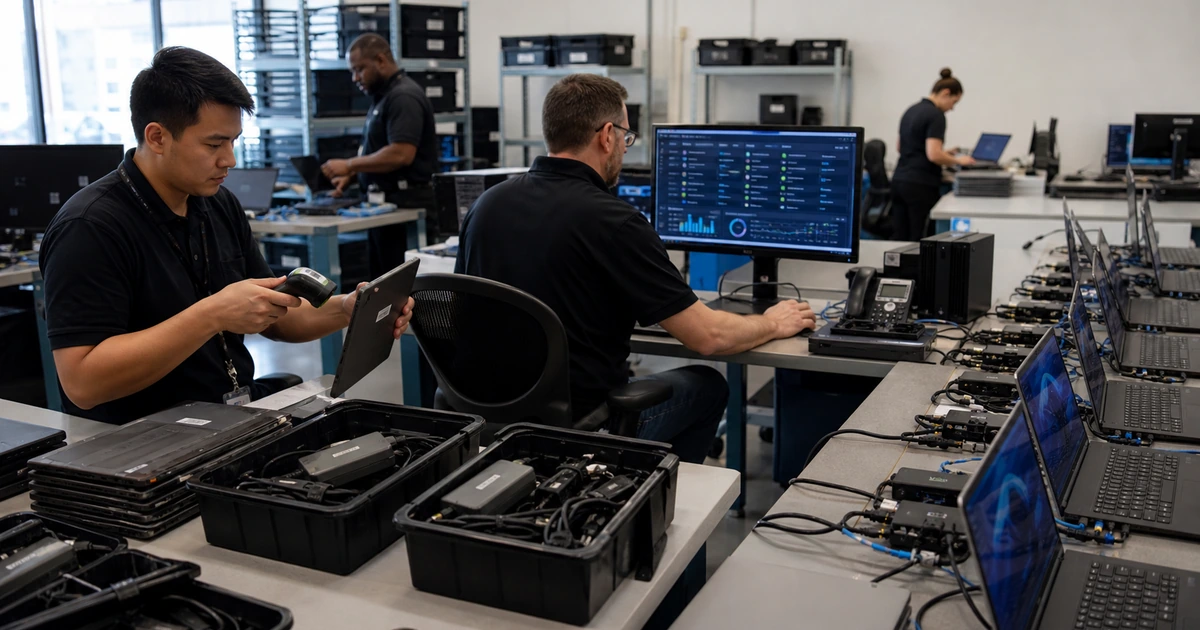
A dependable endpoint protection rollout begins with the devices that actually perform business work, not the number of security licenses purchased. Workstations, laptops, shared computers, executive devices, remote systems, and machines used for finance or administration can differ in ownership, operating system, connectivity, applications, and risk. A rollout must discover those differences before a policy is applied broadly.
The project also has to connect prevention with detection and response. Antivirus configuration alone does not prove that a device is reporting, receiving current intelligence, enforcing the intended controls, creating useful alerts, or accepting an isolation command. Deployment evidence should show which device is protected, which policy it received, when it last communicated, and what the support team will do when protection fails.
ALLMSP deploys and manages endpoint protection in house for organizations in Lawrenceville, Suwanee, Gwinnett County, Metro Atlanta, and throughout Georgia. We can inventory devices, select and configure controls, resolve application conflicts, onboard users, test response, document ownership, and maintain coverage after launch.
Deploy protection from a verified device inventory to a tested response workflow
- Define scope: List supported laptops, desktops, shared systems, remote devices, executive machines, and business-critical roles.
- Prepare devices: Confirm operating systems, updates, disk space, encryption, management, connectivity, conflicting tools, and ownership.
- Design policy: Set prevention, detection, attack-surface, web, firewall, tamper, exclusion, notification, and update controls by risk.
- Pilot safely: Use representative devices and users to expose compatibility, performance, connectivity, and workflow issues.
- Verify health: Reconcile inventory, onboarding status, policy assignment, sensor communication, protection state, alerts, and response actions.
- Operate: Assign alert triage, isolation, investigation, exception approval, user support, reporting, and lifecycle maintenance.
Build the inventory and deployment design before installing agents
Collect device records from directory services, endpoint management, network discovery, purchasing, warranty, support tickets, remote-access tools, vulnerability scanning, and current security consoles. Include devices that are offsite, rarely connected, shared by shifts, stored as spares, assigned to contractors, or used for specialized equipment. Record owner, user, location, operating system, support status, management state, encryption, business function, critical applications, and last activity. Differences between sources should become a work queue, not be discarded as stale data without investigation.
Document the security and operational prerequisites for every platform. Check supported versions, required network destinations, proxy behavior, certificate inspection, disk and memory requirements, coexisting security software, local permissions, deployment method, restart expectations, and rollback procedure. Define device groups that need different policy because of application behavior or business consequence. Finance, executives, developers, kiosks, shared production systems, and ordinary office users may need different testing and response plans even when they use the same protection platform.
- Identity: Map each device to a business owner, assigned user, administrator model, and approved support path.
- Platform: Record operating-system edition, build, support date, hardware health, encryption, and management capability.
- Connectivity: Test office, home, VPN, proxy, filtered DNS, guest, and intermittent network conditions.
- Applications: Identify line-of-business software, drivers, scripts, macros, add-ins, and processes that require testing.
- Exceptions: Require a specific business reason, narrow scope, owner, compensating control, approval, and expiration date.
A rollout plan is ready when every expected device has an owner and deployment path, while every exception has evidence and an accountable decision.
Pilot prevention policies without hiding compatibility problems
Choose a pilot that represents the real environment. Include heavy users, remote employees, administrators, executives, people who travel, users of older applications, and staff who handle sensitive information. Establish a baseline for startup time, application launches, file operations, network access, battery use, printing, video meetings, VPN behavior, and support volume. Deploy monitoring and lower-risk controls first where the platform supports staged enforcement, then introduce stronger settings in measured groups with clear rollback criteria.
Test normal work and safe security scenarios. Confirm malicious test files are detected through vendor-approved methods, blocked events create usable alerts, tamper protection prevents ordinary users from disabling controls, and a test device can be isolated and released by authorized staff. Validate web protection, host firewall policy, scheduled and on-demand scanning, update behavior, removable-media handling, attack-surface controls, and notifications. Review every exclusion created during the pilot because a broad path or process exclusion can quietly remove the protection the project was meant to add.
- Representative users: Select pilots by work pattern and risk rather than using only friendly technical volunteers.
- Baseline: Measure performance and support behavior before deployment so real regressions can be distinguished from assumptions.
- Control tests: Verify prevention, alert generation, tamper resistance, isolation, evidence collection, and recovery with safe methods.
- Application proof: Exercise important business workflows, updates, add-ins, printing, remote work, and peripheral devices.
- Decision gate: Require agreed health, compatibility, support, and response results before expanding the deployment ring.
The pilot succeeds when protection performs as designed and employees can complete their work without undocumented bypasses.
Expand in controlled rings and prove that every device stays healthy
Roll out by groups that can be supported and reversed without overwhelming operations. Communicate what employees may notice, how to report a problem, and what information support needs. Track deployment attempts, successful onboarding, assigned policy, last communication, engine and intelligence versions, active protection, sensor health, outstanding restart, and unresolved error. Compare the security console against the original inventory after every ring. A device missing from the console is not protected merely because the installer was assigned to it.
Complete the rollout with operational ownership. Define who reviews alerts, who may isolate a device, how a user receives a replacement or safe access, when identity sessions are revoked, how evidence is preserved, and when an incident is escalated. Establish regular inventory reconciliation, unhealthy-sensor review, policy-drift detection, update monitoring, exception expiration, and offboarding. Test response with a representative device and document the exact time from alert to triage, containment, user contact, investigation, and return to service.
- Deployment rings: Sequence technical staff, representative users, ordinary departments, high-impact groups, and unusual systems deliberately.
- Health evidence: Retain device identity, onboarding state, sensor status, policy, protection state, timestamps, and unresolved errors.
- Support readiness: Prepare scripts for compatibility, false-positive, connectivity, performance, isolation, and replacement-device cases.
- Response authority: Authorize named staff to contain devices, disable accounts, preserve evidence, and communicate with affected users.
- Lifecycle: Add endpoint protection to purchasing, provisioning, repairs, replacement, reassignment, retirement, and disposal.
Deployment is complete only when expected devices are reporting correctly and the organization can act on the protection data they produce.
Endpoint protection deployment and management from ALLMSP
ALLMSP can reconcile device inventories, prepare deployment methods, configure endpoint policies, remove conflicting tools, run representative pilots, deploy in controlled stages, and verify live coverage. We connect endpoint work with identity, patching, device management, network controls, backup, and help desk processes so gaps do not sit between separate consoles.
After launch, our in-house team can monitor health and alerts, investigate detections, isolate affected systems, support employees, manage exclusions, report coverage, and maintain controls through device replacement and retirement. Local organizations receive hands-on support around Lawrenceville, Suwanee, and Metro Atlanta, with remote coverage across Georgia.
- Plan: Inventory devices, applications, risks, prerequisites, owners, deployment groups, and rollback conditions.
- Deploy: Configure policies, test representative workflows, stage onboarding, resolve errors, and verify every result.
- Manage: Monitor health, triage alerts, contain incidents, maintain exceptions, and reconcile the device lifecycle.
Primary guidance for endpoint protection planning and deployment
Use authoritative guidance to define endpoint management and protection outcomes, then validate those outcomes against the organization’s actual devices, applications, networks, and response responsibilities.
- NIST Guide to a Secure Enterprise Network Landscape. Explains device posture, unified endpoint management, patching, health information, and access decisions for distributed enterprise environments.
- NIST mobile device security guidance. Covers inventory, deployment models, centralized management, application controls, monitoring, and lifecycle security for phones and tablets.
- CISA Cross-Sector Cybersecurity Performance Goals. Provides prioritized outcomes for governance, identification, protection, detection, response, and recovery.
- Microsoft Defender for Endpoint documentation. Documents deployment, onboarding, prevention, endpoint detection and response, investigation, containment, and platform operations.
Endpoint protection rollout FAQs
What devices should be included in an endpoint rollout?
Include supported business laptops, desktops, shared systems, remote devices, executive computers, specialized workstations, and other devices that access important accounts or data.
Is installing the endpoint agent enough?
No. Verify onboarding, policy assignment, active protection, sensor communication, current intelligence, alert delivery, response actions, and continuing health.
How should a rollout pilot be selected?
Choose users and devices that represent remote work, heavy application use, sensitive roles, unusual hardware, administrative duties, travel, and important business workflows.
Can endpoint protection slow down business applications?
Poorly tested settings or conflicts can affect performance. Measure a baseline, test real workflows, investigate the cause, and use narrow approved exceptions only when necessary.
How should endpoint exclusions be managed?
Document the exact path or process, business reason, evidence, owner, compensating control, approver, expiration date, and retest result. Avoid broad exclusions.
How can missing endpoint coverage be found?
Compare the security console with directory, device management, network, purchasing, remote-support, vulnerability, and support records, then investigate every mismatch.
Should servers use the same policy as laptops?
Not automatically. Server roles, availability, applications, operating systems, maintenance windows, and response procedures require their own testing and policy decisions.
What response actions should be tested?
Test alert routing, device isolation, identity containment, evidence collection, user communication, safe replacement access, remediation, release, and documentation.
Can ALLMSP deploy and operate endpoint protection?
Yes. ALLMSP can handle inventory, design, deployment, testing, alert response, device isolation, remediation, reporting, and continuing support in house.
Where does ALLMSP provide endpoint security services?
ALLMSP deploys and maintains endpoint protection for organizations in Lawrenceville, Suwanee, Gwinnett County, Metro Atlanta, and throughout Georgia.