





























































































































































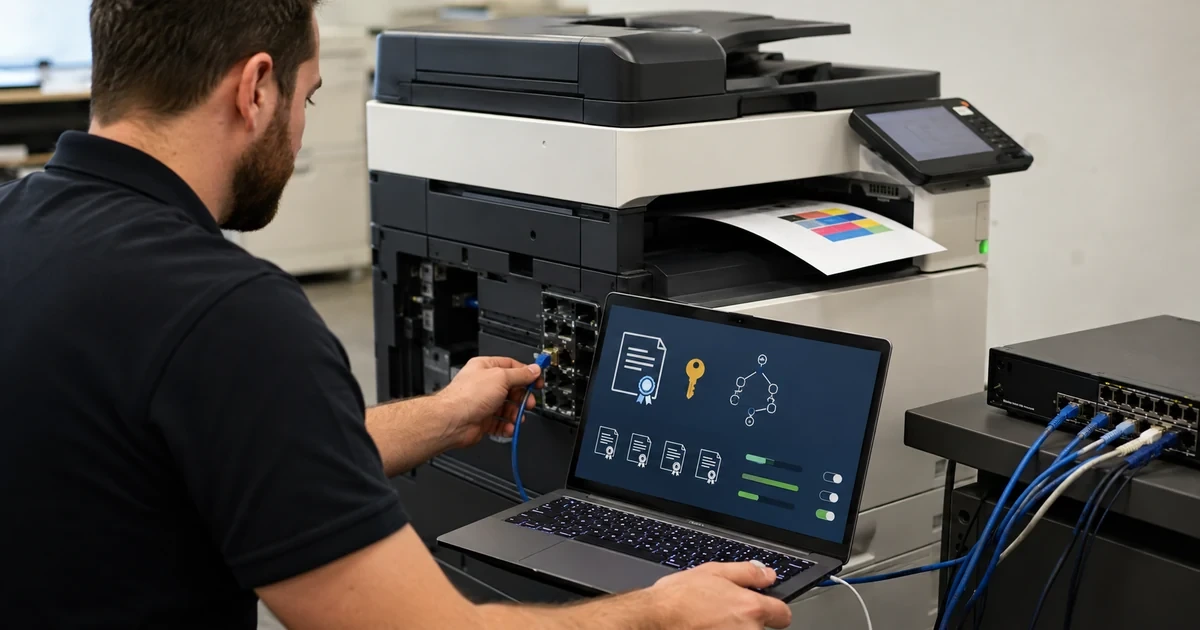
A network printer can hold address-book entries, scan destinations, credentials, certificates, queued documents and detailed operational history. It also exposes management and printing services that may live for years beyond the laptop refresh cycle. Treating it as an appliance that only needs toner leaves both data and network control outside normal security ownership.
Brother’s Security Features Guide documents a broad set of capabilities across supported products, including SSL/TLS, IPPS, SNMPv3, IPsec, IEEE 802.1X, directory authentication, Secure Function Lock and certificate management. A model-specific guide is still authoritative for what an individual device exposes. Controls should be selected from that exact capability set, not copied blindly from a different Brother family.
This hardening approach protects administrative paths first, then monitoring, network admission, printing, scanning and physical use. Every material change includes an explicit test and recovery method so a certificate mistake or authentication outage does not turn a secure device into an unreachable one.
Companies across Lawrenceville, Suwanee, Gwinnett County, Metro Atlanta, and Georgia can bring ALLMSP in to harden Brother printers with certificates, SNMPv3, and 802.1X. We coordinate the affected technology and business workflow through our own team.
Key decisions at a glance
- Start with an exact model-and-firmware capability matrix because certificate, SNMPv3, 802.1X, IPsec, directory and Secure Function Lock support varies.
- Move administration to HTTPS with managed certificates and restrict weak or unused services before placing devices on production networks.
- Use SNMPv3 and authenticated network controls where supported, while preserving a documented recovery path for failed credentials or certificates.
- Separate device administration, directory integration, print release, scan service identities and ordinary user access according to their actual privileges.
- Patch through staged firmware rings, collect useful logs, review configuration drift and sanitize stored data before repair, reassignment or retirement.
Create an Exact Security Capability and Data-Handling Record

Record the complete Brother model, firmware, administrator interface, enabled protocols, address, network segment, physical location, owner and support expiration. From the model’s current online guide, mark whether it supports HTTPS, certificate signing requests, imported certificates, IPPS, SNMPv3, IPsec, IEEE 802.1X, Active Directory or LDAP authentication, Secure Function Lock, setting lock, signed firmware and security logging. Do not mark a feature available because a related Brother model has it.
Map the data paths: print jobs, fax if present, scan-to-email, scan-to-folder, address books, stored jobs, audit records, job history, local storage and removable media. Identify which credentials or tokens the device retains and who can retrieve configuration backups. Classify the device based on the most sensitive workflow it handles, not the public area where it sits.
Document current and target states with an exception owner. An older unit that cannot meet the target may require a restricted VLAN, print-server mediation, disabled scanning, physical controls or replacement. Set a review date instead of allowing an exception to become permanent. Preserve an offline settings backup and the vendor-supported recovery instructions before changing administrator access.
- Verify every control against the exact Brother model and current firmware guide.
- Map print, scan, fax, address-book, credential and local-storage data paths.
- Classify the device by its most sensitive business workflow.
- Give unsupported controls a compensating measure, owner and expiration date.
- Preserve a protected backup and supported recovery procedure before hardening.
Establish HTTPS and a Managed Certificate Lifecycle

Create a stable DNS name and synchronized time source before certificate enrollment. Use the Brother Web Based Management interface over a controlled management path to generate a certificate signing request or import an organization-issued certificate where the model supports it. Include the names administrators actually use, protect the private key, document the issuing chain and avoid using a wildcard when a device-specific identity is practical.
Trust the issuing chain on administration workstations and test HTTPS by name. Record the certificate serial, issuer, subject, start, expiration, algorithm, owner and renewal window in the same inventory that tracks the device. Set monitoring well before expiration because a forgotten printer certificate can silently break management, secure printing or scan integrations long after the original installer has left.
After trusted HTTPS works, disable or restrict insecure management paths that policy does not permit. Test administrator sign-in, settings export, BRAdmin access and recovery from a workstation on the approved network. Keep the temporary or self-signed state only as long as necessary, and never click through a name or trust error as the routine operating procedure.
- Give the device stable DNS and accurate time before requesting a certificate.
- Use a device-specific CSR or protected certificate import where supported.
- Track issuer, names, serial, dates, owner and renewal alert.
- Trust the correct chain and verify HTTPS by the operational device name.
- Retire insecure management only after the protected path and recovery are proven.
Protect Monitoring, Print Transport, and Network Admission

Replace SNMPv1 or v2c monitoring with SNMPv3 on models and monitoring systems that support it. Use named accounts, strong authentication and privacy settings appropriate to policy, limit source addresses and request only the telemetry operations needs. Change defaults and remove obsolete community access after verifying supply, status and alert collection through the protected path.
Use IPPS or another policy-approved encrypted print path where the model, server and clients support it. Validate the certificate name, driver behavior, spooler configuration, job release and error recovery. Encryption does not replace authorization: control who can create queues, alter ports, deploy drivers or release confidential jobs. If IPsec is selected, document selectors and dependencies so a network change does not strand the printer.
For IEEE 802.1X, define wired or wireless supplicant method, device identity, certificate or credential ownership, RADIUS policy, switch behavior and remediation path. Pilot one device on a noncritical port, test boot and renewal, then verify access after sleep, firmware update and network outage. Keep a controlled rescue method such as a dedicated staging port, rather than disabling authentication across the production segment when one device fails.
- Move supported monitoring to authenticated and encrypted SNMPv3.
- Restrict management sources and remove weak community access after validation.
- Test encrypted print transport together with certificate and queue behavior.
- Design 802.1X identity, RADIUS, switch and renewal behavior as one control.
- Preserve a controlled staging or rescue path for failed network admission.
Reduce Protocol Exposure and Segment Device Traffic
List every enabled Brother service and match it to an owned use case. Disable discovery, legacy printing, file transfer, remote control, fax, cloud connectors or web services that the organization does not use and the model permits administrators to turn off. Restrict management to administrative subnets and limit printer-initiated traffic to DNS, time, approved update, mail, directory and scan destinations as required.
Place devices in a dedicated printer or document-services VLAN when network architecture allows. Define access from print servers, management hosts, monitoring, approved client networks and scan destinations. Deny unsolicited paths to user endpoints and sensitive servers. Test IPv4 and IPv6 separately, disabling an old service on one protocol does not prove it is absent on the other.
Document exceptions created by mobile printing, direct printing or vendor support. Give each an owner, source, destination, port, authentication method and review date. Capture a baseline scan and firewall evidence after the change, but avoid aggressive tests that can interrupt production. Repeat the comparison after firmware or configuration updates to detect services that were re-enabled.
- Map every enabled service to a real owner and business requirement.
- Disable unused discovery, printing, transfer and connector protocols where supported.
- Segment printer traffic and restrict management and outbound destinations.
- Validate both IPv4 and IPv6 exposure.
- Time-limit exceptions and compare protocol baselines after major changes.
Control Administrators, Directories, Functions, and Physical Output
Replace default administrator credentials with unique managed secrets and assign named responsibility for their custody. Limit who can change network, certificates, address books, firmware, logs and reset operations. Where a model supports directory integration, use a dedicated least-privilege bind identity, encrypted directory transport and resilient server references, test lockout and outage behavior before users depend on it.
Use Secure Function Lock or the model’s supported access control to limit color, copy, scan, USB or other device functions according to business need. Treat local PINs or cards as authentication factors that require issuance, revocation and periodic review. Avoid shared codes that cannot attribute use. Pair logical control with secure-print release for confidential jobs and position the device so output cannot be casually collected by visitors.
Protect the control panel and physical interfaces. Apply setting lock where supported, restrict unauthorized USB use, secure spare consumables and prevent casual removal of storage or network cables. Define what support staff may photograph and prohibit customer documents, address books, credentials and serial details from general tickets. Test an ordinary user, authorized user and administrator separately to prove that convenience features do not bypass policy.
- Use unique managed administrator credentials with named custody.
- Secure directory connections and test identity outage and lockout behavior.
- Apply supported function restrictions to color, copy, scan and removable media.
- Use controlled confidential-print release and protect unattended output.
- Test ordinary, privileged and administrator roles as separate acceptance cases.
Patch in Rings, Monitor Drift, and Sanitize the Lifecycle
Check Brother’s current support channel for the exact model’s firmware and read the instructions before applying it. Record the current version, release context, power and network prerequisites, configuration backup, maintenance window and rollback or recovery limitations. Update a lab or spare first, then a small same-model cohort, while confirming that certificates, 802.1X, SNMPv3, printing, scanning and directory access still work.
Collect events and status through approved tools, synchronize device time and route actionable alerts to an owner. Review failed authentication, configuration changes, certificate expiry, firmware drift, offline periods and repeated job or scan errors. Compare current settings with the approved security record. A monitoring system that only reports toner cannot show whether a management protocol reappeared or a certificate is about to expire.
Before repair, reassignment, lease return or disposal, remove address books, stored jobs, credentials, certificates, scan destinations, network settings and locally retained data using the model’s supported reset and sanitation procedures. Revoke device certificates and accounts, clear DHCP and inventory references and retain disposition evidence. ALLMSP can coordinate these controls with network, identity, endpoint and compliance owners so the printer’s lifecycle follows the same governance as other network endpoints.
- Stage exact-model firmware through lab, pilot and production rings.
- Retest certificates, 802.1X, monitoring, printing, scanning and directories.
- Monitor authentication, change, expiry, drift and workflow errors with accurate time.
- Sanitize retained data and revoke identities before devices leave control.
- Preserve approvals, test results, exceptions and final disposition evidence.
Official product documentation and ALLMSP resources
- Brother Security Features Guide
- Brother HL-L8245CDW Security Features
- Brother Business Security Solutions
- Brother: Update Drivers and Firmware
- Brother Device Management and Deployment Solutions
- ALLMSP Brother Hardware Support
- ALLMSP Hardware Support
- ALLMSP IT Consulting
- ALLMSP Managed IT Services
- ALLMSP Cybersecurity Services
- Contact ALLMSP
Frequently Asked Questions
Do all Brother printers support the same security controls?
No. HTTPS, certificates, SNMPv3, IPsec, 802.1X, directories, Secure Function Lock and logging vary by exact model and firmware, verify the current model guide.
Why does a Brother printer need a trusted certificate?
A managed certificate gives administrators and integrated services a verifiable device identity for protected HTTPS, IPPS and other supported TLS connections.
What should be tracked for a Brother certificate?
Track the DNS names, issuer, subject, serial, algorithm, start and expiry dates, private-key custody, owner, renewal alert and dependent services.
Should SNMPv1 or SNMPv2c remain enabled?
Only when a documented compatibility need remains. Prefer authenticated and encrypted SNMPv3 where both the Brother model and monitoring platform support it, then restrict sources.
What can go wrong during Brother 802.1X deployment?
Incorrect credentials, certificate trust, RADIUS policy, switch configuration, time or renewal can block network access. Pilot with a controlled staging or rescue path.
Does IPPS make every print job secure?
IPPS can protect transport, but queue administration, driver control, user authorization, spooler storage and physical output release still require separate controls.
What is Secure Function Lock on supported Brother devices?
It is a Brother access-control capability that can restrict functions such as print, copy, scan or color for configured users or groups, depending on model support.
How should Brother firmware be deployed?
Use the exact model’s current instructions, back up settings, record prerequisites, test a lab or spare, advance through same-model rings and retest protected workflows.
What must be removed before retiring a Brother printer?
Use supported sanitation procedures for jobs, address books, credentials, certificates, destinations, network settings and local data, then revoke accounts and inventory references.
How can ALLMSP harden Brother printers?
ALLMSP can inventory capabilities, manage certificates, segment traffic, configure SNMPv3 and 802.1X, control access, stage firmware, monitor drift and document sanitation.


