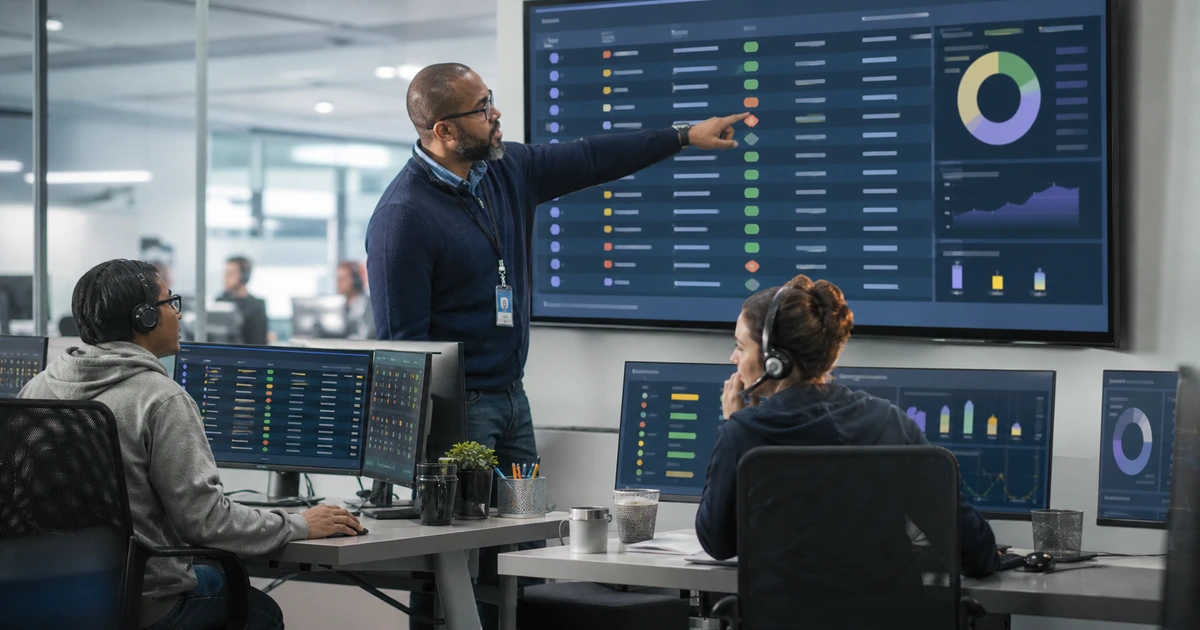
Escalation should bring the right authority or expertise into a support issue before employee and business impact grows. It should not be a way to abandon difficult work or restart troubleshooting from the beginning. A good escalation preserves the timeline, evidence, actions, current state, affected service, business impact, user expectations, and next decision while keeping one accountable owner.
Different escalations solve different problems. Functional escalation brings deeper technical skill. Hierarchical escalation brings authority, resources, or a business decision. Major-incident escalation coordinates a widespread or critical outage. Security escalation protects evidence and activates incident procedures. Vendor escalation uses product-specific support. Each path needs clear triggers, contacts, service targets, communication, and closure rules.
ALLMSP designs and operates escalation workflows in house for businesses in Lawrenceville, Suwanee, Gwinnett County, Metro Atlanta, and throughout Georgia. We can connect the service desk with monitoring, cybersecurity, cloud, hardware, software, internet, phone, backup, vendor, and leadership response while documenting every handoff in one support record.
Escalate the right issue with complete evidence and continuous ownership
- Recognize the trigger: Use impact, urgency, target risk, failed troubleshooting, required authority, security indicators, and vendor dependency.
- Stabilize first: Protect people, data, systems, evidence, and business operations before pursuing lower-priority diagnosis.
- Package context: Provide timeline, scope, symptoms, evidence, actions, results, changes, dependencies, contacts, and the precise request.
- Make a warm handoff: Confirm the receiving person accepts ownership or a defined role while the current owner remains engaged.
- Communicate deliberately: Set audience, owner, channel, message, update interval, approval, and closure notification.
- Learn afterward: Review trigger timing, evidence, handoffs, decisions, restoration, recurrence, documentation, and corrective actions.
Define functional, management, major-incident, security, and vendor escalation paths
Create trigger criteria before a live problem occurs. Functional escalation may be required when the issue exceeds documented troubleshooting, needs privileged access, involves a specialized application, affects multiple systems, or reaches an approaching service target. Management escalation may be needed for business-priority conflicts, resource allocation, customer impact, safety, material financial exposure, repeated target breaches, or acceptance of a risky workaround. Define contacts by role rather than depending only on one person’s name.
Create a major-incident path for widespread or critical disruption. Criteria may include essential service outage, multiple locations, significant employee or customer impact, unavailable workaround, rapidly growing demand, or a high-consequence deadline. Assign an incident lead, technical leads, communications owner, business decision owners, recorder, and vendor contacts. Link duplicate tickets and alerts to the incident while retaining affected-user data. Set a communication cadence and an explicit authority for declaring restoration and closure.
Create a separate security path for suspicious messages, account compromise, malware, ransomware, lost devices, data exposure, unauthorized access, or other defined indicators. Preserve evidence, avoid destructive troubleshooting, limit sensitive ticket details, and contact the security response role promptly. NIST SP 800-61 Revision 3 integrates incident response throughout cybersecurity risk management and emphasizes preparation, response, recovery, communication, and lessons learned. Normal help desk speed targets should never override required containment or evidence handling.
- Functional escalation: Bring in deeper expertise, privileges, tooling, product knowledge, or cross-system investigation.
- Management escalation: Obtain authority for priorities, resources, risk decisions, customer impact, exceptions, or unresolved ownership.
- Major incident: Coordinate widespread impact with declared roles, one timeline, linked contacts, regular updates, and restoration criteria.
- Security incident: Protect evidence, contain safely, restrict sensitive information, activate response roles, and follow reporting procedures.
- Vendor escalation: Use entitlement, product details, logs, severity, business impact, prior tests, requested action, and internal ownership.
A documented escalation map prevents wasted time deciding who should act while a high-impact issue continues to disrupt the business.
Prepare an escalation package and complete a warm handoff
Summarize the issue in a form the receiving person can act on immediately. Include affected service and workflow, users and locations, start and detection times, current status, priority rationale, exact symptom, errors, safe logs or screenshots, relevant device and configuration, recent changes, network path, known-good comparison, actions attempted, results, workaround, risks, dependencies, vendor case, user communication, and the precise expertise or decision requested. Remove unnecessary credentials and sensitive data.
Use a warm handoff. Contact the receiving person or queue through the approved path, explain the business impact and request, verify that the evidence is accessible, confirm acceptance, and record the new roles and next update. The service desk may remain the communication owner even when a specialist becomes technical owner. Do not bounce the ticket between queues without an accepted next action. If the recipient rejects the escalation, record the reason and return it to a named owner instead of leaving it unassigned.
Keep the timeline current. Record observations separately from assumptions, note every material action and result, preserve timestamps and time zones, and document decisions. For vendor cases, include support entitlement, account or contract reference, product and version, topology, reproducible steps, logs, severity definition, operational impact, and safe contact information. Maintain an internal owner who can test vendor recommendations, coordinate changes, update employees, and escalate the vendor if progress stalls.
- Impact summary: State the affected service, workflow, people, sites, customers, deadline, workaround, risk, and priority rationale.
- Technical evidence: Provide symptom, errors, times, configuration, logs, changes, tests, results, dependencies, and known-good comparison.
- Clear request: Ask for a specific diagnosis, access, decision, resource, vendor action, approval, containment, or recovery step.
- Accepted handoff: Record receiving owner, continuing owner, roles, next action, target time, update cadence, and rejection route.
- Vendor package: Include entitlement, product, version, architecture, reproduction, evidence, severity, impact, contact, and requested action.
Escalation saves time when the recipient receives enough verified context to continue the investigation rather than repeating the first technician’s work.
Manage communications, verify restoration, and improve escalation performance
Plan communications by audience. Affected employees need current impact, safe workaround, what not to do, next update, and how to report additional symptoms. Managers need business effect, response ownership, decisions, resource needs, and expected update timing. Technical responders need detailed evidence and action coordination. External statements may require executive, legal, privacy, security, insurer, or communications approval. Use one source of truth and avoid publishing unsupported recovery estimates.
Verify restoration from the employee and service perspective. Confirm the affected workflow works across representative users, devices, locations, and dependencies. Monitor for recurrence, validate security and data integrity where relevant, close temporary access, document remaining risk, and communicate the return to normal operations. NIST incident-response guidance calls for verifying restored assets and services and completing documentation after recovery. A vendor saying its system is healthy does not by itself prove the customer’s full workflow is restored.
Review escalations as a system. Measure time from trigger to escalation, acceptance time, completeness of evidence, number of handoffs, update compliance, target risk, restore time, reopenings, vendor delay, repeated escalations, and after-action completion. Sample poor and successful cases. Improve runbooks, access, monitoring, contact lists, training, supplier agreements, knowledge, automation, and technical architecture. Avoid using escalation rate alone as a technician score, because appropriate early escalation can prevent larger damage.
- Employee update: Communicate impact, workaround, safety, reporting path, ownership, and the next promised update.
- Leadership update: Summarize business effect, response structure, decisions, resources, risk, dependencies, and timing.
- Restoration test: Validate representative users, devices, locations, integrations, security, data, performance, and recurrence monitoring.
- Escalation review: Measure trigger timing, acceptance, evidence, handoffs, communication, restoration, reopening, and corrective-action closure.
- Readiness improvement: Update contacts, roles, runbooks, tools, access, monitoring, knowledge, training, vendors, and architecture.
The escalation process is working when issues reach the right responders early, context survives every handoff, communications remain credible, and restoration is independently verified.
Help desk escalation and incident coordination from ALLMSP
ALLMSP can define escalation criteria, configure priority and service-target alerts, build major and security incident paths, maintain vendor procedures, train support staff, coordinate communications, verify restoration, and lead after-action improvement through its in-house team. We can also supply the endpoint, network, cloud, cybersecurity, hardware, software, backup, and vendor expertise needed to resolve the underlying issue.
Organizations in Lawrenceville, Suwanee, Gwinnett County, Metro Atlanta, and throughout Georgia can use ALLMSP as an accountable support desk with local onsite capability and remote technical coverage matched to business hours and service needs.
- Prepare: Define triggers, contacts, roles, access, evidence, vendors, communication, restoration, and after-action procedures.
- Coordinate: Maintain ownership, preserve context, engage specialists, update stakeholders, and manage decisions during disruption.
- Improve: Measure escalation performance, correct readiness gaps, and prevent repeated failures across technology and process.
Official escalation and incident-response references
Adapt incident and service-platform guidance to the organization’s priorities, business hours, security plan, suppliers, communication needs, and decision authority.
- NIST SP 800-61 Revision 3. Provides current incident-response recommendations aligned with the NIST Cybersecurity Framework 2.0.
- CISA incident and vulnerability response playbooks. Provides standardized federal playbooks that organizations can study when designing response procedures.
- Jira Service Management SLA display. Shows how approaching and breached service targets can be made visible in support queues.
- Jira Service Management SLA queries. Documents ways to find running, paused, completed, elapsed, remaining, and breached service-level cycles.
- Jira Service Management on-call reports. Describes reporting for alert acknowledgment, resolution, team load, and escalation behavior.
Help desk escalation FAQs
When should a help desk ticket be escalated?
Escalate when impact or urgency rises, a service target is at risk, documented troubleshooting is exhausted, specialized access or skill is required, a security indicator appears, or a business decision is needed.
What is functional escalation?
Functional escalation transfers or adds deeper technical expertise, privileged access, specialist tools, product knowledge, or cross-system investigation while preserving the existing evidence and ownership.
What is management escalation?
Management escalation obtains authority for priorities, resources, risk acceptance, customer impact, exceptions, interdepartmental conflicts, or other decisions a technician cannot make.
What information should an escalation include?
Include service, impact, users, locations, times, priority, symptom, errors, configuration, recent changes, evidence, actions, results, workaround, dependencies, communications, and the exact help or decision requested.
What is a warm help desk handoff?
The current owner directly briefs the receiving person or queue, confirms access to evidence and acceptance, records roles and next action, and remains involved as required instead of simply reassigning the ticket.
Who owns communication during an escalation?
Assign one communication owner even when technical ownership changes. Define audiences, channels, message approval, update intervals, escalation, workaround guidance, and restoration notification.
How should a vendor case be escalated?
Provide entitlement, product and version, architecture, reproduction, logs, tests, severity, business impact, contacts, requested action, and an internal owner who validates guidance and maintains communication.
How is service restoration verified?
Test the actual business workflow across representative users, devices, locations, integrations, security, data, and performance, then monitor recurrence and obtain authorized acceptance before closure.
Should technicians be penalized for escalating tickets?
Not automatically. Appropriate early escalation can reduce impact. Review timing, evidence quality, judgment, collaboration, outcomes, unnecessary handoffs, and learning rather than using escalation count alone.
Where does ALLMSP provide escalation and incident support?
ALLMSP supports organizations in Lawrenceville, Suwanee, Gwinnett County, Metro Atlanta, and across Georgia with remote coordination and onsite response based on the incident.