






























































































































































A managed Mac can report FileVault enabled while the organization has no retrievable recovery key. An iPhone can be erased yet remain unusable because Activation Lock belongs to a departed employee. A support team can remove the last useful volume owner, or send a Mac for repair without a verified backup and organizational method to clear Find My. These are not isolated help-desk problems, they are failures to coordinate encryption, cryptographic authority, ownership, identity, and physical custody.
Apple recommends a personal recovery key for institutional FileVault management. The key is unique to the volume, can be escrowed to a device-management service, and can be rotated after use. Apple says institutional recovery keys have limited value on current Macs and no functional value for Apple silicon recovery in key scenarios. Apple silicon also introduces volume ownership, while secure and bootstrap tokens connect user authentication, FileVault, managed software updates, Platform SSO user creation, and silent erase capabilities.
Activation Lock protects lost or stolen devices, but a business fleet needs an authorized way to clear it. Apple supports organization-linked and user-linked models on appropriate managed devices, and Apple Business roles with Manage Device privileges can turn off Activation Lock for organization-owned devices registered before the lock was enabled and not yet released. This article keeps recovery values, Apple Account credentials, bypass codes, serials, device-management commands, and user data out of public records. Store them in approved restricted systems and expose only the minimum needed for a controlled task.
ALLMSP supports Lawrenceville, Suwanee, Gwinnett County, Metro Atlanta, and Georgia businesses that need to manage Apple FileVault, Activation Lock, and secure device turnover, with local assistance available when the work requires an on-site component.
Key decisions at a glance
- Manage FileVault with a unique personal recovery key per Mac, escrow it to an approved device-management service, restrict retrieval, rotate it after use, and test recovery without exposing live keys.
- Understand secure token, bootstrap token, and volume ownership on Apple silicon because they affect FileVault users, software updates, account creation, startup security, and silent Erase All Content and Settings.
- Choose organization-linked or carefully governed user-linked Activation Lock only when the organization can prove ownership, retain bypass authority, support loss response, and clear the lock before disposition.
- Treat remote lock and erase as high-impact incident actions requiring exact identity, legal and backup checks, two-person authorization, device-management reachability, stop conditions, and outcome verification.
- Complete turnover by reconciling backup, data preservation, encryption, recovery keys, accounts, Activation Lock, erase state, management assignment, hardware condition, new enrollment, and custody in one evidence package.
Inventory FileVault State, Recovery Keys, Tokens, and Volume Owners
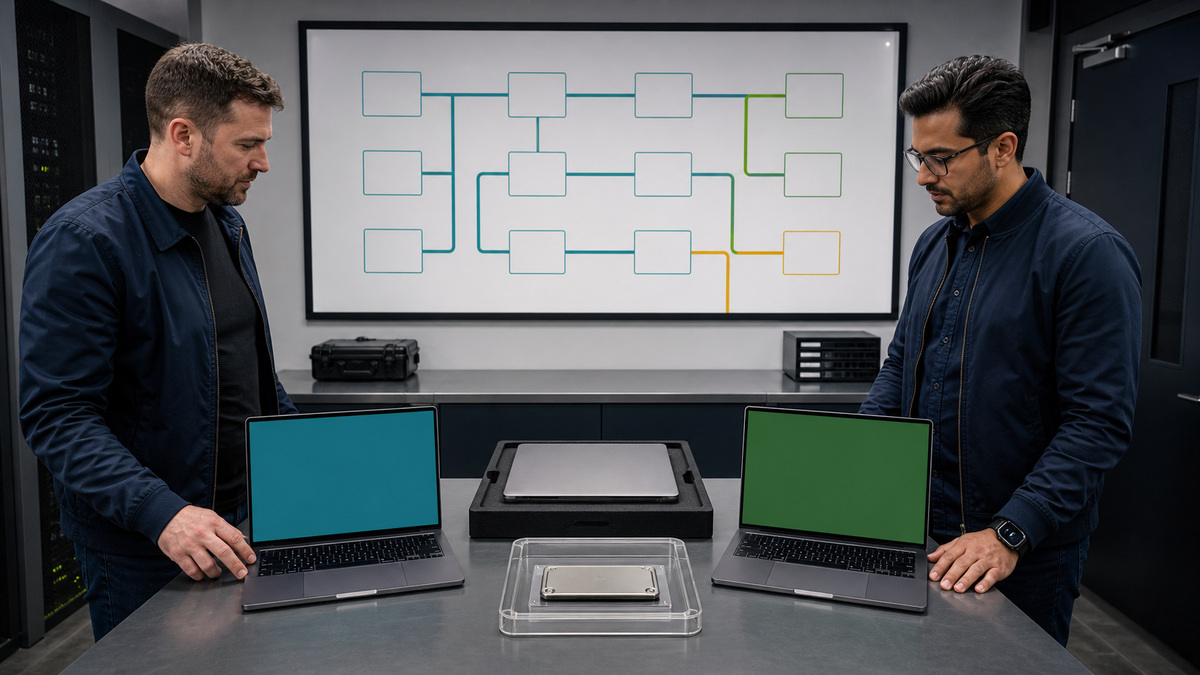
Create a protected encryption record for each business Mac. Capture serial and hardware class, Apple silicon or Intel architecture, operating-system version, enrollment and supervision, FileVault state, enablement method, authorized FileVault users, personal recovery-key escrow status and last rotation, institutional key presence if legacy, secure-token users, bootstrap-token support and escrow state, volume owners on Apple silicon, device-management service, configuration profile, compliance result, last recovery test, and exception owner. Do not place the recovery key, user passwords, token material, or raw command output in ordinary tickets. Reconcile local state with the management console because an enabled encryption flag does not prove a retrievable current key. Apple recommends personal recovery keys for modern organizational management. A PRK is unique per encrypted volume and supports escrow and rotation. Institutional recovery keys are no longer the preferred institutional approach, on Apple silicon, Apple explains that they cannot access recoveryOS and cannot rely on the older target-disk workflow. If a legacy IRK exists, record its purpose and removal plan rather than assuming it is a second usable recovery route. Understand the user authority behind FileVault. APFS secure tokens wrap cryptographic material with a user’s password. The first user’s setup and subsequent account workflows affect who receives a secure token, and bootstrap-token support can grant tokens to later users when they log in. On Apple silicon, volume owners can authorize operations such as updates, Erase All Content and Settings, and startup-security changes, with some tasks also requiring administrator rights. Avoid unsupported token manipulation or scripted password exposure, use the device-management and identity workflow designed for the operating-system generation. Verify bootstrap-token escrow after an eligible secure-token user signs in, because Apple uses it for managed software updates, silent erase on supported Macs, and supported Platform SSO account creation. Define compliance states that distinguish encryption enabled, PRK escrow confirmed, escrow stale, key rotated, bootstrap token present, authorized user missing, last user at risk, and recovery test overdue. A monthly exception report should name each device, condition, business impact, safe remediation, owner, and due date without displaying secrets.
- Record architecture, operating system, enrollment, FileVault, authorized users, PRK escrow and rotation, legacy IRK, secure-token users, bootstrap-token state, volume owners, policy, test, and exception owner.
- Prefer a unique escrowed personal recovery key for current institutional management.
- Do not treat legacy institutional keys as equivalent recovery on Apple silicon.
- Reconcile local and management state and separate key availability from an encryption checkbox.
- Protect keys, passwords, tokens, and raw device output in a restricted system.
Enable, Escrow, Retrieve, Rotate, and Test FileVault Safely
Deploy FileVault through an approved device-management configuration that matches enrollment and account creation. For supported Automated Device Enrollment on current Mac deployments, a service can require FileVault during Setup Assistant and optionally escrow the key before the user proceeds. Existing fleets may use deferred enablement at login or another supported management path. Define the user experience, authorized user, recovery-key visibility, grace period, restart requirements, help-desk language, offline behavior, and failure handling before rollout. Do not ask users to paste recovery keys into chat or tickets. Validate that the service receives and can retrieve the encrypted PRK only for authorized staff. Use least-privilege roles, named accounts, strong authentication, access logging, case linkage, two-person approval for sensitive populations, and alerts on retrieval or rotation. Limit the record to who retrieved which device’s key, why, when, under what case, and whether rotation completed, keep the key itself in the secure retrieval channel. A recovery workflow should verify device identity through multiple sources, confirm user and business authorization, check legal hold and incident status, establish safe physical or remote custody, retrieve the PRK, and use the Apple-supported recovery experience for that hardware and operating system. Apple silicon recovery can use the PRK through Recovery Assistant or the appropriate startup flow. Stop if identity, ownership, device state, or requested outcome does not match. Recovery success is not closure. Change the affected account credential if needed, rotate the personal recovery key through the supported management method after any use or suspected disclosure, confirm new escrow, remove temporary access, verify authorized users and bootstrap-token state, and attach sanitized evidence. Test the process on representative nonproduction Macs at least annually and after major management, identity, account-creation, or operating-system changes. The test should include an escrowed key, approved retrieval, recoveryOS or startup access, rotation, new escrow validation, audit log, and cleanup. Never use a live executive or regulated device merely to satisfy a drill. Monitor encryption enablement, PRK escrow delay, invalid or stale escrow, repeated prompts, missing secure token, bootstrap-token failure, user unable to unlock, recovery retrieval, and rotation failure. Resolve root cause rather than accepting a permanent exception that leaves the fleet unrecoverable.
- Use a supported management configuration and define setup, authorized users, key visibility, offline behavior, restart, grace period, and help-desk recovery.
- Confirm that each unique PRK reaches approved escrow and is retrievable only through named, strongly authenticated, logged roles.
- Verify exact device, user, ownership, case, legal and incident state before retrieval.
- Rotate the PRK after use or suspected disclosure and prove the replacement key is escrowed.
- Drill recovery, rotation, audit, and cleanup on representative nonproduction hardware after material platform changes.
Govern Activation Lock, Lost Devices, and High-Impact Commands
Define whether organization-owned iPhone, iPad, Mac, Apple Watch, and Apple Vision Pro devices may use Activation Lock and which model applies. Organization-linked Activation Lock lets the device-management service interact with Apple for a lock controlled by the organization. User-linked Activation Lock depends on a user’s personal Apple Account and requires an escrowed bypass code or Apple Business authority to avoid a stranded asset. On supervised Mac, Activation Lock is disallowed by default but can be allowed through management. Record the policy by device class, ownership, loss risk, user privacy, repair, resale, and support capability. For every enabled device, retain Apple Business registration, management state, lock type, bypass authority, date verified, and an owner for clearing it. Apple Business can turn off organization-linked and user-linked Activation Lock for qualifying organization-owned devices when an authorized role has Manage Device privileges, the device was added before Activation Lock was enabled, and it has not been released. Do not release a device while that authority is still needed. Test the administrative procedure with a safe device and log role use without capturing bypass secrets. Lost-device response should begin with exact identity, custody timeline, user contact, data sensitivity, last management check-in, network state, law-enforcement or insurer requirements, and legal preservation. Select a lost-mode, lock, locate, credential action, managed data removal, or erase workflow supported by the device, enrollment, and operating system. Treat location information as sensitive personal data with limited access and retention. Remote erase is destructive: require two-person authorization, serial and user cross-check, backup or preservation decision, Activation Lock plan, management reachability, command expiry behavior, and incident owner. A device-management acknowledgment only confirms command handling, not necessarily final erasure. Verify last check-in, command result, Apple Business status, Activation Lock state, account revocation, managed app and certificate removal, carrier or eSIM action, asset status, and any later recovery. If the device returns after erase, quarantine it, inspect physical integrity, confirm ownership, run supported diagnostics, resolve Activation Lock, and enroll from a trusted state. Do not reconnect a recovered device to production simply because the user knows its passcode.
- Choose organization-linked or user-linked Activation Lock by ownership, supervision, privacy, loss, repair, and support requirements.
- Preserve Apple Business registration, bypass authority, management state, verified lock type, and an accountable clearing process.
- Restrict location and bypass information and test lock clearance on safe hardware.
- Require exact identity, legal and backup decisions, two-person approval, reachability, and outcome verification for destructive commands.
- Quarantine a recovered device and rebuild trust before reuse.
Erase, Repair, Reassign, and Release Apple Hardware
Use a turnover checklist that joins business data, encryption, ownership lock, management, physical condition, and custody. Confirm the departing user or device purpose, legal hold, backup, data transfer, cloud and local accounts, managed apps, certificates, eSIM or carrier service, accessories, FileVault PRK, secure and bootstrap tokens, volume owners, Activation Lock authority, warranty, and destination. Decide whether the device will be reassigned internally, sent for repair, held as evidence, sold, donated, recycled, or declared lost. Erase only after preservation and ownership checks pass. Apple states that erasing supported devices destroys keys in effaceable storage and renders user data cryptographically inaccessible. On Mac with Apple silicon or the Apple T2 Security Chip and supported macOS, Erase All Content and Settings can remove user data and additional volumes, on Apple silicon it also returns security settings to Full Security defaults. Management can initiate supported erase workflows, and an escrowed bootstrap token can silently authorize EACS on eligible Macs. For older or unsupported Macs, use the exact Apple and management procedure, Apple warns that some remote wipe scenarios involving FileVault and devices without EACS support need special care. Verify erasure by observing the trusted activation or Setup Assistant state, management command result, data-volume condition where appropriate, and new enrollment,not by a closed-lid shipping assumption. Repair preparation includes verified backup, data decision, Find My and Activation Lock handling, diagnostics and reference codes, coverage and receipt, service case, power adapter or accessories requested, tamper-safe packaging, carrier tracking, and restricted technician credentials if absolutely required. Apple advises turning off Find My for service and notes that service may erase or replace the startup disk. Never hand over a standing user’s primary password in a ticket, use an approved temporary service account or a device already erased when the repair path allows. After repair, quarantine and inspect the device, reconcile any replaced logic board or serial, run diagnostics, verify Repair Assistant when applicable, update Apple Business and asset records, reassign management, enforce updates, confirm FileVault and escrow, and test hardware before handoff. Final release occurs only after data and lock clearance, management and license removal, ownership transfer, financial reconciliation, and authorization. Once released, Apple Business can no longer manage Activation Lock for that asset. Retain required disposition evidence and treat any later re-addition as a new ownership event.
- Join legal hold, backup, transfer, accounts, apps, certificates, carrier, accessories, FileVault, tokens, volume owners, Activation Lock, coverage, condition, custody, and destination in the turnover record.
- Use Erase All Content and Settings only where supported and follow exact guidance for older FileVault Macs.
- Verify an actual trusted erased state and re-enrollment.
- Prepare repair with backup, Find My handling, diagnostics, coverage, custody, minimal credentials, and post-repair quarantine.
- Release only after encryption, data, lock, management, licenses, ownership, and financial records are closed.
Official product documentation and ALLMSP resources
- Apple: Manage FileVault with device management
- Apple: Secure token, bootstrap token, and volume ownership
- Apple: Activation Lock on Apple devices
- Apple: Erase Apple devices
- Apple: Get your Mac ready for service
- ALLMSP Apple Hardware Support
- ALLMSP Hardware Support
- ALLMSP IT Consulting
- ALLMSP Managed IT Services
- ALLMSP Cybersecurity Services
- Contact ALLMSP
Frequently Asked Questions
Which FileVault recovery key should a business use?
Apple recommends a unique personal recovery key for current institutional management because it can be escrowed per volume and rotated. Institutional recovery keys have limited modern utility.
Does an institutional FileVault key work well on Apple silicon?
Apple says an IRK provides no functional value for key Apple silicon recovery scenarios because it cannot access recoveryOS and the old target-disk method is unavailable.
What should happen after a FileVault recovery key is used?
Rotate the personal recovery key through the supported management method, confirm the replacement is escrowed, close temporary access, and retain sanitized audit evidence.
What is a bootstrap token used for on managed Macs?
On supported Macs it can help authorize software updates, silently authorize Erase All Content and Settings, and support account creation workflows such as Platform SSO.
Is a volume owner always a Mac administrator?
No. Volume ownership and administrator status are distinct. Some operations need volume ownership alone, while startup-security changes require both administrator rights and volume ownership.
Can Apple Business clear Activation Lock?
For qualifying organization-owned devices, a role with Manage Device privileges can turn off supported organization-linked or user-linked Activation Lock before the device is released.
Should a lost Apple device be erased immediately?
Not automatically. Confirm identity, custody, backup or legal preservation, data sensitivity, management reachability, Activation Lock, command behavior, and authorization before destructive action.
How do you prove an Apple device was erased?
Correlate the management command result, last check-in, trusted Setup Assistant or activation state, data and account outcome, Activation Lock status, and successful clean re-enrollment where reused.
Why does repair preparation include FileVault and Find My?
Service may require diagnostic access or erase or replace storage. Backup, encryption, temporary access, Find My, Activation Lock, ownership, and post-repair recovery must be planned together.
How can ALLMSP improve Apple device turnover?
ALLMSP can audit key escrow and tokens, govern Activation Lock and commands, rehearse recovery, validate erasure, control repair custody, rebuild devices, and reconcile reassignment or release.


