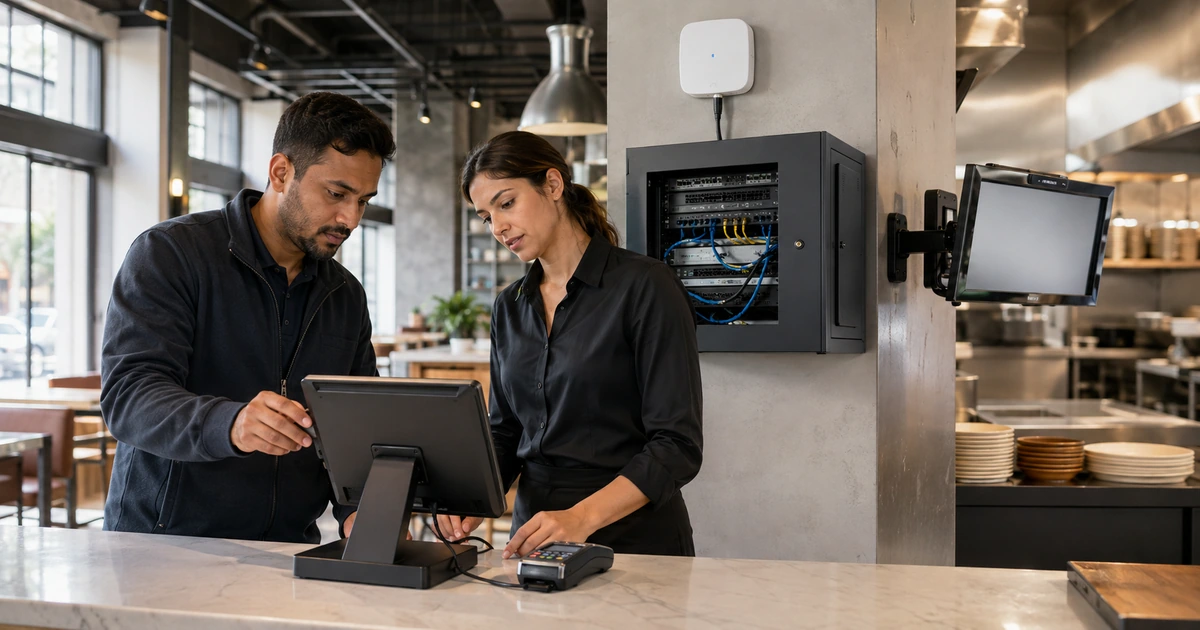
A store or restaurant depends on technology at the exact moments when employees have the least time to troubleshoot it. A slow payment terminal can extend every line. A weak access point can disconnect handheld ordering devices. A failed printer can stop kitchen production. A missing inventory sync can sell an item that is no longer available. Reliable retail and restaurant IT starts by mapping those operating moments before selecting equipment or connecting a cable.
The design should separate payment systems, business devices, guest access, cameras, building controls, employee devices, and vendor connections. It should also define what continues when an internet circuit, cloud service, switch, access point, printer, terminal, or power source fails. PCI Security Standards Council guidance places payment devices and connected systems within a defined security responsibility, so convenience cannot replace documented ownership, secure configuration, monitoring, and testing.
ALLMSP designs, installs, secures, and supports retail and restaurant technology through its in-house team. We help operators in Lawrenceville, Suwanee, Gwinnett County, Metro Atlanta, and across Georgia connect point-of-sale, network, Wi-Fi, devices, backups, monitoring, and support into one accountable operating system.
Plan technology around the customer and employee journey
- Map every transaction: Follow ordering, payment, fulfillment, pickup, return, refund, inventory, closing, and reporting from start to finish.
- Inventory every dependency: Record terminals, readers, printers, tablets, displays, scanners, switches, access points, cameras, servers, cloud services, and vendors.
- Separate traffic: Design distinct payment, business, guest, camera, building, and management networks with only the connections each workflow requires.
- Design for failure: Define internet failover, offline payment behavior, power protection, spare equipment, recovery steps, and escalation for each critical service.
- Secure administration: Use named accounts, MFA, least privilege, approved remote support, logging, vendor access controls, and prompt account removal.
- Prove the launch: Test realistic rush periods, weak signals, device roaming, payment paths, printers, kitchen routing, refunds, failover, backups, and support.
Document the sales, service, payment, and fulfillment workflows
Start at the customer entrance and trace every technology-assisted action. For a restaurant, include reservations, waitlist, table assignment, menu changes, ordering, modifiers, kitchen routing, beverage service, payment, tips, split checks, refunds, online orders, delivery marketplaces, pickup, loyalty, gift cards, inventory, timekeeping, and closeout. For retail, include product lookup, scanning, promotions, tax, payment, returns, exchanges, inventory movements, pickup, shipping, receiving, labeling, loss prevention, and end-of-day reconciliation. Record who performs each step, which device and account are used, what data moves, and what the employee does when the normal path fails.
Turn that map into a dependency register. A checkout station may depend on a terminal, payment reader, receipt printer, cash drawer, scanner, scale, customer display, switch port, local network, domain service, internet circuit, processor, point-of-sale cloud, tax service, inventory platform, and user account. Kitchen production may add display controllers, printers, routing rules, menu data, timers, and online ordering connections. Identify the owner, vendor, model, serial number, location, warranty, software version, license, configuration backup, support route, and replacement plan for every critical component.
Decide which functions are truly critical and set a practical recovery target. The goal is not to label everything urgent. It is to know how long the business can accept cash only, handwritten orders, one checkout lane, manual inventory updates, or delayed reporting before customer service or financial control becomes unacceptable. Write a short continuity procedure that employees can use during a busy shift. It should state who decides, which fallback is approved, how transactions are recorded, how security is preserved, and how normal processing is reconciled afterward.
- Workflow record: Capture trigger, employee, device, account, application, data, output, dependency, exception, recovery target, and owner.
- Asset record: Track location, model, serial number, network identity, configuration, support status, warranty, spare, and replacement date.
- Vendor record: Document service owner, support channel, contract, escalation, maintenance window, status page, data flow, and exit process.
- Continuity method: Define approved offline or manual work, transaction capture, customer communication, security, reconciliation, and restoration.
- Acceptance criteria: State the response time, transaction time, coverage, print result, routing, recovery time, and evidence needed for approval.
A workflow map turns an equipment list into an operating design and exposes single points of failure before they interrupt a line of customers.
Build a secure network for payments, staff, guests, devices, and vendors
Design the network by purpose. Payment terminals and point-of-sale systems should not share an unrestricted network with guest Wi-Fi, employee personal devices, cameras, digital signs, music systems, smart televisions, environmental controls, or vendor appliances. Use managed switching, appropriate VLANs, firewall rules, secure wireless settings, device inventory, and a protected management network. Document the limited connections that business systems need and block unnecessary movement between groups. Segmentation can reduce exposure only when the design is verified and maintained, so test it instead of relying on labels in a firewall console.
Engineer wireless service from measurements, not the number of access points in a box. Survey sales floors, dining rooms, patios, kitchens, storage, pickup areas, offices, drive-through lanes, and receiving areas. Account for walls, refrigeration, metal shelving, crowds, neighboring networks, channel use, device capabilities, and roaming. Separate employee and guest access, apply appropriate client isolation, limit management access, and test the actual handhelds, scanners, tablets, and payment devices employees will use. A phone speed test at the front counter does not prove that a kitchen tablet will remain connected during a full service.
Protect administration and remote support. Assign named accounts, use MFA, limit each role to required stores and functions, remove default credentials, secure vendor access, log changes, and review dormant identities. Keep operating systems, point-of-sale applications, firmware, browsers, security tools, and agents on supported versions. Schedule changes outside critical periods and maintain a tested rollback. The PCI Council advises merchants to use approved payment devices and validated payment software, protect wireless networks, change default passwords, inspect devices for tampering, and train employees about payment security.
- Payment zone: Limit systems, ports, wireless paths, administration, remote access, and data flows to the documented payment purpose.
- Business zone: Protect inventory, scheduling, office, ordering, reporting, and managed employee devices from unrelated traffic.
- Guest zone: Isolate customer devices, apply bandwidth and abuse controls, protect internal addressing, and publish appropriate terms.
- Device zones: Separate cameras, signs, audio, building controls, kiosks, and vendor appliances according to risk and required connections.
- Management zone: Restrict firewall, switch, access point, server, camera, and remote-support administration to approved identities and devices.
Purpose-built network boundaries make troubleshooting clearer and reduce the chance that a convenient connection becomes an uncontrolled route into payment or operating systems.
Test launch conditions, monitoring, recovery, and employee support
Build a test plan around the busiest realistic shift. Run simultaneous payments, online orders, kitchen routing, handheld roaming, receipt and label printing, inventory updates, guest traffic, cameras, and manager reporting. Test voids, refunds, split payments, tips, gift cards, returns, discounts, taxes, and end-of-day procedures with authorized test methods. Disconnect the primary internet circuit and verify the approved fallback. Restart selected devices, test protected power runtime, confirm clocks and time zones, and check that transactions reconcile correctly after service returns.
Monitor what affects operations. Track circuit availability, latency, packet loss, switch and access-point health, channel conditions, terminal and printer status, storage, backups, security alerts, application status, certificate expiration, device check-in, and vendor incidents. Alerts should identify the location, affected service, severity, business impact, first diagnostic steps, owner, and escalation. Avoid sending every minor fluctuation to a manager. A useful alert arrives early enough to act and includes enough context to avoid starting from zero.
Train employees for their role and provide one support route. Cashiers need safe restart and escalation steps, not firewall administration. Managers need authority for continuity decisions, transaction reconciliation, vendor escalation, and incident communication. IT needs accurate inventory, remote access, logs, configuration history, spares, and site contacts. Run short exercises for internet loss, payment failure, printer failure, compromised credentials, suspicious terminal changes, and inaccessible cloud services. Record results and correct the plan while the evidence is fresh.
- Functional test: Verify transactions, routing, printing, inventory, reporting, refunds, returns, taxes, tips, gift cards, and closeout.
- Load test: Exercise concurrent terminals, handhelds, online orders, guest traffic, cameras, and reports under realistic demand.
- Failure test: Interrupt internet, power, a switch path, an access point, a printer, and selected cloud services using controlled procedures.
- Security test: Confirm network boundaries, MFA, role limits, device inventory, logging, vendor access, updates, and terminal inspection.
- Support test: Open a real ticket, verify identity, collect evidence, escalate, restore service, communicate, document, and review the outcome.
The technology is ready only when the complete business workflow survives realistic demand and employees know exactly how to respond when a dependency fails.
Retail and restaurant IT delivered in house by ALLMSP
ALLMSP can map workflows, design networks, procure equipment, coordinate point-of-sale requirements, install switching and Wi-Fi, configure devices, secure access, document vendors, establish monitoring, test failover, train employees, and provide ongoing help desk and onsite support. One in-house team owns the work from discovery through daily operations.
We support single locations and multi-site operators in Lawrenceville, Suwanee, Gwinnett County, Metro Atlanta, and across Georgia. Engagements can cover a new opening, renovation, point-of-sale change, network replacement, reliability problem, security improvement, or complete managed IT service.
- Design: Map transactions, systems, networks, wireless coverage, security, continuity, support, and acceptance criteria.
- Deploy: Install, configure, segment, label, document, test, train, and correct the complete operating environment.
- Operate: Monitor service, resolve issues, manage changes, maintain security, coordinate vendors, report trends, and plan lifecycle work.
Official payment and cybersecurity references
Use current product documentation, processor requirements, acquiring-bank instructions, contracts, and applicable laws together with these baseline resources.
- PCI SSC maintaining payment security. Summarizes merchant responsibilities for networks, secure configurations, access, monitoring, testing, and policy.
- PCI SSC payment terminal applicability. Explains why payment terminals and their connected environment require appropriate PCI DSS controls.
- CISA multifactor authentication guidance. Explains why businesses should use MFA for email, storage, remote access, and administrative systems.
- NIST Cybersecurity Framework. Provides a flexible structure for governing, identifying, protecting, detecting, responding to, and recovering from cyber risk.
Retail and restaurant IT setup FAQs
What technology should be planned before a store or restaurant opens?
Plan point-of-sale, payments, printers, scanners, displays, inventory, online ordering, office systems, switching, Wi-Fi, internet, cameras, power protection, backups, monitoring, security, and support.
Should guest Wi-Fi share the point-of-sale network?
No. Guest devices should be isolated from payment and business systems through deliberate network design, firewall policy, secure wireless settings, and verification tests.
How many internet connections does a location need?
Base the decision on transaction dependency, acceptable outage time, available providers, failover behavior, operating cost, and whether critical workflows function safely offline.
What should happen when the point-of-sale service is unavailable?
Use a documented vendor-approved fallback that addresses transactions, customer communication, security, manager authority, recordkeeping, restoration, and later reconciliation.
How is restaurant Wi-Fi coverage tested?
Survey every operating area with the actual device types, then test signal, interference, capacity, roaming, latency, packet loss, and application performance under realistic load.
Which payment systems are covered by PCI DSS?
PCI DSS scope depends on how account data is stored, processed, transmitted, or affected. Confirm the current scope and validation requirements with the appropriate payment and compliance parties.
What should be monitored at each location?
Monitor circuits, firewalls, switches, access points, managed devices, backups, security agents, certificates, storage, critical applications, vendor status, and recurring support conditions.
How should vendors receive remote access?
Use approved named access with MFA, limited system and time scope, documented purpose, logging, monitoring, prompt removal, and an accountable internal owner.
Can ALLMSP handle the complete technology rollout?
Yes. ALLMSP handles planning, procurement, installation, configuration, security, testing, documentation, training, monitoring, help desk, and onsite support through its in-house team.
Where does ALLMSP provide retail and restaurant IT support?
ALLMSP serves Lawrenceville, Suwanee, Gwinnett County, Metro Atlanta, and organizations throughout Georgia with coordinated remote and onsite service.