





























































































































































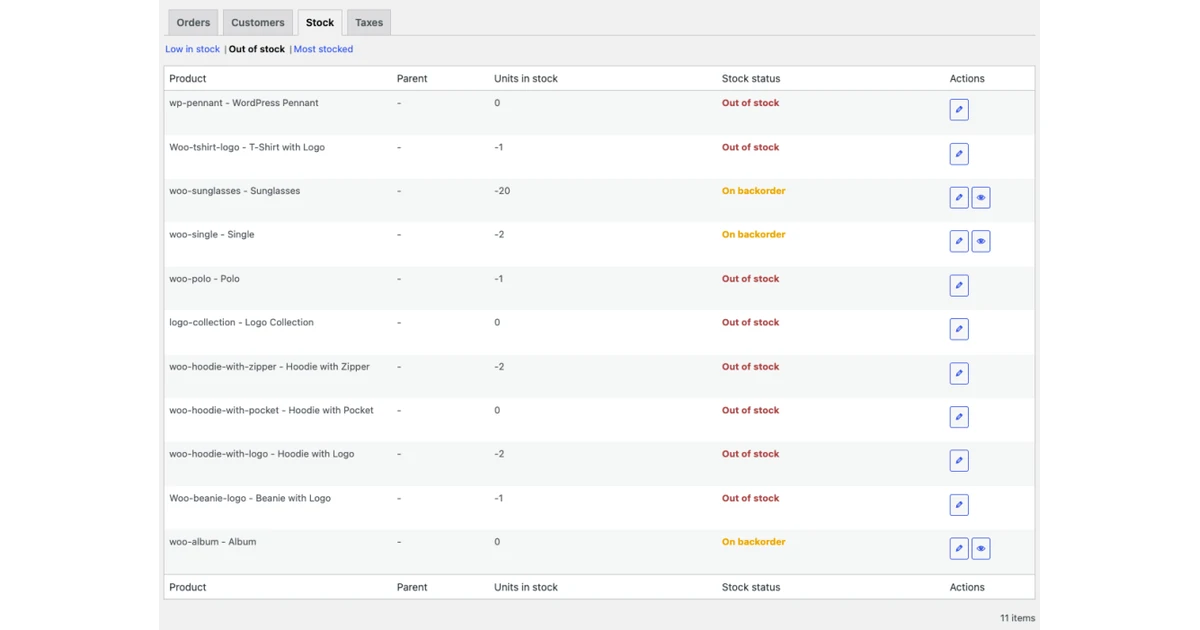
A WooCommerce store is a connected application, not a single plugin with an Update button. WordPress core, WooCommerce core, the active theme, payment and shipping extensions, tax services, checkout blocks, High-Performance Order Storage, custom code, scheduled work, webhooks, hosting, and fulfillment systems all participate in the sale. A change can leave the home page looking normal while quietly breaking a variable product, a payment callback, stock reduction, an email, or the handoff to a warehouse.
WooCommerce’s current update guidance recommends testing before production and using a staging environment that replicates the live environment. That direction is especially important for a retailer or restaurant whose online orders immediately trigger payment, inventory, customer messaging, delivery, or kitchen work. Test orders placed in production can contaminate analytics and activate real integrations, so a live store is a poor substitute for a controlled test system.
This guide gives Georgia ecommerce operators a release practice for WooCommerce software changes. It covers the pre-change inventory, complete database-and-files backup, production-like staging build, extension and theme compatibility review, catalog-to-fulfillment acceptance, maintenance-window release, observation, and recovery decision. ALLMSP can coordinate the infrastructure, change record, testing evidence, and vendor escalation while the merchant retains authority over products, pricing, tenders, tax, fulfillment promises, and customer communication.
Key decisions at a glance
- Inventory WordPress, WooCommerce, the active theme, every extension, custom code, hosting runtime, checkout model, HPOS status, and external integration before choosing an update set.
- Back up both the database and wp-content, then prove restoration, a WordPress XML export is not a complete WooCommerce recovery copy.
- Use a production-like staging environment and test representative catalog, cart, checkout, payment, tax, shipping, email, order, inventory, and fulfillment paths with synthetic data.
- Treat compatibility declarations and tested-version labels as useful signals, not substitutes for cross-extension and theme testing on the store’s actual configuration.
- Release during a controlled window, monitor database updates, scheduled actions, logs, orders, payments, and integrations, and restore a known-good backup rather than attempting an improvised downgrade.
Baseline the Entire Store Before Selecting an Update Set

Start with a component register, not the updates screen. Record WordPress and WooCommerce versions, PHP and database versions, hosting plan, active and inactive plugins, theme and child theme, code snippets, must-use plugins, checkout type, HPOS mode, scheduled jobs, caching and security layers, payment and shipping providers, tax and email services, REST clients, webhooks, analytics, feeds, fulfillment, accounting, and recovery ownership. Note the business process and technical owner for every component that can receive or change order data.
Review the proposed WooCommerce, WordPress, theme, and extension releases as one change set. WooCommerce.com can show installed subscriptions, available updates, and compatibility information, while extension developers may publish tested-version statements and release notes. Those signals help prioritize review, but WooCommerce’s extension guidance still calls for compatibility with WordPress, WooCommerce, Cart and Checkout blocks, HPOS, the Product Editor, and the Site Editor where applicable. A declaration does not prove that this store’s combined stack will behave correctly.
Capture a recovery baseline before cloning or changing anything. WooCommerce stores business data in both wp-content and the database, and its backup guidance warns that a WordPress XML export does not include all order, product, and setting tables. Create a full database backup and a files backup, record timestamps and storage locations, restrict access, and perform a restore rehearsal to an isolated target. A backup job marked successful is only a candidate for recovery until the team can open the restored store and verify representative records.
- Name the change owner, business approver, tester, release operator, rollback decision maker, hosting contact, and each extension or integration vendor.
- Record whether the store uses classic or block-based cart and checkout, HPOS or compatibility synchronization, and any custom order-table queries.
- Read release notes for skipped versions as well as the target release, and list database migrations, template changes, deprecations, and stated compatibility boundaries.
- Hash or version custom themes, snippets, and plugins so an unexplained file difference can be separated from the approved release.
- Write measurable stop conditions, including failed checkout, duplicate payment, wrong tax or shipping, stuck orders, inventory variance, broken fulfillment, or an unrecoverable backup.
Build a Production-Like Staging Store Without Exposing Live Customers

Create staging from a recent, authorized production copy and make its runtime resemble production: PHP, database engine, WordPress configuration, WooCommerce settings, theme, plugins, object cache, scheduled processing, storage behavior, and relevant network controls. Give the staging site a distinct hostname and visual marker, block indexing, restrict administrator access, and prevent it from sending real customer email, charging real payment methods, publishing feeds, or dispatching real warehouse work. Sanitize or minimize customer and order data according to the test need and retention policy.
Apply the proposed releases only in staging and preserve the sequence in the change record. After each material step, review the front end, WordPress administration, WooCommerce status report, PHP errors, WooCommerce logs, browser console where relevant, and Scheduled Actions. If WooCommerce displays a database-update task, allow it to complete and watch the scheduled-action progress rather than assuming the code update finished the data work. For HPOS changes, confirm extension compatibility and synchronization state before altering the authoritative order store.
Use a compatibility matrix that crosses device and browser, customer type, product type, checkout type, payment path, shipping or pickup method, tax condition, promotion, account behavior, and fulfillment destination. Compare desktop, tablet, and phone layouts for ordinary, variable, virtual, backordered, sale, coupon, and out-of-stock products. Inspect child-theme and template overrides in the status report, but validate what the customer actually sees, an apparently old override may be harmless while a visually intact template can still submit incorrect data.
- Disable or redirect outbound email, webhooks, feeds, fulfillment jobs, and production API credentials before staging is opened to testers.
- Use gateway sandbox or test modes and synthetic identities, never place real card data or customer credentials into a cloned environment.
- Match production caching, cron, object storage, and proxy behavior closely enough to expose timing and invalidation problems.
- Test required and prohibited administrator actions after plugin updates because changes can alter capabilities, menus, or settings exposure.
- Record the tested version combination and evidence, not merely a green result, so a later failure can be compared to a known state.
Prove Catalog, Checkout, Order, Inventory, and Fulfillment Acceptance
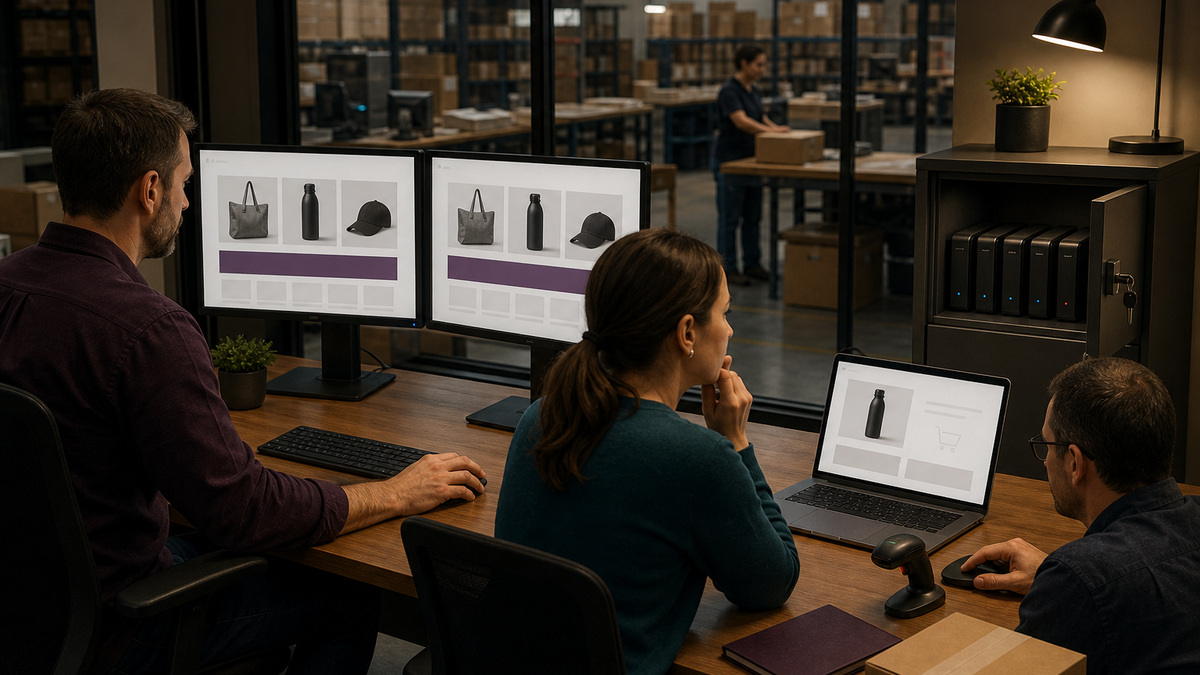
Test the buying journey from discovery to completion. Search and browse representative products, choose variations and add-ons, validate price and tax display, add and remove quantities, apply and reject coupons, sign in and check out as a guest where permitted, choose each relevant shipping or pickup method, submit an approved test payment, and confirm the resulting order status and notes. Include declined, canceled, retried, refunded, and interrupted scenarios when the gateway’s supported test environment permits them.
Follow the same synthetic order into operations. Verify stock reduction and restoration rules, backorder handling, hold-stock behavior, customer and staff email routing, shipping labels, export or webhook delivery, accounting or ERP receipt, warehouse pick, packing, status transitions, and customer notification. Test ordinary and exception orders across every material location or fulfillment path. WooCommerce warns that test orders can trigger emails, analytics, and integrations and recommends testing them on staging, then deleting those test records after validation.
Make acceptance evidence specific. Preserve the test case, component versions, timestamp, device and browser, product type, tax and shipping condition, payment mode, order-status timeline, scheduled-action result, integration correlation, stock before and after, expected outcome, observed outcome, defect owner, and retest. Redact secrets, payment data, and unnecessary customer information. Business owners should approve prices, taxes, refunds, and fulfillment behavior, a developer’s successful page load cannot certify those decisions.
- Cover simple, variable, downloadable or virtual where used, subscription or booking extensions where used, backordered, discounted, and out-of-stock products.
- Verify cart and checkout blocks or classic templates according to the live design, including address validation, consent, account creation, and mobile keyboard behavior.
- Check payment authorization, capture, failure, cancellation, refund, duplicate-prevention, and return paths with the gateway’s documented test tools.
- Trace one order through each shipping, pickup, delivery, warehouse, restaurant, accounting, and customer-message integration that matters to the business.
- Require finance and fulfillment signoff for the cases that affect money or physical work instead of assigning all acceptance to the web team.
Release Deliberately, Observe the Store, and Restore When Necessary
Schedule a low-risk window with a named bridge, current backups, vendor contacts, status messaging, and a freeze on unrelated catalog or configuration work. WooCommerce’s update guidance recommends using Coming soon during the production update so a shopper does not enter checkout in the middle of the change. Confirm how the merchant will handle carts and in-flight orders, then apply the exact staging-tested packages and sequence. Do not add an opportunistic plugin, theme tweak, or PHP change because the window is already open.
Repeat a concise production acceptance set immediately after release. Check storefront and administration access, one controlled product and cart path, checkout availability, payment health without exposing customer funds unnecessarily, order creation, emails, stock, fulfillment handoff, webhooks, Scheduled Actions, WooCommerce logs, PHP errors, performance, and the system status report. Continue monitoring beyond the first success because database migrations, queues, renewals, exports, and delayed callbacks may expose defects later.
Use the predefined stop conditions to choose repair, containment, or restoration. Rollback should mean returning to a known-good, tested state through the hosting or backup procedure and vendor-supported component path, not blindly installing older WordPress or WooCommerce files over a changed database. WordPress warns that downgrading is not a general update remedy and stresses a complete pre-upgrade site-and-database backup. After restoration, verify the database, files, orders created around the window, payment state, stock, queues, and every integration before reopening normal trade.
- Keep the tested files, database backup, release record, monitoring views, restore procedure, and responsible people reachable throughout the window.
- Watch database-update and scheduled-action work to completion, do not reopen solely because the maintenance command returned successfully.
- Reconcile orders and payments spanning the window so a restored database does not conceal an external authorization or duplicate fulfillment.
- Preserve sanitized logs, status reports, screenshots, and exact timestamps before cleanup when a vendor or developer must investigate.
- Close with a documented outcome, residual risk, post-release review, backup retention decision, and updates to the component and recovery records.
Official product documentation and ALLMSP resources
- WooCommerce: How to update WooCommerce
- WooCommerce: Backing up WordPress and WooCommerce content
- Woo Developer: Extension compatibility best practices
- WooCommerce: Testing orders
- WooCommerce: High-Performance Order Storage
- WooCommerce: Understanding the system status report
- WooCommerce: Scheduled Actions
- WordPress: Upgrading WordPress extended instructions
- ALLMSP WooCommerce Software Support
- ALLMSP Software Support
- ALLMSP Managed IT Services
- ALLMSP Cybersecurity Services
- ALLMSP Cloud Computing and Migrations
- ALLMSP Retail and Restaurant Resources
- Contact ALLMSP
Frequently Asked Questions
Should WooCommerce updates be tested on a staging site first?
Yes. WooCommerce recommends testing updates before production and using staging that replicates the live environment. The staging store should match the important runtime and configuration, isolate customer data and real integrations, and prove the complete catalog-to-fulfillment journey before release.
What should be backed up before a WooCommerce update?
Back up the complete database and the required site files, especially wp-content, then test restoration. A WordPress XML export is not a complete WooCommerce backup because order, product, setting, and extension data can live in database tables that the export does not capture.
Does an extension's compatibility label guarantee the update is safe?
No. A tested-version or compatibility declaration is a useful vendor signal, but it cannot reproduce the store’s exact theme, extensions, custom code, checkout model, HPOS configuration, hosting, and integrations. Review the declaration and release notes, then run cross-component acceptance tests.
Which WooCommerce checkout tests belong in release acceptance?
Test representative products, variations, quantities, coupons, tax, shipping or pickup, guest and account flows, mobile behavior, approved payment successes and failures, order notes and status, email, stock, refund behavior, and every material fulfillment or accounting handoff.
Can test orders be placed safely on the live WooCommerce store?
Production test orders can send emails, affect analytics, reduce stock, trigger payment or fulfillment integrations, and look like real work. WooCommerce recommends using staging exclusively for test orders. Production validation should be minimal, controlled, authorized, and reconciled.
How should HPOS be handled during an update?
Record whether High-Performance Order Storage is authoritative or running in compatibility synchronization, verify every order-reading extension is compatible, watch synchronization and Scheduled Actions, and test reads and writes. Do not switch storage modes merely to simplify an unrelated release.
What does a WooCommerce database update notice mean?
A code update may require database work that runs through scheduled processing. Back up first, allow the documented task to complete, and monitor Scheduled Actions, logs, order behavior, and status evidence. Do not assume the release is finished while data work remains queued or failed.
When should a WooCommerce release be rolled back?
Use predefined stop conditions such as failed checkout, duplicate payments, wrong tax or shipping, stuck orders, stock variance, broken fulfillment, severe errors, or unsafe performance. Restore a known-good tested backup or follow a vendor-supported recovery path rather than improvising an older-file downgrade.
What should be monitored after a WooCommerce update?
Monitor storefront and admin access, checkout, orders, payments, inventory, emails, webhooks, fulfillment and accounting handoffs, Scheduled Actions, WooCommerce and PHP logs, database migration, performance, and the system status report through a window long enough to catch delayed processing.
How can ALLMSP support WooCommerce releases for a Georgia business?
ALLMSP can inventory the stack, coordinate staging and protected backups, define acceptance cases, collect sanitized evidence, manage release and monitoring windows, test restoration, and work with hosting, extension, payment, and fulfillment vendors while the merchant approves business behavior.


