





























































































































































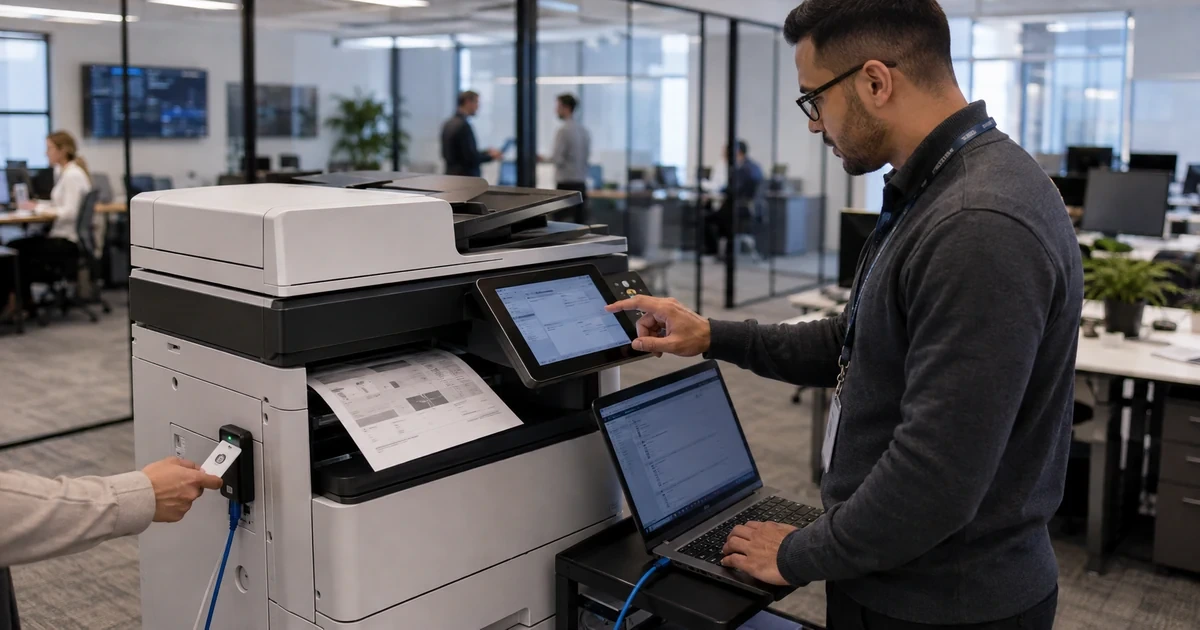
Canon multifunction devices can process confidential print jobs, address books, scans, fax records, cloud connectors, user identities and stored files. They may also contain a Trusted Platform Module, encrypted storage, startup-integrity functions and SIEM-capable logs on supported models. That makes the device a managed data system, not a neutral peripheral on the office network.
Canon’s current business security page describes access control, centralized security administration, Trellix Embedded Control on imageRUNNER ADVANCE DX and integrated uniFLOW options. Canon’s model specifications and security white papers add the exact controls available to particular products, including TLS, SNMPv3, IEEE 802.1X, IP filtering, secure print, storage protection and audit integration. The model record must decide what can be enforced.
This runbook starts with recovery and administration, then protects communications, identities, documents and lifecycle operations. Each control includes a test of the real print or scan path so a hardened setting does not silently disable device information retrieval, secure printing, directory login or a regulated scan destination.
Businesses in Lawrenceville, Suwanee, Gwinnett County, Metro Atlanta, and across Georgia can use ALLMSP to secure Canon imageRUNNER devices with TLS, SNMPv3, and department IDs. Our in-house team handles planning, technical work, testing, and documentation.
Key decisions at a glance
- Verify security functions against the exact Canon platform and firmware because TLS, SNMPv3, 802.1X, startup verification, logging and storage controls vary.
- Replace casual Remote UI access with trusted certificates, protected administrator sessions and an owned renewal process.
- Restrict monitoring and network admission through SNMPv3, IP filtering, segmentation and 802.1X where the complete path supports them.
- Configure Department IDs, user authentication, unknown-job behavior and secure release as coordinated device and driver controls.
- Stage firmware, review audit evidence, back up protected settings and sanitize credentials and stored information before a device leaves control.
Create a Canon Security and Stored-Data Capability Matrix

Record the exact Canon model, firmware, print controller, storage configuration, network interfaces, authentication applications and installed MEAP or workflow components. From the current model page and manual, mark support for trusted certificates, TLS versions, SNMPv3, IPsec, IP and MAC filtering, IEEE 802.1X, S/MIME, secure print, encrypted PDF, user or Department ID authentication, startup verification, embedded application control, storage encryption, erasure and SIEM integration.
Map every data path and retained object: spooled or held print jobs, Mail Box and Advanced Box files, address books, scan and email destinations, fax if present, user and Department ID records, certificates and keys, application settings, logs and configuration backups. Classify the machine by its most sensitive handled document rather than by whether it sits in a hallway.
Document the present state, target, compensating controls and exception expiry. Older units may need a restricted VLAN, print-server mediation, disabled direct functions or replacement. Preserve a protected export and model-supported recovery method before changing access. A control that cannot be recovered during an outage is not yet an operational baseline.
- Verify every security feature against the exact Canon model and firmware.
- Inventory controllers, storage, authentication apps and workflow extensions.
- Map held documents, destinations, credentials, certificates, logs and backups.
- Use segmentation or replacement for devices that miss required controls.
- Preserve an authorized recovery path before enforcing hardening changes.
Enroll Trusted Certificates and Protect Remote UI

Assign stable DNS and synchronized time before certificate enrollment. From an approved management network, use Remote UI to generate a key and certificate signing request or import an organization-issued certificate where the model supports it. Include the operational names, protect private keys and verify the issuing chain on administrative systems. Avoid training staff to click through certificate warnings.
Track subject, alternative names, issuer, serial, algorithm, start, expiration, renewal owner and dependent services. Alert before expiry and test renewal on a representative device. Canon Remote UI also supports certificate expiration checks and, on applicable models, SCEP workflows, use only the method owned by the organization’s certificate policy.
After trusted HTTPS works by name, restrict insecure administration and limit Remote UI to management sources. Test administrator login, settings export, Address Book operations, Driver Information Assist paths and recovery. Close privileged browser sessions when finished. If a proxy is present, follow Canon’s Remote UI guidance and use an approved direct management path rather than sending local administration through an unrelated proxy.
- Set stable DNS and trustworthy time before creating the device certificate.
- Use a protected CSR, import or managed enrollment method supported by the model.
- Track certificate identity, dates, dependencies and renewal ownership.
- Verify HTTPS by the real device name before restricting old administration paths.
- Test privileged Remote UI actions and close the administrative session afterward.
Secure Monitoring, Network Admission, and Device Segmentation

Move supported monitoring to SNMPv3 with named credentials, strong authentication and privacy settings compatible with the monitoring platform. Limit management sources and collect only necessary status, paper, supply and error data. Remove obsolete community access after proving the protected path. Keep secrets out of general monitoring screenshots and tickets.
Use Canon IP and MAC filters, host firewalls and printer VLAN policy as coordinated controls, not independent guesses. Permit print servers, approved clients, management, monitoring, DNS, time, directory, email, SIEM, update and scan destinations as required. Validate IPv4 and IPv6 exposure. Document direct printing and mobile exceptions with owner, ports, authentication and expiry.
For IEEE 802.1X, define the device identity, certificate or credential, RADIUS policy, switch behavior, renewal and rescue method. Pilot on a noncritical port and test boot, sleep, firmware update and network outage. A dedicated staging port is safer than disabling admission controls across production when a certificate or time error isolates one MFP.
- Use authenticated and encrypted SNMPv3 where both ends support it.
- Restrict management sources and remove stale community access after testing.
- Segment print, management, monitoring and device-initiated traffic explicitly.
- Validate network policy on both IPv4 and IPv6.
- Pilot 802.1X with owned credentials, renewal and a controlled rescue path.
Coordinate Department IDs, User Authentication, and Secure Output
Choose Department ID Management for group-level limits and accounting only when it fits the identity model. Register IDs and PINs through an approved process, set page limits where required and decide whether unknown print and remote-scan jobs are accepted. Canon documentation notes that device and driver settings must align, test the shared print server and Driver Information Assist Service path before enforcement.
Use user authentication or uniFLOW when individual identity, follow-me release or broader workflow policy is needed. Define source directory, provisioning, role, card or PIN issuance, revocation, outage behavior and break-glass ownership. Do not layer local users, Department IDs and cloud identities without documenting which control makes the authorization decision.
Protect confidential output through Secure Print, Encrypted Secure Print or an approved uniFLOW release design supported by the model. Test failed, expired, abandoned and cross-device jobs. Position the unit to prevent casual pickup, limit removable media and physical settings access, and separate security administration from ordinary device operation where the platform allows it.
- Use Department IDs for a defined group-accounting and restriction purpose.
- Set the Canon driver, device and unknown-job behavior together.
- Own user, card and cloud-identity provisioning and revocation.
- Validate secure release, abandoned jobs and authentication outages.
- Protect control-panel functions, removable media and unattended output.
Enable Integrity, Firmware, and Logging Controls by Model
Where supported, evaluate Verify System at Startup and embedded application control using Canon’s current model and security documentation. Confirm what is enabled by default, what requires a restart and how a failed verification is reported and recovered. Do not claim that a control prevents all malware, preserve layered network and administrative restrictions.
Update firmware through the method supported by the exact imageRUNNER family. Canon’s Remote UI guide recommends backing up device data and settings before distributed firmware work. Record source, current and target versions, power and connectivity requirements, maintenance window and rollback limitations. Test a spare or pilot, then verify certificates, SNMPv3, 802.1X, authentication, printing, scanning and workflow applications.
Synchronize time and collect useful events. Review administrator changes, failed authentication, certificate expiration, startup-integrity results, firmware drift, held jobs, scan failures and network anomalies. If SIEM export is supported, control the destination and parsing. Retain only the records required by policy and restrict access because print and scan logs may disclose business activity.
- Verify startup and embedded-control features against the exact Canon platform.
- Back up supported data and settings before firmware deployment.
- Advance firmware through pilot and same-model production rings.
- Retest identity, network and document workflows after every update.
- Collect actionable logs with correct time, access control and retention.
Review Drift and Sanitize Repair, Reassignment, or Retirement
Compare current settings with the approved security record on a fixed schedule and after service work. Review administrator accounts, certificates, allowed protocols, filters, SNMP, 802.1X, authentication, unknown-job handling, workflow applications, firmware and logging. Investigate a reverted value rather than silently reapplying a profile that might conflict with a service replacement or model change.
Before a device leaves organizational control, use the model-supported procedures to remove held documents, Mail Box or Advanced Box content, Address Book entries, scan destinations, user and Department ID data, certificates, keys, network settings, application data and logs. Revoke certificate and service identities and delete inventory, DHCP, DNS, print queue and monitoring references.
Document chain of custody, sanitation method, verification and final recipient for repair, lease return, resale or disposal. If storage cannot be sanitized or verified, escalate to the data owner before release. ALLMSP can coordinate Canon device hardening with identity, certificate, network, SIEM and records-management owners while keeping a recoverable support baseline.
- Audit settings after service, firmware and authentication changes.
- Investigate drift before forcing an old configuration onto changed hardware.
- Remove documents, destinations, identities, keys and network data before release.
- Revoke external accounts, certificates, queues and inventory references.
- Retain accountable sanitation and chain-of-custody evidence.
Official product documentation and ALLMSP resources
- Canon Business Document and Information Security
- Canon imageRUNNER ADVANCE DX C477iFZ Security Specifications
- Canon Security White Paper
- Canon: Managing the Machine with Remote UI
- Canon: Updating Firmware by Distribution
- Canon uniFLOW Online
- ALLMSP Canon Hardware Support
- ALLMSP Hardware Support
- ALLMSP IT Consulting
- ALLMSP Managed IT Services
- ALLMSP Cybersecurity Services
- Contact ALLMSP
Frequently Asked Questions
Do all Canon imageRUNNER devices support the same security controls?
No. TLS, SNMPv3, 802.1X, IP filtering, storage, startup verification, logging and authentication vary by exact platform, controller and firmware.
Why should Canon Remote UI use a trusted certificate?
A trusted certificate gives administrators and connected services a verifiable device identity for supported TLS-protected management and document connections.
What must be tracked for a Canon certificate?
Track subject names, issuer, serial, algorithm, validity dates, private-key custody, renewal owner and every Remote UI, print or integration dependency.
When should SNMPv3 be used on Canon devices?
Use it where the Canon model and monitoring platform support compatible authentication and privacy, then restrict sources and remove obsolete community access.
What can break Canon 802.1X network admission?
Incorrect identity, certificate trust, RADIUS policy, switch configuration, time or renewal can isolate the device, pilot with a controlled staging or rescue path.
What does Canon Department ID Management control?
On supported devices it can group users, count or limit pages and control use, with device and driver settings determining how print and remote-scan jobs are treated.
Is Department ID Management the same as individual user authentication?
No. It is commonly group-oriented. Individual release and identity workflows may require Canon user authentication, uniFLOW or another supported design.
How should Canon firmware be deployed?
Back up supported settings, record prerequisites, test one representative device, advance through same-model rings and retest security, print, scan and workflow functions.
What should be sanitized before a Canon MFP leaves the business?
Remove stored documents, address books, destinations, users, Department IDs, credentials, certificates, keys, settings, application data and network references using supported procedures.
How can ALLMSP secure Canon imageRUNNER devices?
ALLMSP can inventory capabilities, manage certificates, segment traffic, configure SNMPv3 and 802.1X, align identities, stage firmware, collect logs and document sanitation.


