





























































































































































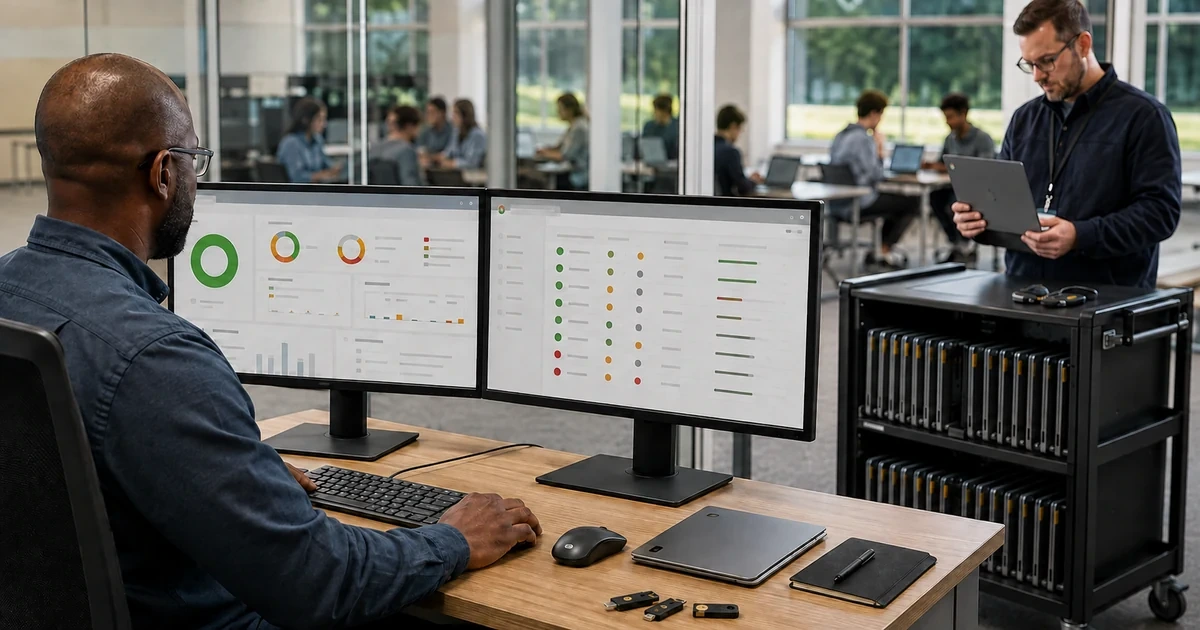
Chromebooks reduce some endpoint complexity, but enrollment alone does not create a secure fleet. The protection depends on who can administer ChromeOS, where settings are inherited, which accounts may sign in, which applications and extensions can reach business data, how quickly devices update, what happens after a wipe, and whether anyone reviews exceptions. A convenient setting applied at the wrong level can affect every student, employee, shared station, or kiosk below it.
A useful governance program connects the Google Admin configuration with device inventory, identity, Google Workspace sharing, wireless networks, support records, and incident response. It distinguishes device settings from user and browser settings, keeps the top-level policy conservative, limits overrides, and records why an exception exists. Security staff should be able to trace an active device to its user, organizational unit, platform support date, policy state, installed applications, recent activity, and response procedure.
ALLMSP secures and manages Chromebook fleets for organizations in Lawrenceville, Suwanee, Gwinnett County, Metro Atlanta, and throughout Georgia. Our in-house team can review Google Admin roles, policy inheritance, sign-in, extensions, updates, networks, data access, lost-device response, reporting, and recurring governance while also supporting the users and hardware.
Govern Chromebook security through ownership, policy, evidence, and review
- Protect administration: Separate daily and privileged accounts, limit delegated roles, require strong authentication, preserve emergency access, and review administrator activity.
- Control policy inheritance: Keep root settings deliberate, document organizational units and configuration groups, minimize overrides, and test the effective result for each role.
- Restrict sign-in and data paths: Define permitted accounts, guest behavior, session rules, synchronization, downloads, external storage, printing, sharing, and remote access.
- Manage applications: Inventory web apps, Android apps, Linux access, extensions, permissions, owners, update behavior, business purpose, and removal triggers.
- Maintain supported versions: Track platform update dates, release channels, update policy, pinned versions, reboot behavior, application compatibility, and exceptions.
- Review operational evidence: Monitor inventory, policy status, inactive devices, sign-ins, applications, update compliance, incidents, lost devices, exceptions, and corrective actions.
Protect administrators and design policy inheritance that can be explained
Start with the people who can change the environment. Keep super administrator access limited, use separate accounts for daily work and privileged tasks, require strong multifactor authentication, and maintain protected emergency access under a documented procedure. Assign delegated Chrome privileges only when the role requires them. Review administrators, role assignments, last use, recovery methods, and audit activity on a defined schedule. Shared administrator credentials make it difficult to prove who changed a policy and should not be part of normal operations.
Map the effective policy for each user and device population. Organizational units are useful for durable boundaries such as employees, students, teachers, shared devices, kiosks, and distinct security requirements. Configuration groups can target a setting without forcing a complicated tree, but group precedence and organizational unit inheritance must be tested. Record the inherited value, override, reason, owner, approval, start date, expiration, and validation result for every material exception. Test changes with representative accounts and devices before applying them broadly.
- Privileged identities: List super administrators, delegated administrators, emergency accounts, recovery methods, authentication strength, owners, purpose, last use, and review date.
- Role design: Grant the narrowest practical Google Admin privileges for help desk, device enrollment, reporting, policy management, application management, and security review.
- Policy register: Document each important device, user, browser, application, network, and sign-in setting with scope, source, inherited value, override, and owner.
- Change procedure: Require a business reason, affected population, risk, test group, expected result, rollback, communication, approval, and evidence before a broad policy change.
- Exception record: Give every exception a named owner, affected users, compensating control, expiration date, validation method, and scheduled review.
- Emergency access: Protect recovery credentials, limit routine use, alert on activity, test access periodically, and record what must happen after the account is used.
The policy design is governable when another qualified administrator can determine why a setting applies, where it came from, who approved it, and how to reverse it safely.
Control sign-in, applications, extensions, networks, and business data
Decide which accounts can use each device population. Restrict consumer accounts where company or school custody requires it, define guest and managed guest behavior, and confirm what happens during offline sign-in. Align session length, screen lock, authentication, and account recovery with the sensitivity and shared use of the device. Forced re-enrollment helps keep wiped devices under management. Google states that managed devices can automatically return to the organization after a wipe when the setting and device behavior support it, while devices leaving management should be deprovisioned through the appropriate lifecycle process.
Treat every application and extension as a data-access decision. Inventory the item, publisher, source, permissions, installation mode, affected users, business owner, support status, and last review. Use allow, block, force-install, and permission controls based on need. Test whether an extension can read page content, alter sensitive sites, capture downloads, access identity, or send information outside approved services. Define rules for Android apps, Linux environments, external storage, local downloads, printing, cameras, microphones, location, clipboard behavior, and file synchronization according to the role and data.
- Sign-in boundary: Specify permitted domains and users, guest mode, managed guest sessions, offline behavior, concurrent sessions, account recovery, and lost-device action.
- Extension control: Set default installation behavior, explicit allow and block decisions, force-installed items, prohibited permissions, sensitive-site protection, owners, and review dates.
- Application inventory: Track progressive web apps, Android apps, Linux access, virtual applications, identity permissions, data locations, update method, support, and removal procedure.
- Data handling: Define approved storage, synchronization, local downloads, external media, screenshots, clipboard, printing, offline files, retention, and recovery.
- Network trust: Manage wireless profiles, certificates, proxies, DNS, filtering, VPN, private network access, guest networks, hotspots, and remote connectivity tests.
- Device recovery: Prepare disable, wipe, re-enrollment, account protection, asset investigation, employee communication, law enforcement decision, and return-to-service steps.
Application and sign-in controls should let approved work continue while making unowned access, unmanaged software, and untraceable data movement difficult.
Manage updates, monitor fleet health, and run recurring security reviews
Keep an inventory of exact hardware platforms and their automatic update dates. Use supported release channels and a staged update approach when an application or peripheral could be affected. A small validation group can receive changes first, followed by broader populations after sign-in, browser, conferencing, printing, Android, Linux, kiosk, and peripheral tests pass. Record any version pin or update hold with a narrow scope, technical reason, owner, expiration, and risk. A delayed update should never become a forgotten permanent state.
Turn reports into assigned work. Review inactive devices, missing users, outdated versions, unexpected organizational units, enrollment state, policy synchronization, application changes, administrator activity, extension risk, storage, and incidents. Reconcile Admin console records with purchasing and physical inventory. For each finding, record severity, affected devices, owner, corrective action, due date, verification, and closure. Use monthly operational reviews for fast-moving signals and a broader quarterly review for administrators, structure, applications, exceptions, support dates, and lifecycle decisions.
- Update rings: Use representative validation devices, controlled release timing, application tests, peripheral tests, failure thresholds, communication, rollback options, and measured promotion.
- Version exceptions: Record the device population, pinned version or hold, dependency, risk, owner, approval, test plan, review date, and removal condition.
- Fleet reconciliation: Compare Google Admin, purchasing, asset tags, assigned users, locations, repair records, spare inventory, disabled devices, and retired equipment.
- Security monitoring: Review administrator changes, enrollment, sign-in anomalies, application activity, extension changes, update compliance, lost devices, policy failures, and support alerts.
- Monthly operations: Resolve stale inventory, failed policy delivery, old versions, missing users, unsupported devices, open exceptions, repeated tickets, and unverified incident actions.
- Quarterly governance: Reapprove administrator roles, organizational units, groups, sign-in rules, applications, extensions, networks, data controls, update strategy, exceptions, and retirement forecast.
A secure fleet is not a frozen configuration. It is a controlled system that detects drift, assigns corrections, verifies results, and adapts before unsupported devices or forgotten exceptions become incidents.
Chromebook security, administration, and governance from ALLMSP
ALLMSP can assess the current Chromebook environment, inventory administrators and devices, map policy inheritance, protect privileged access, configure sign-in, manage extensions and applications, prepare networks, control updates, build lost-device procedures, reconcile assets, document exceptions, and run recurring security reviews. We can test changes with real user workflows and support the affected employees, students, teachers, and shared-device operators.
Organizations in Lawrenceville, Suwanee, Gwinnett County, Metro Atlanta, and across Georgia can use ALLMSP for a focused ChromeOS security review or continuing administration. Our in-house team connects Google Admin decisions with Google Workspace, identity, cybersecurity, Wi-Fi, hardware support, repair, data protection, and help desk work so findings do not disappear between technical owners.
- Assess: Administrators, organizational units, groups, policies, devices, versions, sign-in, applications, extensions, networks, data paths, exceptions, and incidents.
- Harden: Privileged access, inheritance, authentication, account restrictions, application permissions, update controls, forced re-enrollment, monitoring, and response procedures.
- Govern: Change testing, asset reconciliation, monthly operations, quarterly reviews, exception expiration, lifecycle forecasting, evidence, and continuous improvement.
Primary resources for Chromebook security and governance
Use Google’s current management documentation to verify available controls, then apply them according to the organization’s account type, upgrade, users, data, devices, and risk.
- Google app and extension policies. Google’s current options for force installation, allow and block rules, permission controls, and protection of sensitive sites.
- Google forced re-enrollment guidance. Configuration and behavior for returning wiped ChromeOS devices to organization management.
- Google ChromeOS automatic update policy. Platform support dates and update considerations for managed ChromeOS devices.
- ALLMSP Cybersecurity Services. Identity protection, endpoint controls, risk reduction, monitoring, incident readiness, and ongoing cybersecurity support.
Chromebook security and governance FAQs
How many Google administrators should manage Chromebooks?
Use as few privileged administrators as operations and continuity allow. Give each person an individual account, separate daily and privileged use, assign narrow delegated roles, require strong authentication, review activity, and maintain protected emergency access.
Should Chromebook policies be set at the top organizational unit?
Use conservative settings at the top when they should apply broadly. Place justified differences lower in the structure or use configuration groups, then document inheritance, precedence, ownership, testing, and expiration for each override.
What does forced re-enrollment protect?
It helps return a wiped managed device to organization enrollment so policies continue to apply. It reduces the chance that a wipe turns a company or school device into an unmanaged consumer device.
How should Chrome extensions be secured?
Set a deliberate default, allow or force only justified extensions, block unwanted items and risky permissions, protect sensitive sites, record the business owner, monitor changes, and remove extensions that lose support or purpose.
Can personal Google accounts be blocked on managed Chromebooks?
ChromeOS policies can restrict which accounts may sign in. The exact design should reflect company or school ownership, shared use, guest requirements, offline work, account recovery, and the organization’s Google account and management capabilities.
How should ChromeOS updates be introduced?
Keep a representative validation group, test critical applications and peripherals, monitor failures, then promote the version to broader groups. Give every temporary hold a reason, owner, expiration, and documented removal condition.
What should happen when a managed Chromebook is lost or stolen?
Confirm the user and serial number, protect the account, disable the device when appropriate, preserve relevant records, assess data exposure, notify required owners, document recovery attempts, and decide whether to wipe, retain, or retire the record.
How often should Chromebook security be reviewed?
Monitor important alerts and failures continuously. Review operational drift at least monthly and complete a broader quarterly review of administrators, policy, applications, extensions, versions, devices, exceptions, incidents, and retirement forecasts.
What evidence should a Chromebook exception include?
Record the affected setting and users, business reason, risk, compensating control, owner, approver, start date, expiration, validation result, and the condition that will return the environment to the standard.
Can ALLMSP manage Chromebook security after deployment?
Yes. ALLMSP handles Google Admin review, role protection, policy design, sign-in, applications, extensions, updates, reporting, lost-device response, asset reconciliation, user support, and recurring governance in house.


