





























































































































































A user saying Wi-Fi is slow does not identify a wireless fault. The client may be failing certificate authentication, waiting for DHCP, receiving the wrong role, using a congested uplink, resolving DNS slowly, roaming poorly, or reaching an unhealthy application. Rebooting an AP can temporarily clear symptoms while destroying the event sequence needed to distinguish these causes.
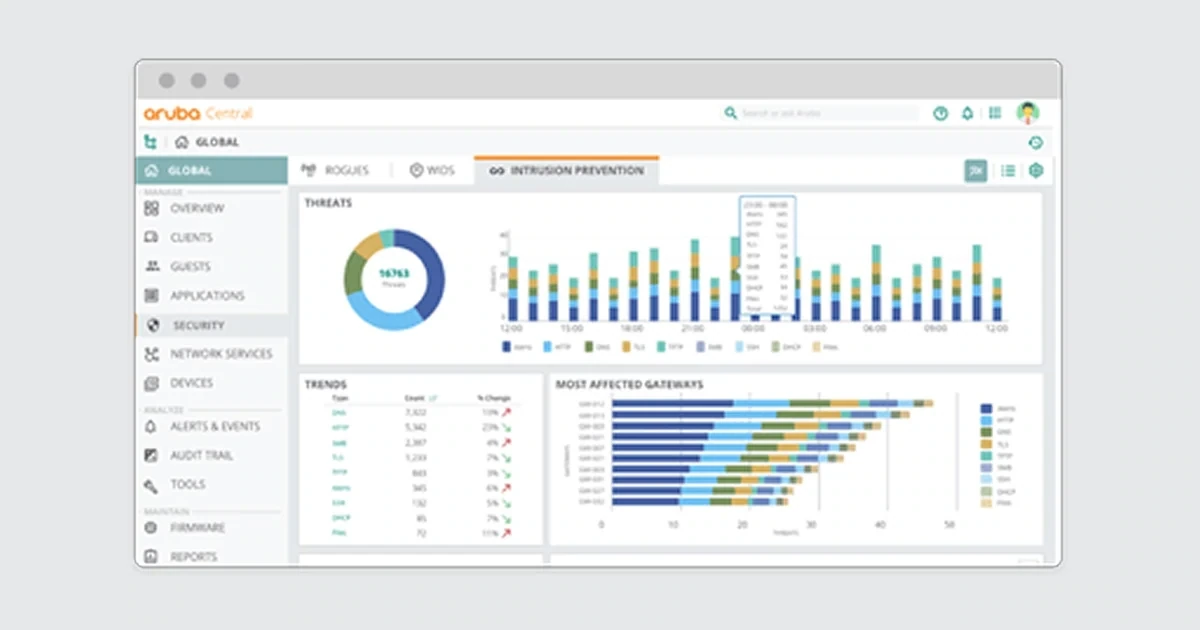
Aruba Central brings client, AP, switch, gateway, alert, event, AI Insight, topology, audit, and troubleshooting views into a common operating context. Current Aruba guidance highlights client search, site and device alerts, Live Events, diagnostic tools, AI Insights, and the audit trail. AirMatch adds radio-resource evidence, but its recommendations should be interpreted with physical placement, client behavior, and dependency health.
Troubleshooting data is sensitive. MAC addresses, usernames, certificates, IPs, location history, packet captures, device names, SSIDs, roles, application use, and floor plans can identify people and architecture. Keep exact evidence in the authorized case, limit capture scope and retention, redact review artifacts, and never request a user’s password or expose shared wireless credentials to prove a point.
ALLMSP supports Lawrenceville, Suwanee, Gwinnett County, Metro Atlanta, and Georgia businesses that need to troubleshoot Aruba client connectivity in Central, with local assistance available when the work requires an on-site component.
Key decisions at a glance
- Define exact client, time, location, SSID, AP, band, application, symptom, scope, business impact, privacy boundary, and recent change before collecting or altering Aruba telemetry.
- Follow the connection sequence,discovery, association, authentication, key exchange, address assignment, DNS, role or VLAN, gateway, application, and roaming,to identify the first failed stage.
- Use Central client details, alerts, events, Live Events, AI Insights, troubleshooting tools, AP and switch state, and audit trail as correlated evidence rather than treating one recommendation as a verdict.
- Compare affected and healthy clients by device class, AP, radio, site, identity path, role, and application, choose the smallest reversible test that can distinguish competing causes.
- Close only after reproduction stops, policy is correct, telemetry is stable, the user workflow succeeds, temporary changes are removed, and a recurring condition has an owner or problem record.
Define Scope and Preserve the Aruba Event Timeline

Open the incident with a precise statement: affected user or test identity, client type and operating system, managed or unmanaged state, approximate identifier in the restricted case, site and physical area, SSID, expected role, AP and radio if known, time and time zone, application or destination, observable symptom, frequency, business impact, and whether the issue is new. Record recent client, AP, switch, gateway, identity, certificate, DHCP, DNS, firewall, WAN, application, firmware, group, site, or AirMatch changes. Ask whether one client, one model, one floor, one AP, one SSID, one identity population, one site, or many locations are affected. Compare a healthy client under similar conditions. Preserve Central alerts, events, client timeline, AP and switch health, configuration status, audit trail, and relevant identity or network service logs before rebooting or changing configuration. Align clocks and note Central’s display context and time range. A missing event may reflect scope, retention, client randomization, or collection state rather than proof that nothing occurred. Use a controlled identifier search permitted by policy. Central client details can expose connection, encryption, AP, band, role, session, application, AI Insight, location, and troubleshooting views depending on topology and license. Record only what the case requires. Determine the last known good event and the first failed stage. Build a timeline with user action, probe or association, authentication, key exchange, address assignment, DNS, policy, application, roam, disconnect, retry, infrastructure event, and administrative change. Separate observation from inference. For example, low SNR is observed, an incorrectly mounted AP is a hypothesis until field evidence supports it. Check Central alerts at global, site, AP, switch, gateway, and client context as appropriate. Review whether thresholds or disabled alerts hide a condition. The audit trail matters when the symptom follows a group move, WLAN change, firmware action, or administrator edit. Preserve the exact scope of packet or live-event collection, approval, and expiry. Do not begin a broad capture when a client event trace answers the question. Define success before testing: association within target time, successful authentication, correct address and role, required DNS and application reachability, acceptable latency and loss, stable session, and expected roam. Without a success definition, a temporary reconnect can be mistaken for resolution.
- Record client class, site, location, SSID, role, AP, band, time, application, symptom, frequency, impact, and recent changes.
- Compare affected and healthy scope.
- Preserve client, infrastructure, identity, configuration, and audit evidence before reboot.
- Build a stage-by-stage timeline and label facts versus hypotheses.
- Define measurable success and privacy limits before testing.
Walk Association, Authentication, DHCP, Role, and Application Stages

Troubleshoot the earliest failed stage. For discovery and association, verify the SSID is intentionally available at the site, the expected band and radio are enabled, the client supports the security and band, regulatory and channel conditions are valid, and the AP is not rebooting, power-limited, overloaded, or isolated. Review client association attempts, rejection reasons, radio utilization, SNR, noise, retries, channel changes, and neighboring AP behavior. A strong RSSI does not guarantee good SNR or low contention. For authentication, identify the exact method: pre-shared key, captive portal, 802.1X with password, or certificate-based EAP. Validate time, certificate chain and expiry, identity format, RADIUS reachability, server selection, policy result, supplicant behavior, and any role or VLAN returned. Never ask the user to send a password or private key. Use a test identity and server-side sanitized reason codes. Determine whether failure occurs before the request reaches identity services, at credential or certificate validation, in authorization, or while applying the result. For address assignment, verify the assigned VLAN or role, relay or gateway path, DHCP scope capacity, discover-offer-request-ack sequence, duplicate or conflict behavior, client lease state, and whether the switch or gateway drops traffic. A self-assigned address is evidence of missing DHCP completion, not automatically an AP defect. Once an address exists, test default gateway, DNS server reachability, expected resolution, time, certificate validation, and a controlled application target. Compare IP and DNS behavior rather than using a public speed test as the first diagnostic. For policy, confirm the client received the intended role, VLAN, firewall rules, captive state, application access, and session. A successful authentication can still place the device in a deny or remediation role. Review wired uplink, LAG, switch port errors, authentication or role state at the edge, gateway sessions, firewall, WAN, and application health. If only one application fails, preserve its DNS, TLS, route, policy, and service evidence before changing RF. If roaming is the symptom, compare from-AP and to-AP signal, channel and band, authentication method, key-caching or fast-roaming support, client decision, dwell, latency, retry, and application interruption. Reproduce along a controlled path and use a voice or transaction test that reflects the real requirement. Do not force global minimum data rates or radio changes from one roaming complaint without a representative impact test.
- Start with discovery and association, then authentication, address assignment, DNS, role or VLAN, gateway, application, and roaming.
- Use exact reason codes and test identities without collecting passwords.
- Distinguish strong RSSI from usable SNR and airtime.
- Treat DHCP, role, wired edge, gateway, WAN, and application as parts of the same client path.
- Reproduce roaming with from- and to-AP evidence and a realistic application test.
Use Central Live Evidence, AI Insights, and RF Tools Carefully

Choose the smallest Aruba Central tool that can confirm or reject the current hypothesis. Client search and details establish identity, attachment, session, band, role, and recent health. Live Events can show a controlled reconnect sequence. Troubleshooting tools can test network reachability or collect device-specific evidence subject to platform and permissions. Alerts reveal persistent or correlated infrastructure conditions. AI Insights can surface connectivity, wireless-quality, availability, and configuration recommendations from telemetry. The site and device dashboards help determine whether the problem is local or systemic. Record context, time range, tool, target, result, and limitations. An AI Insight is a lead, not an automatic change authorization. Inspect impacted clients, APs, floor area, duration, severity, baseline, and competing causes. A roaming or channel recommendation should be compared with application impact, physical RF design, client mix, and recent changes. Aruba’s current guidance notes that insights are available in specific contexts and may use time ranges, a quiet interval can hide a peak-hour problem. AirMatch evidence should include current and planned channel, width, power, conflicts, optimization timing, and any static override. Correlate channel changes with radar, local interference, noise, client density, and maintenance. Do not disable AirMatch broadly because one AP changed channel, determine whether the event was expected, locally triggered, or part of a plan. Conversely, do not expect AirMatch to repair an AP mounted behind metal or a cell plan with excessive density. Use packet capture only after stage evidence justifies it. Limit target, interface, direction, protocol, duration, size, storage, access, and retention. Avoid capturing credentials or unrelated user traffic. Prefer headers and event reason codes when payload is unnecessary. If a capture includes sensitive material, store it in the restricted case and destroy it according to policy. Central audit trail should explain administrative activity around the incident. Compare group or site moves, WLAN edits, role changes, firmware, alert changes, and troubleshooting actions with the user timeline. For a risky remediation, create a peer-reviewed change with affected scope, expected signal, stop condition, backout, and observation. Examples include a single AP radio override, one WLAN authentication correction, a DHCP scope action, one switch port repair, or a controlled firmware ring. Avoid simultaneous changes across RF, identity, addressing, and client because a reconnect would not identify the cause.
- Select client detail, Live Events, troubleshooting tools, alerts, AI Insights, AirMatch, packet evidence, or audit trail from the active hypothesis.
- Record context, time, target, result, and limitation.
- Validate insights against impacted entities, physical design, client mix, and application experience.
- Scope captures narrowly and protect sensitive traffic.
- Change one causal layer at a time with peer review, stops, rollback, and observation.
Validate the Fix, Remove Temporary State, and Prevent Recurrence
Validate at the same layer and workload that failed. Reconnect the affected client from a known state and observe discovery, association, authentication, DHCP, DNS, role, application, session stability, and roam where relevant. Repeat with a healthy comparison and, when the issue was model- or site-wide, a representative sample across client chipsets, operating systems, AP models, radios, locations, and time periods. Measure connection time, authentication and DHCP success, latency, loss, retries, SNR, channel utilization, throughput appropriate to the design, roam interruption, application transaction, and support symptoms. A successful ping does not close a voice, video, authentication, or business-application incident. Confirm infrastructure state: AP uptime and power, radio and AirMatch status, switch port and errors, uplink, identity nodes, DHCP scope, DNS, gateway sessions, Central configuration sync, alerts, events, and audit trail. Remove temporary SSIDs, test accounts, local overrides, static channels, lowered security, bypass roles, packet captures, debug logging, port mirrors, and elevated access. If a temporary change must remain, convert it into an approved configuration with an owner, risk, review date, and retirement plan. Reconcile documentation and monitoring so the next engineer sees the true state. Close the incident with sanitized chronology, failed stage, root cause or bounded cause, evidence, change, validation, user confirmation, affected population, residual risk, and follow-up. If root cause remains uncertain, say so and create a problem record rather than declaring that a reboot fixed it. Trend recurring cases by site, floor, AP model, switch port, firmware, channel, band, client chipset and OS, authentication method, certificate authority, RADIUS node, DHCP scope, role, gateway, application, time, and resolution. Pair tickets with Central alerts and insight history. A cluster may justify RF resurvey, mount correction, capacity addition, cable repair, PoE remediation, firmware hold or promotion, certificate renewal automation, RADIUS scaling, DHCP redesign, role-policy repair, client-driver action, or application escalation. Define prevention metrics such as authentication success, DHCP completion, client health, retries, high channel utilization, low SNR, roam latency, AP reboots, PoE denial, and repeated incidents. Tune alert thresholds from observed normal behavior without suppressing real service impact. Review AirMatch and configuration recommendations in change governance, not as unattended commands. Feed the result into deployment standards, pilot matrices, site acceptance, spares, and user communications. The best troubleshooting outcome restores one user and reduces the probability that the same stage fails for everyone else.
- Retest the failed stage and real application with affected and representative clients.
- Verify client, AP, radio, switch, identity, DHCP, DNS, gateway, configuration, alert, and audit state.
- Remove temporary access, overrides, captures, debug, and bypasses.
- Close with evidence, root or bounded cause, validation, residual risk, and user outcome.
- Trend recurring patterns and update RF, capacity, firmware, identity, addressing, role, and deployment standards.
Official product documentation and ALLMSP resources
- HPE Aruba Networking: Troubleshooting with Central
- HPE Aruba Networking Central: Client Dashboard
- HPE Aruba Networking Central: Troubleshooting Workflows
- HPE Aruba Networking Central: AI Insights
- HPE Aruba Networking Central: AirMatch
- ALLMSP Aruba Hardware Support
- ALLMSP Hardware Support
- ALLMSP IT Consulting
- ALLMSP Managed IT Services
- ALLMSP Cybersecurity Services
- Contact ALLMSP
Frequently Asked Questions
What should be collected before troubleshooting an Aruba client?
Capture client class, time, site, location, SSID, expected role, AP and band, application, symptom, scope, business impact, healthy comparison, and recent changes.
What connection stages should an Aruba case follow?
Check discovery, association, authentication, key exchange, DHCP, DNS, role or VLAN, gateway, application, session stability, and roaming in that order until the first failure.
Does strong RSSI prove the Aruba wireless link is healthy?
No. SNR, noise, retries, airtime contention, channel width, client capability, AP load, and interference can make a strong signal perform poorly.
How should AI Insights be used in Aruba Central?
Use an insight as a prioritized hypothesis. Review scope, context, time range, impacted clients, physical design, recent changes, and application evidence before authorizing a change.
When should Live Events be used?
Use Live Events during a controlled reproduction when the event sequence can distinguish association, authentication, DHCP, roam, or disconnect causes without collecting broader traffic.
When is packet capture appropriate for an Aruba incident?
Capture only when event and stage evidence cannot answer the question. Limit target, protocol, duration, size, access, storage, and retention to protect unrelated users and credentials.
Why can an authenticated client still lack access?
Authentication may succeed while authorization assigns the wrong role or VLAN, captive state, firewall policy, gateway path, DNS, or application route.
Should an AP be rebooted to fix a client issue?
Only when evidence and a controlled plan justify it. An early reboot destroys chronology and can mask identity, DHCP, RF, uplink, or application causes.
What proves an Aruba client issue is resolved?
The failed user workflow succeeds repeatedly, telemetry and policy are correct, representative clients pass, temporary state is removed, alerts are stable, and recurrence risk has an owner.
How can ALLMSP help troubleshoot Aruba networks?
ALLMSP can preserve Central evidence, isolate the failed stage, correlate RF and dependencies, run safe tests, govern changes, validate users, and analyze recurring patterns.


