





























































































































































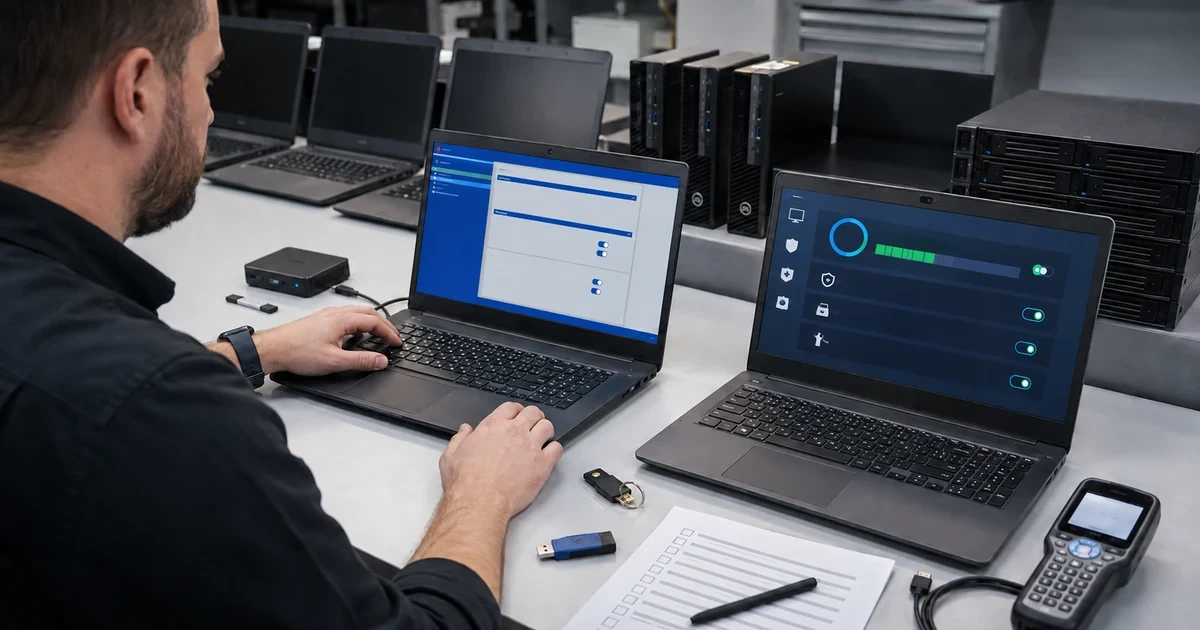
A business laptop carries more risk than the purchase price shown on its invoice. It may hold customer information, cached credentials, browser sessions, email, cloud access, financial files, remote-support tools, and the ability to approve transactions. The same portability that helps an employee work from home, a job site, a client office, or an airport also places the device beyond the physical controls of the main workplace.
Effective endpoint security depends on a managed system rather than a checklist completed once. The company needs reliable ownership, device enrollment, supported software, named user identity, disk encryption with protected recovery keys, endpoint protection, firewall, least privilege, controlled applications, update policy, monitoring, backup or approved synchronization, and a tested response for loss, theft, compromise, or hardware failure.
ALLMSP secures and manages workstations and laptops for organizations in Lawrenceville, Suwanee, Gwinnett County, Metro Atlanta, and throughout Georgia. Our in-house team can inventory devices, recover ownership, enroll management, deploy tested baselines, configure encryption and protection, remediate gaps, prepare incidents, monitor compliance, support users, and maintain the endpoint security lifecycle.
Protect the device, its data, and every identity it can reach
- Establish control: Verify company ownership, inventory, named users, management enrollment, administrative roles, recovery access, and support responsibility.
- Classify exposure: Identify stored and accessible data, applications, credentials, networks, travel, remote work, physical risk, and business impact.
- Apply a baseline: Configure supported software, encryption, endpoint protection, firewall, secure boot, least privilege, browser controls, updates, and logging.
- Preserve recovery: Escrow encryption keys, protect backups or approved synchronization, test device replacement, and document emergency access.
- Prepare incidents: Define lost, stolen, compromised, isolated, wiped, rebuilt, investigated, communicated, and restored device procedures.
- Verify continuously: Monitor enrollment, compliance, encryption, protection, patches, vulnerabilities, risky activity, failures, exceptions, and lifecycle status.
Inventory devices, identities, data exposure, and management ownership
Build an authoritative device record. Capture manufacturer, model, serial number, asset tag, assigned person, department, location, ownership, purchase, warranty, operating system, firmware, hardware capability, management state, directory identity, encryption state, endpoint protection, firewall, update status, installed software, local administrators, backup or synchronization, last check-in, and replacement target. Reconcile purchase records, management platforms, directory objects, protection consoles, network observations, help desk records, and physical inventory to find unmanaged or abandoned systems.
Map what each device stores and what it can access. Include customer, employee, financial, legal, health, intellectual property, operations, authentication, email, browser, cloud, file shares, line-of-business applications, virtual private networks, remote desktops, administration, and payment systems. Consider cached and synchronized data, not only visible local folders. Document remote work, travel, shared spaces, vehicles, field conditions, public networks, removable media, personal use, and physical storage because the threat and control needs change with context.
Place identity and management under company control. Use named user accounts, phishing-resistant or otherwise appropriate multifactor authentication, least privilege, separate administrator identities, protected emergency access, and prompt removal for role changes. Enroll devices in a centralized management platform that can apply policy, report state, manage applications, control updates, support recovery, and respond to loss. NIST guidance for enterprise mobile devices emphasizes planning across deployment, use, centralized management, endpoint protection, and disposal rather than relying on the device alone.
- Hardware inventory: Record model, serial, asset, user, location, purchase, warranty, firmware, system, management, controls, applications, and lifecycle.
- Data exposure: Classify local, cached, synchronized, removable, customer, employee, financial, legal, operational, and credential information.
- Access exposure: List email, cloud, files, business apps, remote access, administration, payments, networks, browser sessions, and recovery routes.
- Usage context: Document office, home, travel, public network, client site, vehicle, field, shared space, personal use, and physical storage.
- Identity ownership: Use named users, strong MFA, separate administrators, least privilege, emergency access, recovery protection, and rapid offboarding.
- Management proof: Verify enrollment, ownership class, policy assignment, application state, last contact, reporting, response commands, and support owner.
An accurate relationship between device, person, data, identity, policy, and business role is the foundation for every later security and incident decision.
Deploy encryption, protection, access, application, and update controls
Apply a tested security baseline appropriate to the organization, platform, and user role. Microsoft notes that its Intune security baselines provide recommended settings but should be reviewed for conflicts and adapted to the environment. Define supported operating system and firmware, secure boot and trusted hardware requirements, screen lock, password or sign-in policy, local administrator restrictions, firewall, attack surface controls, endpoint detection and response, antivirus, browser security, network access, removable media, printing, clipboard, remote access, audit logging, and time synchronization. Pilot the policy with representative applications and peripherals before broad enforcement.
Encrypt business data at rest and protect the recovery process. NIST storage-encryption guidance distinguishes full-disk, volume, and file-level approaches and ties selection to data, environment, and threats. For managed laptops, verify encryption is active on the intended drives, keys are escrowed to an approved company-controlled service, access is restricted, recovery can be audited, and the key remains available if the user’s account is disabled. Test recovery on a controlled device. Encryption cannot protect an unlocked session or compromised identity, so pair it with sign-in, session, least-privilege, and endpoint controls.
Manage software and updates as continuing operations. Inventory approved applications, versions, publishers, licenses, dependencies, installation methods, data locations, and owners. Remove unsupported or unauthorized software after checking business use. Restrict installation rights, macros, scripts, browser extensions, and executables according to risk. Create update rings or staged groups, define deadlines and restart behavior, protect bandwidth, monitor failures, and retain an emergency path. Test critical applications and difficult devices early, then expand deployment while watching errors, security, help desk impact, and business functions.
- Baseline scope: Cover firmware, secure boot, sign-in, lock, administrator rights, firewall, protection, browser, network, media, logging, and recovery.
- Policy pilot: Include representative roles, locations, applications, peripherals, remote access, networks, accessibility needs, and difficult workflows.
- Encryption proof: Confirm intended drives, protection state, escrow, access control, audit, recovery test, disabled-user process, and exception handling.
- Endpoint defense: Configure protection, detection, isolation, investigation, alert routing, tamper resistance, exclusions, evidence, and response ownership.
- Application control: Maintain approved software, publishers, versions, licenses, sources, install rights, scripts, extensions, exceptions, and removal.
- Update operation: Use staged groups, deadlines, restart policy, compatibility tests, failure monitoring, rollback criteria, communication, and compliance reporting.
A tested baseline creates a known protective state while documented exceptions preserve business functions without silently weakening the entire fleet.
Validate recovery, monitor compliance, and prepare lost-device response
Verify controls from both management data and the device. Confirm enrollment, identity, encryption, recovery-key escrow, endpoint protection, firewall, secure boot, patch level, policy application, local administrators, applications, browser controls, backup or synchronization, logs, and monitoring. Test ordinary and elevated work, restart, offline sign-in, remote work, network transitions, peripheral use, updates, application repair, device reset, and data restoration. Document expected exceptions with an owner, reason, compensating control, expiration, and review date.
Prepare a lost, stolen, or compromised device playbook. Record how users report the event at any hour, what details they provide, who assesses severity, how identity sessions and credentials are protected, when the device is locked or isolated, when remote wipe is appropriate, how evidence is preserved, who communicates with affected parties, and how legal or contractual duties are evaluated. Do not promise that a remote command has succeeded until the management service reports completion because an offline device may not receive it.
Monitor endpoint posture and act on drift. Alert on devices that stop checking in, lose protection, disable encryption, miss critical updates, accumulate vulnerabilities, add local administrators, install prohibited software, experience repeated protection events, or approach unsupported status. Review trends by model, role, location, update ring, and failure type. Track time to patch, policy compliance, incident recurrence, repair frequency, age, warranty, user disruption, and replacement readiness. Feed findings into standards and purchasing so recurring weakness is removed from the next generation of devices.
- Control validation: Compare management reports with device state for enrollment, encryption, keys, protection, firewall, updates, accounts, apps, and logs.
- Recovery exercise: Test key retrieval, identity recovery, device rebuild, data restoration, application return, user validation, and inventory closure.
- Loss reporting: Provide an always-available route for device, user, time, location, network, data, circumstances, and contact information.
- Incident action: Define session protection, credential response, isolation, lock, wipe, evidence, severity, communication, replacement, and follow-up.
- Compliance monitoring: Watch check-in, policy, encryption, protection, patches, vulnerabilities, administrators, software, exceptions, warranty, and support state.
- Improvement metrics: Track patch speed, drift, incidents, repair, model reliability, user disruption, age, exceptions, recovery results, and replacement readiness.
Continuous validation makes security state visible and gives the business a practiced response when a portable device disappears or begins behaving suspiciously.
Workstation and laptop security management from ALLMSP
ALLMSP can inventory endpoints, recover account ownership, enroll centralized management, design and pilot security baselines, configure encryption and key escrow, deploy endpoint protection, manage applications and updates, remediate drift, prepare lost-device response, test recovery, monitor compliance, and support users through our in-house team.
We provide endpoint security for businesses in Lawrenceville, Suwanee, Gwinnett County, Metro Atlanta, and throughout Georgia, including office, remote, executive, field, regulated, and multi-location workforces.
- Control: Reconcile devices, identities, data, management, administrators, applications, recovery, support, ownership, and lifecycle.
- Protect: Pilot and apply encryption, endpoint defense, firewall, least privilege, application, browser, network, and update standards.
- Respond: Monitor posture, correct drift, investigate alerts, protect identities, isolate or wipe devices, restore work, and document outcomes.
Primary guidance for business laptop and workstation security
Use current platform and NIST guidance to establish a baseline, then test controls against the organization’s data, applications, user roles, devices, and incident procedures.
- Microsoft Intune Security Baselines. Explains recommended Windows security settings, baseline versions, customization, conflicts, testing, and deployment through managed policy.
- NIST Enterprise Mobile Device Security. Covers security strategy, centralized management, endpoint protection, deployment, use, monitoring, and disposal for enterprise mobile devices.
- NIST Storage Encryption Guide. Explains full-disk, volume, and file encryption choices based on information, operating context, and threats.
- ALLMSP Cybersecurity Services. Endpoint protection, identity security, monitoring, vulnerability management, incident response, and security planning.
Business laptop security FAQs
Why is centralized management important for business laptops?
It provides company ownership, policy delivery, inventory, application control, update reporting, security state, response actions, recovery support, and consistent offboarding.
Should every business laptop use disk encryption?
Encryption should follow data and risk requirements. Portable devices commonly need managed encryption with protected recovery keys, verified status, and a tested recovery process.
Where should laptop encryption recovery keys be stored?
Escrow keys in an approved company-controlled service with restricted access, audit records, recovery procedures, and availability independent of one user’s active account.
Does encryption protect a laptop after the user signs in?
Encryption mainly protects data at rest. An unlocked session or compromised identity also requires strong sign-in, endpoint protection, least privilege, session controls, and rapid response.
What is a workstation security baseline?
It is a tested set of firmware, operating system, identity, encryption, firewall, protection, application, browser, network, logging, update, and recovery settings.
Should a security baseline be deployed to every device at once?
Pilot it with representative roles, applications, peripherals, locations, and difficult workflows, correct conflicts, then expand in controlled groups with monitoring.
What should an employee do when a company laptop is lost?
Report it immediately through the approved route with the device, time, location, circumstances, network state, accessible data, and current contact information.
Can remote wipe always remove data from a lost laptop?
No. The device may be offline or damaged. Treat the command as pending until confirmed and use encryption, identity response, session protection, evidence, and communication controls.
Can ALLMSP manage endpoint security internally?
Yes. ALLMSP handles inventory, management, baselines, encryption, protection, updates, monitoring, incident response, recovery, documentation, and support with its in-house team.
Where does ALLMSP provide business laptop security?
ALLMSP serves Lawrenceville, Suwanee, Gwinnett County, Metro Atlanta, and organizations throughout Georgia with local and remote endpoint support.


