






























































































































































1Password Business provides valuable security signals, but a dashboard alone does not reduce exposure. Watchtower findings need owners and remediation deadlines. Audit events need retention and investigation rules. Sharing needs an approved business purpose. Lost-device actions depend on device state. Recovery needs independent identity verification and trained administrators. A useful operating model connects each signal to a decision, evidence record, and follow-up test without copying the secret itself into a ticket.
Report visibility depends on the 1Password plan, role, and underlying vault access. Business Watchtower can show organization-level risk to authorized owners and security personnel, but inaccessible Employee-vault content is not exposed to them. Usage reports likewise include only vaults where the report creator has the required management access. An operations team should document those limits so a clean report is not mistaken for proof that no hidden issue exists.
Incidents also require boundaries. A password manager does not replace endpoint management, the identity provider, backups, monitoring, or the organization’s incident-response process. It can deauthorize devices, suspend members, recover accounts, rotate credentials, revoke sharing links, and provide useful events, but those actions must be coordinated with email security, endpoint containment, application owners, and legal or privacy review where appropriate.
Our in-house team delivers 1Password Business access, ownership, and security review for businesses around Lawrenceville, Suwanee, Gwinnett County, Metro Atlanta, and the rest of Georgia, while coordinating the applications, identities, devices, data, security controls, and employees affected by the work.
Key decisions at a glance
- Assign owners and service levels to Watchtower, developer-secret, usage, sign-in, and adoption findings instead of treating reports as passive dashboards.
- Preserve audit evidence outside the 365-day product window when policy requires longer retention, while collecting only the metadata needed for investigation.
- Constrain item sharing by audience, expiration, files, and vault permissions, then revoke links and rotate exposed credentials when risk changes.
- Respond to a lost or compromised device according to whether it was locked, reachable, and potentially used, rather than applying one universal playbook.
- Use supported Business account recovery to replace a compromised member’s personal keyset, re-encrypt vault keys, reset two-factor authentication, and force fresh device sign-ins.
Build an actionable queue from Watchtower and business reports

Define a recurring review for Business Watchtower and Insights. Authorized owners and security personnel can see organization-level issues, while Employee-vault items remain private and may appear only as counts when the reviewer lacks access. Report data can update at most every twenty-four hours when someone with access to the relevant vault signs in. Record the report time, reviewer scope, affected vault or owner, risk category, due date, disposition, and verification result so the team understands both the finding and the visibility boundary.
Prioritize findings according to business exposure rather than raw count. A reused privileged credential, compromised website, weak administrative password, expiring item, or missing two-factor setup may require different owners and response times. The developer-secrets report surfaces metadata about secrets found in items without collecting or displaying the secret values. Route each item to an authorized custodian, preserve only necessary metadata in the work system, and verify rotation at the dependent application rather than pasting credentials into the remediation ticket.
Use the other Business reports to add context. Usage reports can show people, service accounts, vaults, and up to twelve months of item activity where the report creator has Manage Vault access, supported actions rely on 1Password 8.4 or later. Sign-in attempts are retained for sixty days, and adoption data can show recent login and browser-extension activity. Combine those views to investigate dormant privileged items, unusual access, incomplete adoption, or a departed owner, while documenting gaps created by permissions and retention limits.
- Record reviewer scope and report freshness so missing data is not interpreted as a clean security result.
- Assign every material finding an information owner, severity, due date, disposition, and independent verification step.
- Keep secret values out of tickets even when report metadata is used to coordinate remediation.
- Correlate Watchtower, developer-secret, usage, sign-in, adoption, identity, and endpoint evidence when investigating risk.
Retain audit evidence and govern item-sharing links
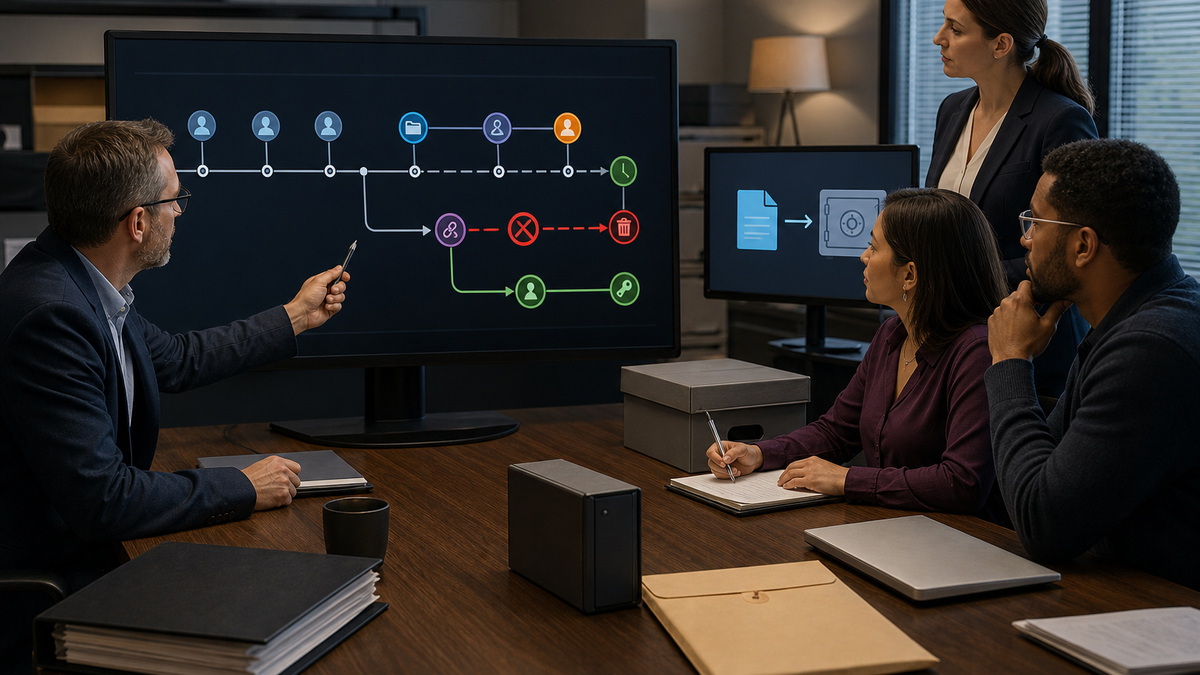
The 1Password Business audit log records administrative and security-relevant activity such as device changes, invitations, group and vault access, item sharing, multifactor authentication, provisioning, reports, service accounts, SSO settings, and member events. Access requires the appropriate owner, administrator, or Administrative Sidebar permission. The product retains audit events for 365 days. If regulation or internal policy requires longer availability, export or stream approved event data to the organization’s evidence platform before that window closes.
Create investigation procedures around specific questions. For an unexpected vault grant, preserve the subject, actor, event time, group or vault, approval source, and subsequent correction. For a suspicious sharing event, identify the item owner, vault, link settings, recipients or audience constraints, expiration, download exposure, and whether the secret was used elsewhere. Protect audit exports as sensitive metadata, synchronize system time, document timezone conversion, and hash retained files when evidentiary integrity matters.
Control item sharing at both the account and vault layers. Business settings can constrain audience, expiration, and file inclusion, while the vault’s Copy and Share Items permission determines who can create a link. Use the narrowest reasonable audience and a short lifetime, prohibit files when unnecessary, and require a named business purpose. When a link is sent to the wrong person or appears in an incident, revoke it promptly and rotate any credential the recipient may have learned because link revocation cannot erase prior access.
- Export or stream required events before the 365-day audit retention window expires.
- Limit audit-log access and retain only the metadata necessary for operational, legal, and security purposes.
- Constrain sharing audience, expiration, and file use while separately controlling the vault Copy and Share permission.
- Treat revocation as containment and credential rotation as the control that addresses knowledge already gained.
Respond correctly to lost, stolen, or compromised devices

Start by establishing the device state. Ask whether it was locked, when 1Password was last unlocked, whether the organization can reach or wipe it, which account and vaults were present, and whether there is evidence of misuse. For a lost device that remained locked, 1Password documents deauthorizing it so the app must sign in again. Coordinate that action with endpoint lock or wipe, identity-provider session revocation, physical-security reporting, and monitoring for suspicious sign-ins.
A device that was unlocked, malware-infected, or used by an unauthorized person demands a broader response. Suspend the member if necessary, secure the associated email account, contain the endpoint, preserve evidence, identify every accessible vault, and notify the relevant secret owners. 1Password’s business security guidance recommends account recovery for a compromised member rather than relying only on an account-password or Secret Key change. Recovery replaces the member’s personal keyset and re-encrypts vault keys for the recovered account.
After recovery, the member receives a new Secret Key and account password or relinks SSO as appropriate, two-factor authentication is reset, and existing devices must sign in again. That cryptographic reset still does not rotate third-party passwords or API credentials that may have been viewed. Application owners must change those values, update dependents, terminate active application sessions where supported, test service health, and close the incident only when every exposed secret has a verified disposition.
- Classify device state, reachability, last unlock, vault exposure, endpoint evidence, and suspected misuse before choosing actions.
- Deauthorize a lost locked device and coordinate identity, endpoint, physical-security, and monitoring controls.
- Use supported account recovery for a compromised member so the personal keyset is replaced and vault keys are re-encrypted.
- Rotate third-party credentials and validate dependent services because 1Password account recovery cannot change them automatically.
Rehearse recovery and close incidents with complete evidence
Build a recovery roster with at least two owners and additional trusted recovery-capable administrators where appropriate. Keep recovery authority separate from routine email administration when staffing permits, and require identity verification through a known phone number, manager, video call, or another approved method outside the potentially compromised mailbox. Document who initiates, approves, completes, and verifies recovery, but never place an Emergency Kit, Secret Key, password, verification code, or live recovery detail in the exercise record.
Run a tabletop and a controlled technical exercise. Scenarios should include a forgotten account password, an SSO member who must relink, an unavailable owner, a lost locked laptop, a suspected compromise, and an employee who left before needed work was transferred. Confirm recovery notifications, new credentials, two-factor reset, device reauthentication, vault access, downstream secret rotation, and help-desk communication. Recovery codes currently do not apply to team or business accounts, so procedures should follow the supported team recovery workflow rather than borrowing consumer guidance.
Use one closure checklist across real incidents and exercises. Capture the timeline, affected member and devices, vault exposure assessment, audit references, identity and endpoint actions, recovery result, sharing-link revocation, rotated secrets, application tests, user communication, retained evidence, exceptions, and lessons. Assign improvements to owners with due dates and revisit the runbook after product or identity changes. A recovery process becomes reliable through evidence and rehearsal, not through the existence of an administrator button.
- Maintain multiple trusted recovery authorities and verify requesters outside any potentially compromised email channel.
- Exercise password-based, SSO-linked, lost-device, owner-absence, compromise, and leaver-recovery scenarios.
- Exclude all live passwords, Secret Keys, verification codes, and recovery material from tickets and test records.
- Close incidents with verified identity, device, account, vault, link, rotation, application, evidence, and improvement outcomes.
Official product documentation and ALLMSP resources
- 1Password Watchtower
- 1Password offboarding
- 1Password audit log
- 1Password business security practices
- 1Password team policies
- 1Password lost device response
- 1Password recover team member accounts
- 1Password Business overview
- 1Password add and remove team members
- ALLMSP cybersecurity services
- ALLMSP data backup and recovery
- ALLMSP managed IT services
- ALLMSP IT consulting
- ALLMSP software support
Frequently Asked Questions
Who can see 1Password Business Watchtower information?
Organization-level Business Watchtower visibility is intended for authorized owners and security personnel, subject to plan and permission boundaries. Findings in an Employee vault can be represented by counts without exposing item contents to administrators who lack vault access. Record reviewer scope whenever report evidence is used.
How quickly do 1Password Business reports update?
Some report data updates at most every twenty-four hours when a person with access to the relevant vault signs in. Note the collection time and visibility scope, and use identity, endpoint, application, and audit evidence when an investigation requires a more immediate or complete picture.
Does the 1Password developer-secrets report expose secret values?
No. 1Password states that the report uses metadata and does not collect or display the secret values. Route findings to authorized custodians, keep credentials out of work tickets, rotate at the dependent system, and retain only the evidence needed to verify that remediation succeeded.
How long does 1Password Business retain audit events?
The 1Password Business audit log retains events for 365 days. If the organization needs longer retention, export or stream approved metadata to a controlled evidence platform before events age out. Access, integrity, timezone handling, privacy, and disposal requirements should be documented for retained copies.
How long are 1Password sign-in attempts retained?
Current 1Password Business guidance describes sixty days of sign-in-attempt history. Use that finite window when planning reviews and investigations, and correlate the records with identity-provider, endpoint, network, and application evidence rather than expecting the password manager to supply a complete incident timeline.
Can revoking a 1Password sharing link protect a password someone already saw?
No. Revocation stops later use of the link but cannot erase information already viewed or downloaded. Revoke the link for containment, then rotate every credential or sensitive value the recipient may have learned, terminate applicable sessions, and verify the dependent service after the change.
What should the team do when a locked device with 1Password is lost?
Deauthorize the lost device so 1Password requires a fresh sign-in, then coordinate remote lock or wipe, identity-session review, physical-security reporting, and monitoring. Confirm whether the device truly remained locked because an unlocked, compromised, or actively misused endpoint needs a more extensive response.
Is changing a 1Password password and Secret Key enough after device compromise?
Not for the compromise scenario described in 1Password’s business security guidance. Use supported account recovery so the member’s personal keyset is replaced and vault keys are re-encrypted. Then rotate any third-party credentials the attacker could have seen because recovery cannot change those external secrets.
What changes when a 1Password Business member is recovered?
The recovered member obtains a new Secret Key and account password or relinks SSO as appropriate, two-factor authentication is reset, and existing devices must authenticate again. Administrators should verify identity out of band, document the recovery, restore only intended access, and coordinate downstream credential rotation.
Can a 1Password Business team use personal recovery codes?
Current 1Password guidance says recovery codes are not available for team or business accounts. Business procedures should use the supported administrator-led team recovery workflow, maintain multiple trusted recovery authorities, and test realistic owner, password-based, and SSO-linked scenarios without recording live recovery material.


