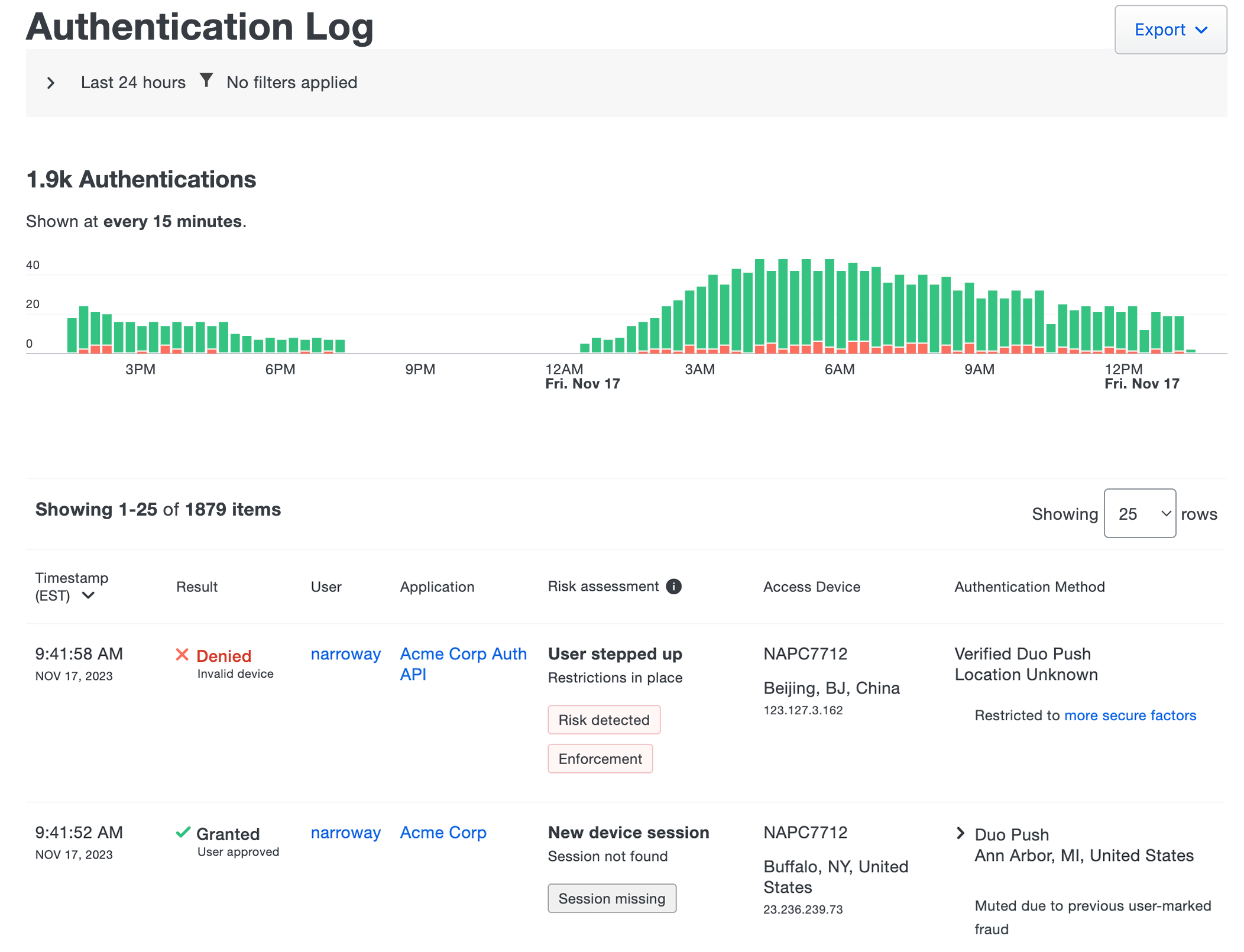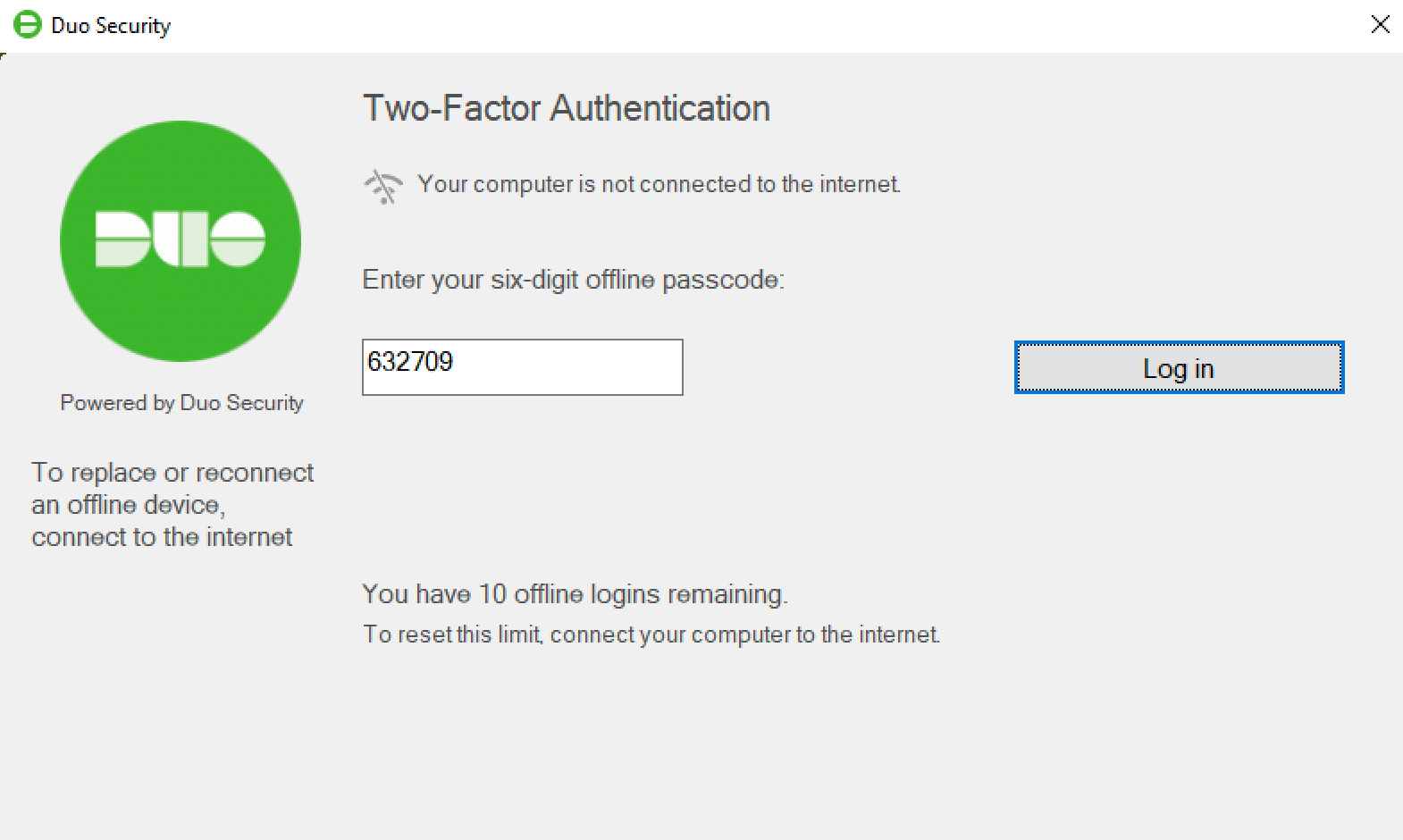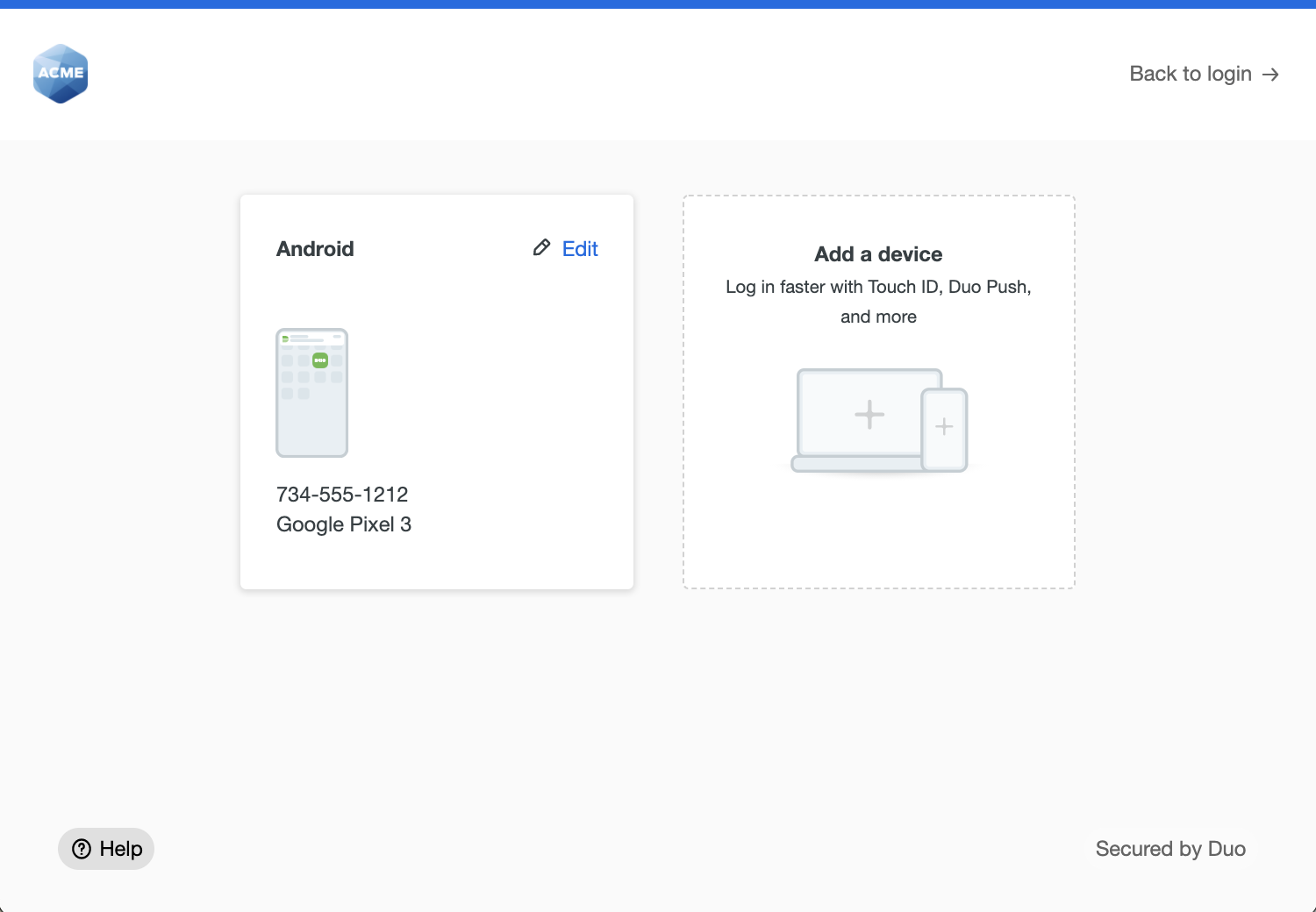


















































































































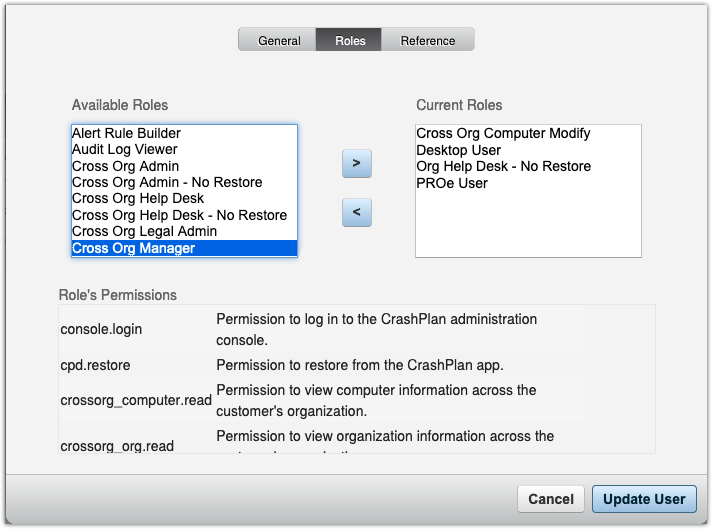
CrashPlan’s published role editor shows the permissions for the selected Cross Org Manager role alongside the user’s current roles. This is a vendor interface example, not a completed role change or a summary of all effective permissions. Test the actual assigned combination and restore methods.[1] View full-size image
A CrashPlan access review should answer three separate questions: who can administer the service, who can read or restore another person’s files, and who can change a policy or action that removes recoverable data. A role label or a successful sign-in does not answer all three. Test the assigned combination against an approved allow-and-deny checklist using synthetic accounts and files.
This guide connects least privilege, local 2FA and SSO, API authentication, endpoint policy enforcement and safe offboarding. Urgent authorized access cutoff must not wait for an ownership handoff. Preserve required archives and transfer responsibilities through a separate controlled process, with product-plan checks before any destructive action.
This playbook separates those planes and connects them to offboarding. It also highlights plan boundaries, because cold storage, API access, directory features, restore methods, and administrative options can differ between CrashPlan for Enterprise, MSP configurations, and CrashPlan for Small Business.
Businesses can use ALLMSP for CrashPlan access, ownership, and security review for organizations in Lawrenceville and Suwanee, throughout Gwinnett County and Metro Atlanta, and across Georgia, with local assistance available when device, network, office, or employee work needs an on-site component.
Key decisions at a glance
- Build CrashPlan roles from actual duties and organization scope, Customer Cloud Admin is a super-user role, while restore, audit, identity, MFA, help-desk, user, and device work can be separated.
- CrashPlan console 2FA applies to locally authenticated users, while MFA for SSO users belongs in the identity provider, local authentication exceptions inside an SSO organization still follow CrashPlan’s local 2FA controls.
- Migrate automation from deprecated basic authentication to short-lived token or API-client authentication before enforcing 2FA, and verify that the current product plan includes the required API access.
- Treat backup selections, exclusions, retention, visibility, web restore, and encryption-key settings as governed production changes, saving, pushing, locking, and inheriting are not equivalent states.
- Offboarding must distinguish block, device deauthorization, and destructive deactivation, including Enterprise cold-storage windows, Small Business deletion behavior, legal hold, licenses, and restore ownership.
Map Roles, Organization Scope, and Restore Authority to Real Work
Begin with a restricted access register containing the administrator’s individual identity, business owner, employment or provider relationship, authentication source, organization scope, assigned CrashPlan roles, restore capability, API access, emergency purpose, approval, last use, last review, and planned removal. Do not publish usernames, email addresses, customer names, organization IDs, device names, archive details, identity-provider groups, role exports, or screenshots of the console tree. Translate work into the narrowest documented role combination. Customer Cloud Admin is a super-user role with all possible permissions and should be limited to people who genuinely need complete control.
An Audit Log Viewer can review events but does not gain general administration. Org Help Desk and Cross Org Help Desk variants differ by scope and restore behavior. Read the permission table and limitations for each exact role: the documented No Restore variants prohibit push and web restores, while their tables also list app-restore permission. The name is not proof that every restore method or personal archive is inaccessible. Test the actual role combination, data scope and method. Admin Restore and Admin Restore Limited supply restore permissions but do not alone provide console or app access, so pair them only with an appropriate access role.
Org Computer Modify and Cross Org Computer Modify address device-setting work without automatically granting every user or organization operation. Identity Management Administrator is powerful because its elevated role-management permission can assign roles, isolate that function from routine help-desk work. Multi-Factor Auth Admin manages local-user 2FA within its organization hierarchy but requires another role for user and organization access. Define restore authority as a data-access control, not a technical checkbox. Separate personal restore, limited web restore, full web restore, and push restore. Decide who may browse another user’s file tree, select a source archive, choose a target device, overwrite existing files, preserve original permissions, or deliver data to a controlled investigation location.
CrashPlan roles can expose permissions such as restore, pushrestore, and select with personal, limited, or all scope. Pair sensitive restores with a ticket, requester identity, data owner, purpose, legal basis, source device, target, options, approval, evidence location, and deletion date. Test denied actions as well as allowed work. A help-desk role that can unexpectedly restore executive data is not least privilege merely because its name sounds limited. Use non-production users, devices, and files to prove organization boundaries and restore separation after every role-model change.
The User Roles reference lists exact permissions, organization scopes and limitations. Use the table and an allowed-and-denied test; a role name alone is not a complete access assessment.[1]
Worked access test: support visibility without an accidental data path
Hypothetical acceptance checklist for a help-desk account using synthetic Organization A and B. An administrator must verify the actual assigned combination; this table does not prescribe one universal role or report a completed client test.
| Test | Expected result for this example | Evidence and failure response |
|---|---|---|
| View an authorized Organization A device's health | Allowed | Record the account, assigned roles and visible scope in the restricted test record. |
| View an unrelated Organization B device | Denied | If visible, inspect cross-organization roles and inherited scope before approving the account. |
| Browse or push another user's synthetic file | Denied by this support design | Test the actual browse, web and push paths separately. A No Restore role name alone is not acceptance evidence. |
| Restore the account's own approved sample | Decide explicitly whether allowed | Distinguish personal app restore from administrative recovery; do not treat one successful or denied method as proof of all the others. |
| Deactivate a user or change archive-impacting exclusions | Denied by this support design | Use a separate authorized change workflow. A help-desk health check should not require destructive powers. |
Align Local 2FA, SSO MFA, Recovery, and API Tokens
Document the authentication source for every privileged account. CrashPlan’s console two-factor settings apply to locally authenticated users. For an organization using SSO, the identity provider controls MFA, conditional access, device requirements, sign-in risk, session lifetime, and authentication recovery. A user configured as a local authentication exception in an SSO organization returns to CrashPlan’s local 2FA requirements, so emergency and service accounts cannot be omitted from the local review simply because the parent organization uses SSO. Prefer supported authenticator-app TOTP for local privileged users where practical, protect enrollment and reset, and restrict email-code reliance according to the organization’s risk model.
Never share administrator identities. Build a monitored emergency-access path that is independent of the ordinary SSO failure domain, narrowly scoped, physically and logically protected, and tested on a schedule. Record who may reset local 2FA, who can restore IdP access, how suspicious unfamiliar-device or reset events are investigated, and how administrators reach support without publishing customer or console details. Test recovery without copying seed secrets, TOTP values, backup codes, passwords, API secrets, tokens, or console URLs into tickets. Inventory every script, report, integration, CLI profile, and automation account that reaches the CrashPlan API.
CrashPlan states that direct basic authentication is deprecated. Enabling local 2FA can break scripts that send only a username and password. Distinguish that direct flow from the separately documented user-token flow, which can require a TOTP header, and from an API client that obtains a short-lived bearer token. Prefer an API client and short-lived bearer token when the current product plan supports that method. A user-password token flow still depends on the documented account and verification requirements; an interactive SSO login is not evidence that a script can authenticate. Verify the supported flow, resource and role before replacing an integration’s credentials.
Apply the least role needed for each resource, isolate client IDs and secrets in an approved vault, rotate them, restrict execution hosts, avoid shell-history exposure, validate TLS, and log use without logging token bodies. Before migrating, map every endpoint, method, version, pagination rule, output field, and failure path. Run old and new read-only reports in parallel with sanitized comparison, then disable stored passwords and revoke obsolete secrets. Confirm product entitlement because CrashPlan documents API access as plan-dependent. If an automation is not permitted by the plan, use supported console exports and a controlled manual process instead of bypassing access controls.
CrashPlan’s 2FA guidance separates local-password sign-in from SSO.[2] Its API authentication reference distinguishes direct basic authentication from token methods,[3] while the API usage guide specifies plan, resource and account prerequisites.[4]
Govern Inherited, Pushed, Locked, and Encryption Settings
Create a backup-policy register for every CrashPlan organization. Record the parent, inheritance state, user populations, device count, data-selection intent, global and cloud exclusions, filename exclusions, backup schedule, frequency, version retention, deleted-file behavior, CPU and battery settings, bandwidth, proxy, excluded interfaces, alert thresholds, client visibility, web-restore policy, encryption-key policy, owner, approver, pilot, rollback, and review date. The organization’s saved defaults, an inherited value, a pushed value on an existing endpoint, and a locked value are different states. Saving a setting establishes it for future devices, pushing sends it to current devices while leaving user choice, locking pushes the setting and prevents user changes.
A device-level edit is pushed automatically. When an organization inherits device defaults, disable inheritance only when a documented exception justifies divergence. Model blast radius before pushing or locking across parent and child organizations, and use the console’s affected-device summary as one input rather than the only evidence. Verify representative endpoints after the queue completes. Control file selections and exclusions as data-deletion decisions. Lock high-value inclusions where business policy requires them, but test platform paths and user-home substitutions. Global exclusions remove matching data from all archives and can affect preservation policies, cloud exclusions remove matching files from cloud archives while local destinations may behave differently.
An API exclusion update is Enterprise or MSP specific and can overwrite existing exclusions, so read and preserve the current set first. Require application owner evidence, a sample match and nonmatch set, approval, a restore test, and a removal date for every non-default exclusion. Treat encryption choices as recovery architecture. CrashPlan’s Standard archive-key setting supports ordinary authorized restore workflows and is recommended in its console guidance, locking it prevents users from choosing a configuration that can block administrator restores. Custom key security shifts responsibility to the customer, and CrashPlan states that support cannot recover a lost custom key.
CrashPlan currently limits custom-key security to select Enterprise agreements. Its documented user-initiated upgrade procedure requires confirming deletion of backups across the user’s devices before the permanent upgrade. Treat that as a destructive recovery-design change, not routine key rotation. Administrator-mandated setup has a different documented path; have the responsible service owner and vendor confirm the actual agreement, locked settings, preservation needs and procedure before considering a change. Before any change, document who can restore, where key material is protected, how succession works, what emergency access means, which restore methods remain available, and how the organization will test without exposing the key. Web restore can be disabled and locked where the risk of server-side administrative decryption outweighs its operational benefit. Do not make that choice during an incident, approve it with the recovery design and test the remaining restore path.
Use the console security settings reference for web-restore and encryption choices,[5] and the device-settings reference for inheritance, push and lock behavior.[6] Standard encryption-key handling and custom-key custody have different recovery implications.[7][8] The inclusion/exclusion reference explicitly describes deletion from existing archives for global and cloud exclusions.[12]
Offboard Without Confusing Access Revocation and Archive Deletion
Build separate runbooks for user departure, administrator departure, lost device, stolen device, device replacement, contractor end, provider transition, legal hold, and license cleanup. When the responsible security or employment owner authorizes an urgent cutoff, revoke the departing operator’s access promptly through the applicable identity-provider and CrashPlan controls. Do not wait for a handoff, ownership transfer or an outgoing employee’s cooperation. In parallel, have a separate authorized administrator preserve required archives and evidence, transfer policy and alert responsibility, verify emergency administration and rotate exposed or shared credentials. Do not assume an IdP change alone closes a local exception or an API client’s access; verify each path through its supported control.
For endpoint users and devices, select the CrashPlan action based on the required outcome. Blocking revokes access while existing data remains and background backups can continue, the user or device still consumes a license. Device deauthorization signs the user out and stops activity until authentication resumes, without deleting the archive. Deactivation is destructive: it stops backup, revokes access, and moves associated archives toward deletion. These are not interchangeable substitutes for offboarding. Verify the current product behavior before deactivation. CrashPlan for Enterprise environments commonly use cold storage, where deactivated archives remain recoverable for the configured window and still consume a license until purged.
CrashPlan’s current guidance notes a 14-day default but organizations may configure retention. CrashPlan for Small Business does not provide the same cold-storage safety net, deactivated device archives are marked for deletion and reactivation will not recover them. Treat legal-hold users as a special case. CrashPlan documents that selecting deactivation for a user on legal hold results in blocking, and that the blocked user is deactivated automatically when released from hold. Record the pending lifecycle with the responsible preservation owner before the hold ends; blocking is not permission to delete the archive.
A customized app that auto-registers users can also reactivate a device unless it is blocked before deactivation. Place destructive actions behind a second-person check that confirms user, organization, device, archive, legal hold, retention, replacement status, data owner, last successful backup, restore need, and current cold-storage policy. Change a departing user’s email only when needed for the documented account-move process, and avoid identity reuse that attaches a new employee to an old archive. If a new device will inherit an archive, follow the replacement workflow instead of deactivating the source prematurely.
After each offboarding event, verify roles, local and SSO access, tokens, devices, archive state, license state, alert recipients, policy ownership, and restore authority. Preserve a restricted technical record and a sanitized completion note. Schedule periodic access reviews that find inactive accounts, dormant API clients, local exceptions, standing super-users, unowned policies, excessive restore rights, and archives approaching permanent purge. Security is complete only when the organization can prove both that unauthorized access is closed and that required recovery remains possible.
CrashPlan distinguishes blocking, device deauthorization and destructive deactivation.[9] Its deactivation guide documents Small Business cold-storage limits and the legal-hold release behavior,[10] while the organization reference describes the relevant hierarchy and administrative scope.[11]
If a policy change affects existing endpoints, rerun the selection and coverage gates in the CrashPlan deployment guide. Use the restore acceptance guide to prove that a narrowly authorized recovery operator can deliver usable files without granting routine support unnecessary data access.
Official product documentation and ALLMSP resources
Frequently Asked Questions
Should every CrashPlan administrator have Customer Cloud Admin?
No. Reserve Customer Cloud Admin for work requiring full environment control, then test a narrower documented combination for routine duties. Separate health visibility, user or device changes, browsing, personal app restore, web restore and push restore. A No Restore role label is not a substitute for reading its limitations and testing the actual method and organization scope.
Does CrashPlan console 2FA protect users who sign in with SSO?
CrashPlan’s local two-factor settings apply to locally authenticated users. SSO users receive MFA and conditional-access controls from the identity provider. A local authentication exception inside an SSO organization follows CrashPlan’s local 2FA rules, so emergency and exception accounts need a separate documented review.
Why can enabling CrashPlan 2FA break API automation?
An integration that sends only a local username and password can stop working when that account must supply 2FA. Inventory the exact authentication flow before the change. CrashPlan separately documents a user-token request with a TOTP header and API-client bearer tokens; validate the supported option, plan and permissions rather than disabling 2FA to preserve an old password-only script.
Is CrashPlan basic API authentication still recommended?
No. Direct basic authentication is deprecated. CrashPlan still documents using a username and password to obtain a token, with a TOTP header where required, and an API-client method where supported. Select the permitted flow, protect and rotate its secrets, handle token expiry and test the actual resources with a limited account before retiring the old integration.
What is the difference between pushing and locking a CrashPlan setting?
Pushing applies a setting to existing endpoints but still allows a user to change it later. Locking pushes the setting and prevents user changes. Saving an organization default can affect only future devices. Verify the update queue and representative endpoint state instead of inferring enforcement from the saved console value.
Can a CrashPlan exclusion delete data from archives?
Yes. Global and cloud exclusions can remove matching data from existing archives as well as future backup. Some API exclusion operations can overwrite the current list and are plan-specific. Preserve the prior configuration, test matches and nonmatches, approve the change, and perform a restore check before broad use.
Should an organization use a CrashPlan custom archive key?
Only after accepting the recovery consequences. CrashPlan cannot recover a lost custom key. Document protected custody, succession, emergency access, permitted restore methods, and regular restore tests first. If administrator recovery is required, CrashPlan’s Standard key policy and an appropriate lock may better match that operating model.
What is the difference between blocking and deactivating in CrashPlan?
Blocking restricts access while preserving existing data and continued background backup; it still consumes a license. Device deauthorization signs the user out and stops backup until sign-in resumes. Deactivation starts a destructive archive lifecycle. For an urgent authorized cutoff, do not delay access restriction until handoff, and do not substitute archive deletion for revoking access. Verify each identity and automation path separately.
Does CrashPlan for Small Business have Enterprise cold storage?
No. CrashPlan’s current deactivation guidance says cold storage is not available in CrashPlan for Small Business, a deactivated device archive is marked for deletion and reactivation will not recover it. Enterprise retention is configurable, so verify the actual organization setting rather than assuming the default window.
What should a CrashPlan access review verify?
Test what each actual role combination can both do and fail to do, including organization boundaries and separate restore methods. Check local exceptions, IdP controls, API clients, emergency access, policy and alert ownership, and inactive administrators. For a departure, close authorized access promptly and transfer responsibilities separately; retain evidence that required archives remain recoverable and that no unwanted access path survives.
Sources
- CrashPlan: User Roles reference ↩
- CrashPlan: Understanding two-factor authentication ↩
- CrashPlan: API authentication methods ↩
- CrashPlan: API syntax and usage ↩
- CrashPlan: CrashPlan console settings ↩
- CrashPlan: Configure device backup settings ↩
- CrashPlan: How CrashPlan handles encryption keys ↩
- CrashPlan: Enabling custom key security ↩
- CrashPlan: Understanding block, deauthorize, and deactivate ↩
- CrashPlan: Deactivate and reactivate users and devices ↩
- CrashPlan: Organizations reference ↩
- CrashPlan: Include and exclude files for backup ↩