






























































































































































The ServiceTitan Pricebook sits inside estimates, invoices, purchasing, technician workflows, and profitability reporting. A service that looks fine to a customer may still carry the wrong sold hours, omit costly linked materials, use an inactive mobile category, post to an unexpected account, or present poorly on the technician’s tablet. Governance connects all of those consequences to one controlled record.
ServiceTitan organizes the Pricebook around categories, services, materials, and equipment. Its documentation also covers service-to-material relationships, dynamic pricing, Field Mobile previews, the Pricebook Excel template, and time-and-materials billing. The exact fields and behavior can vary with business unit, configuration, package, and feature availability, so an administrator must test the organization’s own account.
For construction and contracting firms, quality is not achieved by periodically increasing every price by a percentage. It comes from a maintained catalog in which estimators, technicians, purchasing, accounting, and leadership share definitions, each change has evidence, and the field can sell and invoice the intended work without decoding office-only shorthand.
Key decisions at a glance
- Give one owner authority over Pricebook taxonomy, naming, active status, mobile categories, service codes, sold hours, linked items, accounting fields, and change approvals.
- Model services, materials, and equipment as related ServiceTitan records, linked costs can support job costing without automatically determining the customer price.
- Distinguish flat-rate, dynamic-pricing, and time-and-materials workflows according to the account configuration and business model rather than mixing their assumptions.
- Preview the exact service and estimate-option presentation in Field Mobile because office entry, membership treatment, images, descriptions, and category visibility affect the technician experience.
- Use exports, controlled imports, pilot items, effective dates, before-and-after evidence, and margin monitoring so a bulk change remains reversible and explainable.
Assign Ownership and Design a Pricebook Taxonomy the Field Can Navigate
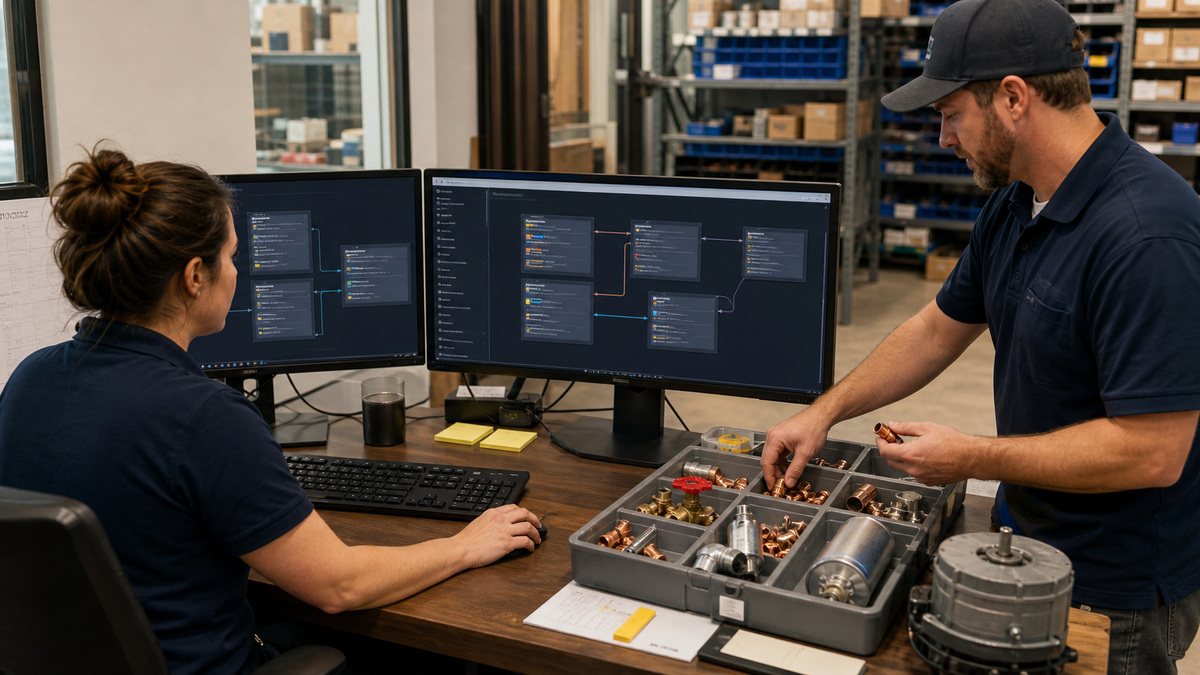
Name a Pricebook owner and a small approval group representing operations, purchasing, accounting, and the field. ServiceTitan permissions can limit who views or edits Pricebook data, but access alone is not governance. The owner needs a decision calendar, change intake method, naming standard, test process, effective-date rule, rollback evidence, and a path for urgent cost corrections.
Design categories for technician discovery and customer presentation rather than mirroring an internal supplier catalog. ServiceTitan categories influence where items appear in Field Mobile. Use a shallow, predictable hierarchy by trade, system, or customer problem, remove duplicate branches, keep internal codes separate from readable service names, and confirm that active items live in active categories intended for the correct business units.
Define the minimum complete record for a service, material, and equipment item. A service may need a code, customer-facing name and description, category, active status, sold hours, price method, taxable treatment, business-unit availability, GL account, commission rules, linked materials or equipment, images, and technician guidance. Materials and equipment need usable descriptions, cost and vendor context, unit logic, replenishment or purchasing relevance, and link integrity.
- Create a naming and coding guide that differentiates customer language, technician guidance, accounting codes, and supplier identifiers.
- Limit edit permission to trained owners while giving field and finance reviewers a clear way to request corrections.
- Retire or merge duplicates only after checking estimates, templates, recurring work, memberships, inventory, and historical reporting dependencies.
- Audit active items that have no mobile category, no description, zero or implausible sold hours, missing cost, or unclear accounting treatment.
Link Labor, Materials, Equipment, and Pricing Logic Correctly

Build each common service from the actual work package. Sold hours should reflect the labor assumption used by the pricing method, while linked materials and equipment should represent the components normally consumed or installed. ServiceTitan explains that linked material and equipment costs do not automatically become the service’s customer price. That distinction matters when managers compare cost completeness with price adequacy.
If Dynamic Pricing is enabled, document the active formula and test how sold hours, labor rate, material and equipment markups, surcharges, discounts, or other configured inputs affect selected services. Dynamic calculations rely on the relevant linked items, so an unlinked capacitor or understated equipment cost can weaken the output even when the formula itself is correct. Keep a set of representative service calculations that finance can reproduce.
Time-and-materials billing requires a different operational contract. ServiceTitan’s setup guidance covers labor and material service items, business-unit and GL considerations, and configuration needs. Decide which customers or work types qualify, who can enter labor or charge materials, how rates and markups are approved, what evidence appears on the invoice, and when an estimate should use a flat-rate service instead.
- Compare the service record with a real completed job and confirm sold hours, usual parts, equipment, quantity assumptions, and technician instructions.
- Reconcile linked-item costs against purchasing data without assuming the relationship alone updates the service’s selling price.
- Record the formula, markup tables, surcharges, discount interactions, membership behavior, and rounding used by any dynamic-pricing workflow.
- Test flat-rate and time-and-materials paths separately through estimate, approval, invoice, accounting export, and profitability review.
Prove the Field Mobile and Customer Estimate Experience

An office Pricebook screen is incomplete evidence because the technician and customer see a mobile presentation. Use ServiceTitan’s Field Mobile preview where available, then test on the same device type, application version, role, and connectivity pattern used in the field. Verify category navigation, search terms, images, descriptions, option order, quantities, membership presentation, approval flow, signatures, and the resulting invoice.
Construct estimate options around meaningful scope choices rather than confusing bundles. The good, better, and best labels are less important than clarity about what changes: equipment capability, repair completeness, warranty, efficiency, preventive work, or timing. Confirm that every option contains only active and appropriate Pricebook items and that the technician can explain exclusions without relying on hidden office notes.
Give field reviewers a structured defect route. They should report the service code, device and app context, observed presentation, intended outcome, customer impact, and any related job or estimate. The Pricebook owner should distinguish content errors from synchronization, permission, category, membership, or configuration issues and then reproduce the problem before editing production records.
- Preview every high-volume service, newly launched item, and major estimate template on a representative field tablet before release.
- Check category visibility and search using the terms a technician actually speaks, not only the internal code known by office staff.
- Complete a test estimate through selection, authorization, invoice, payment or financing handoff, and accounting output when applicable.
- Review images and descriptions for accuracy, safe expectations, readable scope, and the absence of outdated manufacturer or warranty claims.
Control Bulk Changes, Restore Options, and Margin Review
ServiceTitan’s Pricebook Excel template includes multiple tabs for categories, services, materials, equipment, relationships, and assets, with available columns depending on configuration. Export the current Pricebook before a bulk operation, retain the untouched file as evidence, and work from an approved copy. Preserve record identifiers and relationship tabs carefully, an apparently minor ID mistake can create duplicates or break links.
Pilot a bulk change on a deliberately small item set. Import, inspect validation messages, review the affected office records, preview the mobile result, build an estimate, complete an invoice, and reconcile reporting. Only expand after the owner signs the expected item count and before-and-after values. If image restore behavior or another recovery path is being considered, prove it on noncritical items instead of assuming an older export will restore every field.
Measure the Pricebook after release. Review gross margin and callbacks by service, unusual discounting, manual price overrides, materials used but not linked or invoiced, services with persistent actual-hours variance, low-use duplicates, and estimate options that technicians rarely present. ALLMSP can help Georgia contractors turn those findings into a governed ServiceTitan update cycle tied to purchasing, accounting, mobile QA, and field coaching.
- Archive the source export, approved change file, item count, owner, effective date, validation output, screenshots, and rollback decision.
- Reject a bulk file when identifiers, required columns, relationship tabs, encoding, formulas, or row totals cannot be reconciled.
- Monitor target and realized margin alongside sold-hours variance, override behavior, material capture, callback rate, and estimate conversion.
- Schedule a focused review after supplier changes, labor-rate changes, seasonal surcharges, new equipment lines, tax changes, or major software updates.
Official product documentation and ALLMSP resources
- ServiceTitan: Pricebook
- ServiceTitan: Add services to your Pricebook
- ServiceTitan: Attach materials to services or equipment
- ServiceTitan: Dynamic Pricing overview
- ServiceTitan: Pricebook Mobile review
- ServiceTitan: Pricebook Excel template
- ServiceTitan: Set up time and materials billing
- ALLMSP ServiceTitan Software Support
- ALLMSP Software Support
- ALLMSP Construction and Contracting
- Contact ALLMSP
Frequently Asked Questions
Who should own the ServiceTitan Pricebook?
Assign one operational owner with defined approvers from purchasing, accounting, field leadership, and management. The owner should control taxonomy, permissions, intake, testing, effective dates, evidence, rollback, and post-change review rather than allowing uncoordinated edits by every department.
What are the main record types in the ServiceTitan Pricebook?
ServiceTitan organizes Pricebook content around categories, services, materials, and equipment. Services appear on estimates and invoices, while linked materials and equipment can describe what is consumed or installed and support costing, purchasing, reporting, and technician workflows.
Do linked materials automatically change a ServiceTitan service price?
No. ServiceTitan notes that linked material and equipment costs do not automatically determine the service’s customer price. Reconcile the cost inputs, then separately test the active flat-rate or dynamic-pricing method and the final field and invoice presentation.
What are sold hours in a ServiceTitan service item?
Sold hours represent the labor assumption associated with the service and can influence pricing, productivity, and commission behavior depending on configuration. Compare them with real job performance and the active price formula, do not use them as an unexamined proxy for clock time.
When is ServiceTitan Dynamic Pricing useful?
It can help calculate service prices from configured labor, sold hours, linked material and equipment costs, markups, surcharges, and related rules. Availability and behavior depend on the account. Document the formula, test representative items, and keep finance-verifiable calculation examples.
How is time-and-materials billing different from a flat-rate Pricebook?
Time-and-materials work charges approved labor and materials through its configured billing path, while a flat-rate service presents an agreed price for a defined scope. Set eligible work, rate and markup authority, GL and business-unit treatment, documentation, and invoice expectations separately.
Why must ServiceTitan Pricebook changes be tested in Field Mobile?
Technicians navigate categories, search, present descriptions and images, build estimate options, obtain approval, and create invoices on mobile devices. Office data can be valid while the mobile workflow is confusing, hidden by permissions, or affected by membership and synchronization behavior.
Is the ServiceTitan Pricebook Excel template safe for bulk updates?
It is powerful but needs controls. Export first, preserve IDs and relationship tabs, reconcile row counts, use an approved working copy, pilot a small group, review validation output, and complete a mobile estimate and invoice before expanding the import.
Which metrics show a ServiceTitan Pricebook needs attention?
Review gross margin, sold-versus-actual hours, callbacks, manual price overrides, discounting, unlinked or uncaptured materials, inactive or duplicate items, mobile search failures, and estimate-option usage. Investigate at the service and job level before applying broad price changes.
How can ALLMSP help govern a ServiceTitan Pricebook?
ALLMSP can document ownership and permissions, redesign category and naming standards, reconcile services with materials and equipment, test pricing logic, verify Field Mobile, control bulk updates, and build a review process tied to purchasing, accounting, and actual job results.


