





























































































































































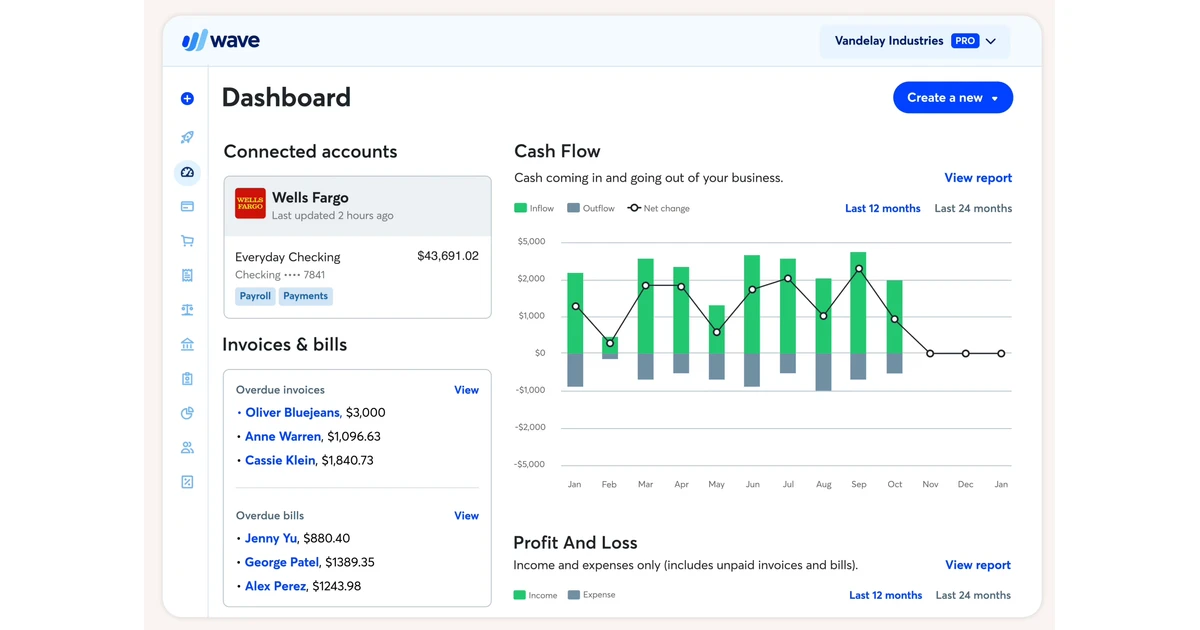
Wave can look deceptively quick to start because a new business profile, common chart accounts, invoices, and a Transactions page appear with little ceremony. The real implementation begins with decisions the interface cannot make for you: which legal or operating entity the profile represents, who owns the books, which currency and fiscal year apply, what history will be loaded, and which evidence will prove the first close. Wave currently supports businesses in Canada and the United States and allows up to fifteen business profiles in one account, so profile boundaries should reflect real reporting responsibilities rather than convenience.
A CPA firm supporting several clients also has to distinguish a Wave account from a Wave business profile. Collaborators are invited to specific profiles, exports contain only the profile currently open, and bank, invoice, customer, vendor, and report activity all inherit that scope. A clean rollout therefore starts with an implementation register that identifies the owner login, profile name, jurisdiction, plan, book basis, fiscal year end, opening date, connected accounts, authoritative source, and close approver for each business. This prevents one client’s activity from being configured, imported, or exported from another profile by mistake.
The safest cutover is a narrow, evidence-led pilot. Configure the minimum viable chart, prove starting balances, decide whether Pro automatic imports or controlled statement uploads will feed transactions, and run a small set of representative activity from source document to report. Transaction review confirms details and coding, reconciliation compares Wave with the bank statement, report acceptance confirms that the accounting result answers the business question. Those controls complement one another, and none should be treated as a substitute for the others.
ALLMSP coordinates Wave deployment and configuration from Lawrenceville for clients in Suwanee, across Gwinnett County and Metro Atlanta, and throughout Georgia, through one accountable in-house workflow from discovery and correction through testing, training, and ongoing support.
Key decisions at a glance
- Confirm Wave availability, business ownership, country, currency, fiscal year, plan, and profile boundaries before importing any live accounting data.
- Treat the chart of accounts and starting balances as migration decisions with source evidence, not as convenient fields to complete during bank connection setup.
- Separate transaction intake, transaction review, reconciliation, and report acceptance because Wave gives each activity a different purpose and state.
- Pilot one invoice, one expense, one transfer, one imported bank item, and one statement period before expanding the implementation.
- Keep exports, report PDFs, source statements, exception notes, and ownership records as continuity evidence while recognizing that a Wave export is not a one-click restore image.
Freeze the Wave business boundary and implementation evidence

Create a one-page decision record before anyone builds the profile. Record the business’s legal name, operating name, country, base currency, fiscal year end, accounting basis, tax registrations, first Wave reporting date, historical source, and accountable owner. Wave selects common chart accounts from the business type chosen during setup, but that convenience does not resolve how the organization distinguishes restricted funds, payment accounts, owner activity, loans, money in transit, or client-specific reporting dimensions. Have the accounting owner approve the boundary and the chart design before staff start coding transactions.
Decide whether the organization needs one profile or several. Separate entities, currencies, ownership structures, or statutory books usually need distinct profiles even when one team administers them. Wave’s current business-creation guidance says a single account can contain up to fifteen business profiles and is available only for Canadian and United States businesses. Record which profile is authoritative for each bank account, customer list, invoice sequence, vendor list, and report package. The same evidence should identify whether any personal profile exists and keep it outside business procedures.
Build a source-to-Wave inventory that states how every opening object will arrive. Chart accounts may be created deliberately, starting balances may be entered or created by a connected account, older transactions may come from bank statements or Wave Connect, invoices may be created as drafts, and customers, products, journal entries, or transactions may be loaded through supported workflows. For every method, define a cutoff date, record count, control total, reviewer, and rollback rule. A migration is not accepted because an upload says it completed, it is accepted when the control totals and selected samples agree with the authoritative source.
- Assign one accountable owner and one independent close approver to each Wave business profile.
- Record country, currency, fiscal year, plan, accounting basis, cutoff date, and historical source before configuration.
- Map every bank, card, loan, payment account, customer, vendor, and invoice sequence to exactly one profile.
- Define source counts, financial control totals, samples, exception owners, and rollback conditions for each load method.
Configure the chart, opening balances, invoices, and intake paths
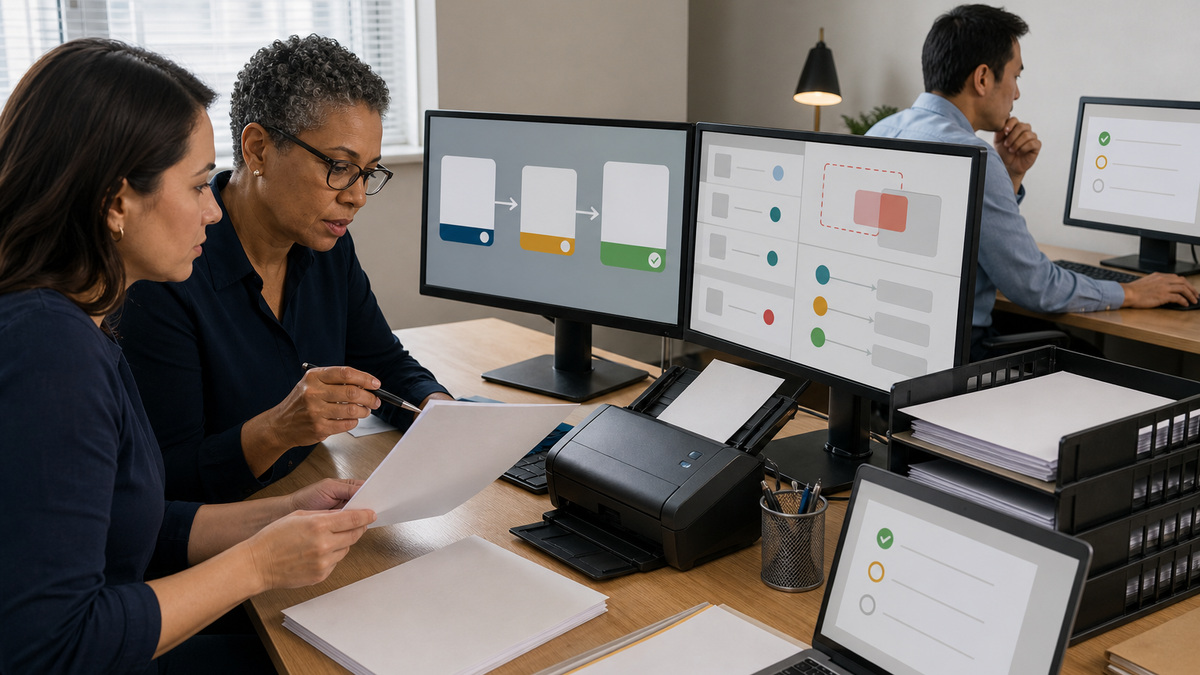
Review Wave’s generated chart before adding accounts. Current help guidance says custom tabs, account types, and subaccounts cannot be added, so do not design a hierarchy that the product cannot represent. Keep an approved crosswalk from the prior ledger to the selected Wave account types, and explain any consolidation in the workpapers. Add only accounts with a defined reporting purpose and naming convention. Archive or correct test accounts before the pilot so staff do not code transactions to near-duplicates that differ only by punctuation or abbreviation.
Treat starting balances as dated accounting entries. For a new bank, card, or loan, preserve the statement or trial-balance evidence, entry date, selected equity account, amount, preparer, and approver. Wave’s current documentation says a connected bank or card creates a starting-balance transaction and that earlier fiscal-year activity can require its date and amount to be adjusted so it remains the first transaction for the account. Inspect that generated entry before loading history, otherwise an overlap between the connection, manual balance, and uploaded transactions can make the ledger look complete while overstating cash.
Design invoice governance around Wave’s draft boundary. Creating and saving an invoice leaves it as a draft and does not change accounting or reports, approving it allows sending or payment recording and places it in accrual-basis reports, after which it cannot return to draft. Define who may create customers and items, who checks income accounts and taxes, who approves the draft, and how invoice-number exceptions are documented. Because changes to business or customer profile details can affect other invoices, include address, terms, tax, currency, and item-account mapping in the pilot review.
- Approve a prior-ledger-to-Wave chart crosswalk and reject unsupported hierarchy assumptions before data entry.
- Tie every starting balance to dated source evidence and inspect any entry Wave creates during bank connection.
- Choose one controlled transaction intake path per account during cutover to prevent overlapping imports and uploads.
- Require draft-invoice review of customer, item, income account, tax, dates, currency, numbering, and approval state.
Run a representative bookkeeping and reconciliation pilot

Select a pilot that exercises the accounting boundaries rather than only the easiest transaction. Include an approved customer invoice, its payment or open receivable state, a vendor expense, a bank or card import, a transfer between payment accounts, and a period-end statement. If checks are common, add a money-in-transit case. Preserve the original documents and expected posting before entry, then trace dates, amounts, accounts, tax, customer or vendor, review state, and report effect. The goal is to prove how Wave handles the organization’s real work, including one exception.
Use Wave’s transaction review control for completeness of coding, not as a close certificate. Current guidance says Category and Account details must be complete before a transaction can be marked reviewed, but an unreviewed transaction still affects reports and does not block reconciliation. Assign a reviewer who compares the Wave item with source evidence and investigates auto-categorized or auto-merged activity. Track unreviewed items as an operational queue with an age, owner, reason, and due date so report users know whether a current result includes work that has not yet received detailed review.
Reconcile from the bank statement, not from the Wave balance widget. On the web version, open the account period using the statement end date and closing balance, match the statement activity, investigate the difference, and end the period only at an explained zero. Wave will not let a new period be created while an existing period is unreconciled, which makes a disciplined first period especially important. Have a second person inspect the closing balance, unmatched items, starting balance, funds in transit, and any manual additions before accepting the reconciliation.
- Trace at least one invoice, expense, import, transfer, and statement period from source through the correct Wave report.
- Keep transaction-review ownership separate from the person who prepared or imported the activity when staffing permits.
- Reconcile with a complete bank statement and independently verify the date, closing balance, unmatched items, and difference.
- Record every exception with its cause, affected account and period, corrective action, reviewer, and retained evidence.
Accept reports, cut over deliberately, and preserve continuity evidence
Define report acceptance before users rely on the dashboard. Compare the trial balance and account transactions report with the approved opening source, verify the profit and loss statement and balance sheet on the intended basis, inspect accounts receivable and payable when used, and review the cash flow statement with its specific scope. Wave’s current cash-flow guidance notes that the report is web-only, cash-basis, includes money-in-transit activity, and does not treat credit-card spending in the same way as the cash-basis profit and loss statement. Differences can be legitimate, but the acceptance workpaper should explain them.
Schedule cutover after the pilot passes, not merely after configuration ends. Freeze the old system or document the final delta, complete the last approved load, rerun counts and control totals, reconcile through the agreed date, close the review queue, and obtain business-owner approval. Expand profile by profile and account by account. If automatic bank imports are used, remember they are a Pro feature, generally arrive about every twenty-four hours, can take up to seven days, and may backfill depending on the selected connection date. Establish a daily overlap check during the stabilization window.
Create a continuity packet at the first accepted close and on a defined schedule. Wave’s export can include accounting, bills, customers, vendors, receipts, and region-dependent payroll files for the active business profile, while separate reports and invoice PDFs may provide presentation evidence. The export link is time-limited and the files are not a transactionally restorable Wave image. Store exports with statements, report PDFs, chart crosswalk, cutoff approval, exception log, owner inventory, and restore assumptions in protected storage, and periodically prove that authorized staff can locate and read the package.
- Approve a report matrix that identifies basis, date range, expected source, reviewer, and acceptable difference for each output.
- Freeze or delta-control the prior system, rerun financial totals, reconcile, close exceptions, and document owner acceptance.
- Monitor import overlaps, pending invitations, uncoded activity, unreviewed items, and reconciliation status during stabilization.
- Export data and reports as continuity evidence while documenting that recovery into Wave may require reconstruction and validation.
Official product documentation and ALLMSP resources
- Wave: Add a new business
- Wave: Change fiscal year end
- Wave: Add an account or category
- Wave: Enter a starting balance
- Wave: Connect a bank for automatic imports
- Wave: Create an invoice
- Wave: Draft versus approved invoices
- Wave: Review transactions
- Wave: Reconcile books
- Wave: Cash flow statement
- Wave: Download account data
- Wave: Upload and download with Wave Connect
- ALLMSP Software Support
- ALLMSP IT Consulting
- ALLMSP Managed IT Services
- ALLMSP Cloud Services
- ALLMSP Data Backup and Recovery
Frequently Asked Questions
What should a Wave bookkeeping rollout configure first?
Start with the business boundary and evidence plan. Confirm the owner, profile, country, currency, fiscal year, accounting basis, plan, cutoff date, historical source, chart crosswalk, opening-balance support, and close approver before entering live data. Wave configuration should implement those decisions rather than become the place where staff improvise them.
Where is Wave currently available, and how many business profiles can one account hold?
Wave’s current help guidance says business profiles are available for businesses in Canada and the United States, excluding United States territories, and one Wave account can maintain up to fifteen profiles. Validate availability and profile design before migration because collaborators, exports, banking activity, invoices, and reports operate within the selected business profile.
Does a Wave rollout require the Pro Plan?
Not every bookkeeping workflow requires Pro, but automatic bank transaction imports and several collaborator roles are plan-dependent. Record whether the business will use Starter, Pro, payroll, receipts, online payments, or other services, then test the exact subscribed configuration. Do not design a control around a feature that the chosen plan or region does not provide.
Is marking a Wave transaction reviewed the same as reconciling it?
No. Review confirms that transaction details and coding have been checked, while reconciliation matches Wave activity to a bank statement for a defined period. Wave says an unreviewed transaction can still affect reports and can still be reconciled. Maintain separate review and reconciliation queues, owners, evidence, and acceptance criteria.
How should starting balances be controlled in Wave?
Tie each balance to a dated statement or approved trial balance, document the equity treatment, and have another person verify the entry. When a bank or card is connected for imports, Wave may create the starting-balance transaction. Inspect its date and amount before adding older history so manual entries, connection history, and uploads do not overlap.
Should every bank and card be connected to Wave immediately?
No. Inventory the accounts, confirm ownership and support, select the authoritative Wave account, define the import start date, and pilot a low-risk account first. All supported accounts from an institution may appear during connection, while unwanted imports can be toggled off. Keep only one controlled intake path active for a given account during migration.
How much history can a Wave bank connection import?
Wave’s current guidance says the connection can offer up to eighteen months of history depending on the bank and the selected start date. Actual transaction arrival is not immediate. Compare the proposed backfill window with existing Wave activity before enabling it, and use supported statement upload or Wave Connect procedures for older approved history.
When does a Wave invoice affect accounting reports?
Saving an invoice leaves it in draft and does not change accounting or reports. After approval, the invoice can be sent or paid and appears in accrual-basis reporting, it cannot be returned to draft. Test customer, item, income account, tax, currency, numbering, approval, and payment behavior before making invoice entry a production workflow.
Which Wave reports should be included in rollout acceptance?
At minimum, compare the trial balance and account transactions report with the migration source, validate the balance sheet and profit and loss statement on the intended basis, inspect receivables and payables when used, and reconcile bank and card statements. Add cash flow and operational invoice reports when they support the organization’s close decisions.
Is a Wave data export a complete restorable backup?
Treat it as continuity and audit evidence, not as a one-click system image. The export contains defined files for the active business profile, and separate reports or invoice PDFs may also be needed. Document how data would be reconstructed, which settings and relationships require manual work, who can perform recovery, and how totals would be validated.


