





























































































































































Acronis Cyber Protect Cloud combines a tenant hierarchy with role-based access. A partner can contain folders and customers, a customer can contain units. Access policy answers who or which API client can access a tenant, what objects are reachable, and what actions a role permits. The same role assigned at different points in that hierarchy can therefore carry very different operational reach.
Management mode changes the parent-child boundary. Managed-by-service-provider access can allow parent administrators to manage users, services, backups, and other resources in a customer, while managed-by-customer or limited access can restrict that reach until the customer enables support access. Services and offering items remain another boundary: a role cannot grant a capability that has not been provisioned, and a role described for Protection should not be assumed to govern every other Acronis service.
A defensible access program makes those layers visible. It records tenant scope, built-in and custom roles, 2FA status, identity-provider method, API clients, backup-location permissions, activity and audit evidence, and an ordered departure procedure. This prevents two common failures: granting a broad role to solve a narrow task, and deleting a human identity before transferring the integrations or recovery knowledge tied to it.
ALLMSP coordinates Acronis Cyber Protect Cloud access, ownership, and security review from Lawrenceville for clients in Suwanee, across Gwinnett County and Metro Atlanta, and throughout Georgia, through one accountable in-house workflow from discovery and correction through testing, training, and ongoing support.
Key decisions at a glance
- Start with partner, folder, customer, and unit relationships plus management mode because tenant position determines where an otherwise valid role can operate.
- Map built-in or custom roles to observed duties and enabled services, role labels do not erase offering, add-on, tenant-level, or workload restrictions.
- Keep 2FA and recovery personal, treat identity-provider sign-on as a configured capability rather than a universal default, and prohibit shared administrator or authenticator accounts.
- Sequence user, API-client, storage, integration, and audit handoff before removal so offboarding does not orphan recovery access or leave inherited automation credentials active.
Draw the Tenant Hierarchy and Management Boundary Before Assigning Roles
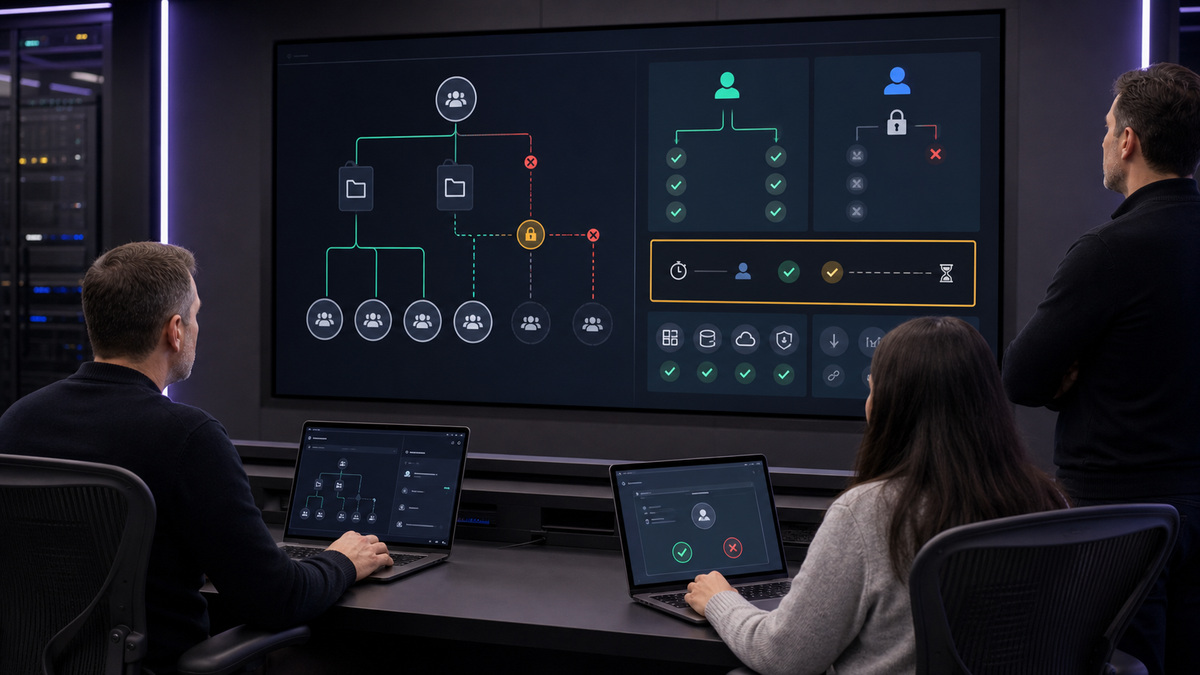
Document the hierarchy from the operating partner through any folders to each customer and unit. For every node, capture service owner, management mode, enabled offering items, support-access state, company administrator, recovery contact, data region, and contractual administrator. An operator in a parent tenant may reach child tenants under managed mode but cannot use that relationship to cross into neighboring or higher tenants. The diagram should show both inherited reach and intentional isolation.
Treat management mode as a security control, not a convenience switch. A customer managed by the service provider can permit parent administrators to access backups and other resources. A customer managed by itself restricts that access, and an authorised customer administrator controls whether support access is enabled. Review this setting during onboarding, incident support, ownership change, and contract termination, do not leave temporary support access enabled because a ticket has closed.
Join access design to licensing. Acronis offering items flow down the distribution hierarchy and make technical features available to tenants, users, workloads, and API clients. Disaster recovery, Detection and Response, RMM capabilities, cloud workloads, or other modules may require a particular offering, add-on, pack, quota, tenant type, or administration level. Record an unavailable feature as a commercial or architecture dependency instead of broadening a person’s role in an attempt to reveal it.
- Map partner, folder, customer, and unit nodes with owners, management modes, support-access state, and enabled services.
- List which parent administrators can enter each child tenant and which settings require a local customer administrator.
- Review support access after every support window and retain evidence when access is enabled, disabled, or extended.
- Tie capabilities to offering items, packs, add-ons, quotas, tenant type, and administration level before assigning permissions.
- Keep test, internal, and production customers visibly separated so an operator cannot select the wrong tenant during a high-risk action.
Map Built-In and Custom Roles to Real Protection Duties
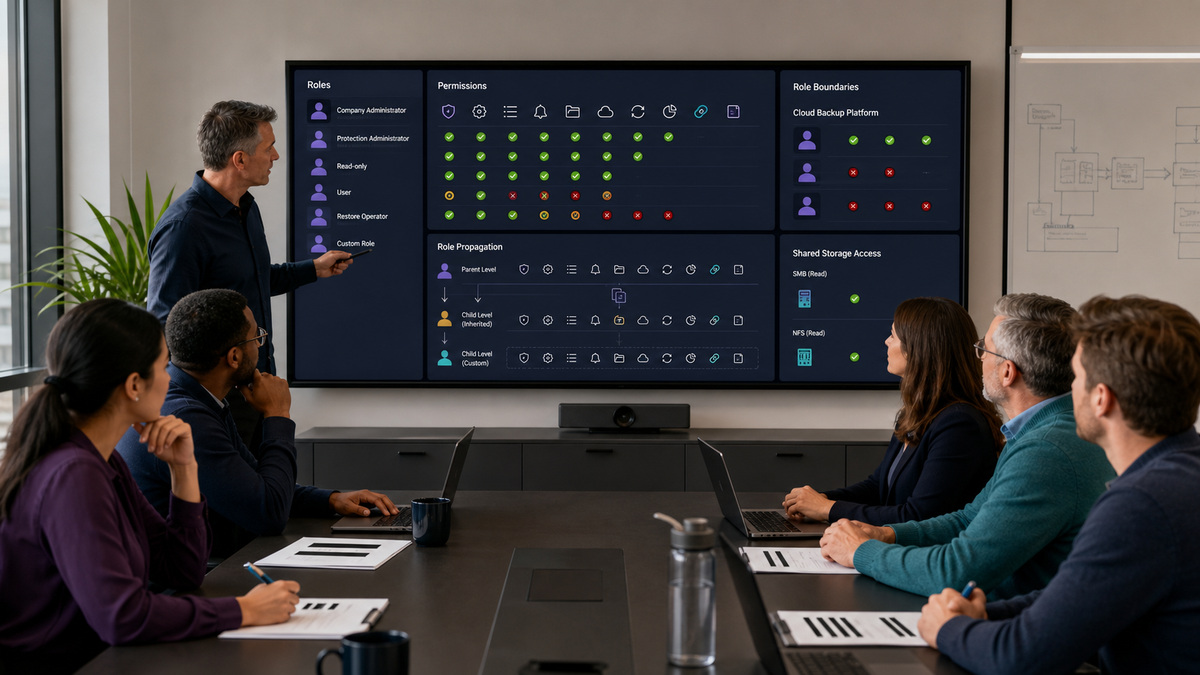
Acronis permits several roles on one user, but only one role per service. For Protection, Administrator has broad management capability, Read-only administrator can view Protection objects, User has non-administrative use without access to other users’ data, and Restore operator is scoped to Microsoft 365 and Google Workspace backup recovery while restricting sensitive-content access. Other roles such as Security Analyst or RMM operator depend on enabled offerings and focus on different functions. Company administrator is broader than a Protection-service role and should be rare.
Translate tasks into permissions. Separate tenant and user administration, protection-plan design, backup execution, backup browsing, restore approval, cloud-application recovery, disaster-recovery configuration, alert triage, reporting, API integration, and audit review. Test a representative allowed and prohibited action in the correct tenant. Backup visibility also depends on storage: cloud backups are broadly accessible to administrator-role accounts within their tenant or unit, while a user sees its own backups, and shared SMB or NFS locations follow their read permissions.
Use custom roles when a fixed built-in role is materially broader than the job. Current Acronis guidance allows company administrators to compose permissions for Management Portal or Cyber Protect console areas and operations. A role created higher in the hierarchy can propagate to children, inherited roles can be assigned but not edited or deleted there, while a child can clone and reduce one. Keep propagation intentional, name the creator tenant, export the approved definition, and retest after permission changes.
- Maintain a register of user, home tenant, reachable tenants, service role, custom-role version, business owner, and review date.
- Reserve company administrator and broad Protection administrator privileges for duties that genuinely require their full scope.
- Test backup browsing, restore, plan editing, alert handling, audit viewing, user management, and disaster-recovery actions separately.
- Include shared-storage read permissions in the access review because console roles alone cannot constrain an SMB or NFS location.
- Record custom-role creator tenant, permissions, propagation state, child clones, assigned users, export hash, and approval evidence.
Secure Human Sign-In, Recovery, and API Clients
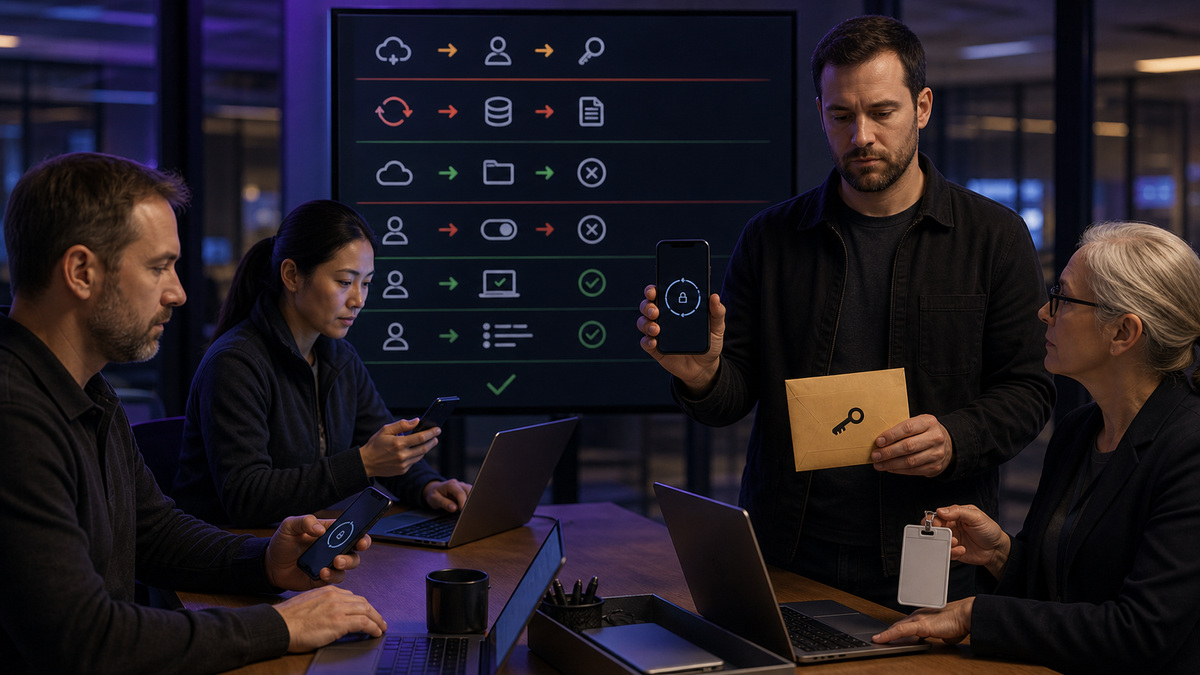
Give every operator a unique identity and personal second-factor device. Acronis Cyber Protect Cloud 2FA uses a password plus a time-based one-time code from an authenticator application. When the organisation requires 2FA, the user completes enrollment and receives recovery material. Store that recovery material through an approved personal or enterprise recovery process, it contains information capable of re-establishing the authenticator and should never be attached to a normal ticket or shared team note.
Treat single sign-on as tenant-specific configuration. Acronis has documented integrations and sign-on-method options, but their availability and behavior depend on the configured identity provider, tenant, release, and service-provider setup. Verify whether local credentials, a SAML-based provider, just-in-time or automated provisioning, deprovisioning, and upstream MFA actually apply to the live tenant. Do not disable native controls or promise automated user removal solely because another Acronis customer uses an identity integration.
Inventory API clients alongside people. Acronis defines an API client as the service account used by an integration, and it inherits access policies from the user that created it. Record creator, client purpose, tenant reach, assigned policies, secret location, rotation owner, callback or network dependencies, last use, and removal test. Avoid creating production automation from a temporary consultant or a single administrator whose departure would obscure ownership.
- Require individual accounts and personal 2FA enrollment, prohibit shared passwords, shared authenticator seeds, or shared recovery PDFs.
- Test new-device enrollment, lost-device recovery, administrator reset, time synchronisation, and service-provider escalation without exposing codes.
- Verify the live tenant’s sign-on method and identity-provider behavior before relying on SSO, provisioning, deprovisioning, or upstream MFA.
- Register every API client with creator, purpose, tenant scope, inherited access policies, secret custodian, rotation, monitoring, and expiry.
- Use a durable integration owner and a separate emergency path so human offboarding cannot silently disable protection automation.
Audit High-Risk Changes and Offboard in Dependency Order
Collect evidence from the right activity plane. The Management Portal audit log records specified portal and cloud-to-cloud, scripting, archiving, quota, and related events for the active tenant and its children, and current guidance says events are removed after 180 days. Protection activities and alerts cover operational plan and task behavior. Export or forward necessary evidence within the retention window, preserve tenant context, and avoid claiming that one log captures every endpoint, restore, application, identity-provider, or shared-storage event.
Review high-risk events with a named independent owner. Include tenant and quota changes, user creation or deletion, role and custom-role updates, support-access changes, backup-content browsing, protection-plan changes, recovery actions, integration credentials, and repeated failures. Correlate identity-provider logs, endpoint or hypervisor logs, storage access records, and provider evidence when the Acronis audit view does not contain the required detail. Redact customer names, device names, archive identifiers, and secrets from broadly shared reports.
Offboard in dependency order. Identify tenant memberships, service roles, API clients created by the user, custom roles they own, integration contacts, encryption and recovery custody, active sessions, shared-storage rights, identity-provider assignments, and alert routes. Transfer or replace those dependencies, validate backup and restore operations with the successor, disable or remove access, rotate exposed secrets, and then review logs for residual activity. Preserve emergency access with two accountable custodians rather than retaining the departed operator’s identity.
- Export required audit evidence before the documented 180-day Management Portal retention window removes events.
- Correlate Acronis audit, Protection activity, identity-provider, endpoint, hypervisor, storage, and integration logs by tenant and time.
- Transfer API clients, custom-role ownership, alert routes, backup access, encryption custody, and support contacts before user removal.
- Disable identity-provider and Acronis access, remove shared-storage permission, revoke active integration secrets, and test successor operations.
- Review residual activity and tenant reach after departure, then close the record with independent approval and dated evidence.
Official product documentation and ALLMSP resources
- Acronis: User roles available for each service
- Acronis: Custom roles
- Acronis: Creating a tenant
- Acronis: Two-factor authentication
- Acronis: Audit log
- Acronis: Backup storage
- Acronis Integration Guide: Tenancy model
- Acronis Integration Guide: Access model
- Acronis Integration Guide: Licensing model
- Acronis Cyber Protect Cloud: What’s new
- ALLMSP: Acronis software support category
- ALLMSP: Software support
- ALLMSP: Managed IT
- ALLMSP: Cloud computing and migrations
- ALLMSP: Cybersecurity
Frequently Asked Questions
How does the Acronis tenant hierarchy affect administrator access?
Acronis uses partner, folder, customer, and unit relationships. An access policy combines identity or API client, accessible objects, tenant, and role. Parent administrators can reach child tenants when the management model allows it, but they cannot use that position to enter neighboring or higher tenants. Document the exact tenant scope for every assignment.
What is the difference between managed-by-provider and managed-by-customer access?
Managed-by-service-provider access can permit parent administrators to manage customer users, services, backups, and resources. Managed-by-customer or limited access restricts that reach until an authorised customer administrator changes support access. Verify the live setting before support begins, log every temporary change, and disable unnecessary support access after the work closes.
Does an Acronis role make every feature available?
No. A role defines permitted actions within its scope, but availability also depends on service offering, add-on, pack, quota, tenant level, administration level, workload, and storage. For example, disaster recovery and certain specialist roles require specific enabled capabilities. Resolve licensing or architecture gaps instead of granting broader privileges to reveal a missing feature.
When should an Acronis custom role be used?
Use a custom role when the fixed built-in role is materially broader than a person’s proven duties. Select only the necessary Management Portal or Cyber Protect console permissions, test allowed and denied actions, document the creator tenant and propagation state, export the approved role definition, and review child-tenant clones after changes.
Can one Acronis user have several roles?
Yes. Current guidance says a user can have several roles but only one role for each service. Review the combined effective reach across Management Portal, Protection, and any other enabled services. A narrow Protection role does not offset a broad company-administrator assignment, and tenant inheritance can enlarge the practical scope of either role.
Who can access backups in Acronis Cyber Protect Cloud?
For cloud storage, administrator-role accounts can access backups in their tenant or unit, while user-role accounts can access only their own backups. Restore operator is specifically described for Microsoft 365 and Google Workspace recovery with restricted sensitive-content access. Shared SMB or NFS locations additionally follow their filesystem read permissions.
How should Acronis two-factor authentication recovery be handled?
Each operator should enroll a personal authenticator and protect the recovery material through an approved process. The saved recovery information can re-establish access and must not be placed in ordinary tickets or team notes. Test new-device setup, lost-device recovery, administrator reset, and provider escalation while ensuring no password, seed, QR code, or one-time code is exposed.
Does Acronis Cyber Protect Cloud always use single sign-on?
No. Sign-on method and identity-provider integration depend on the live tenant configuration, provider setup, supported integration, and release. Confirm whether local credentials, SAML, just-in-time or automated provisioning, deprovisioning, and upstream MFA apply. Never assume that removing a user from an external directory automatically removes every Acronis role, session, or API client.
Why must Acronis API clients be included in an access review?
An API client is an integration identity, and Acronis states that it inherits access policies from its creator. Record its creator, purpose, tenant reach, secrets, rotations, last use, and successor. A human departure is incomplete if an inherited API client or its credential remains active without accountable ownership and monitoring.
What is the correct order for Acronis offboarding?
First inventory tenant memberships, roles, API clients, custom-role ownership, integration contacts, backup and storage rights, alert routes, and encryption or recovery custody. Transfer those dependencies and test the successor, then disable identity-provider and Acronis access, remove storage permissions, rotate secrets, inspect residual activity, and obtain independent closure approval.


