






























































































































































Acronis Cyber Protect Cloud is a multi-tenant service whose visible capabilities depend on the offering items enabled by the service provider, the tenant in which an operator is working, the administration level, the workload type, the installed agent, and the selected storage. A deployment checklist that begins with a generic ‘enable backup’ instruction skips the decisions that determine whether the plan can run and whether the resulting recovery points can satisfy the intended use.
The product also contains several plan types and modules. A protection plan can include backup and other protection functions, but the modules shown for a selected workload are only those applicable to that workload. Partner-level plans differ from customer- or unit-level plans, and partner backup plans carry documented limitations: they use cloud storage, support agent-protected workloads rather than agentless virtual machines, do not support application backup, and keep encryption enabled with a separate password for each customer.
This deployment method treats Acronis Cyber Protect Cloud as an operating system for protection rather than a one-time installer. It joins licensing evidence, workload discovery, agent placement, plan design, archive governance, monitoring, and restore proof. The outcome is an inventory in which every protected device has a reason for its configuration and every unprotected or partially protected device has a named exception owner.
Businesses can use ALLMSP for Acronis Cyber Protect Cloud deployment and configuration for organizations in Lawrenceville and Suwanee, throughout Gwinnett County and Metro Atlanta, and across Georgia, with local assistance available when device, network, office, or employee work needs an on-site component.
Key decisions at a glance
- Confirm the live tenant, service offering, add-ons, quotas, administration level, workload types, and storage targets before treating any console option as available.
- Choose protection agents by workload and recovery requirement, a green device record does not prove that the agent, application component, registration tenant, or plan assignment is correct.
- Design backup source, scheme, schedule, retention, encryption, and storage together because changing one choice can alter support, cost, recovery-point depth, and operational risk.
- Roll out in rings, inspect activities and alerts, and perform representative restores before applying a protection plan across every customer or business unit.
Prove the Tenant, Offering, Workload, and Recovery Boundary
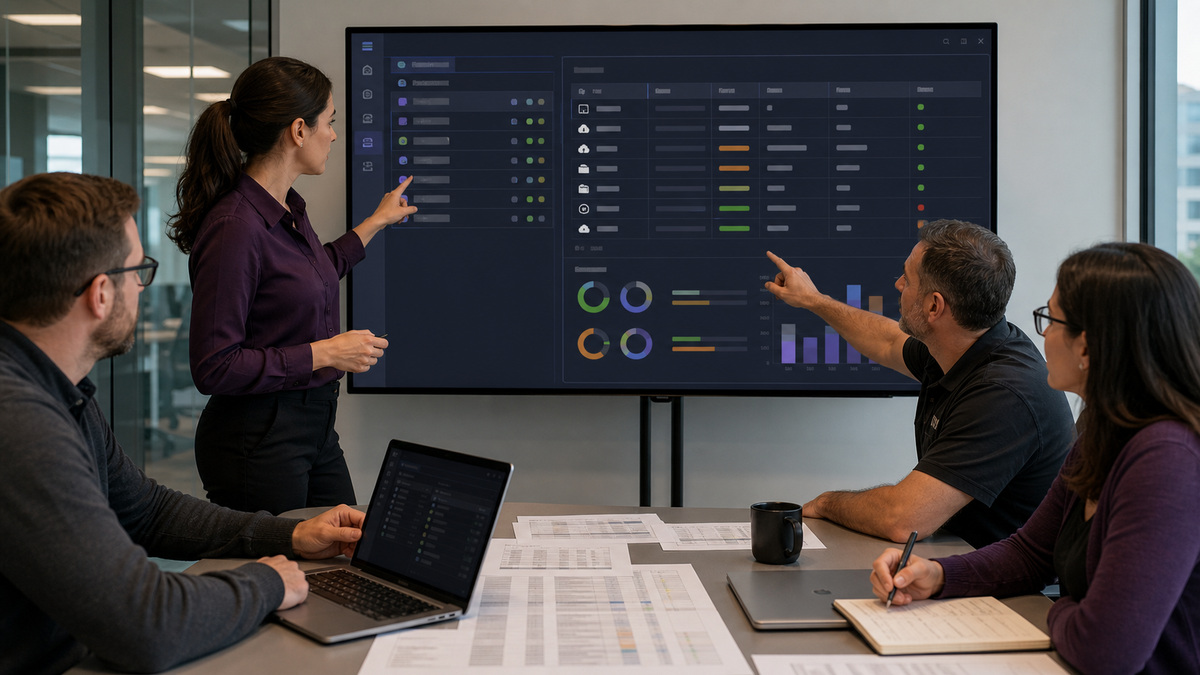
Start with the tenant hierarchy and the service-provider contract. Record the partner, folder, customer, or unit that owns each workload, the management mode, the enabled Protection offering items, relevant add-ons, storage quotas, and who receives usage charges. A technical capability can appear in different products or licensing models, and an offering item can be tenant-wide or workload-specific. Therefore, a feature seen in one customer tenant is not evidence that it is licensed or appropriate in another.
Build a workload register from business ownership and technical discovery. Separate Windows, Linux, and macOS physical machines, VMware, Hyper-V, and other virtual machines, Microsoft SQL, Exchange, Active Directory, Oracle, and other application workloads, Microsoft 365 or Google Workspace cloud data, NAS devices, and any unsupported, retired, duplicated, or intermittently connected assets. For each entry, state what must be recoverable: individual files, an application-consistent database, an entire machine, or a disaster-recovery server.
Translate the recovery requirement into an approved coverage state. A workstation might need agent-based disk and file recovery, while a SQL server may need Agent for Windows plus Agent for SQL and an application-aware design. A cloud-to-cloud workload may use a cloud agent and expose different schedule or storage choices. Record exclusions explicitly, including personal devices, lab systems, unsupported operating systems, temporary virtual machines, and workloads protected by another approved service, so an inventory gap cannot masquerade as intentional scope.
- Capture tenant path, management mode, enabled offering items, add-ons, quotas, billing owner, and console administration level.
- Inventory each workload’s platform, location, owner, data classification, current agent, last contact, business criticality, and recovery objective.
- Define the required recovery unit for every workload: file, application object, database, disk, entire machine, cloud item, or recovery server.
- Separate licensed capability from desired capability and route missing offerings or quota decisions to the service-provider owner.
- Keep an exception register for unsupported, deliberately excluded, duplicate, retired, or temporarily unreachable workloads.
Choose Agents and Protection-Plan Administration Levels Deliberately
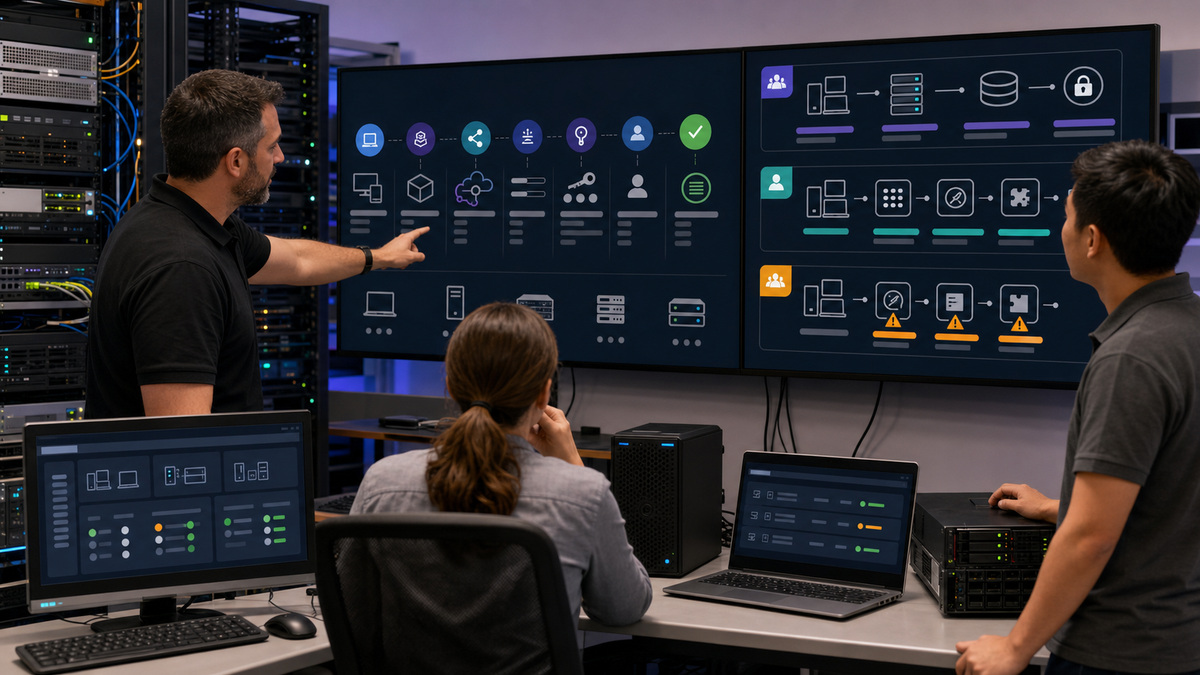
Use Acronis’s workload-to-agent guidance rather than deploying one installer everywhere. Agent for Windows, Linux, or Mac belongs on physical machines, application components may be required alongside the operating-system agent, and hypervisor protection can use external agents or appliances with different recovery capabilities. Download the correct release channel, document the registration method, and register the workload under an authorised account in the intended customer tenant. A device registered into the wrong tenant is an ownership and recovery problem even if its first backup succeeds.
Choose where the protection plan should live. A plan created from Devices can begin with selected workloads, while a plan created under Management can exist before workloads are attached. Partner-level plans can enforce settings across customers but have special backup boundaries. Their backup module supports agent-installed workloads, stores data in each owning customer’s cloud storage, excludes agentless virtual-machine backup and application backup, and always uses encryption. Customer- and unit-level designs may expose additional modules, including disaster recovery when the relevant offering and administration level permit it.
Control plan composition and overlap. A workload can receive more than one protection plan, so document which plan owns backup, malware protection, vulnerability assessment, patching, device control, or other modules and test for compatibility. Name plans by scope and purpose rather than by a person’s initials. Export a supported plan definition where useful, preserve the approval record, and distinguish disabling, stopping, revoking, cloning, and deleting a plan because those actions have different effects on future runs and attached workloads.
- Match every workload to the required agent or cloud-agent path and note component dependencies for application data.
- Use a controlled registration account or token, verify the destination customer tenant, and reconcile newly registered devices to the inventory.
- Select partner, customer, or unit administration level only after reviewing plan support, encryption behavior, and add-on availability at that level.
- Assign ownership per module when multiple plans touch one workload, then resolve conflicts before enabling scheduled execution.
- Record plan name, version, scope, approver, applied devices, effective date, and rollback or revocation procedure.
Configure Backup Source, Storage, Schedule, Retention, and Encryption as One Design
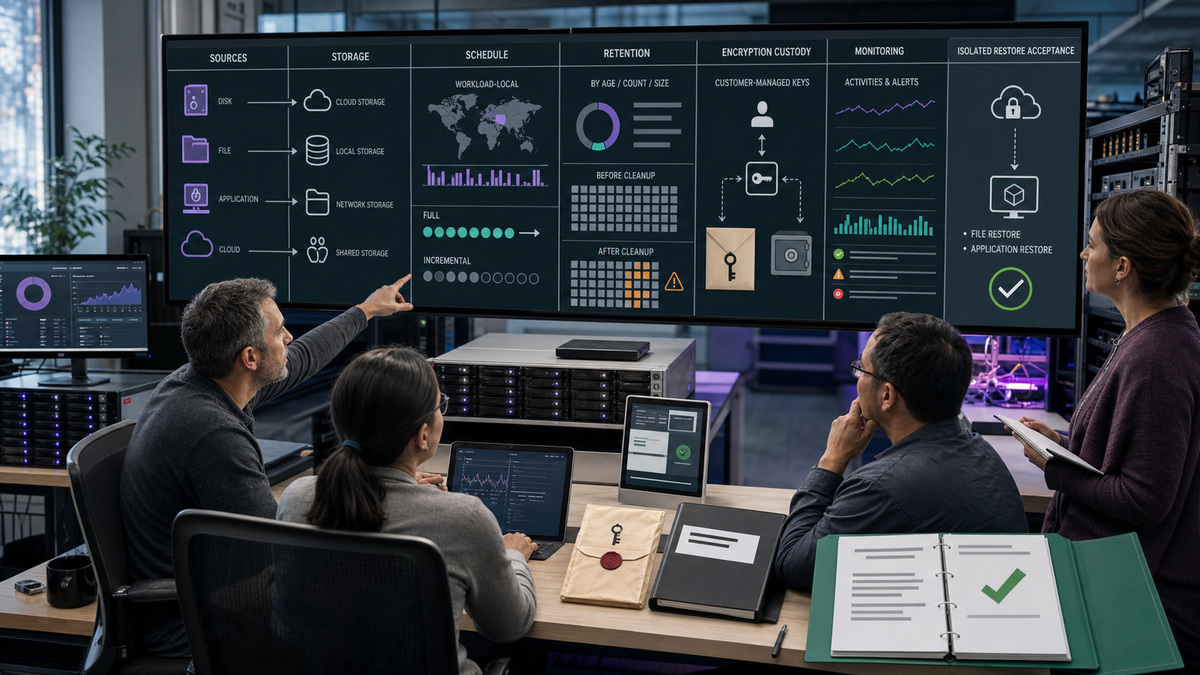
Set what to back up from the recovery requirement. Disk-level, file-level, virtual-machine, application, and cloud-to-cloud backups expose different selection methods, destinations, schemes, and options. The available backup options also vary by operating environment, source type, and destination. Do not copy a Windows file-plan setting into an agentless hypervisor or cloud-application plan without checking current support. For application-aware recovery, verify the required agents, VSS or application writers, credentials, source selection, and target recovery path before calling the design complete.
Choose the destination with access, cost, and recovery in mind. Acronis Backup storage can surface cloud, local, network, NFS, Secure Zone, and supported public-cloud locations, but availability and quotas differ. Orphaned archives still consume storage and can be billed. Backups on SMB or NFS storage are visible to users with read permission to that shared location, so filesystem access is part of backup security. Preserve a storage owner, capacity threshold, network path, regional or contractual requirement, and alternate browsing agent for each location.
Configure schedule, scheme, retention, and encryption together. Non-cloud-to-cloud schedules follow the protected workload’s time zone, and supported schemes depend on source and destination. Retention can be based on number, age, or size where supported, and may run before or after backup. An aggressive before-backup cleanup can remove the last useful copy before a failed run creates a replacement. When plan encryption is enabled, Acronis does not store the user-provided password and cannot recover a lost one, custody and recovery testing must therefore be designed before production backups begin.
- Select backup source and application consistency from the required restore, not from the shortest setup path.
- Document destination type, quota, region, network route, read permissions, archive owner, orphan handling, and browsing-agent dependency.
- Set scheme and schedule against workload time zone, backup window, change rate, network capacity, and acceptable recovery-point spacing.
- Model retention before and after cleanup, dependency chains, storage growth, legal holds, and the failure case where no new backup is created.
- Store encryption credentials through an approved recovery process, test access by an authorised alternate operator, and never place passwords in tickets or screenshots.
Roll Out in Rings and Accept Coverage With Activities, Alerts, and Restores
Pilot the plan on representative workloads rather than the easiest workstation. Include at least one busy endpoint, one server, one application-aware workload where licensed, one remote or bandwidth-constrained device, and each storage path. Run the relevant module on demand, then allow a scheduled execution so both manual and scheduler behavior are observed. Check agent connectivity, plan application, backup duration, data volume, warnings, retries, archive creation, cleanup, and encryption access without exposing the secret.
Use Monitoring as the operational control plane. Review the Overview, Activities, and Alerts dashboards, but reconcile them to the workload register because a clean console cannot report a device that was never enrolled. Define severity, acknowledgement, escalation, and closure evidence for missed backups, failed tasks, agent offline conditions, storage capacity, expired credentials, quota conditions, and protection-plan conflicts. A retry setting can help a transient fault, yet repeated retries are not a substitute for resolving the underlying network, storage, snapshot, or permission problem.
Accept deployment only after recovery evidence exists. Select a current recovery point, restore representative files to an isolated destination, verify an application-aware object where required, and document who validated usability. Backup validation can add integrity evidence, but it belongs alongside a real restore test and business-owner verification. Release the next rollout ring only when the pilot’s coverage totals reconcile, alerts are owned, credential recovery works, and every exception has an expiration date or a formally accepted risk.
- Use pilot rings that represent workload, agent, storage, network, application, and business-criticality differences.
- Compare discovered workloads, registered devices, applied plans, successful scheduled backups, and tested recovery points as separate counts.
- Assign alert routing and response objectives for failures, missed schedules, offline agents, quota limits, storage risk, and plan conflicts.
- Perform isolated file and application restore tests without overwriting production data, then retain screenshots or logs with sensitive details redacted.
- Approve broader rollout only after coverage, operations, encryption custody, restore evidence, exception ownership, and support handoff are complete.
Official product documentation and ALLMSP resources
- Acronis: Understanding plans
- Acronis: Creating a protection plan
- Acronis: Backup in partner protection plans
- Acronis: Which agent do I need?
- Acronis: Installing protection agents in Windows
- Acronis: Backup cheat sheet
- Acronis: Backup schemes
- Acronis: Backup schedule
- Acronis: Retention rules
- Acronis: Backup options
- Acronis: Encryption
- Acronis: Backup storage
- Acronis: Monitoring
- Acronis Integration Guide: Licensing model
- ALLMSP: Acronis software support category
- ALLMSP: Software support
- ALLMSP: Managed IT
- ALLMSP: Cloud computing and migrations
- ALLMSP: Cybersecurity
Frequently Asked Questions
What must be confirmed before an Acronis Cyber Protect Cloud deployment?
Confirm the tenant path, management mode, enabled Protection offering items, add-ons, quotas, billing owner, administration level, workload inventory, recovery needs, agent paths, storage destinations, and exception owners. A feature visible in one tenant or plan is not proof that the same capability is licensed or supported for another workload.
How should an organisation choose an Acronis protection agent?
Choose the agent from the workload and required recovery method. Physical Windows, Linux, and macOS machines use their platform agents, while application and hypervisor workloads may require additional or external agents. Document where the agent runs, which tenant registers it, what credentials it uses, and which recovery operations that architecture supports.
What is different about an Acronis partner-level backup plan?
Current Acronis guidance says partner protection plans can enforce settings across customers but have specific limits. Backup uses each customer’s cloud storage, supports workloads with an installed agent rather than agentless virtual machines, excludes application backup and unit-level plans, and always enables AES-256 encryption with a separate password for each customer.
Can several Acronis protection plans apply to one workload?
Yes. Acronis allows multiple protection plans on the same workload, which can create module or schedule conflicts. Assign an owner for backup and every other enabled module, review compatibility before activation, document precedence and exceptions, and verify the effective configuration on the device rather than assuming that every attached plan runs independently.
How should backup storage be selected in Acronis Cyber Protect Cloud?
Select storage by support, quota, access, recovery path, network performance, region, cost, and data-handling requirements. Record who can browse the location, which online agent is needed, how capacity is monitored, and how orphaned archives are handled. Shared SMB or NFS permissions can expose backups beyond intended console-role boundaries.
How do schedule and retention choices interact in Acronis?
Backup scheme, trigger, workload time zone, destination, and retention behavior determine the usable recovery-point history. Model cleanup before and after backup, dependent incremental chains, storage growth, and failed-run scenarios. Avoid a rule that deletes the only good backup before a new operation has successfully created its replacement.
What must be planned when enabling Acronis backup encryption?
Name the password owner, approved escrow method, alternate authorised operator, recovery procedure, and test schedule before encryption is enabled. Acronis states that it does not store the user-provided plan encryption password and cannot recover a lost one. Never put the password or recovery material in tickets, screenshots, plan names, or ordinary documentation.
Does a successful Acronis backup prove that deployment is complete?
No. A successful task proves that one operation completed, not that inventory coverage is complete or recovery is usable. Reconcile discovered workloads to enrolled devices and applied plans, review scheduled activities and alerts, inspect archive and retention behavior, and restore representative files or application data to an isolated destination before accepting the rollout.
How should Acronis deployment alerts be operated?
Define severity, owner, acknowledgement target, diagnostic steps, escalation path, and closure evidence for missed backups, failed tasks, offline agents, storage capacity, quotas, credentials, and plan conflicts. Repeated automatic retries may bridge a transient failure, but recurring retries should trigger investigation of network, storage, snapshot, permission, or workload conditions.
When should an Acronis deployment expand beyond the pilot ring?
Expand only after representative agents and storage paths have completed scheduled backups, monitoring totals match the workload inventory, encryption recovery has been tested, isolated restores are usable, alerts reach accountable responders, and every exception has an owner and review date. Rollout speed should follow evidence, not the number of green icons on one screen.


