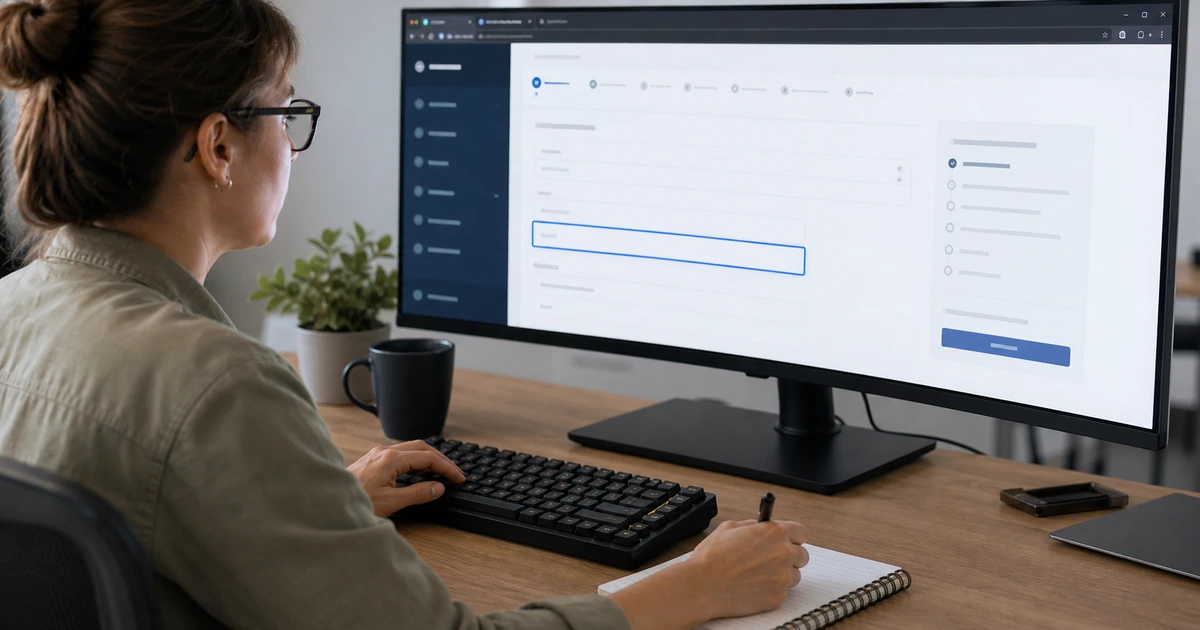
A business website succeeds when a prospective customer can quickly confirm what the company does, whether it serves their location or industry, why its approach is credible, and what to do next. A polished home page cannot compensate for missing service details, vague claims, hard-to-use forms, slow mobile pages, broken tracking, or a launch that discards valuable URLs. The project therefore needs a content, usability, search, measurement, and operations plan before visual design begins.
The most useful starting point is the customer decision. Identify the questions a buyer asks before calling, the objections that delay action, the proof required to trust the company, and the language people use in search. Build pages around real services and decisions rather than trying to place every keyword on one page. Each important service needs enough original information to help a visitor understand scope, outcomes, process, fit, limitations, and the next step.
ALLMSP plans, writes, designs, develops, secures, launches, measures, and supports business websites with its in-house team. We serve organizations in Lawrenceville, Suwanee, Gwinnett County, Metro Atlanta, and across Georgia, connecting website work with local SEO, online marketing, hosting, cybersecurity, analytics, and lead handling instead of treating the site as an isolated brochure.
Turn business goals and customer questions into a launch-ready website plan
- Define outcomes: Set measurable goals for qualified calls, forms, appointments, purchases, applications, support demand, and other valuable actions.
- Map audiences: Document priority buyers, service areas, industries, needs, objections, terminology, devices, and decision paths.
- Plan pages: Create a useful hierarchy for core services, supporting services, industries, locations, proof, resources, contact paths, and policies.
- Specify experience: Set requirements for mobile layout, accessibility, speed, navigation, forms, calls, trust, and content readability.
- Instrument results: Define consent, analytics, Search Console, call and form tracking, campaign tags, lead routing, and validation.
- Prepare launch: Test content, links, redirects, indexing, security, backups, DNS, email delivery, monitoring, and ownership before release.
Research customers, search intent, services, and proof before designing pages
Start with short interviews involving leadership, sales, service delivery, support, and several real customers when possible. Ask what triggers a search, how buyers describe the problem, what alternatives they compare, which details determine fit, and what causes hesitation. Review sales notes, call recordings, form questions, support tickets, proposals, search queries, and competitor results. The output should be a prioritized question set and evidence library, not a collection of slogans.
Inventory every service the business wants to sell and decide which ones deserve distinct pages. A service page should address the buyer’s situation, specific work performed, expected outcomes, process, relevant technology or expertise, geographic coverage, common questions, proof, and a direct action. Combine only services that share the same audience and decision. Splitting closely related phrases into thin pages creates repetition and makes navigation harder. Google recommends useful, well-organized, original content created for people, which supports a service architecture based on genuine customer needs.
Build a simple page map before writing. A typical local service company may need a home page, primary service pages, selected subservice pages, industry pages where delivery truly differs, location information, company and team proof, contact paths, case studies, policies, and practical resources. Decide the primary purpose of each page and the best internal links. Record current URLs that must be preserved or redirected. Assign a knowledgeable owner to approve every technical and marketing claim.
- Customer question set: Capture triggers, desired outcomes, terminology, comparisons, objections, trust requirements, and next-step preferences.
- Service inventory: List actual deliverables, boundaries, dependencies, audiences, industries, service areas, and supporting evidence.
- Page purpose: Give each page one primary audience, search intent, conversion action, owner, and place in the site hierarchy.
- Proof library: Collect accurate credentials, process evidence, project examples, product relationships, testimonials, photos, and measurable outcomes.
- URL register: Preserve valuable addresses and define permanent redirects for any changed or consolidated page before launch.
Discovery is complete when every planned page has a real customer purpose, enough reliable source material, a named owner, and a clear connection to the services the business can deliver.
Design clear mobile journeys, useful service content, and accessible conversion paths
Design the mobile experience first enough to expose hard choices about priority. The business name, service promise, primary action, and essential navigation should remain understandable without overlap or horizontal scrolling. Use readable type, stable spacing, strong contrast, descriptive headings, clear link text, and images that reinforce the service. Avoid oversized decorative areas that delay useful content. Core Web Vitals provide field-oriented measures for loading, interaction, and visual stability, but performance work should support the entire customer experience rather than chase one score.
Write service pages in plain language. Explain who the service is for, what problems it addresses, what work is included, how the engagement proceeds, what the customer must provide, how quality is checked, and what happens after completion. Use local references only where they add real context, such as service availability, onsite coverage, regional conditions, or relevant business needs. Do not repeat city names in every paragraph. Local credibility comes from consistent business information, useful location context, authentic experience, and a strong overall page.
Treat calls, forms, scheduling, chat, downloads, and purchases as product features. Keep forms proportional to the commitment being requested. Provide persistent labels, useful input types, clear required states, specific error messages, privacy context, confirmation, spam protection, and an alternate contact method. W3C guidance calls for labels that identify controls and are programmatically associated with them. Test every action with keyboard navigation, screen magnification, mobile input, slow connections, and realistic validation errors.
- First-screen clarity: Confirm the visitor can identify the company, service, audience or location, primary benefit, and next action.
- Responsive behavior: Test headings, images, navigation, columns, buttons, forms, tables, embeds, and sticky elements at real breakpoints.
- Service substance: Answer scope, process, outcomes, fit, proof, prerequisites, limitations, support, and common customer questions.
- Accessible actions: Use visible labels, keyboard access, meaningful focus, adequate targets, understandable errors, and clear confirmations.
- Performance budget: Control image dimensions, fonts, scripts, third-party tools, caching, layout shifts, and interaction delays.
A page is ready when a new visitor can understand the offer and complete its primary action on a phone, with a keyboard, and under ordinary network conditions without guessing.
Launch with analytics, search controls, redirects, security, and accountable follow-through
Create a written launch checklist and a rollback plan. Review spelling, claims, contact details, legal notices, image rights, alternative text, heading order, metadata, social previews, structured data, internal links, external links, forms, confirmation messages, email delivery, telephone links, maps, downloads, and integrations. Crawl both the old and staging sites to create a redirect map. Use permanent redirects from replaced URLs to the closest relevant destination and avoid sending every retired page to the home page.
Configure analytics around business decisions. Record meaningful events such as qualified form completion, appointment booking, tracked phone engagement, purchase, application, and useful document requests. Exclude internal and test activity where practical. Verify events in the live property and confirm that consent choices behave as intended. Connect Google Search Console, submit the canonical sitemap, inspect key pages, and monitor indexing, search queries, Core Web Vitals, manual actions, and security issues. Google describes Search Console as a tool for understanding performance and helping troubleshoot how a site appears in Search.
Move the site into an owned operating process after launch. Document domain and DNS control, hosting, administrator roles, emergency access, code and design ownership, licenses, analytics properties, advertising accounts, forms, integrations, backups, monitoring, update procedures, vendor contacts, and renewal dates. Test backup restoration and lead delivery rather than assuming successful messages are enough. Review search visibility, engagement, conversions, missed leads, content accuracy, security, software lifecycle, and accessibility on a planned schedule and after material business changes.
- Release checks: Validate content, metadata, schema, social previews, links, forms, integrations, tracking, consent, email, phones, and downloads.
- Search transition: Publish canonicals and sitemap, remove accidental blocking, preserve URLs, apply mapped redirects, and inspect key pages.
- Business measurement: Test valuable events from click through lead receipt and connect each one to a source and responsible owner.
- Operational ownership: Document accounts, credentials, renewals, vendors, licenses, code, backups, monitoring, updates, and escalation.
- Post-launch review: Check errors, search visibility, performance, accessibility, lead quality, user questions, and conversion paths after real traffic arrives.
A website launch is complete only when customers can use it, search engines can understand it, leads reach the right people, owners can operate it, and the team has evidence that recovery works.
Business website strategy, design, development, and support from ALLMSP
ALLMSP can take a business website from research and architecture through copy, visual design, development, responsive testing, accessibility, analytics, SEO, hosting, security, launch, and ongoing improvement. Our in-house team keeps technical and marketing decisions connected so the finished site supports both customer trust and reliable operations.
We can also connect the website to advertising, local visibility, marketing automation, CRM workflows, phone and form tracking, reporting, cybersecurity, and managed IT. That broader view helps prevent lost leads, unclear ownership, and fragile integrations after launch.
- Plan: Research customers, services, search intent, proof, page architecture, measurement, and operational requirements.
- Build: Create the content, responsive design, forms, integrations, SEO foundation, accessibility, hosting, and security controls.
- Improve: Monitor search, usability, conversions, reliability, and support evidence, then implement tested improvements.
Official website planning and launch references
Use authoritative guidance as a baseline, then validate decisions against the website’s real customers, content, technology, risks, and business outcomes.
- Google SEO Starter Guide. Explains useful content, crawlability, page organization, links, images, and search fundamentals.
- Google people-first content guidance. Provides questions for evaluating whether content genuinely helps its intended audience.
- Core Web Vitals. Defines loading, interaction, and visual stability measures used to assess real page experience.
- W3C form labeling tutorial. Explains visible and programmatic labels that help people understand and operate forms.
- Google Search Console introduction. Covers monitoring search performance, indexing, enhancements, and website issues.
Business website launch FAQs
What should a business prepare before a website project starts?
Prepare service details, priority audiences, locations, customer questions, proof, brand assets, contact paths, current analytics, domain access, existing URLs, legal requirements, integrations, approvers, and measurable goals.
How many pages does a business website need?
The right number depends on distinct services, audiences, industries, locations, and customer decisions. Create a separate page when the topic needs substantial unique information, then avoid thin pages made only to target slight keyword variations.
Should a website be designed for mobile first?
Mobile requirements should shape content priority, navigation, forms, images, calls, and performance from the beginning. The finished design must also be tested on laptop, tablet, and wide desktop layouts.
What makes a service page useful?
A useful service page explains the customer’s situation, work performed, outcomes, process, fit, boundaries, evidence, service area, related choices, common questions, and a clear next step in original language.
Which website conversions should be tracked?
Track actions that represent business value, such as qualified forms, appointments, meaningful calls, purchases, applications, and selected downloads. Verify that the event fires once and that the lead reaches its owner.
How should old URLs be handled during a redesign?
Preserve valuable URLs when practical. When a page moves or consolidates, map its old address to the closest relevant new page with a permanent redirect and test the complete redirect path.
What should be checked before a website goes live?
Check content, claims, responsive layouts, accessibility, links, forms, delivery, tracking, consent, metadata, schema, sitemap, indexing controls, redirects, DNS, HTTPS, security, backups, monitoring, and rollback.
How quickly will a new website rank in Google?
There is no guaranteed timetable or ranking. Search visibility depends on technical access, content quality, relevance, competition, reputation, links, local signals, user value, and continuing improvement after Google discovers and evaluates the pages.
Can ALLMSP build and support the entire website in house?
Yes. ALLMSP can handle research, copy, design, development, hosting, security, SEO, analytics, integrations, launch, training, maintenance, and improvement with its in-house team.
Where does ALLMSP provide business website services?
ALLMSP provides website services for organizations in Lawrenceville, Suwanee, Gwinnett County, Metro Atlanta, and across Georgia, with scope based on business goals and technical requirements.