





























































































































































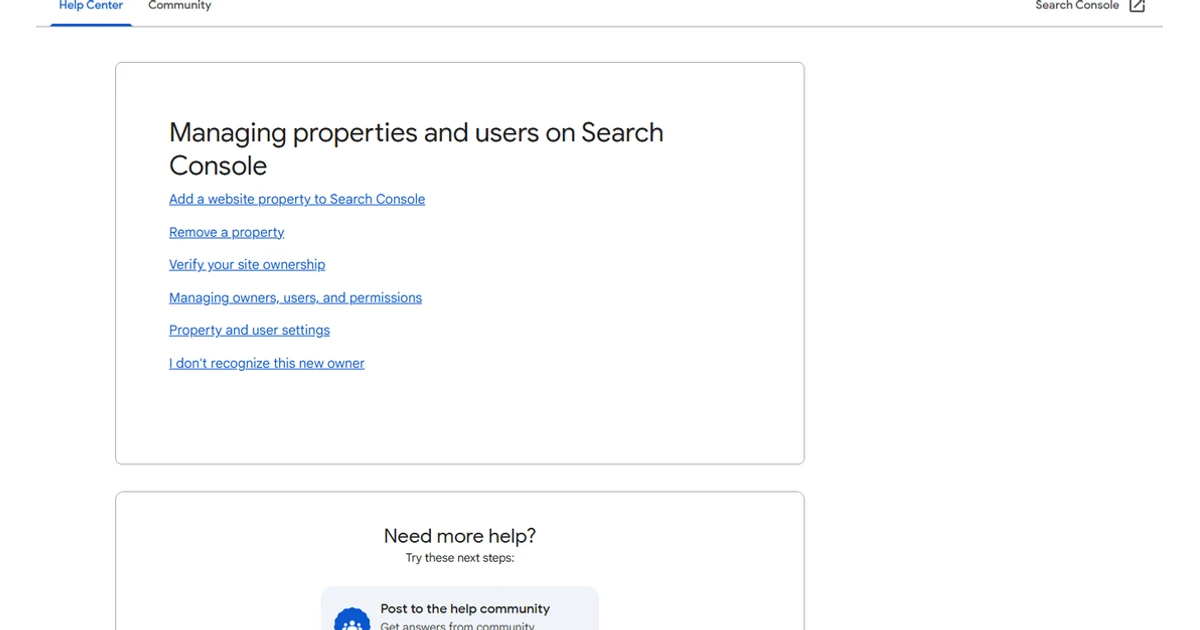
A Search Console access review must examine verified ownership and the technical systems that preserve it. A person can remain a verified owner because of DNS, an HTML file, a meta tag, Google Analytics, or Tag Manager even after the visible user list changes. The review should connect every owner to the business, verification method, website access, and current responsibility.
Do not delete a DNS record, verification file, meta tag, Analytics user, Tag Manager user, or website account merely because it looks old. First identify which properties and owners depend on it, add a tested company-controlled method, and confirm the property remains verified after the change.
ALLMSP coordinates Google Search Console access, ownership, and security review from Lawrenceville for clients in Suwanee, across Gwinnett County and Metro Atlanta, and throughout Georgia, through one accountable in-house workflow from discovery and correction through testing, training, and ongoing support.
Evidence to collect before changing Search Console management
A useful review identifies every Search Console property, verified and delegated owner, full and restricted user, verification method, association, sitemap, export, alert recipient, outside provider, and technical dependency. It proves the company can investigate indexing and maintain ownership after a provider or employee change.
- Domain and URL-prefix properties with exact URLs, purpose, canonical site mapping, business owner, and last validation date.
- Verified owners, delegated owners, full users, restricted users, pending access, employment or vendor status, and approved purpose.
- DNS records, HTML files, meta tags, Analytics and Tag Manager verification, domain registrar, hosting, CDN, and CMS controllers.
- Sitemaps, indexing trends, manual actions, security issues, associations, exports, notifications, and unresolved warnings.
- Search data exports, Looker Studio or API connections, service accounts, Sheets, BigQuery, and outside reporting access.
- Independent company-owner access, live URL tests, alert routing, recovery procedure, and provider-offboarding evidence.
Inventory properties, owners, and verification
Property inventory and scope
What to check: Record every Domain and URL-prefix property, its scope, canonical host, business purpose, status, and owner. Identify duplicate, legacy, migration, staging, or unknown properties.
What to do next: Keep complete domain coverage, document useful narrower views, and investigate old properties before removal or abandonment.
Verified and delegated owners
What to check: Capture verified owners, delegated owners, full users, restricted users, access source, business relationship, current need, last confirmation, and whether the account is company controlled.
What to do next: Add tested internal owners, reduce roles according to need, and remove obsolete access only after the underlying verification method is understood.
Verification methods and technical control
What to check: Map each active DNS TXT record, HTML file, meta tag, Analytics verification, Tag Manager verification, and domain-provider method to an owner and property. Record who can change DNS and the site.
What to do next: Establish a durable company-controlled method, preserve backup ownership, and remove orphaned tokens only after a clean re-verification test.
Review website, DNS, sitemap, and indexing authority
Domain, hosting, CMS, and CDN access
What to check: Identify administrators who can change redirects, robots.txt, status codes, canonical tags, noindex, sitemaps, verification, rendering, or access rules. Record MFA, account owner, and vendor status.
What to do next: Remove shared logins, keep named internal backups, narrow provider access, and connect technical changes to a Search Console validation test.
Sitemap ownership and quality
What to check: Record submitted files, submitter, last read, discovered URLs, errors, generation source, content types, and whether submitted URLs are canonical and indexable. Identify obsolete sitemap paths.
What to do next: Correct the generator and site signals before resubmitting. Remove obsolete submissions only after the replacement is live and verified.
Indexing changes and releases
What to check: Compare indexing shifts with deployments, migrations, plugin changes, noindex settings, server errors, content removals, and internal-link changes. Save representative affected URLs and live tests.
What to do next: Fix the shared template or technical cause, validate representative URLs, and monitor the affected group rather than requesting indexing repeatedly for every page.
Manual actions and security issues
What to check: Record current and historical warnings, notification recipients, compromised URLs, injected content, malware findings, remediation evidence, reconsideration status, and responsible technical owner.
What to do next: Treat active issues as urgent, contain the website problem, preserve evidence, correct the root cause, validate clean pages, and follow Google's review process.
Inspect exports, associations, alerts, and provider access
Associations and connected services
What to check: List associated Analytics properties, Chrome Web Store items, Android apps, YouTube channels, or other supported services, exact IDs, owner, purpose, and data dependency.
What to do next: Confirm each association is current and company controlled. Remove obsolete links only after the reporting or product impact is understood.
Exports, APIs, and external reporting
What to check: Record data destinations, project and billing owner, credentials, schedules, report sharing, outside users, retained data, and whether the export still works. Identify personal connectors.
What to do next: Transfer ownership, restrict report sharing, rotate exposed credentials, document queries, and test scheduled refreshes after access changes.
Provider departure and continuity test
What to check: Have a backup employee open the property, identify verification, inspect an important page, review sitemaps and warnings, and explain how to keep access if the current SEO or web provider leaves.
What to do next: Add missing company ownership and technical access, document steps, transfer reports, and repeat until the business can operate without provider credentials.
Prioritize ownership and visibility risks
Treat lost company ownership, compromised website access, active security issues, manual actions, and widespread accidental blocking as urgent. Next correct provider-only verification, broken sitemaps, unexplained indexing loss, and public data exports. Stale restricted users and naming cleanup can follow after website control is stable.
Priority 1: Ownership or search-safety failure
Use this level when the business lacks a verified owner, credentials or website controls may be compromised, a manual action is active, security issues are present, or critical pages are blocked broadly.
Priority 2: Visibility and continuity risk
Use this level for provider-only verification, widespread indexing changes, broken sitemap generation, unexplained owners, failed exports, and missing alert response.
Priority 3: Access and property hygiene
Use this level for stale low-privilege users, duplicate properties, obsolete submissions, unclear naming, and missing review dates after critical control is protected.
Official product documentation and ALLMSP resources
- Manage Search Console owners, users, and permissions. Official guidance for verified owners, delegated owners, users, permission levels, and access removal, with the planning steps on this page applying it to the work needed to determine who can manage Search Console and verify ownership and vendor access.
- Search Console Sitemaps report. Official guidance for submitting sitemaps, reviewing processing status, and investigating reported errors, with the configuration checks here applied to the controls needed to determine who can manage Search Console and verify ownership and vendor access.
- Search Console performance reports. Official explanation of impressions, clicks, click-through rate, dimensions, filters, and report scope, with the review process on this page using that guidance to help the organization determine who can manage Search Console and verify ownership and vendor access.
Frequently Asked Questions
How should Search Console properties be inventoried?
Review the following systems and records: Search Console property selector, domain inventory, redirect map, and current website configuration. Record every Domain and URL-prefix property, its scope, canonical host, business purpose, status, and owner. Identify duplicate, legacy, migration, staging, or unknown properties. If evidence is incomplete or a control fails, keep complete domain coverage, document useful narrower views, and investigate old properties before removal or abandonment. Retest and document closure.
What is the difference between a verified owner and delegated owner in Search Console?
Review the following systems and records: Search Console > Settings > Users and permissions. Capture verified owners, delegated owners, full users, restricted users, access source, business relationship, current need, last confirmation, and whether the account is company controlled. If evidence is incomplete or a control fails, add tested internal owners, reduce roles according to need, and remove obsolete access only after the underlying verification method is understood. Retest and document closure.
Can removing a website tag revoke Search Console ownership?
Review the following systems and records: Search Console > Settings > Ownership verification plus DNS, website files, source, Analytics, and Tag Manager. Map each active DNS TXT record, HTML file, meta tag, Analytics verification, Tag Manager verification, and domain-provider method to an owner and property. Record who can change DNS and the site. If evidence is incomplete or a control fails, establish a durable company-controlled method, preserve backup ownership, and remove orphaned tokens only after a clean re-verification test. Retest and document closure.
Why should DNS and website access be reviewed with Search Console users?
Review the following systems and records: Registrar, DNS provider, hosting account, CDN, CMS users, deployment platform, and security tools. Identify administrators who can change redirects, robots.txt, status codes, canonical tags, noindex, sitemaps, verification, rendering, or access rules. Record MFA, account owner, and vendor status. If evidence is incomplete or a control fails, remove shared logins, keep named internal backups, narrow provider access, and connect technical changes to a Search Console validation test. Retest and document closure.
What should be reviewed for XML sitemaps in Search Console?
Review the following systems and records: Search Console > Sitemaps plus CMS or application sitemap generator. Record submitted files, submitter, last read, discovered URLs, errors, generation source, content types, and whether submitted URLs are canonical and indexable. Identify obsolete sitemap paths. If evidence is incomplete or a control fails, correct the generator and site signals before resubmitting. Remove obsolete submissions only after the replacement is live and verified. Retest and document closure.
How can Search Console indexing changes be tied to website releases?
Review the following systems and records: Pages or Indexing reports, URL Inspection, website release history, redirects, robots, canonicals, and CMS changes. Compare indexing shifts with deployments, migrations, plugin changes, noindex settings, server errors, content removals, and internal-link changes. Save representative affected URLs and live tests. If evidence is incomplete or a control fails, fix the shared template or technical cause, validate representative URLs, and monitor the affected group rather than requesting indexing repeatedly for every page. Retest and document closure.
Who should receive Search Console security and manual-action alerts?
Review the following systems and records: Search Console > Manual actions and Security issues plus website security and hosting records. Record current and historical warnings, notification recipients, compromised URLs, injected content, malware findings, remediation evidence, reconsideration status, and responsible technical owner. If evidence is incomplete or a control fails, treat active issues as urgent, contain the website problem, preserve evidence, correct the root cause, validate clean pages, and follow Google's review process. Retest and document closure.
What are Search Console associations and why should they be reviewed?
Review the following systems and records: Search Console > Settings > Associations plus GA4 and other connected Google products. List associated Analytics properties, Chrome Web Store items, Android apps, YouTube channels, or other supported services, exact IDs, owner, purpose, and data dependency. If evidence is incomplete or a control fails, confirm each association is current and company controlled. Remove obsolete links only after the reporting or product impact is understood. Retest and document closure.
Which Search Console data exports belong in an access review?
Review the following systems and records: Bulk data export where configured, Search Console API clients, Looker Studio, Sheets, service accounts, Cloud project, and shared reports. Record data destinations, project and billing owner, credentials, schedules, report sharing, outside users, retained data, and whether the export still works. Identify personal connectors. If evidence is incomplete or a control fails, transfer ownership, restrict report sharing, rotate exposed credentials, document queries, and test scheduled refreshes after access changes. Retest and document closure.
How can a business prepare Search Console for an SEO provider change?
Review the following systems and records: Company owner accounts, DNS, CMS, asset register, sitemaps, URL Inspection, alerts, and support documentation. Have a backup employee open the property, identify verification, inspect an important page, review sitemaps and warnings, and explain how to keep access if the current SEO or web provider leaves. If evidence is incomplete or a control fails, add missing company ownership and technical access, document steps, transfer reports, and repeat until the business can operate without provider credentials. Retest and document closure.


