A remote support platform can reach many business devices and may operate with substantial privilege. That makes its tenant, technician accounts, endpoint agents, deployment system, integrations, update process, scripts, and session data part of the organization’s high-value security boundary. Protecting only the connection encryption leaves the most important control points exposed.
Security should preserve the speed that makes remote support useful. Named technician identities, strong MFA, role-based device scope, temporary elevation, employee-visible approval, safe file handling, complete logs, expected-behavior baselines, platform updates, and rehearsed incident actions can reduce risk without making every routine request impractical. The controls need to match device sensitivity and support purpose.
ALLMSP secures and operates remote support for organizations in Lawrenceville, Suwanee, Gwinnett County, Metro Atlanta, and across Georgia through its in-house team. We harden platforms and technician access, protect endpoints, monitor remote activity, maintain patches and agents, investigate anomalies, document sessions, train employees, and respond when a remote-access path may be compromised.
Protect the complete remote support control plane
- Secure the tenant: Control ownership, domains, administrators, recovery, billing, integrations, API keys, alerts, exports, retention, and vendor support.
- Verify technicians: Use named accounts, phishing-resistant MFA, approved devices, separate administration, least privilege, and rapid access removal.
- Harden endpoints: Deploy signed supported agents, restrict tampering, monitor health, control network paths, update quickly, and remove stale instances.
- Limit sessions: Define consent, device scope, elevation, commands, scripts, files, clipboard, recording, reboots, safe mode, and time boundaries.
- Detect abuse: Baseline normal tools and behavior, centralize logs, correlate identity and endpoint signals, alert on anomalies, and preserve evidence.
- Prepare response: Practice disabling access, isolating devices, revoking sessions, preserving logs, communicating, restoring trust, and validating recovery.
Harden the platform tenant, technician identities, integrations, and recovery
Establish organization control over the remote support tenant, subscription, domains, billing, primary contacts, support entitlement, recovery channels, and data export. Maintain at least two trained internal owners with separate accounts. Protect emergency access outside daily use and test it on a schedule. Review vendor security documentation, incident notices, data locations, subprocessors, retention, session recording, audit export, vulnerability communication, software signing, update mechanisms, and contract exit procedures.
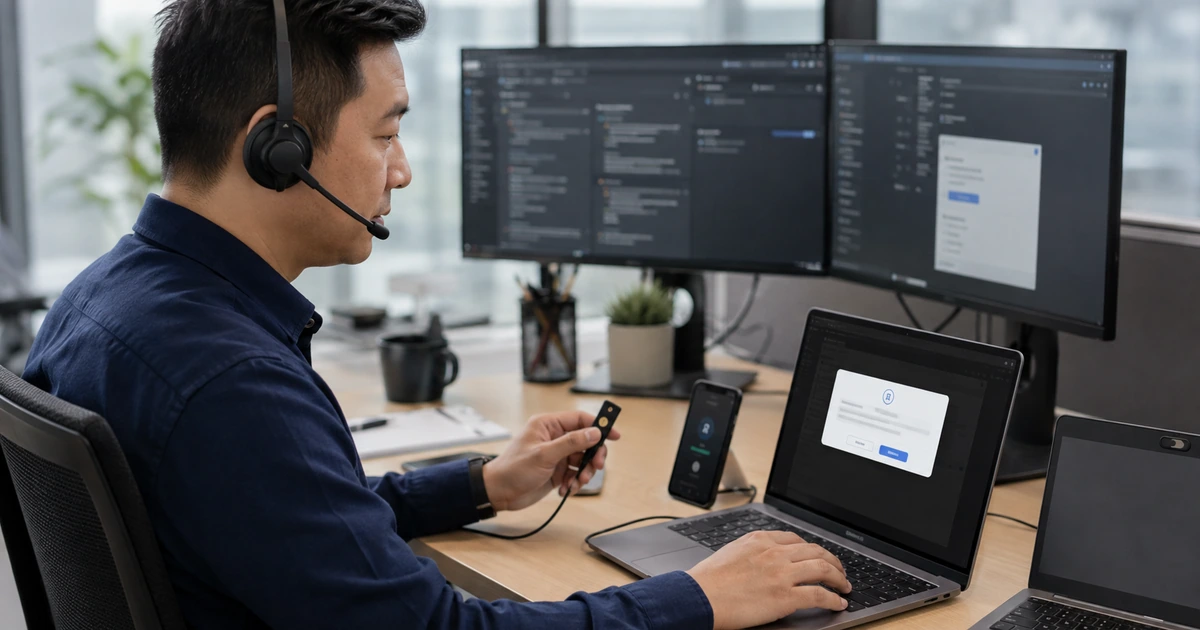
Use named technician accounts with strong multifactor authentication. CISA recommends MFA for remote and privileged access and encourages stronger phishing-resistant methods. Separate platform administration from support work, use least-privilege roles, restrict technicians to approved customers and device groups, require additional approval for high-impact actions, and protect recovery from personal email or phone numbers. Disable dormant accounts, revoke sessions after role changes, and test the complete departure process.
Inventory API keys, service accounts, webhooks, identity integrations, ticket connectors, password vault links, deployment systems, scripts, cloud storage, report exports, and security integrations. Assign owners, scopes, secrets, rotation, logs, failure alerts, and deletion steps. An integration can bypass the protections applied to an interactive technician. Remove unused connections and prevent long-lived broadly privileged credentials from becoming an alternate administrator path.
- Tenant control: Verify ownership, administrators, recovery, billing, support, security notices, data, retention, exports, and termination.
- Technician authentication: Require named identity, strong MFA, approved device, protected recovery, sign-in alerts, and session revocation.
- Role boundary: Separate tenant administration, customer scope, endpoint groups, scripting, transfer, recording, reporting, audit, and emergency work.
- Integration register: Track account, key, scope, secret, owner, data, logs, rotation, failure alert, review, and removal.
- Offboarding test: Disable the user, revoke sessions and tokens, transfer records, remove vault and API access, and verify denial.
The platform is only as secure as its least-protected administrator, recovery method, integration credential, or forgotten technician account.
Control endpoint agents, session capabilities, data movement, and privileged actions
Deploy only supported signed agents through approved methods. Validate installer sources, certificates, hashes where available, update channels, service accounts, permissions, firewall paths, proxy behavior, endpoint-protection compatibility, tamper controls, and uninstall procedures. Monitor agent version, health, last connection, assigned group, user, location, and duplicate identifiers. CISA’s remote access guidance recommends establishing normal behavior and using endpoint detection tools to identify unauthorized or anomalous remote software use.
Apply session capabilities by device class and technician role. A routine employee desktop session should not automatically grant the same access as server administration, a payment workstation, a medical system, or an industrial device. Control elevation, terminal access, scripts, registry or configuration tools, file transfer, clipboard, printing, screen blanking, input blocking, multi-monitor viewing, recording, chat, reboot, reconnect, safe mode, and wake functions. Use just-in-time privilege or additional approval where practical for sensitive actions.
Protect business information during attended support. Identify the technician, explain the purpose, obtain required consent, and ask the employee to close unrelated confidential content. Restrict file movement to approved paths and scan transferred files. Avoid copying passwords or sensitive records through chat or clipboard. Define recording and retention under applicable requirements. Use secure methods to collect logs and diagnostics, label them with the ticket and device, limit access, and delete them when the approved purpose and retention period end.
- Agent integrity: Verify source, signing, permissions, service, update, network behavior, security compatibility, tamper control, and uninstall.
- Device sensitivity: Classify employee, shared, executive, server, payment, clinical, industrial, public, remote-site, and personal endpoints.
- Capability matrix: Control elevation, terminal, scripts, settings, transfer, clipboard, recording, input, reboot, reconnect, and safe mode.
- Diagnostic handling: Limit collection, label evidence, encrypt transfer, restrict access, scan files, apply retention, and verify deletion.
- Employee protection: Provide technician identity, purpose, consent, visible session state, privacy guidance, progress, stop control, and summary.
Capability control lets technicians solve the approved problem without making every endpoint and every business record available by default.
Monitor for remote-access abuse and rehearse rapid containment and trust recovery
Build a baseline of approved tools, accounts, devices, times, locations, networks, session patterns, commands, scripts, transfer volume, and administrative actions. Centralize platform, identity, endpoint, network, ticket, and change logs with consistent time. Alert on new remote software, portable execution, disabled agents, unexpected administrator roles, failed MFA, impossible travel, access outside schedule, broad device browsing, unusual commands, large transfers, security-tool changes, remote sessions without tickets, and connections to retired or sensitive devices.
Patch the complete remote-support path. Track the platform service, on-premises components, gateways, web consoles, endpoint agents, operating systems, browsers, extensions, identity integration, deployment tools, scripting engines, and related network appliances. Monitor vendor security notices and CISA alerts. Test updates with representative devices, deploy within approved risk-based timelines, verify agent health and compatibility, and remove unsupported versions. Review internet exposure so consoles and direct protocols are not unintentionally reachable.
Practice compromise response. Define how to disable the tenant or a technician, revoke tokens, rotate secrets, isolate endpoint groups, block network destinations, preserve logs, acquire affected systems, contact vendor security, communicate with customers and employees, and continue critical support through an alternate approved path. Rebuild trust before restoring access by validating administrators, integrations, update channels, agents, configurations, devices, and monitoring. Document the timeline, affected scope, actions, evidence, corrections, and retest.
- Behavior baseline: Record expected tools, accounts, devices, locations, times, session types, commands, scripts, transfers, and administration.
- Detection rule: Alert on unknown software, new roles, failed MFA, unusual location, off-hours access, no-ticket sessions, transfers, and tampering.
- Update program: Track service, consoles, agents, browsers, identity, deployment, scripts, gateways, appliances, tests, rollout, and verification.
- Containment action: Prepare tenant disablement, account revocation, token and key rotation, device isolation, network blocks, and alternate support.
- Trust restoration: Validate ownership, identities, integrations, signing, versions, agents, configurations, endpoints, logs, and enhanced monitoring.
Fast containment depends on knowing normal remote-support behavior and having tested controls that can remove access without erasing the evidence needed to understand it.
Secure remote support operations from ALLMSP
ALLMSP can harden remote-support tenants, enforce technician MFA, redesign roles, reconcile agents, protect session capabilities, secure diagnostics, centralize logs, monitor anomalies, manage updates, remove exposure, test offboarding, and build incident procedures. Our in-house team operates the controls alongside the help desk so security and service decisions stay connected.
We support businesses in Lawrenceville, Suwanee, Gwinnett County, Metro Atlanta, and throughout Georgia with secure remote assistance and coordinated onsite response. The design is tailored to device sensitivity, employee workflow, regulatory needs, business hours, service priorities, and the organization’s tolerance for unattended access.
- Harden: Secure ownership, identities, MFA, recovery, roles, integrations, agents, session capabilities, data, and updates.
- Monitor: Baseline remote behavior, centralize evidence, correlate tickets, alert on anomalies, review access, and investigate findings.
- Respond: Disable access, revoke credentials, isolate endpoints, preserve logs, maintain support, restore trust, and verify corrections.
Official secure remote-support references
Combine current security guidance with vendor instructions and the organization’s privacy, consent, monitoring, employment, contractual, insurance, and regulatory requirements.
- CISA Guide to Securing Remote Access Software. Covers malicious use, activity baselines, endpoint detection, approved software, and defensive recommendations.
- CISA multifactor authentication guidance. Addresses MFA for remote access and privileged administration, including stronger authentication approaches.
- CISA StopRansomware Guide. Recommends auditing RMM tools, reviewing execution logs, restricting access paths, and monitoring for abuse.
- NIST Cybersecurity Framework 2.0. Provides outcomes for governing, identifying, protecting, detecting, responding to, and recovering from cybersecurity risk.
- NIST SP 800-46 Revision 2. Provides enterprise remote-access and external-device security considerations.
Secure remote support FAQs
Why is a remote support platform a high-value security system?
It can reach many endpoints, run commands, move files, install software, change settings, and operate with privilege, so compromise can affect the full business.
What protects remote support technician accounts?
Use named accounts, strong MFA, approved devices, least privilege, separate administration, protected recovery, sign-in alerts, session logging, and rapid offboarding.
Should technicians have access to every customer and device?
No. Restrict access by responsibility, customer, location, device group, sensitivity, action, schedule, and temporary approval, then review assignments regularly.
How should remote support agents be secured?
Use approved signed installers, controlled deployment, current versions, appropriate permissions, tamper protection, endpoint monitoring, inventory reconciliation, safe network paths, and verified removal.
Which session capabilities should be limited?
Control privilege elevation, terminal and script access, file transfer, clipboard, recording, screen and input control, reboot, reconnect, safe mode, and sensitive-device access.
How should support diagnostics be handled?
Collect only what is needed, identify the ticket and device, encrypt transfer, restrict access, scan files, apply approved retention, and verify deletion.
What remote access activity may indicate abuse?
Investigate unknown tools, portable execution, new administrators, failed MFA, unusual locations, off-hours sessions, no-ticket access, broad browsing, large transfers, security changes, and agent tampering.
What should happen if the remote support platform is compromised?
Activate incident procedures, disable affected access, revoke sessions, rotate secrets, isolate endpoints, preserve logs, contact the vendor, maintain alternate support, and rebuild trust before reconnection.
Can ALLMSP secure and monitor remote support in house?
Yes. ALLMSP provides hardening, identity, roles, agent management, session controls, logs, monitoring, updates, incident response, documentation, and help desk operations through its own team.
Where does ALLMSP provide secure remote support?
ALLMSP serves Lawrenceville, Suwanee, Gwinnett County, Metro Atlanta, and businesses across Georgia with secure remote and onsite support.