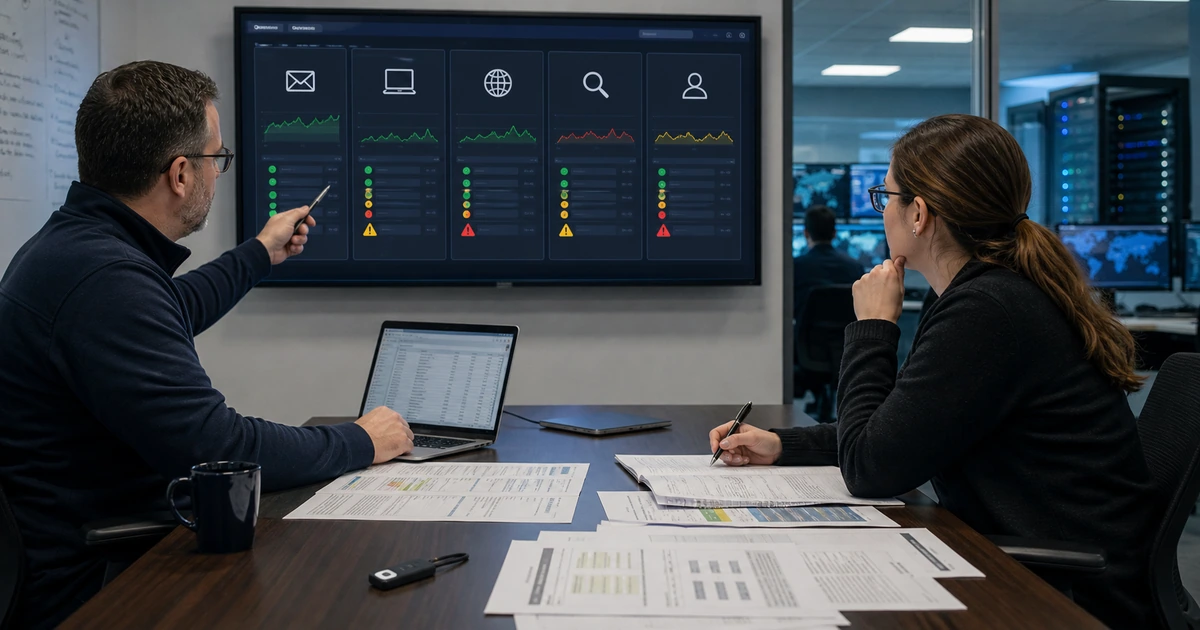
Business malware protection is an operating system of people, policy, identity, email, devices, networks, browsers, applications, cloud services, monitoring, and response. Installing an antivirus agent is useful, but it cannot correct an exposed administrator account, an unpatched internet-facing system, a malicious consent grant, an unsafe email rule, or an employee who has no clear way to report suspicious behavior.
A reliable deployment begins with assets and workflows. The organization should know which computers, servers, mobile devices, shared systems, browser profiles, email domains, cloud applications, and remote connections exist. It should then define a supported configuration, pilot it with realistic users, measure health, test alerts and containment, document exceptions, and make support available when a safeguard interrupts legitimate work.
ALLMSP designs, deploys, and operates malware protection in house for organizations in Lawrenceville, Suwanee, Gwinnett County, Metro Atlanta, and throughout Georgia. We can coordinate endpoint detection and response, email protection, identity, patching, browser controls, web filtering, mobile management, backups, monitoring, incident procedures, employee training, and ongoing support.
Deploy malware defenses as one tested business protection system
- Inventory assets: Identify endpoints, servers, mobile devices, identities, email, browsers, cloud apps, websites, networks, remote access, and owners.
- Reduce exposure: Remove unsupported software, patch vulnerabilities, restrict administration, control applications, and harden internet-facing services.
- Protect entry points: Coordinate email filtering, link and attachment analysis, browser policy, web controls, identity safeguards, and device security.
- Detect behavior: Collect useful endpoint, identity, email, cloud, network, and application evidence with actionable alert routing.
- Test policies: Pilot with real roles, devices, locations, applications, files, websites, peripherals, and support scenarios before broad rollout.
- Prepare response: Define reporting, triage, isolation, evidence, eradication, recovery, communication, business decisions, and lessons learned.
Inventory the environment and reduce the pathways malware can use
Build an authoritative asset and service inventory before selecting policy. Record business owner, technical owner, user, device type, operating system, support status, installed software, local administrator status, encryption, security agent, network, location, criticality, data handled, backup, and last check-in. Include servers, virtual machines, point-of-sale systems, kiosks, shared computers, contractor devices, phones, tablets, cloud workloads, websites, browser extensions, and remote-access tools. Unknown devices and unmanaged identities become gaps that a dashboard cannot explain.
Reduce preventable exposure. Remove software that is unsupported, unused, unlicensed, or obtained from unapproved sources. Establish operating-system and third-party application updates with testing, deadlines, restart communication, exception ownership, and verification. Prioritize internet-facing systems and vulnerabilities known to be exploited. CISA maintains its Known Exploited Vulnerabilities Catalog as an authoritative input for vulnerability prioritization. An exception should state the reason, risk, temporary safeguard, owner, and expiration rather than quietly remaining unpatched.
Limit what malware can do after execution. Remove routine local administrator rights, protect privileged accounts, require strong multifactor authentication, restrict script and macro behavior based on business needs, control unauthorized applications, segment sensitive systems, and limit access to backups and management tools. Review service accounts, scheduled tasks, remote management, file shares, removable media, and browser extensions. Test every restriction with the applications, scanners, printers, engineering tools, accounting systems, and other workflows employees actually use.
- Asset record: Track owner, user, platform, support, software, privilege, encryption, agent, network, data, backup, and recent check-in.
- Update policy: Define testing, priority, deployment window, restart, failure handling, exception, verification, and management reporting.
- Privilege control: Separate normal and administrator use, protect elevation, review memberships, expire access, and monitor changes.
- Application control: Approve needed software and scripts, block unsafe execution paths, manage extensions, and document exceptions.
- Exposure priority: Address internet-facing services, active exploitation, unsupported systems, broad remote access, and critical workflows first.
Malware prevention becomes manageable when every protected asset has an owner, supported configuration, update path, privilege boundary, and visible exception process.
Coordinate email, browser, identity, endpoint, cloud, and network protection
Treat email as one of several entry points. Configure sender authentication, impersonation controls, malicious link and attachment inspection, external-message cues, quarantine procedures, safe release, forwarding restrictions, and alerting that reflects the organization’s risk. Protect accounts with multifactor authentication, conditional access where available, risky sign-in review, controlled recovery, and monitoring for suspicious inbox rules, consent grants, tokens, and administrative changes. Give employees a simple reporting button or documented path and acknowledge reports quickly.
Configure endpoint detection and response according to role and criticality. Confirm real-time protection, cloud-delivered analysis where approved, behavior monitoring, tamper protection, network protection, controlled folder or ransomware safeguards where suitable, automated investigation settings, isolation capability, alert retention, and device health reporting. Servers and specialized systems may need different policies and maintenance windows, but they should not disappear from coverage. Define what the platform may remediate automatically and which actions require human authorization.
Apply browser, web, cloud, and network safeguards without assuming they replace endpoint controls. Standardize supported browsers, profiles, updates, extension policy, download handling, reputation checks, and separation of work from personal accounts. Use domain name, firewall, secure web, cloud application, and network telemetry where it adds useful context. Protect websites and public applications with updates, controlled administration, backups, and monitoring. Correlate evidence across layers so an email alert, identity event, endpoint detection, and blocked connection can be investigated as one incident.
- Email layer: Manage authentication, impersonation, attachments, links, external cues, quarantine, forwarding, reporting, and investigation.
- Identity layer: Require MFA, protect recovery, limit privilege, review risky sign-ins, monitor tokens, and investigate unusual rules or consent.
- Endpoint layer: Verify prevention, behavior detection, tamper protection, health, isolation, investigation, remediation, and evidence retention.
- Browser layer: Standardize updates, profiles, extensions, downloads, reputation, credential handling, and work-account separation.
- Context layer: Connect cloud, web, firewall, domain, remote-access, and application events to endpoint and identity evidence.
Layered protection is effective when the controls share coverage, context, ownership, and response instead of producing disconnected alerts in separate portals.
Pilot policies, verify telemetry, and hand off a supportable deployment
Choose pilot users who represent the difficult cases. Include executives, finance, customer-facing employees, remote workers, developers or power users, field staff, shared-device users, mobile users, and people who use specialized applications or peripherals. Test normal work, approved downloads, encrypted files, large attachments, macros where permitted, line-of-business software, browser extensions, printers, scanners, VPN, remote support, offline operation, and poor connectivity. Record blocked work and protection failures with equal care.
Validate the security path with controlled tests approved for the environment. Confirm that test detections generate the expected local behavior, console event, alert priority, notification, ticket, owner, and response action. Verify device isolation and release on designated test systems. Check that logs identify the user, device, file, process, parent process, time, disposition, and relevant network or identity context. Test expired agents, duplicate devices, stale records, clock differences, and sensors that stop reporting without an alert.
Complete deployment with operating documentation. Publish supported-device requirements, employee reporting instructions, exception requests, alert severity, triage ownership, escalation contacts, evidence handling, containment authority, recovery steps, vendor support, and change control. Train employees with realistic examples and managers with decision scenarios. Review coverage, update health, detections, false positives, response time, unsupported assets, policy drift, and exceptions every month. Revisit policy after major application, location, merger, threat, or platform changes.
- Representative pilot: Include high-risk roles, remote users, specialized applications, shared systems, mobile work, and uncommon peripherals.
- Workflow test: Exercise files, links, email, browsers, scripts, downloads, line-of-business apps, VPN, printing, scanning, and offline use.
- Alert test: Verify endpoint behavior, console evidence, priority, notification, ticket, owner, timing, containment, and closure.
- Health test: Detect missing agents, old versions, stale check-ins, disabled controls, policy errors, duplicates, and incomplete inventory.
- Operational handoff: Document support, reporting, exceptions, severity, authority, evidence, containment, recovery, training, and review.
A deployment is complete when the safeguards protect real work, missing coverage is visible, alerts reach accountable people, and employees know how to obtain help.
Business malware protection deployment from ALLMSP
ALLMSP can inventory devices and services, deploy endpoint protection, secure email and identities, manage browser policy, improve patching, review cloud and network controls, test alerts, document exceptions, train employees, and operate ongoing monitoring and support through our own team.
We support businesses in Lawrenceville, Suwanee, Gwinnett County, Metro Atlanta, and across Georgia. Deployments can cover Microsoft, Google, Windows, macOS, servers, mobile devices, remote work, websites, line-of-business applications, and other environments after compatibility and business requirements are confirmed.
- Discover: Identify assets, entry points, identities, data, workflows, gaps, risks, owners, and support requirements.
- Deploy: Configure layered policies, pilot real work, validate alerts, correct conflicts, and document approved exceptions.
- Operate: Monitor coverage, investigate detections, manage updates, support users, tune controls, and report measurable health.
Official malware prevention and deployment references
Use current government and standards guidance to inform the architecture, then tailor controls to the organization’s assets, data, applications, users, risk, and operating capacity.
- NIST malware prevention and handling guide. Provides recommendations for malware prevention measures and malware-specific incident response capability.
- CISA Known Exploited Vulnerabilities Catalog. Provides an authoritative list of vulnerabilities exploited in the wild for risk-based remediation priority.
- CISA StopRansomware Guide. Includes layered recommendations for patching, endpoint detection, identity, backup, and incident preparation.
- CISA multifactor authentication guidance. Encourages MFA across business services and progression toward phishing-resistant methods.
- NIST Cybersecurity Framework 2.0. Provides outcome-based guidance for governing malware risk, protecting systems, detecting activity, and coordinating response and restoration.
Malware protection deployment FAQs
Is antivirus enough to protect a business from malware?
No. Antivirus is one layer. Businesses also need secure identity, email, browsers, patching, privilege control, application policy, monitoring, backups, reporting, and practiced response.
Which devices should receive malware protection?
Cover supported laptops, desktops, servers, mobile devices where applicable, shared systems, cloud workloads, and specialized endpoints based on compatibility, exposure, data, and business risk.
What is endpoint detection and response?
EDR records and analyzes endpoint activity, detects suspicious behavior, supports investigation, and may provide containment or remediation actions according to configured policy and authority.
Why should browser extensions be managed?
Extensions can access pages, credentials, downloads, and business data. Approve necessary extensions, control installation, monitor risk, and remove unsupported or excessive access.
How should a company prioritize security updates?
Consider active exploitation, internet exposure, asset criticality, vulnerability severity, available safeguards, vendor guidance, business impact, testing needs, and documented exception deadlines.
What makes a good malware protection pilot?
Include varied roles, devices, applications, peripherals, locations, and workflows, then test both legitimate work and controlled security events before broad deployment.
How can employees help prevent malware incidents?
Use approved systems, report suspicious prompts and messages quickly, verify unusual requests, avoid unapproved software, complete updates, and contact support before using a workaround.
What should happen when protection blocks legitimate work?
Support should capture the event, user, device, application, business need, risk, evidence, and safe alternatives, then approve a narrow documented exception only when needed.
Can ALLMSP deploy and monitor malware protection directly?
Yes. ALLMSP can assess, configure, test, deploy, monitor, investigate, document, train, support, and continuously improve the protection environment in house.
Where does ALLMSP provide malware protection services?
ALLMSP serves Lawrenceville, Suwanee, Gwinnett County, Metro Atlanta, and organizations throughout Georgia through onsite and secure remote support.