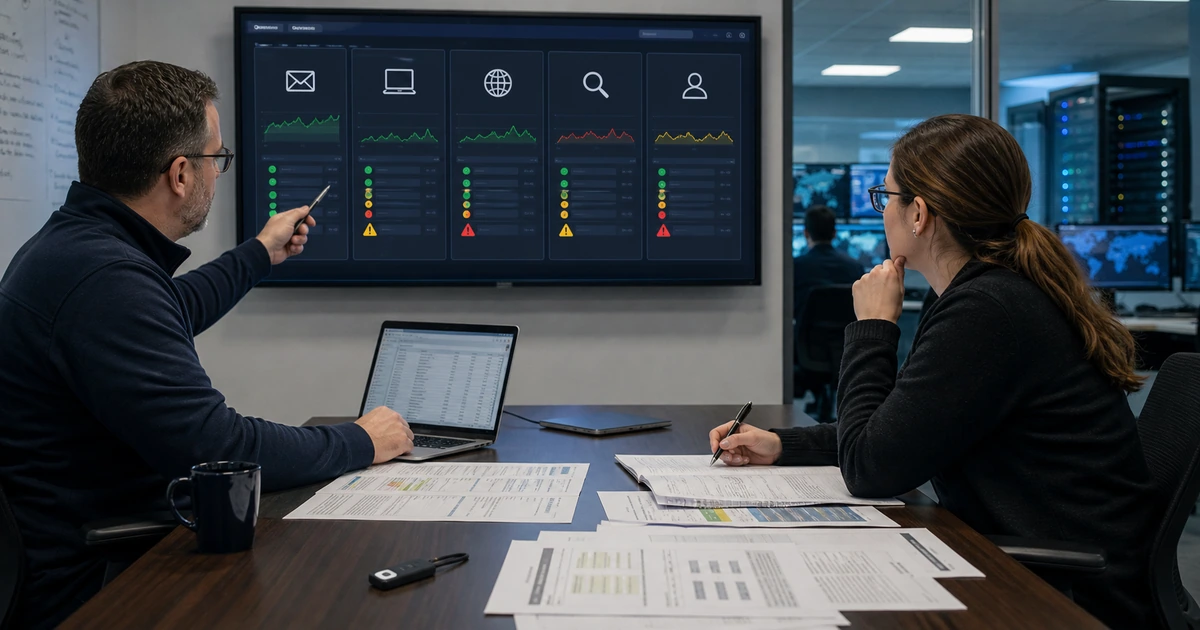
Domains and certificates are easy to ignore when they work and capable of stopping websites, email, applications, and customer trust when they do not. Ongoing support must manage ownership, access, renewals, DNS changes, certificate automation, new subdomains, vendor connections, email senders, and retirement as one operating system. A calendar reminder alone is not enough when the reminder reaches the wrong person or renewal depends on a broken validation path.
The operating model should make ordinary changes safe and urgent changes possible. It needs a current portfolio, named owners, approval rules, protected access, change records, technical validation, monitoring, escalation, and recovery information stored outside the affected service. It should also recognize that a domain can remain valuable after a website is retired because customers, email, backlinks, software, and attackers may continue to use the name.
ALLMSP provides ongoing domain, DNS, SSL, TLS, hosting, email-authentication, and website support through its in-house team for organizations in Lawrenceville, Suwanee, Gwinnett County, Metro Atlanta, and across Georgia. This playbook turns periodic renewals and scattered account tasks into a repeatable business process.
Operate domains and certificates as critical business infrastructure
- Maintain the register: Keep domains, subdomains, registrars, DNS, certificates, senders, services, owners, renewals, dependencies, and lifecycle status current.
- Control access: Review named administrators, MFA, recovery, locks, service accounts, API keys, support users, activity, and offboarding.
- Manage changes: Verify requests, assess dependencies, approve exact values, preserve exports, schedule work, test, document, and retain rollback.
- Monitor continuously: Watch registration, billing, nameservers, DNS answers, DNSSEC, certificate issuance and expiry, HTTPS, email alignment, and customer journeys.
- Respond to incidents: Prepare for account takeover, unauthorized transfer, DNS hijack, certificate compromise, expiration, outage, and impersonation.
- Retire carefully: Remove services in order, preserve protective registrations, revoke access, update links, monitor residual use, and document the decision.
Maintain ownership, renewal, access, and lifecycle records
Use one authoritative portfolio for registered domains and active subdomains. Record purpose, legal and business owner, technical owner, registrar, account, contacts, administrators, recovery, MFA, locks, nameservers, expiration, renewal, payment, budget, DNS provider, certificate method, email use, dependencies, support, and lifecycle state. Reconcile the register with registrar, DNS, certificate, hosting, email, cloud, analytics, and finance data on a schedule. Add new names before launch and record retirement decisions rather than allowing assets to disappear from memory.
Review privileged access quarterly and after staffing, provider, or organizational changes. Confirm company-controlled primary ownership, named users, least privilege, protected recovery, current phone and email, service accounts, API tokens, support access, and login activity. Remove former employees and vendors promptly, rotate shared or exposed credentials, and verify that automation still functions. Test recovery through a planned process that does not risk locking the business out of a critical domain.
Manage renewals with multiple controls. Keep automatic renewal enabled where appropriate, maintain valid payment and budget, send notices to monitored primary and backup addresses, and use independent monitoring well before expiration. Confirm renewal completion at the registrar and registry status rather than trusting one email. Review defensive and legacy domains during the budget cycle, but assess impersonation, phishing, email, backlinks, saved customer links, and software dependencies before deciding not to renew.
- Portfolio register: Track domain, subdomain, purpose, owner, provider, contacts, access, DNS, certificate, email, renewal, dependencies, and lifecycle.
- Access review: Revalidate administrators, roles, MFA, recovery, service accounts, keys, support users, activity, and offboarding.
- Renewal control: Use automatic renewal, current payment, budget, primary and backup alerts, independent monitoring, confirmation, and escalation.
- Dependency review: Check websites, redirects, email, identity, applications, APIs, certificates, analytics, customer links, and contracts.
- Retirement record: Document reason, approval, retention, service removal, redirects, mail handling, access removal, monitoring, and final disposition.
Current ownership and lifecycle records prevent business-critical names from becoming emergency discoveries during renewal, migration, or incident response.
Run controlled DNS, certificate, subdomain, and email-authentication changes
Route changes through a request that identifies the domain, hostname, business purpose, requester, owner, exact current and proposed values, dependencies, risk, required approvers, TTL, implementation time, validation, and rollback. Verify the requester through an approved channel, especially for urgent payment, email, vendor-verification, and traffic-routing changes. Export the zone and capture relevant registrar, DNSSEC, CAA, and certificate state before implementation. Avoid accepting unverified record values from forwarded email.
Coordinate certificate lifecycle changes with DNS and deployment. Track new hostnames, approved certificate authority, CAA policy, validation method, key generation and storage, automation account, test environment, issuance, endpoint deployment, proxy and origin behavior, renewal, monitoring, revocation, and retirement. Test automation after DNS, firewall, proxy, account, key, or platform changes. Confirm that certificates reach every active endpoint and that old keys and certificates are removed or revoked according to the incident and platform requirements.
Treat subdomains and email senders as managed assets. Require an owner, intended service, data classification, certificate, DNS records, monitoring, and expiration or review date for each new subdomain. For a new email platform, record sending identity, SPF effect, DKIM selector, DMARC alignment, expected volume, data, owner, and removal procedure. Review DMARC aggregate reports for unknown sources and alignment changes. Retire DNS, certificate validation, vendor accounts, API keys, and sending authorization together when a service ends.
- Change request: Capture verified requester, purpose, domain, current and proposed values, dependencies, approvers, TTL, timing, test, and rollback.
- Certificate lifecycle: Manage names, issuer, CAA, validation, key, automation, endpoints, renewal, monitoring, revocation, and retirement.
- Subdomain lifecycle: Require service owner, environment, data, DNS, hosting, certificate, access, monitoring, review, and removal.
- Sender onboarding: Document platform, identity, SPF, DKIM, DMARC alignment, volume, data, owner, testing, monitoring, and offboarding.
- Post-change proof: Verify authoritative answers, DNSSEC, CAA, TLS, redirects, website or application, email, independent networks, and monitoring.
A consistent change process keeps domain administration fast enough for the business while preserving the evidence needed to prevent and reverse mistakes.
Monitor service health and respond to takeover, DNS, certificate, and renewal incidents
Monitor the control plane and customer experience. Track domain and certificate expiration, billing or renewal failure, nameserver changes, high-risk DNS changes, DNSSEC validation, unexpected certificate issuance where supported, certificate deployment, HTTPS trust, website and API availability, redirects, forms, email authentication, and administrative alerts. Route notifications to monitored systems rather than one mailbox. Test primary and backup delivery and create tickets with enough context to identify the domain, condition, urgency, owner, and next action.
Prepare runbooks for registrar account takeover, unauthorized transfer, changed nameservers, malicious DNS records, broken DNSSEC, certificate misissuance or key compromise, expired certificates, failed automation, domain expiration, and email impersonation. Record trusted registrar, registry, DNS, certificate-authority, hosting, email, legal, security, and business contacts outside the affected domain. Define who can lock or recover accounts, change records, revoke certificates, pause services, preserve evidence, communicate with customers, and approve restoration.
After an incident, reconstruct the timeline across registrar, DNS, certificates, hosting, identity, email, applications, and monitoring. Preserve logs, notices, records, keys, screenshots, support cases, and changes. Confirm the authoritative delegation, complete zone, DNSSEC chain, certificate state, website and application behavior, email authentication, and administrative access before closing. Remove persistence, rotate affected credentials and keys, correct recovery channels, improve alerts, update documentation, and review whether similar domains or accounts share the same weakness.
- Monitoring coverage: Track renewal, billing, nameservers, records, DNSSEC, certificates, HTTPS, website journeys, email alignment, and privileged access.
- Alert routing: Include domain, condition, time, evidence, severity, primary, backup, acknowledgment, escalation, ticket, and closure requirement.
- Incident authority: Define who can recover accounts, lock transfers, change DNS, revoke certificates, pause services, notify parties, and restore.
- Evidence package: Preserve registrar, DNS, certificate, identity, hosting, email, application, monitoring, support, and communication records.
- Recovery validation: Confirm ownership, delegation, zone, DNSSEC, TLS, applications, email, access, monitoring, customer paths, and residual risk.
Prepared access, contacts, monitoring, and decision authority let the business contain a domain incident before it becomes a prolonged website and email outage.
Managed domain, DNS, SSL, and TLS support from ALLMSP
ALLMSP can maintain domain portfolios, manage registrar and DNS access, monitor renewals, implement controlled changes, operate DNSSEC and certificate automation, manage subdomains and email senders, respond to incidents, and retire assets safely. Our in-house team connects domain operations with hosting, websites, cybersecurity, email, cloud applications, and business continuity.
We provide ongoing domain and certificate support for organizations in Lawrenceville, Suwanee, Gwinnett County, Metro Atlanta, and throughout Georgia, from a single critical domain to complex multi-brand and multi-service portfolios.
- Maintain: Keep ownership, renewals, access, providers, DNS, certificates, senders, dependencies, monitoring, and lifecycle records current.
- Change: Verify requests, assess impact, approve exact configuration, preserve rollback, implement, test, and document.
- Respond: Detect incidents, recover control, preserve evidence, restore services, rotate access, validate results, and improve controls.
Official references for ongoing domain and certificate operations
Use current registrar, registry, DNS-provider, certificate-authority, hosting, email, and application documentation for each managed asset.
- NIST Secure DNS Deployment Guide. Provides current DNS security and resilience guidance, including authoritative services and DNSSEC.
- ICANN registrant account protection guide. Provides registrant-focused practices for protecting domain accounts and responding to unauthorized changes.
- Let’s Encrypt certificate documentation. Covers certificate validation, automation, renewal, certificate transparency, revocation, and operational topics.
- IETF DMARC specification. Defines email-domain alignment, policy, aggregate reporting, and interaction with SPF and DKIM.
Managed domain and SSL support FAQs
How often should domain access be reviewed?
Review at least quarterly for critical portfolios and immediately after staffing, provider, role, recovery, billing, merger, acquisition, or organizational changes.
Why use more than one domain renewal alert?
Registrar email can fail or reach an inactive user, so combine automatic renewal, valid billing, primary and backup notices, independent monitoring, and completion verification.
What should a DNS change request include?
Include verified requester, business purpose, current and proposed values, dependencies, approvers, TTL, timing, export, implementation, validation, rollback, and final record.
When should TLS automation be retested?
Retest after DNS, proxy, firewall, hosting, certificate-authority, CAA, account, key, validation, deployment, or application changes.
How should a new subdomain be managed?
Assign purpose, owner, environment, data classification, DNS, hosting, certificate, access, monitoring, review date, and an explicit retirement process.
How should a new email sender be authorized?
Document its owner and mail flow, update SPF carefully, configure DKIM, confirm DMARC alignment, test delivery, monitor reports, and define offboarding.
What alerts matter for domain protection?
Monitor expiration, renewal and billing failure, nameserver and DNS changes, DNSSEC, certificate issuance and expiry, HTTPS, customer journeys, email alignment, and administrator events.
What should happen after a domain takeover attempt?
Recover and lock accounts, preserve evidence, restore delegation and records, revoke or replace affected keys and certificates, validate services, improve recovery, and review related assets.
Can ALLMSP provide ongoing domain and certificate management?
Yes. ALLMSP manages registrations, renewals, DNS, DNSSEC, certificates, HTTPS, email authentication, monitoring, incidents, and lifecycle work through its in-house team.
Where does ALLMSP provide managed domain support?
ALLMSP manages domain, DNS, and SSL protection for Lawrenceville and Suwanee businesses, plus organizations across Gwinnett County, Metro Atlanta, and Georgia.