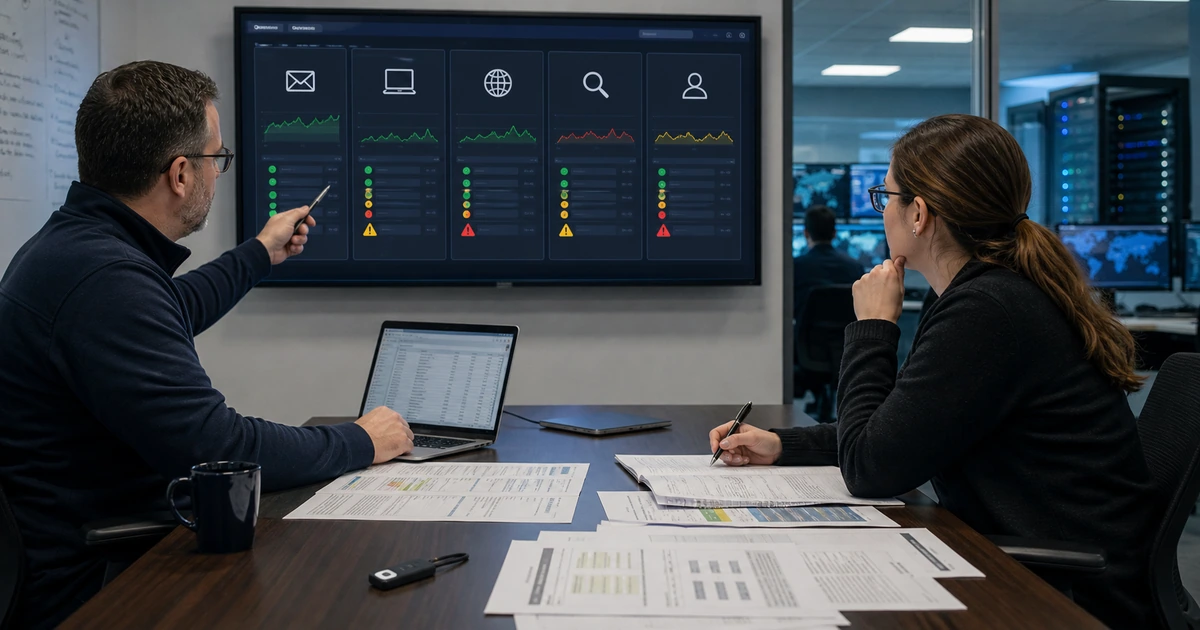
A slow or unreliable website is often blamed on the hosting company before anyone identifies the failing layer. The visible symptom may come from DNS, TLS, a redirect rule, exhausted CPU or memory, storage latency, a database query, a scheduled task, an extension conflict, a third-party script, cache behavior, email delivery, or an account that no responsible employee can access. Changing providers without evidence can carry the same problem into a new environment.
Effective troubleshooting starts with the customer journey, a timestamp, and a reproducible symptom. The team then follows the request through each layer while preserving logs and recent-change history. One controlled change at a time keeps the evidence readable. A fix is complete only after the original action works across relevant devices and the monitoring system can detect a recurrence.
ALLMSP diagnoses and corrects hosting, website, DNS, performance, security, backup, and ownership problems through its in-house team for businesses in Lawrenceville, Suwanee, Gwinnett County, Metro Atlanta, and across Georgia. This playbook provides a practical sequence for turning an ambiguous website complaint into an accountable technical resolution.
Trace the symptom through the complete request path
- Capture the incident: Record the exact page or action, time, user, device, network, browser, message, frequency, scope, and business impact.
- Check ownership: Confirm access to domains, DNS, hosting, source, database, certificates, monitoring, backups, logs, and connected services.
- Inspect the edge: Test resolution, nameservers, DNS records, TLS, redirects, proxy behavior, firewall rules, caching, and origin reachability.
- Measure the origin: Review CPU, memory, storage, processes, workers, queues, database, runtime, jobs, errors, and application dependencies.
- Isolate the change: Compare deployments, updates, configuration, content, traffic, integrations, credentials, renewals, and security events.
- Verify the repair: Repeat the customer journey, inspect logs and metrics, test side effects, document the change, and improve detection.
Capture a reproducible symptom and confirm control of every dependency
Begin with evidence the technical team can repeat. Record the affected URL or action, timestamp with time zone, device, operating system, browser, network, location, signed-in state, input, visible message, screenshot when useful, and expected result. Determine whether the problem affects one person, one page, one function, one region, a traffic source, administrators, or everyone. Check status monitoring and perform an outside test. Separate an availability failure from a slow response, broken layout, certificate warning, login problem, form failure, payment error, email failure, or stale content.
Confirm administrative control before attempting changes. Identify who owns the domain registration, authoritative DNS, proxy or CDN, hosting, cloud subscription, server, source repository, deployment platform, content management system, database, TLS automation, backup destination, monitoring, email delivery, analytics, and relevant integrations. Verify billing and renewal state. Restore company ownership or obtain an approved emergency contact when an unknown user, former employee, or expired account blocks diagnosis.
Collect the recent-change timeline. Include deployments, platform and extension updates, DNS edits, certificate renewals, firewall rules, cache changes, database work, content imports, redirects, tracking scripts, forms, credentials, integrations, traffic campaigns, and provider incidents. Match each change to the first known symptom and affected layer. Preserve logs, configuration exports, database evidence, and backups before altering the environment, especially when security compromise or data corruption is possible.
- Incident record: Capture URL, action, time zone, user, device, browser, network, input, error, expected result, scope, frequency, and impact.
- Control check: Verify owner, administrator, MFA, recovery, billing, support access, logs, backups, and emergency contacts for each dependency.
- Change timeline: List releases, updates, DNS, TLS, firewall, cache, database, content, scripts, credentials, integrations, traffic, and incidents.
- Evidence preservation: Save relevant logs, metrics, configuration, versions, headers, traces, database state, and backups before corrective work.
- Impact classification: Rate revenue, customer access, security, data integrity, operations, reputation, regulatory concern, and acceptable response time.
A specific incident record and ownership map prevent hours of changing settings in systems that are unrelated to the actual failure.
Diagnose DNS, TLS, redirects, caching, resources, databases, and application behavior
Follow the request from the public edge inward. Confirm the expected authoritative nameservers and DNS answers from independent resolvers. Check recent TTL and zone changes, DNSSEC state, proxy settings, IPv4 and IPv6 behavior, origin records, and geographic differences. Inspect the TLS certificate name, chain, validity, renewal, protocol, and mixed-content behavior. Trace every redirect and canonical destination to find loops, conflicting HTTP and HTTPS rules, incorrect hostnames, or old migration paths.
At the origin, compare current resource behavior with a known healthy period. Review CPU, memory, storage capacity and latency, process limits, web and application workers, queue depth, connections, request duration, error rates, restarts, kernel or platform events, and provider limits. A low average can hide short saturation spikes. Correlate by timestamp and endpoint. Review database connections, slow queries, locks, table growth, indexes, cache hit rates, background jobs, external API latency, email queues, and storage calls.
Isolate the application safely. Reproduce the issue in staging when possible. Compare configuration and supported versions, then examine custom code, themes, extensions, dependencies, scheduled jobs, object cache, page cache, CDN cache, image processing, third-party tags, authentication, sessions, forms, and webhooks. Do not disable protection or update every component at once on a live site. Use a maintenance window, current backup, rollback point, controlled hypothesis, one change, and a defined validation test.
- DNS test: Confirm delegation, answers, record types, TTL, DNSSEC, proxy, IPv4, IPv6, propagation context, origin, and intended destination.
- TLS and redirect test: Check certificate name, chain, dates, renewal, protocol, mixed content, host rules, status codes, loops, and canonical path.
- Resource test: Correlate requests with CPU, memory, storage, workers, processes, queues, connections, limits, errors, restarts, and latency.
- Database test: Inspect connections, queries, locks, indexes, cache, table growth, jobs, timeouts, consistency, backups, and application demand.
- Application isolation: Compare versions, configuration, code, extensions, dependencies, cache layers, scripts, APIs, forms, jobs, and recent releases.
Layer-by-layer diagnosis turns a vague complaint such as the website is down into a testable cause with a controlled correction.
Verify the business journey, document the cause, and prevent recurrence
Repeat the original customer action after the change under the same meaningful conditions, then test adjacent journeys for unintended effects. Check representative devices, browsers, networks, signed-in and signed-out states, valid and invalid inputs, forms, payments, scheduling, downloads, redirects, analytics, consent, email receipt, and integrations. Confirm the expected response in server logs, application logs, analytics, CRM, payment, scheduling, or another destination system. Clear only the cache needed for the test and account for propagation before drawing a conclusion.
Document cause separately from symptom. Record the evidence, affected component, triggering condition, contributing ownership or process issue, exact correction, configuration difference, validation, customer impact, duration, and residual risk. Preserve the commands or interface steps needed to reproduce the test without exposing credentials. If the team cannot prove a root cause, label the outcome accurately as restored with the suspected cause and increase monitoring rather than presenting certainty.
Improve prevention and detection. Add a synthetic check for the failed journey, alert on the relevant resource or error, correct account ownership, refine renewal monitoring, remove obsolete configuration, update documentation, adjust capacity, patch the component, test backups, or improve change review. Evaluate real-user performance using field data. Google’s Core Web Vitals measure loading performance, responsiveness, and visual stability, while server metrics and synthetic tests help explain why a customer-facing measure changed.
- Functional validation: Retest the original action and connected journeys across devices, browsers, identities, inputs, destinations, and error paths.
- Technical validation: Confirm status, headers, DNS, TLS, logs, errors, resources, database, cache, jobs, APIs, email, and monitoring behavior.
- Cause record: Document symptom, timeline, evidence, root or suspected cause, contributing factors, correction, validation, impact, and residual risk.
- Detection improvement: Add journey checks, alerts, thresholds, log retention, dashboards, renewal notice, ownership review, or change monitoring.
- Prevention action: Assign configuration cleanup, access correction, capacity, patch, backup test, documentation, training, or process change.
The repair is complete when the customer outcome works, the evidence supports the conclusion, and the team is more likely to detect or prevent the next occurrence.
Secure website troubleshooting and hosting support from ALLMSP
ALLMSP can diagnose availability, performance, DNS, TLS, redirects, caching, resources, databases, content management, extensions, forms, email, integrations, analytics, backups, and account ownership. Our in-house technicians can correct the immediate issue, document the cause, improve monitoring, and manage the environment afterward.
We provide website and hosting support for businesses in Lawrenceville, Suwanee, Gwinnett County, Metro Atlanta, and across Georgia, including urgent incidents and recurring performance or configuration problems.
- Diagnose: Capture the incident, restore access, collect evidence, map changes, trace dependencies, and isolate the failing layer.
- Repair: Apply a controlled correction, protect rollback, retest customer journeys, confirm destinations, and validate system behavior.
- Prevent: Improve ownership, configuration, monitoring, capacity, patching, backups, documentation, and operating procedures.
Official website troubleshooting and performance references
Use current documentation for the specific platform, host, application, DNS provider, CDN, and integrations together with these broader references.
- Google Core Web Vitals guidance. Explains real-world loading, interaction, and visual-stability metrics used to evaluate page experience.
- OWASP Top 10. Summarizes important web application security risk categories that may inform diagnosis and remediation.
- Cloudflare DNSSEC documentation. Explains DNSSEC concepts, enablement, records, and operational considerations for supported DNS zones.
- Let’s Encrypt documentation. Provides certificate, validation, renewal, and HTTPS operational guidance.
Secure web hosting troubleshooting FAQs
What information should be collected when a website fails?
Record the URL or action, timestamp and time zone, user, device, browser, network, input, error, expected result, frequency, affected scope, and business impact.
Why can a website be slow when server averages look normal?
Short resource spikes, slow database queries, external APIs, queue delays, cache misses, storage latency, traffic bursts, or one expensive endpoint can hide inside a normal average.
How can DNS cause an intermittent website problem?
Conflicting records, stale caches, incorrect delegation, IPv4 and IPv6 differences, proxy settings, DNSSEC errors, regional resolution, or partial propagation can send users to different destinations.
What commonly causes certificate warnings?
Possible causes include the wrong hostname, expired or failed renewal, incomplete chain, incorrect proxy or origin configuration, mixed content, device clock errors, or intercepted traffic.
Should every plugin or dependency be updated during an outage?
No. Preserve evidence and rollback, identify a testable hypothesis, make one controlled change where possible, and validate the affected and adjacent journeys.
How should a redirect loop be diagnosed?
Trace each response and location, then compare application, web-server, proxy, CDN, HTTP-to-HTTPS, hostname, language, authentication, and canonical rules.
How do caches complicate troubleshooting?
Browser, CDN, page, object, application, and database caches can show different versions or hide a correction, so test and purge only the relevant layer with propagation in mind.
What proves that a website repair worked?
Repeat the original action under meaningful conditions, test connected journeys, inspect logs and metrics, verify destination records, monitor stability, and document the result.
Can ALLMSP take over a hosting problem with unclear ownership?
Yes. ALLMSP can map accounts, restore authorized business control, preserve evidence, diagnose the environment, correct the issue, and establish ongoing management.
Where does ALLMSP provide website troubleshooting?
ALLMSP corrects secure hosting ownership and configuration problems for Lawrenceville and Suwanee businesses, plus organizations throughout Gwinnett County, Metro Atlanta, and Georgia.