





























































































































































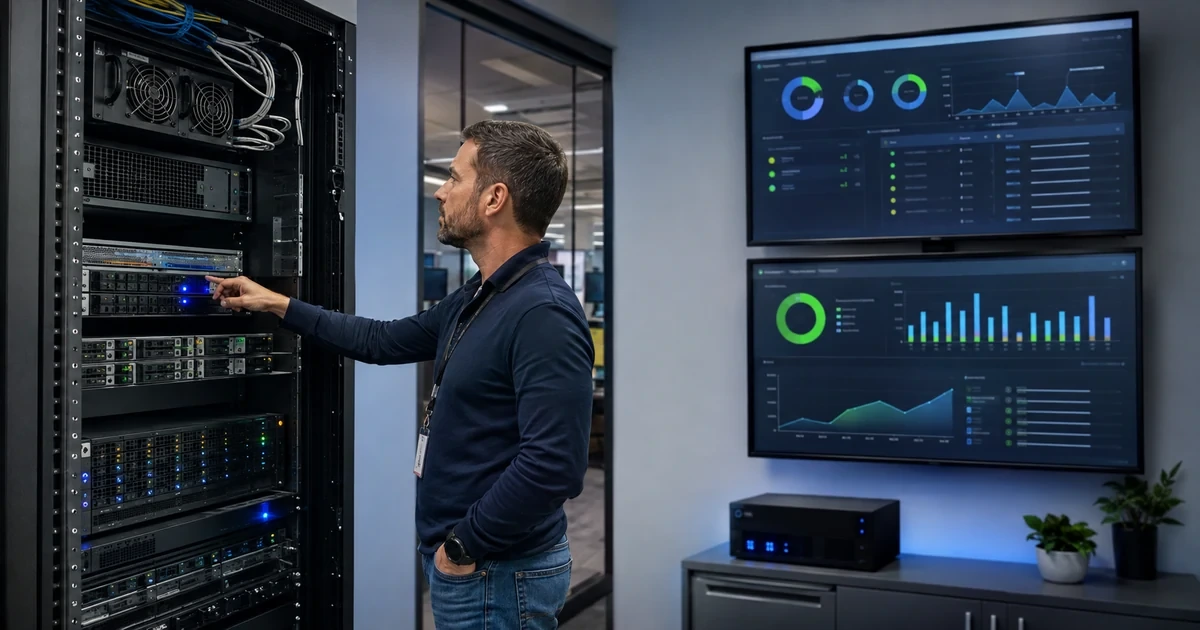
Reliable servers depend on more than whether a dashboard currently shows green. Hardware can degrade without a service outage, storage can lose redundancy while applications remain online, backups can complete without being restorable, and capacity can look adequate until a reporting job or seasonal workload begins. Good server support combines physical inspection, telemetry, operating-system maintenance, application awareness, recovery testing, and clear ownership.
The operating plan should reflect what each server actually supports. A domain controller, file server, database host, virtualization node, application server, backup repository, remote desktop environment, and branch server have different dependencies and failure consequences. The team needs a baseline, alert thresholds, maintenance schedule, recovery objectives, escalation paths, and documentation that remains available when the server or management platform does not.
ALLMSP monitors and supports physical, virtual, on-premises, hosted, and hybrid server environments through its in-house team for businesses in Lawrenceville, Suwanee, Gwinnett County, Metro Atlanta, and throughout Georgia. This checklist focuses on the routine work that prevents small warning signs from becoming business interruptions.
Operate servers from a known baseline and tested recovery plan
- Map business use: Connect each server, workload, dependency, owner, user group, maintenance window, recovery objective, and outage impact.
- Baseline hardware: Record model, serial, warranty, firmware, processors, memory, storage, controllers, power, cooling, networking, and physical location.
- Monitor the workload: Track availability, services, events, CPU, memory, storage, latency, queues, network, jobs, certificates, and application transactions.
- Maintain deliberately: Review vulnerabilities, test updates, protect rollback, schedule changes, validate dependencies, and document the result.
- Test recovery: Verify backup scope, isolation, retention, job health, restore integrity, recovery time, recovery point, and responsible people.
- Review capacity: Analyze growth, peaks, headroom, lifecycle, support status, warranty, licensing, cost, and replacement or migration options.
Build a server baseline that connects hardware to business workloads
Inventory each physical host, virtual machine, appliance, cloud instance, storage system, hypervisor, management controller, network connection, power source, and backup target. Record make, model, serial number, asset tag, location, rack and unit, warranty, support agreement, purchase date, expected replacement, owner, administrators, firmware, operating system, role, IP addresses, DNS names, time source, and management method. Map virtual machines and applications to their physical, storage, network, identity, and licensing dependencies.
Document the business workload rather than labeling a server only by technical role. Identify applications, databases, shares, authentication, printing, integrations, scheduled tasks, reports, user groups, business owner, peak periods, acceptable maintenance, maximum tolerable outage, recovery time objective, and recovery point objective. Record startup and shutdown order. Note single points of failure and manual workarounds. A server with low utilization can still be critical if no replacement path exists.
Create a known-good configuration and performance baseline. Capture processors, memory, storage layout, RAID or resiliency scheme, controller configuration, firmware, network interfaces, multipathing, power supplies, fans, temperatures, supported drivers, installed roles, services, security configuration, and update level. Measure normal CPU, committed memory, disk capacity, latency, queue depth, input and output, network use, application response, database behavior, and backup duration during ordinary and peak periods.
- Asset record: Track model, serial, warranty, location, owner, administrators, firmware, operating system, role, network, power, and lifecycle.
- Workload map: Connect applications, users, data, identity, databases, storage, network, licenses, integrations, business owner, and criticality.
- Dependency map: Document physical host, cluster, hypervisor, storage, switches, DNS, time, certificates, internet, cloud, vendor, and support paths.
- Configuration baseline: Record processors, memory, storage layout, controllers, firmware, interfaces, drivers, services, security, and supported versions.
- Performance baseline: Measure normal and peak CPU, memory, capacity, latency, queues, network, application, database, jobs, and backup windows.
A complete baseline gives technicians the context to recognize change, understand impact, and avoid treating every server as an interchangeable box.
Monitor hardware, storage, operating systems, workloads, power, and environment
Collect health information from the server and its management controller. Monitor power supplies, fans, temperatures, voltage, processors, memory events, storage media, controllers, cache batteries or capacitors, predictive failure alerts, firmware status, network interfaces, and chassis intrusion where available. Check UPS health, battery age, load, runtime, bypass state, self-tests, and shutdown integration. Verify cooling, airflow, dust, cable strain, rack stability, and physical access during scheduled site visits.
Monitor storage beyond free space. Track media errors, wear or endurance, array state, degraded redundancy, rebuilds, hot spares, controller cache, latency, queue depth, throughput, path status, snapshots, thin-provisioned pools, data reduction, file-system health, and capacity growth. NIST storage guidance highlights authentication, authorization, configuration control, data protection, isolation, restoration assurance, and encryption as important storage-security concerns. A healthy-looking volume does not prove that resilience or restoration works.
Observe the operating system and workload together. Monitor service availability, event logs, update failures, reboots, authentication, time synchronization, certificates, scheduled jobs, database health, application queues, backup agents, endpoint protection, resource contention, and critical synthetic transactions. Build alerts around sustained conditions and business impact instead of every momentary spike. Route alerts to a named primary and backup, include diagnostic context, and test delivery after staffing or platform changes.
- Hardware telemetry: Monitor power, fans, temperature, processors, memory, media, controllers, cache protection, firmware, interfaces, and predictive events.
- Storage telemetry: Track redundancy, rebuilds, spares, errors, endurance, paths, latency, queues, snapshots, pools, capacity, and file-system health.
- Workload telemetry: Check services, applications, databases, jobs, identity, certificates, logs, queues, transactions, backups, and security controls.
- Facility check: Verify UPS, battery, runtime, shutdown, circuits, grounding, cooling, airflow, humidity where relevant, rack, cabling, and access.
- Alert standard: Define condition, duration, severity, business context, owner, backup, channel, acknowledgment, escalation, and closure evidence.
Useful monitoring shows which component is changing, which workload is affected, and who must respond before resilience is lost.
Maintain software, verify backups, review capacity, and plan lifecycle changes
Run a structured maintenance cycle. Inventory operating systems, hypervisors, firmware, drivers, management tools, backup agents, databases, runtimes, and server applications. Review vendor advisories and vulnerabilities, including CISA’s Known Exploited Vulnerabilities Catalog as an input to prioritization. Test changes against dependencies and recovery, schedule an approved window, notify users, capture the pre-change state, apply updates in a documented order, restart when required, and validate services and business transactions afterward.
Treat backup and restore as an operating control. Confirm that every required volume, virtual machine, database, application, system state, configuration, and encryption key is included. Review job success, transferred data, changed-data patterns, repository capacity, retention, encryption, immutability or administrative separation, and off-site or alternate-provider copies as appropriate. Restore selected systems and data into an isolated environment, verify application consistency and access, measure recovery time, and document exceptions.
Review capacity and lifecycle quarterly or at a frequency appropriate to change. Forecast compute, memory, storage, input and output, network, backup window, repository growth, licensing, warranty, support status, facility power, cooling, and virtualization headroom. Compare repair, expansion, replacement, consolidation, hosting, cloud, and hybrid options against workload needs, risk, recovery, cost, and staff capability. Create a funded timeline before parts, support, or software reach end of life.
- Maintenance runbook: Include scope, dependencies, advisory, test, approval, window, backup, rollback, communication, update order, reboot, and validation.
- Backup review: Verify protected systems, data, frequency, retention, encryption, separation, job evidence, capacity, failures, and responsible owners.
- Restore evidence: Record recovery point, isolated target, application checks, data consistency, user access, integrations, timing, exceptions, and approval.
- Capacity forecast: Project compute, memory, storage, latency, network, backup, licensing, power, cooling, growth, peaks, and required headroom.
- Lifecycle plan: Track warranty, support, parts, software compatibility, replacement date, budget, migration path, dependencies, and retirement evidence.
Routine maintenance becomes dependable when every change has a rollback path and every recovery promise has recent evidence behind it.
Managed server monitoring, maintenance, and recovery from ALLMSP
ALLMSP can inventory servers, document workloads, baseline hardware and performance, monitor components and applications, maintain operating systems and firmware, manage storage, review capacity, test backups, restore systems, respond to alerts, and plan replacement or migration. Our in-house team supports the full environment, including networks, power, cloud services, identity, cybersecurity, and business applications.
We provide server support for businesses in Lawrenceville, Suwanee, Gwinnett County, Metro Atlanta, and throughout Georgia, covering physical servers, virtualization, storage, branch systems, hosted workloads, and hybrid environments.
- Monitor: Watch hardware, storage, resources, services, applications, jobs, backups, power, security events, and critical transactions.
- Maintain: Plan updates, manage configuration, protect rollback, validate dependencies, document work, and verify business services.
- Recover: Define objectives, protect backup copies, test restores, maintain runbooks, coordinate incidents, and improve resilience.
Official server operations, storage, and recovery references
Use these resources with current documentation from the server, storage, operating-system, virtualization, backup, and application vendors in the environment.
- NIST Cybersecurity Framework 2.0. Provides a risk-management structure spanning governance, identification, protection, detection, response, and recovery.
- NIST storage security guidance. Covers storage threats and recommendations for access, configuration, data protection, isolation, restoration assurance, and encryption.
- CISA Known Exploited Vulnerabilities Catalog. Provides an authoritative list of vulnerabilities known to be exploited and recommended remediation actions.
- NIST contingency planning guide. Connects business impact, recovery requirements, backups, alternate strategies, testing, and plan maintenance.
Managed server support FAQs
What should a server inventory include?
Include hardware, serial, warranty, location, firmware, operating system, role, owners, network, storage, power, virtual machines, applications, data, dependencies, monitoring, backup, and lifecycle.
Which server hardware conditions should be monitored?
Monitor power supplies, fans, temperature, processors, memory events, storage media, controllers, cache protection, interfaces, firmware, and vendor predictive alerts.
Why is free storage space not enough to show storage health?
Redundancy can be degraded and media, paths, controllers, latency, snapshots, thin pools, rebuilds, or file systems can be unhealthy even when capacity remains.
How should server alerts be designed?
Use sustained, actionable conditions with severity, business context, diagnostic evidence, an owner, backup, delivery channel, acknowledgment target, escalation, and closure test.
How often should servers be patched?
Use a recurring risk-based process with faster action for actively exploited or critical exposures, while testing dependencies, scheduling maintenance, protecting rollback, and validating services.
What should a server restore test prove?
Prove that a selected recovery point can restore the system and required data, start the application, authenticate users, connect dependencies, and meet documented recovery objectives.
When should server capacity be reviewed?
Review on a regular schedule and before growth, new applications, peak seasons, major upgrades, storage expansion, virtualization changes, warranty expiration, or facility changes.
How can a business plan server replacement?
Track warranty, support dates, parts, compatibility, performance, capacity, risk, recovery, licensing, budget, migration dependencies, testing, and retirement evidence.
Can ALLMSP support physical and virtual servers together?
Yes. ALLMSP supports physical hosts, virtual machines, hypervisors, storage, backups, networks, cloud workloads, identity, applications, and hybrid dependencies in house.
Where does ALLMSP provide managed server support?
ALLMSP improves server reliability for businesses in Lawrenceville, Suwanee, Gwinnett County, Metro Atlanta, and across Georgia.


