






























































































































































ServiceTitan dispatch performance is shaped long before a dispatcher drags a job card. The call-booking experience depends on accurate business units, job types, expected durations, arrival windows, technician shifts, skills, zones, and capacity rules. When those records disagree, the board can look organized while customers receive promises the field cannot keep.
ServiceTitan currently documents Daily and Weekly dispatch views, the Job Tray, technician and job-type skills, zones, and multiple approaches to capacity. Some capacity and skills experiences require account configuration, a specific package, or an enabled feature. An administrator should therefore inventory the account as it exists instead of assuming every help article describes the same licensed workflow.
For a Georgia HVAC, plumbing, electrical, or multi-trade contractor, governance means converting those features into a repeatable operating rhythm. CSRs need booking guardrails, dispatchers need authority boundaries, field technicians need usable assignments, and managers need measures that distinguish a genuine demand spike from preventable setup or handoff failures.
Key decisions at a glance
- Define business units, job types, durations, arrival windows, shifts, skills, and zones as one booking model, a clean board cannot compensate for contradictory setup data.
- Choose the ServiceTitan capacity feature that is actually enabled for the account, document its license and configuration dependencies, and prove its calculations before CSRs rely on it.
- Give dispatchers explicit rules for the Daily and Weekly boards, Job Tray, unassigned work, non-job events, manual capacity adjustments, and technician reassignment.
- Require a structured office-to-field exception handoff that records customer impact, parts readiness, skill fit, route impact, updated arrival promise, and the person who owns the next action.
- Review forecast error, late arrivals, avoidable reschedules, skill exceptions, zone leakage, overtime, and unused capacity by business unit so configuration changes follow evidence.
Build One Dispatch Data Model From Booking Promise to Technician Shift
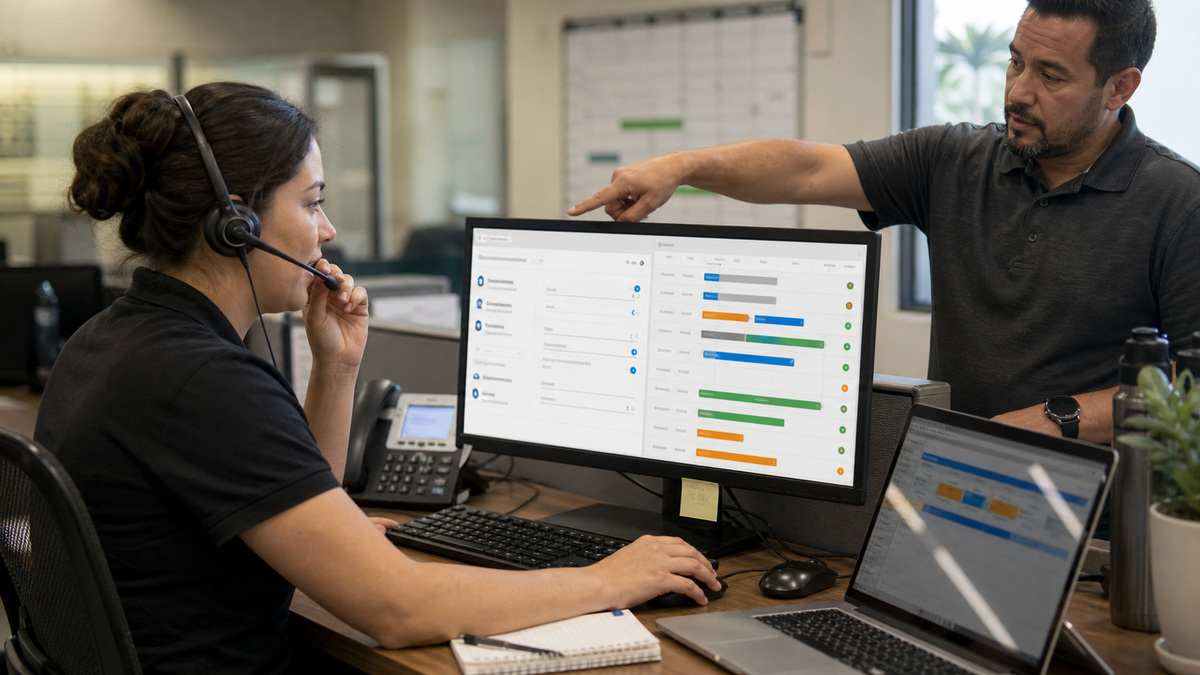
Start with the business-unit and job-type structure because those records influence reporting, technician eligibility, capacity, and the work visible to each operational team. Give every active job type a plain-language purpose, owning business unit, realistic default duration, intended arrival windows, priority rule, and required skills. Retire duplicates that let two CSRs book the same work under different assumptions.
Technician shifts are the supply side of the promise. Compare scheduled hours with normal start locations, meetings, training, planned leave, on-call coverage, and non-job events. ServiceTitan’s adjustable capacity guidance notes that shifts, unassigned job duration, non-job events, availability thresholds, and manual adjustments can affect available capacity. A missing shift or an oversized non-job block can change what a CSR sees without any change in customer demand.
Treat skills as qualification data rather than a decorative tag. ServiceTitan can match technician skills with job-type skills and warn about a gap, but the organization still decides which capabilities are mandatory, which are developmental, and who may override a mismatch. Review old booked jobs after job-type changes because ServiceTitan’s guidance explains that previously booked work can retain the earlier skill association unless the job type is changed.
- Assign an accountable owner to each business unit, job type, duration, arrival window, technician shift pattern, and skill definition.
- Sample completed jobs by type and compare planned duration with actual on-site and drive time before changing bookable capacity.
- Separate hard qualifications, such as licensed trade or equipment competency, from preferences that dispatch may override with a reason.
- Run a monthly exception report for duplicate job types, inactive technicians with future shifts, skill gaps, and jobs booked outside the intended business unit.
Use Zones and Capacity Without Overpromising the Customer

ServiceTitan zones can group ZIP codes or cities and associate them with business units, while colored zone indicators help dispatchers interpret work on the Dispatch and Schedule boards. Build zones around actual travel behavior, franchise or licensing boundaries, technician start points, traffic patterns, and service-day commitments. A neat map that ignores Atlanta commute time will create avoidable late arrivals.
Determine whether the account uses Adjustable Capacity Planning, Adaptive Capacity, Scheduling Pro capacity, or another configured booking path. The concepts overlap, but the settings and availability logic are not interchangeable. ServiceTitan’s ACP documentation describes business-unit groups, technician shifts, unassigned duration, non-job events, thresholds, job types, and manual capacity changes, current Adaptive guidance describes a newer capacity experience. Record which feature is authoritative, who can change it, and which channels consume its result.
Prove capacity with a controlled scenario matrix before exposing it to every CSR. Test each business unit group, common job type, arrival window, zone edge, short shift, long-duration job, planned training event, and manual adjustment. ServiceTitan warns that grouped business units should use the same arrival windows and that a job longer than the available shift cannot be scheduled. Capture the expected and observed bookable slots so a later configuration change can be evaluated.
- Document the enabled capacity product, required package, account configurations, feature flags, permissions, and responsible administrator.
- Validate every zone boundary with recent drive-time evidence and define how near-border calls are handled during high demand.
- Limit manual capacity adjustments to named roles and require a reason, effective window, affected business unit, and review after the day closes.
- Give CSRs an escalation path for a medically urgent, warranty, membership, or high-value call when the normal capacity view has no suitable slot.
Operate the Daily Board With Explicit Exception and Handoff Rules

Define what belongs on the Daily board, Weekly board, and Job Tray, and decide when an unassigned job becomes an incident rather than background inventory. At the start of the day, dispatch should confirm technician attendance, vehicle or parts constraints, first-job readiness, overnight cancellations, weather or traffic concerns, and work that lacks a qualified owner. The first review is a reconciliation against reality, not a cosmetic arrangement of job blocks.
Use a standard decision order when a job runs long: protect safety, assess the current customer’s completion path, identify the affected future promises, verify skill and part requirements, compare zone and route consequences, then communicate a revised arrival window. Dragging the next call to a different technician without checking the skill match, parts stock, prior commitments, and drive time simply transfers the failure.
The handoff to the field should contain more than a status color. The technician needs the job objective, known equipment or site context, customer commitments, required skill, relevant history, part availability, access constraints, and the exact escalation route. Dispatch needs a concise acknowledgment and a usable status update. Prohibit customer-sensitive details in informal side channels when the job record can hold the operational note.
- Review unassigned jobs, idle qualified technicians, overlapping commitments, open alerts, and capacity exceptions at fixed times during the day.
- Use a reason code for reassignment, reschedule, extended duration, customer cancellation, missing part, skill mismatch, and no-access outcome.
- Require the dispatcher or CSR to update the customer promise whenever the expected arrival window materially changes.
- Close each exception with a named owner and next checkpoint instead of leaving the job in a visually convenient holding area.
Measure Whether Dispatch Configuration Matches Field Reality
A weekly review should compare promised arrival windows, actual arrival, planned and actual duration, drive time, technician skill, zone, business unit, reschedule reason, overtime, and unused capacity. Segment the measures because a single company average can hide one job type with bad duration data or one zone that routinely produces unrealistic routes.
Investigate patterns at the record level before changing capacity. If late calls follow one job type, inspect its duration and required skills. If capacity appears unused while qualified technicians are busy, inspect shift data, non-job events, unassigned work, and threshold settings. If reassignments cross zones every afternoon, the service-day model or technician start-location assumptions may need revision.
ALLMSP can help Georgia contractors document their ServiceTitan dispatch design, review permissions and feature dependencies, test capacity scenarios, clean job and skill data, build exception runbooks, and verify the office-to-field experience. The goal is an auditable operating method that survives staffing changes, seasonal demand, and software updates rather than a board only one dispatcher understands.
- Track forecast-versus-consumed capacity by day, arrival window, business unit, job type, and zone.
- Review late arrival, reassignment, reschedule, callback, overtime, and idle-time trends with the underlying job records.
- Approve configuration changes through a small scenario test and retain the before-and-after results.
- Revisit the model when services, territory, staffing, shifts, software features, or customer booking channels materially change.
Official product documentation and ALLMSP resources
- ServiceTitan: Dispatching Home
- ServiceTitan: Set up and use zones
- ServiceTitan: Adjustable Capacity Planning overview
- ServiceTitan: Set up Adjustable Capacity Planning
- ServiceTitan: Manage skills for technicians and job types
- ServiceTitan: Capacity Planning
- ALLMSP ServiceTitan Software Support
- ALLMSP Software Support
- ALLMSP Construction and Contracting
- Contact ALLMSP
Frequently Asked Questions
What should be configured before a team relies on ServiceTitan Dispatch?
Confirm business units, job types, expected durations, arrival windows, technician shifts, non-job events, skills, zones, and the enabled capacity feature. Test common and edge booking scenarios so the availability shown to a CSR reflects the workforce that can actually perform the work.
How do ServiceTitan skills affect dispatching?
Skills can associate technician qualifications with job-type requirements and help expose a mismatch. Define which skills are mandatory, keep technician records current, test alert behavior, and require an override reason when dispatch assigns someone who lacks the normal match.
What is the difference between ServiceTitan zones and business units?
Zones describe geography, such as ZIP codes or cities, and can be associated with business units. Business units describe an operational or reporting division. Use both deliberately: a zone supports routing context, while the business unit helps determine ownership, staffing, capacity, and reporting.
Should every ServiceTitan account use Adjustable Capacity Planning?
Not automatically. Confirm the account’s package, enabled configurations, present booking channels, and whether ACP, Adaptive Capacity, Scheduling Pro capacity, or another workflow is authoritative. Select and govern the available feature based on tested operational requirements.
Why can ServiceTitan show less capacity than managers expect?
Common causes include incomplete technician shifts, long unassigned jobs, non-job events, availability thresholds, business-unit grouping, job duration, or manual adjustments. Reproduce the affected scenario and inspect each input instead of increasing capacity without evidence.
How often should ServiceTitan zones be reviewed?
Review them at least when territories, branches, licensing boundaries, technician start points, traffic patterns, or service-day commitments change. A quarterly route sample is useful for an active Georgia territory, with faster review after repeated cross-zone reassignments or late arrivals.
What belongs in a ServiceTitan dispatch exception handoff?
Include the job objective, customer promise, current status, required skill, known site or equipment context, parts readiness, route impact, revised arrival window, escalation route, and owner of the next action. Record the outcome with a consistent reason code.
Can a dispatcher manually increase ServiceTitan capacity?
The enabled capacity workflow and permissions determine what can be adjusted. Limit the authority to named roles and require the reason, business unit, time window, expected operational effect, and an end-of-day review so an emergency change does not become an invisible permanent assumption.
Which measures reveal a weak ServiceTitan dispatch setup?
Watch forecast error, unused capacity, overtime, late arrivals, avoidable reschedules, skill overrides, cross-zone assignments, callbacks, and jobs that repeatedly exceed planned duration. Segment findings by business unit, job type, arrival window, technician, and zone.
How can ALLMSP improve ServiceTitan dispatch operations for a Georgia contractor?
ALLMSP can inventory the enabled features, document business units and job types, clean skill and zone data, test capacity scenarios, review permissions, design board and exception procedures, and build reporting that connects booking promises with actual field results.


