Reliable troubleshooting replaces random fixes with comparisons that can disprove a hypothesis. A known-good test changes one relevant condition while holding the rest as steady as practical. If the same user succeeds on another managed device, the failure may be local to the original endpoint or its configuration. If several users fail only on one network, the investigation should examine connectivity, name resolution, filtering, routing, or that site’s infrastructure before rebuilding individual computers.
Known-good does not mean any spare cable, personal laptop, public network, or coworker’s credentials. The comparison item must be approved, compatible, current, and verified to work in the intended environment. It should not expose business data or create a new security exception. Record the exact test condition and result so another technician can reproduce the reasoning and avoid repeating unsuccessful changes.
ALLMSP performs structured diagnostics for companies in Lawrenceville, Suwanee, Gwinnett County, Metro Atlanta, and throughout Georgia. Our in-house technicians use managed test devices, approved accessories, account and service evidence, network tools, vendor diagnostics, monitoring, and controlled changes to isolate faults without sacrificing data protection or business continuity.
Use a comparison matrix to locate the failing layer
- Preserve a baseline: Record the original state, error, time, configuration, version, connection, and business effect before changing a variable.
- Form one hypothesis: State which layer may explain the evidence and name the result that would support or weaken that explanation.
- Choose a trusted comparison: Use an approved working account, device, cable, dock, application, file, network, or service condition with known compatibility.
- Change one variable: Keep other conditions stable, perform the test, record the outcome, and restore the prior state when the comparison is complete.
- Follow the evidence: Move toward identity, endpoint, software, data, peripheral, connectivity, shared infrastructure, or provider investigation based on results.
- Validate under real load: Repeat the original task long enough and broadly enough to catch recurrence, performance degradation, or an incomplete workaround.
Build trusted baselines and a one-variable test plan
Record the starting condition before applying a fix. Capture asset identifier, model, operating system, application and driver versions, account, permissions, network, IP and name-resolution context where appropriate, connected accessories, power state, storage, memory pressure, error text, event time, reproduction steps, and recent changes. Preserve relevant logs and screenshots of the actual interface. Avoid collecting unrelated personal or sensitive data merely because a tool makes it available.
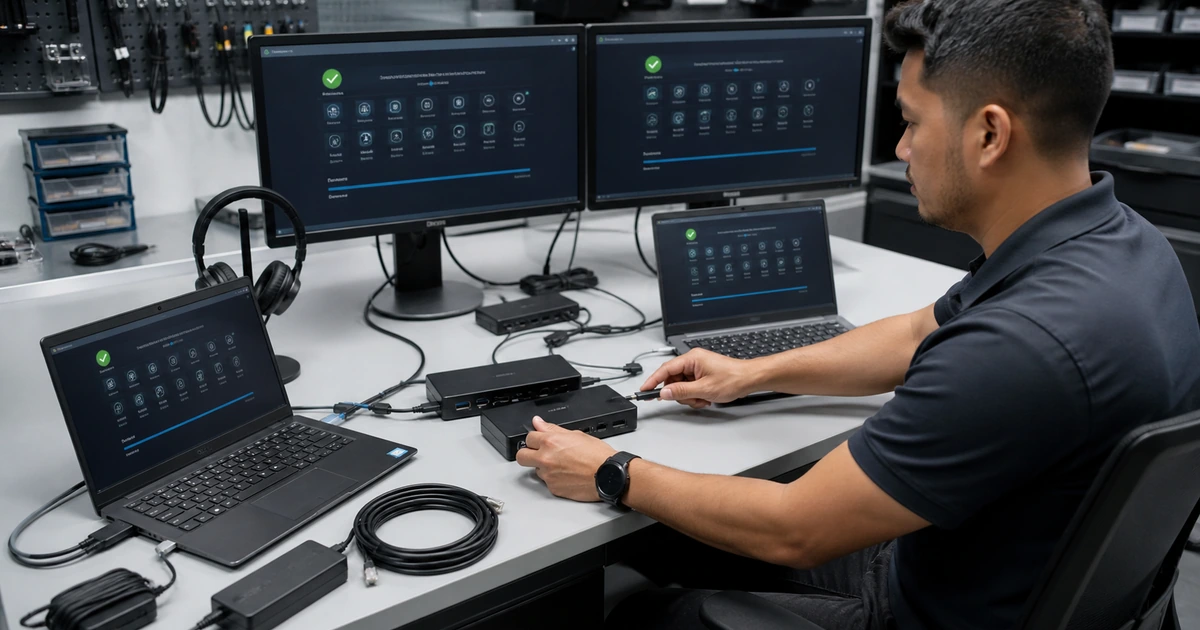
Write a hypothesis that can fail. Instead of assuming the dock is bad, state that the display disconnect occurs only when the laptop passes video through this dock and should disappear with a verified compatible dock while the laptop, monitor, cable, power, and account remain unchanged. Decide what result will support, weaken, or leave the hypothesis unresolved. Select the least disruptive test that can distinguish likely causes.
Maintain a controlled set of test resources. Label cables, chargers, power supplies, docks, adapters, monitors, headsets, network ports, mobile hotspots, spare managed devices, test accounts, sample files, and clean application profiles with compatibility and last validation. Update firmware and drivers according to the managed standard. A comparison component that is outdated, damaged, unapproved, or never tested can produce false conclusions and lengthen the outage.
- Baseline record: Capture asset, model, version, account, network, peripherals, configuration, error, time, reproduction, performance, recent change, and business effect.
- Testable hypothesis: State the suspected layer, evidence, controlled variable, unchanged conditions, expected result, alternate result, and next decision.
- Known-good inventory: Maintain approved devices, parts, cables, docks, adapters, power supplies, accounts, profiles, files, networks, and diagnostic media.
- Compatibility check: Verify model, connector, protocol, power, firmware, operating system, driver, application, licensing, management, and security requirements.
- Evidence protection: Preserve logs, timestamps, screenshots, configuration, crash data, and original components before resets, replacement, updates, or reinstallation.
- Change discipline: Alter one relevant condition, record start and end state, test the outcome, reverse temporary changes, and avoid stacking unverified fixes.
A controlled baseline makes each test informative and prevents a temporary recovery from being mistaken for proof of cause.
Isolate identity, endpoint, application, data, accessory, network, and service conditions
Use a comparison matrix rather than a fixed list of resets. For identity, compare the affected account on another managed endpoint and a test account on the affected endpoint when policy permits. Inspect authentication method, license, group and role assignment, conditional access, session state, recent credential changes, device compliance, and audit logs. Never ask for the user’s password. A successful login does not prove that application authorization, file ownership, mailbox permissions, or downstream access is correct.
For endpoint and application conditions, compare supported versions, profiles, safe mode or clean startup when appropriate, available resources, error logs, crash reports, services, drivers, recent updates, and a clean approved device. Use a non-sensitive sample record to distinguish a corrupt file or data path from an application-wide failure. For accessories, test power, connector, cable, port, dock, display, adapter, firmware, and device recognition one element at a time. Confirm manufacturer power and compatibility requirements before substituting parts.
For connectivity, determine whether the failure affects one device, all devices on a segment, one location, VPN users, one destination, name resolution, or general internet access. Compare wired and wireless paths, another approved access point, gateway reachability, DNS responses, latency, loss, route, filtering, proxy, certificate, and service status. Microsoft and Google troubleshooting guidance commonly uses comparisons across devices, browsers, websites, and networks to distinguish a local endpoint condition from network or service availability.
- Identity test: Compare account, device, authentication, license, role, group, session, compliance, conditional policy, audit event, and application authorization.
- Endpoint test: Inspect hardware status, operating system, resources, storage, drivers, services, updates, management, security, event logs, and a managed comparison device.
- Application test: Compare version, profile, plug-ins, cache, configuration, permissions, sample data, dependency, service health, crash report, and clean supported installation.
- Peripheral test: Validate power, connector, port, cable, dock, adapter, display, audio path, firmware, recognition, compatibility, and the component on another approved setup.
- Network test: Compare interface, address, gateway, DNS, wired, wireless, VPN, route, latency, loss, filtering, proxy, certificate, location, and destination scope.
- Provider test: Review status, tenant health, region, maintenance, authentication, API, rate limits, logs, vendor case, and behavior from an independent approved path.
Layer-by-layer comparisons direct effort toward the condition that follows the failure instead of repeatedly rebuilding components that already work.
Diagnose intermittent and performance problems without losing the signal
Intermittent failures need time-correlated evidence. Ask users to record the exact occurrence time, activity, device state, location, connection, visible message, duration, and what restored service. Align those reports with event logs, monitoring, authentication, application telemetry, network performance, resource use, power events, updates, and provider status. Synchronize clocks and time zones. A vague report that the system was slow yesterday cannot be reliably matched with technical events.
Create a controlled reproduction plan that respects business risk. Define the workload, dataset, account, device, network, duration, expected behavior, measurement interval, stop condition, and rollback. Monitor processor, memory, storage latency, network latency and loss, application response, error count, temperature, power, and service dependencies appropriate to the symptom. Avoid benchmark numbers without a baseline or user outcome. A brief synthetic test may miss heat, memory growth, congestion, synchronization, or session-expiration behavior.
Before accepting the fix, return temporary diagnostic changes to the managed standard. Re-enable protections, remove test accounts and data, restore approved logging levels, reconnect production dependencies, inventory replaced parts, and document version or configuration changes. Repeat the original task under representative duration and load. Monitor for recurrence and link the evidence to a problem, change, vendor, lifecycle, capacity, or security record when the underlying condition affects more than one ticket.
- Occurrence record: Collect exact time, task, user, device, location, network, message, duration, workload, environmental state, and what changed before recovery.
- Correlation set: Align user reports with logs, monitoring, authentication, updates, application telemetry, network events, resource use, power, and provider status.
- Reproduction plan: Define approved account, device, data, workflow, duration, load, measurement, expected result, safety limit, communication, and rollback.
- Performance evidence: Measure response time, processor, memory, storage, network, application, errors, temperature, power, dependency health, and user-visible outcome.
- Standard restoration: Remove temporary tools and data, reverse diagnostic settings, re-enable protection, confirm management, inventory changes, and document final state.
- Recurrence watch: Set monitoring period, trigger, owner, user reporting method, evidence collection, threshold, escalation, and permanent follow-up record.
The investigation is credible when the evidence supports a cause or bounded conclusion and the corrected system remains stable under the conditions that previously exposed the failure.
Structured diagnostics and known-good testing from ALLMSP
ALLMSP maintains professional diagnostic processes for business endpoints, applications, accounts, accessories, networks, cloud services, and shared infrastructure. Our in-house technicians preserve evidence, use approved comparison equipment and accounts, test one variable at a time, coordinate vendors, protect security controls, and validate the original user workflow after repair.
Companies in Lawrenceville, Suwanee, Gwinnett County, Metro Atlanta, and elsewhere in Georgia can engage ALLMSP for remote diagnostics, onsite troubleshooting, computer and network support, hardware repair, software support, monitoring, cybersecurity response, and ongoing managed IT service.
- Baseline: Document configuration, versions, connections, identity, errors, logs, timing, performance, recent changes, and affected business work.
- Compare: Use compatible known-good devices, components, accounts, profiles, data, applications, networks, and service paths under controlled conditions.
- Prove: Correlate evidence, apply the correction, restore managed standards, repeat representative work, monitor recurrence, and record the conclusion.
Official diagnostic references for controlled troubleshooting
Select product guidance that matches the installed version and business management model. Preserve recovery options and obtain authorization before disruptive or privileged tests.
- Microsoft Windows client troubleshooting library. Organizes current technical guidance across identity, networking, storage, applications, performance, security, management, and built-in troubleshooters.
- Microsoft Windows Wi-Fi troubleshooting. Demonstrates comparison of device, network, adapter, gateway, and wired conditions to narrow connectivity failures.
- Apple Diagnostics support guide. Documents approved preparation and built-in diagnostic testing for supported Mac hardware and resulting reference codes.
- ALLMSP Remote Support. Secure business diagnostics, controlled changes, user communication, vendor coordination, and verified remote resolution.
Known-good troubleshooting FAQs
What is a known-good troubleshooting test?
It compares the failing condition with an approved, compatible, and recently verified working condition while changing one relevant variable and keeping the remaining environment stable.
Why should technicians change only one variable at a time?
A single-variable test shows which difference affected the result. Several simultaneous changes can restore service without revealing the cause and may introduce a new problem.
Can any spare cable or laptop be used as a known-good device?
No. The comparison item should be approved, compatible, safely configured, current, and verified to work. Unknown equipment can create misleading results or security exposure.
How can support tell whether a problem follows the user or device?
Test the affected account on another managed device and an approved test account on the affected device when policy permits, then inspect identity, authorization, compliance, and application evidence.
How are application and data problems separated?
Use a safe sample file or record, another approved profile or device, current logs, service health, and the original data under protected conditions to determine which element follows the failure.
How can a cable, dock, or adapter problem be isolated?
Verify compatibility and power, then substitute one approved component at a time while keeping the endpoint, peripheral, port, workload, and other connections unchanged.
What evidence helps diagnose intermittent problems?
Exact timestamps, activity, user, device, location, network, message, duration, workload, recovery action, logs, monitoring, authentication, updates, resource use, power, and provider status are useful.
When should troubleshooting stop immediately?
Stop for possible data loss, electrical or liquid damage, unusual heat or sound, battery swelling, exposed credentials, malware, active intrusion, unsafe equipment, or any destructive step without recovery.
Can ALLMSP perform onsite hardware and network comparisons?
Yes. ALLMSP uses approved diagnostic equipment, spare components, managed endpoints, network tools, and vendor procedures through its in-house remote and onsite technicians.
Where does ALLMSP offer technical diagnostics?
ALLMSP provides structured troubleshooting in Lawrenceville, Suwanee, Gwinnett County, Metro Atlanta, and across Georgia.