





























































































































































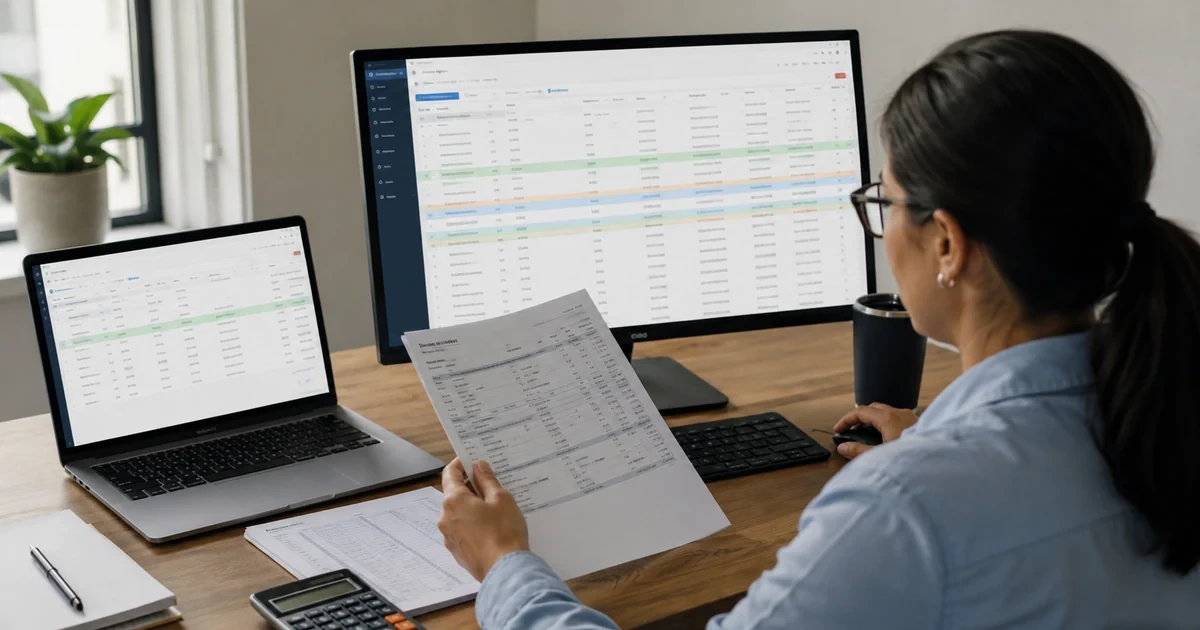
A bank balance difference in Wave is a symptom, not a diagnosis. The cause may be a delayed Pro bank import, an overlapping reconnection window, multiple bank connections, a manually entered payment not yet merged with an import, a starting balance on the wrong date, a check in transit, a transaction edited after reconciliation, an incorrect statement closing balance, a future-dated entry, or a report value that needs Wave support to refresh. Recovery becomes safer when the team classifies the stage before changing data.
Open an incident workpaper with the Wave business profile, payment account, bank statement period, statement closing balance, Wave balance, reconciliation status, quantified difference, first observed time, last successful import, import method, and people who changed the account. Export or capture the relevant account transactions report and reconciliation state without exposing bank numbers or customer details. Freeze bulk edits, broad deletions, repeated reconnects, and overlapping uploads until the authoritative evidence and affected window are understood.
Then follow the transaction lifecycle. Confirm whether the bank posted the item, whether Wave imported or created it, whether another feature created a related entry, whether coding and account fields are correct, whether it was reviewed, which reconciliation period contains it, and which reports include it. Correct the smallest proven object and rerun the same evidence chain. A zero difference is necessary, but the close is not complete until the explanation, review state, report effect, and retained evidence all agree.
ALLMSP handles Wave migration and data validation to teams near Lawrenceville and Suwanee, elsewhere in Gwinnett County and Metro Atlanta, and throughout Georgia, with planning, configuration, testing, and support completed by the same in-house team.
Key decisions at a glance
- Start with one business profile, one payment account, one bank statement, one reconciliation period, and one quantified difference.
- Automatic imports are a Pro feature and are delayed by design, generally arriving about every twenty-four hours but sometimes taking up to seven days.
- Do not label two similar Wave entries duplicates until you distinguish connection overlap, a manual entry awaiting merge, and expected online-payment bookkeeping.
- Transaction review checks coding, reconciliation matches a statement, report comparison tests accounting presentation and may expose a separate data-refresh issue.
- Preserve before-and-after reports, statements, exports, exception notes, and approvals so a correction is repeatable and a reopened period can be explained.
Establish the affected Wave scope before changing transactions

Verify the selected business and account first. The same owner can hold several Wave profiles, and similar bank names can exist in different charts. Record the institution, masked account identifier, Wave payment account, connection status, import toggle, last imported date, statement start and end dates, closing balance, and reconciliation-period status. Compare the account transaction report with the Transactions and Reconciliation pages for the same date range. A mismatch created by profile, account, date, or report-basis selection should be corrected in the workpaper, not in the ledger.
Preserve evidence before troubleshooting. Save the bank statement, relevant Wave report exports, import or connection status, reconciliation summary, starting-balance entry, and a list of unmatched or suspect transactions. Do not include full account numbers, payroll details, customer names, or credentials in screenshots. Note whether the difference is a single amount, repeated pattern, cutoff shift, missing date range, or presentation inconsistency. That pattern often points toward an overlap, in-transit item, statement error, future date, or data-refresh problem.
Choose an authoritative source for each fact. The bank statement controls posted bank activity and the closing balance, Wave’s documented behavior controls how the product represents imports, invoices, transfers, reviews, and reconciliation, approved accounting policy controls classification and starting equity. If a bank’s pending feed conflicts with its final statement, wait for posting or use the final statement under the organization’s cutoff policy. Avoid editing both a source transaction and a Wave-created related entry without understanding their relationship.
- Scope one Wave profile, payment account, statement period, closing balance, and quantified difference.
- Preserve statements, reports, status evidence, suspect items, recent changes, and the last known good period.
- Freeze reconnects, bulk edits, broad deletions, and overlapping uploads until the failure stage is classified.
- Assign authority separately for bank posting, Wave product behavior, and accounting classification.
Classify import delay, duplicate, starting-balance, and transit differences

Check timing before declaring an import failure. Automatic bank transaction imports are part of Pro and are not real-time. Wave currently says imports generally occur every twenty-four hours but can take up to seven days depending on the bank. If the gap is within that window, compare posted dates and wait under the close policy. If it exceeds the window, inspect the Connected Accounts status, bank notices, changed credentials or security methods, and reconnection prompts. When a temporary manual upload is approved, turn off automatic imports for that account first and document the exact uploaded range.
Classify apparent duplicates by origin. Wave lists reconnection overlap, multiple connections for the same account, and manual invoice, bill, or receipt activity that has not yet merged with a bank import as common causes. It also warns that two income transactions associated with Wave online payments may be expected rather than duplicates. Compare date, amount, source, account, invoice or bill relationship, transfer pair, and import metadata. Merge only the manual-plus-import pair Wave intends to represent one event, delete only a proven extra import or mistaken entry under review.
Inspect cutoff structures next. A wrong or missing starting balance can shift every later period, while a connected bank or card may create a starting-balance transaction automatically. Funds recorded before they settle can also explain a temporary difference. Wave’s undeposited-check workflow uses a Money in Transit account, followed by a transfer when the deposit appears. Trace the original payment, in-transit entry, imported deposit, created transfer, and any bounced-check reversal before changing the bank transaction itself.
- Compare the missing range with Wave’s documented import cadence and the bank’s final posted activity.
- When using a temporary statement upload, disable automatic imports and record the exact account and date window.
- Prove whether similar entries are overlap, multiple connections, an unmerged manual event, or expected online-payment bookkeeping.
- Trace starting balances and money-in-transit chains from source evidence through every related Wave entry.
Separate transaction review from reconciliation-period repair

Resolve coding defects in the transaction-review queue, but do not confuse the review checkmark with bank matching. Wave requires Category and Account details before a transaction can be marked reviewed, yet unreviewed items still affect reports and can be reconciled. Compare the source, date, amount, account, category, tax, customer or vendor relationship, and related transfer or payment. Mark the item reviewed only after those fields and any auto-update are understood, then separately inspect its reconciliation balance icon and period.
Use the reconciliation status to choose the next action. Wave distinguishes Never reconciled, Reconciled, Reconciliation issue, and Reconciliation incomplete at the account level, with checkmark, X, and warning states for periods. A new period cannot be created while an existing period is unreconciled. Open the earliest affected period, confirm the bank statement end date and closing balance, compare Wave transactions with the statement, and resolve the first unexplained difference before moving forward. Later periods may depend on that opening state.
Wave says a completed period can become unreconciled after a transaction is edited or merged or a payment changes. Its recovery guidance covers missing, incorrect, duplicate, pending, and extra transactions plus an incorrect statement balance. Pending items may use the transaction date rather than the posting date and can be matched in the next period after an explained close. Make one supported correction, rerun the difference, and preserve the warning and result. Never erase a period merely to hide a discrepancy.
- Clear missing Category or Account details and review coding independently from bank-statement matching.
- Start with the earliest affected reconciliation period and verify its date, statement balance, matched balance, and difference.
- Classify the item as missing, incorrect, duplicate, pending, extra, or a statement-balance error before correction.
- Retest the same period after each targeted change and record who approved any decision to reconcile with a pending item.
Prove report consistency, preserve recovery evidence, and close safely
After reconciliation agrees, compare the Transactions page, Reconciliation page, and account transactions report for the same account and timeframe. Wave notes that future-dated transactions are excluded from balances on the Transactions and Reconciliation pages but are included in the account transactions report. Align dates before escalating. If the same account still shows inconsistent amounts across reports, the balance widget fails to update, or the reconciliation balance conflicts with the report for identical scope, preserve evidence and use Wave’s documented support path for a possible data refresh.
Handle destructive controls deliberately. Wave says deleting a reconciliation period cannot be undone, although the transactions in it remain. Deletion may be appropriate for a truly erroneous period definition, but it is not a transaction repair and it removes reconciliation evidence that then must be rebuilt. Obtain accounting-owner approval, export the before state, document why editing or continuing the period is insufficient, and plan the exact recreation sequence. For most discrepancies, fix the specific entry, statement balance, or period state instead.
Close the incident with reproducible evidence. Retain the source statement, Wave report exports, reconciliation summary, suspect-item list, before-and-after control totals, corrected object, review decision, approver, and any support reference. Update the import-overlap calendar, starting-balance register, money-in-transit schedule, or close checklist that failed. Wave account exports and report files support continuity but do not replace the live system or create a one-click restore. Test that authorized staff can retrieve the package and independently reperform the balance explanation.
- Compare transactions, reconciliation, and reports with identical profile, account, timeframe, and accounting basis.
- Escalate a possible Wave data refresh only after date scope, future activity, coding, and reconciliation evidence are ruled out.
- Require approval and before-state evidence before deleting an unrecoverable reconciliation period.
- Close with exported evidence, corrected controls, independent reperformance, and a documented monitoring window.
Official product documentation and ALLMSP resources
- Wave: Connect a bank for automatic imports
- Wave: Import timing
- Wave: Transactions not importing
- Wave: Review transactions
- Wave: Reconcile books
- Wave: Reconciliation statuses
- Wave: Fix an unreconciled period
- Wave: Delete a reconciliation period
- Wave: Resolve duplicate imports
- Wave: Resolve Wave and bank balance differences
- Wave: Enter a starting balance
- Wave: Bookkeep undeposited checks
- Wave: Download account data
- ALLMSP Software Support
- ALLMSP Data Backup and Recovery
- ALLMSP Cloud Services
- ALLMSP Managed IT Services
- ALLMSP IT Consulting
Frequently Asked Questions
How often do automatic bank transactions import into Wave?
Wave’s current guidance says automatic imports generally occur about once every twenty-four hours but can take up to seven days depending on the bank. They are not real-time and are part of Pro. Use the bank’s posted statement activity and an agreed close cutoff instead of treating a recent missing item as immediate proof of failure.
What should I do if Wave has not imported transactions for more than seven days?
Check the Connected Accounts status, the bank website, notices, credentials, security changes, and any reconnect prompt. Preserve the last successful date and missing range. If a temporary manual upload is approved, turn automatic imports off for that account first and document the exact statement window to prevent a later overlapping feed.
Does reviewing a Wave transaction reconcile it?
No. Review confirms fields and coding, while reconciliation matches Wave transactions to a bank statement for a defined period. An unreviewed item can still affect reports and be reconciled. Inspect Category and Account details for review, then separately verify the balance icon, matched state, closing balance, and difference for reconciliation.
Why can duplicate transactions appear in Wave?
Wave identifies overlapping dates after reconnection, multiple connections for one account, and manual invoice, bill, or receipt entries that have not yet merged with an import as common causes. Two online-payment income entries may also be expected. Compare origin, account, date, amount, related document, transfer behavior, and import metadata before changing anything.
Should a duplicate Wave transaction be merged or deleted?
Merge a proven manual-plus-import pair when both entries represent one real event and Wave’s workflow supports the merge. Delete only a proven extra import or mistaken manual entry with source evidence and review. Preserve the before state, confirm the affected reconciliation period, and retest reports because either action can reopen prior reconciliation.
How can a starting balance cause recurring Wave reconciliation differences?
A missing, duplicated, misdated, or incorrect starting balance shifts later account totals. Connected banks and cards may create a starting-balance transaction automatically. Tie the entry to an approved statement or trial balance, verify its equity account, and ensure it precedes loaded history without overlapping a manual balance or imported period.
How should checks in transit be handled in Wave?
Wave’s undeposited-check workflow uses a Money in Transit account when the invoice payment is recorded before the bank deposit. When the deposit imports, categorize the movement as a transfer from the transit account and inspect the related created transfer. Track outstanding checks separately and account for any bounced-check reversal or fee.
Why can a previously completed Wave reconciliation become unreconciled?
Wave says a period may reopen after a transaction is edited or merged or a payment is changed. Start with the earliest affected period and compare it with the same bank statement. Classify missing, incorrect, duplicate, pending, extra, or statement-balance items, make one targeted correction, and verify the difference before advancing.
What happens if I delete a reconciliation period in Wave?
Wave says the deleted period cannot be recovered, although its transactions remain. Deletion removes reconciliation evidence rather than repairing transactions. Use it only for a proven erroneous period design, with accounting-owner approval, a preserved before state, and a documented recreation plan. Most balance problems should be corrected at the specific item or statement field.
When might a Wave report difference require a data refresh?
After matching the profile, account, dates, basis, future-dated activity, coding, and reconciliation state, preserve evidence if the same account still differs across Wave reports or page balances. Wave’s current guidance describes cases where support may need to refresh data. Use the documented support path and retain the comparison and response.


