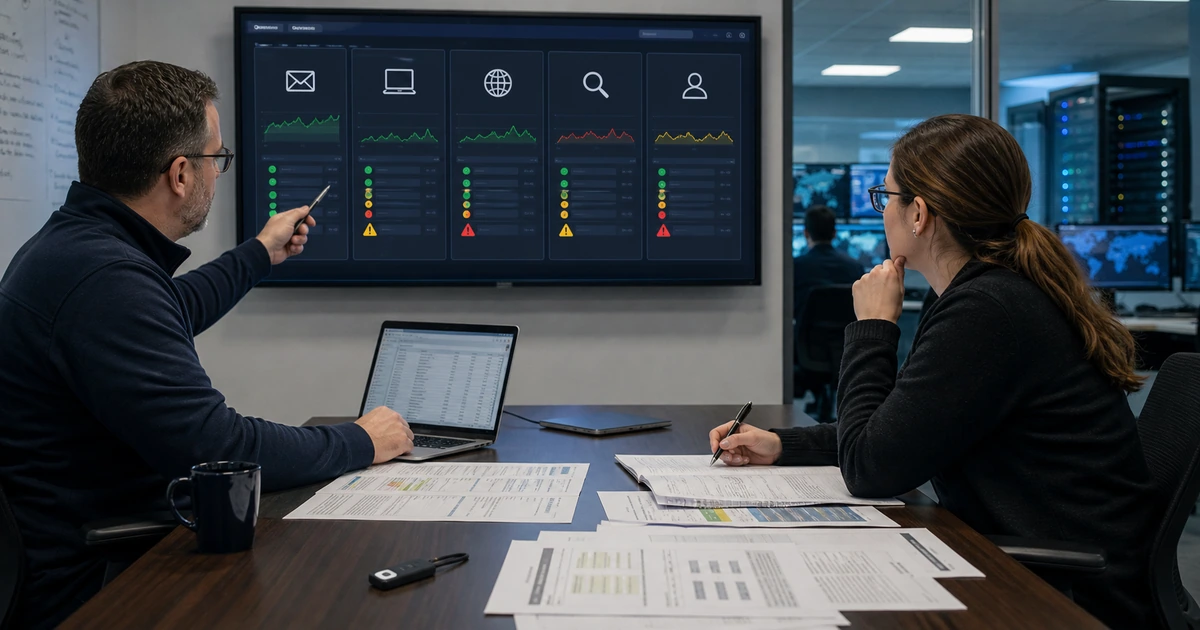
A backup has not earned confidence until someone restores it and verifies the business service. Archive checks can confirm that a file exists, but they do not prove that the database imports, configuration points to the right services, media loads, forms deliver, customers can sign in, payments operate, redirects hold, security controls return, or the team can complete recovery within the required time.
A staged exercise creates evidence without putting production at unnecessary risk. The team selects a recovery point, prepares isolated infrastructure, restores files and data, controls outbound connections, follows the runbook, measures time, validates representative journeys, records missing dependencies, and corrects the backup or procedure. The test should include realistic complications such as unavailable credentials, corrupted recent copies, changed hosting, delayed DNS, new transactions, or a compromised administrator account.
ALLMSP plans and performs website restore testing for organizations in Lawrenceville, Suwanee, Gwinnett County, Metro Atlanta, and throughout Georgia. Our in-house team can prepare test environments, restore WordPress and supporting services, validate security and customer workflows, measure recovery objectives, improve documentation, and respond when a real website outage occurs.
Exercise recovery from backup selection through customer validation
- Choose the scenario: Define the failure, affected service, recovery point, recovery time, participants, constraints, success, and stop conditions.
- Prepare isolation: Build a safe target with blocked outbound actions, protected production data, separate access, and cleanup controls.
- Restore in order: Recover infrastructure, configuration, files, database, secrets, integrations, traffic, monitoring, and scheduled work deliberately.
- Measure reality: Track detection, decision, access, transfer, restoration, validation, traffic change, communication, and full return.
- Test the business: Validate content, search, forms, email, accounts, payments, analytics, security, performance, and responsive journeys.
- Improve the system: Correct backup gaps, credentials, architecture, tools, ownership, documentation, training, and the next exercise plan.
Design a realistic recovery scenario and prepare a safe test environment
Choose a scenario that tests meaningful assumptions. Examples include a failed plugin deployment, deleted database, corrupted storage, compromised administrator, hosting outage, ransomware event, expired domain, damaged DNS zone, failed certificate renewal, or unavailable third-party service. Define the affected website and business journeys, assumed time of detection, allowed recovery point, target recovery time, required participants, communication expectations, decision authority, data protections, and evidence needed for success.
Select the recovery point according to the scenario rather than always choosing the newest green job. Test a recent copy, an older retained point, and the independent location on an appropriate rotation. If incremental backups are used, exercise the chain and its base. Verify access without depending on production identity systems that the scenario assumes are unavailable. Confirm encryption keys, storage permissions, software versions, installation packages, licenses, DNS access, certificate process, and vendor contact information before the timed portion begins.
Prepare an isolated target. Use separate credentials and network boundaries, restrict public access, protect copied personal or customer information, disable real payment capture, block transactional email and text messages, pause webhooks, prevent search indexing, and keep test analytics out of production reports. Define how the environment will be destroyed or sanitized afterward. Do not run an improvised restore over the live site merely to prove that the archive opens.
- Scenario charter: State failure, scope, business effect, assumptions, recovery targets, participants, authority, communications, and success.
- Recovery selection: Choose newest, older, full, incremental, independent, or suspected-clean copies according to the exercise purpose.
- Access test: Verify hosting, storage, database, domain, DNS, certificate, keys, runbook, tools, licenses, vendors, and emergency identities.
- Isolation control: Separate networks and credentials, restrict public access, block outbound actions, protect data, and prevent indexing.
- Test data rule: Minimize copied sensitive data, control who can access it, retain only what the exercise needs, and sanitize afterward.
- Stop condition: Define production risk, privacy concern, uncontrolled outbound action, corruption, cost, timing, or safety conditions that end the test.
A controlled scenario tests recovery assumptions while preventing the exercise itself from sending messages, creating charges, exposing data, or damaging production.
Restore the platform, data, configuration, identity, and connected services
Follow the runbook while recording actual decisions and elapsed time. Prepare hosting or compute resources, operating system and web stack where required, storage, networking, firewall, database, and application dependencies. Restore files and the matching database, then apply environment-specific configuration, permissions, secrets, URLs, cache, scheduled tasks, and service connections. Do not reuse secrets from a suspected compromise without a deliberate rotation and validation plan.
Reconcile architecture differences. A new host may use different PHP, database, web server, file paths, permissions, limits, certificates, email routing, cache, or DNS. Plugins and themes may expect missing services. Serialized WordPress data and hard-coded URLs can complicate migration. Large archives may exceed upload or execution limits. Record every manual workaround because it indicates a runbook, automation, compatibility, or backup gap that will matter under real outage pressure.
Handle transaction boundaries explicitly. Identify the last recovered order, lead, booking, user change, comment, payment, inventory update, or published item. Compare the backup timestamp with authoritative external systems and logs. Decide what must be replayed, imported, reconciled, refunded, recontacted, or reported. Preserve evidence and avoid duplicating charges, messages, or fulfillment. The recovery point objective is proven by the last consistent usable transaction, not only the archive timestamp.
- Platform recovery: Prepare hosting, network, web server, runtime, database, storage, permissions, firewall, certificates, cache, and observability.
- Application recovery: Restore matched files and database, configuration, plugins, themes, custom code, uploads, jobs, and required dependencies.
- Identity recovery: Restore approved access, rotate exposed credentials, verify MFA and emergency accounts, and remove temporary privilege.
- Service recovery: Reconnect email, DNS, CDN, security, search, payments, CRM, scheduling, analytics, APIs, and vendor support deliberately.
- Transaction boundary: Find the last consistent record across the site and external systems, then reconcile the missing or duplicated activity.
- Timing record: Measure detection, declaration, access, preparation, transfer, restore, troubleshooting, validation, traffic, and communication.
The restore procedure is complete only when the recovered platform, data, identities, and connected services form one consistent operating state.
Validate customer journeys, measure objectives, and correct the runbook
Validate the recovered site from outside and inside. Check DNS resolution, certificates, redirects, security headers, firewall, caching, uptime monitoring, page content, navigation, images, downloads, search, forms, email delivery, authentication, account functions, payments, bookings, orders, inventory, publishing, analytics, consent, structured data, robots controls, sitemaps, performance, error logs, backups, and scheduled tasks. Test desktop and mobile views and verify administrative work as well as the public experience.
Compare actual results with recovery objectives. Separate time spent obtaining authority, credentials, archives, infrastructure, data transfer, restoration, troubleshooting, customer validation, DNS or traffic cutover, and communication. Determine the actual usable recovery point from reconciled business data. Record which steps depended on memory, one person, an undocumented tool, an expired account, or vendor response. A passing exercise can still produce important improvements when recovery succeeds more slowly or manually than intended.
Hold a focused review and assign corrective work. Update the backup scope, schedule, retention, storage, encryption, access, alerting, clean-copy process, infrastructure automation, vendor procedures, contact list, transaction reconciliation, validation script, and communications. Correct the runbook immediately with commands, locations, expected outputs, decision points, and screenshots only where they remain stable and useful. Schedule the next scenario to test the weakest unresolved assumption instead of repeating the easiest success.
- External validation: Check DNS, certificates, redirects, firewall, public content, responsive use, forms, accounts, payments, and monitoring.
- Internal validation: Verify administration, publishing, users, roles, integrations, jobs, logs, security, backups, analytics, and support access.
- Objective result: Record actual recovery time, usable recovery point, unavailable functions, manual dependencies, and accepted limitations.
- Runbook correction: Replace failed steps, add exact locations and decisions, identify owners, verify commands, and remove obsolete assumptions.
- Improvement record: Assign backup, architecture, access, vendor, training, automation, monitoring, reconciliation, and communication actions.
- Next exercise: Select a different failure, older copy, missing person, changed host, compromised identity, or transaction scenario.
A restore exercise creates confidence when it measures the full return of customer service and drives specific corrections before the next incident.
Website restore testing and emergency recovery from ALLMSP
ALLMSP can design restore scenarios, prepare isolated environments, validate backup access, rebuild hosting, restore WordPress files and databases, reconnect services, reconcile transactions, test customer journeys, measure objectives, correct runbooks, and support real incidents through our in-house team.
We provide website restore testing, hosting, security, and recovery for organizations in Lawrenceville, Suwanee, Gwinnett County, Metro Atlanta, and throughout Georgia.
- Exercise: Define the scenario, targets, participants, recovery point, safe environment, access, communications, and success conditions.
- Restore: Recover platform, files, database, configuration, identity, services, transactions, monitoring, and protected traffic.
- Improve: Validate journeys, measure results, correct backups and runbooks, assign actions, train owners, and schedule the next test.
Primary guidance for website restoration exercises
Use platform restoration guidance and contingency-planning principles to test the complete website service, then preserve measured evidence and correct every failed assumption.
- WordPress Backups Handbook. Explains the database and file components involved in backing up and restoring a typical WordPress site.
- NIST Contingency Planning Guide. Provides a structured lifecycle for contingency requirements, recovery strategies, plans, testing, training, and maintenance.
- CISA StopRansomware Guide. Emphasizes protected backups and prioritized restoration as part of preparation for destructive incidents.
- ALLMSP Data Backup and Recovery. Recovery planning, protected backups, restore testing, incident support, documentation, and continuity improvement.
Website restore testing FAQs
Why should website backups be restored for testing?
Testing proves that archives, credentials, tools, infrastructure, files, databases, configuration, integrations, and instructions can return the actual service.
Can a website restore test be performed without affecting production?
Yes. Use an isolated target with separate access, restricted public reach, blocked outbound actions, protected data, and a documented cleanup process.
Which website backup should be tested?
Rotate among recent, older, full, incremental, independent, and suspected-clean recovery points according to the risks the organization needs to verify.
What should be disabled in a website recovery environment?
Block real email, text messages, webhooks, payment capture, fulfillment, production analytics, search indexing, and any integration that could change live records.
How is website recovery time measured?
Measure detection, decision, access, environment preparation, transfer, restoration, troubleshooting, validation, traffic change, communication, and return of the full service.
How is the actual recovery point verified?
Find the last consistent usable transaction across the restored site, authoritative external systems, logs, payments, forms, orders, users, and other business records.
What customer journeys should be tested after restoration?
Test discovery, navigation, search, contact, signup, login, payment, booking, account work, delivery, downloads, publishing, administration, and mobile use as applicable.
What should happen after a restore exercise?
Correct backup gaps, access, architecture, procedures, transaction handling, monitoring, communication, and training, then schedule a different scenario.
Can ALLMSP perform a complete website recovery exercise?
Yes. ALLMSP handles scenario design, safe environments, restoration, validation, reconciliation, measurement, documentation, correction, and support with its in-house team.
Where does ALLMSP provide website recovery testing?
ALLMSP serves Lawrenceville, Suwanee, Gwinnett County, Metro Atlanta, and organizations throughout Georgia through local and remote delivery.