






























































































































































MyCase access is layered. A firm user can have Add and Edit, View Only, or Hidden access to individual feature areas, can see every case or only cases to which the user is linked, and may hold additional powers over users, permissions, deletion, preferences, subscriptions, or payments. Client access is governed through a different chain involving the contact, the case relationship, and the specific information the firm shares. A single label such as attorney or admin does not describe that whole exposure.
Effective MyCase access security therefore needs a lifecycle. The firm should approve access before invitation, test it after activation, review it when duties or case assignments change, control MFA recovery, examine external portal sharing, and close every route at departure. Screenshots alone are weak evidence if they do not show who approved the configuration, what was tested, when it was reviewed, and how exceptions were resolved.
This guide focuses on the current MyCase controls that administrators can actually operate. It complements ALLMSP’s [MyCase resource center](https://www.allmsp.com/category/software-support/software-support-mycase/), [Cybersecurity](https://www.allmsp.com/category/cybersecurity/), and [Law Firm IT Services](https://www.allmsp.com/category/law-firm-it-services/) coverage. The firm’s legal, privacy, employment, and records obligations should determine the final access standard.
Our in-house team delivers MyCase access, ownership, and security review for businesses around Lawrenceville, Suwanee, Gwinnett County, Metro Atlanta, and the rest of Georgia, while coordinating the applications, identities, devices, data, security controls, and employees affected by the work.
Key decisions at a glance
- Design access around MyCase’s actual feature permissions and case scope rather than relying on job titles or a broad admin label.
- Treat all-case access, user administration, permission editing, deletion, and firm-preference controls as separate high-impact decisions.
- Complete and verify MFA enrollment, protect recovery channels, keep more than one qualified administrator, and document every reset.
- Client portal access depends on the contact toggle, case link, and selected sharing, test the recipient view and review portal activity.
- Deactivate departing firm users, reassign their work, revoke connected access, and preserve an evidence trail instead of attempting to delete their identity.
Translate Duties Into MyCase Feature and Case Access
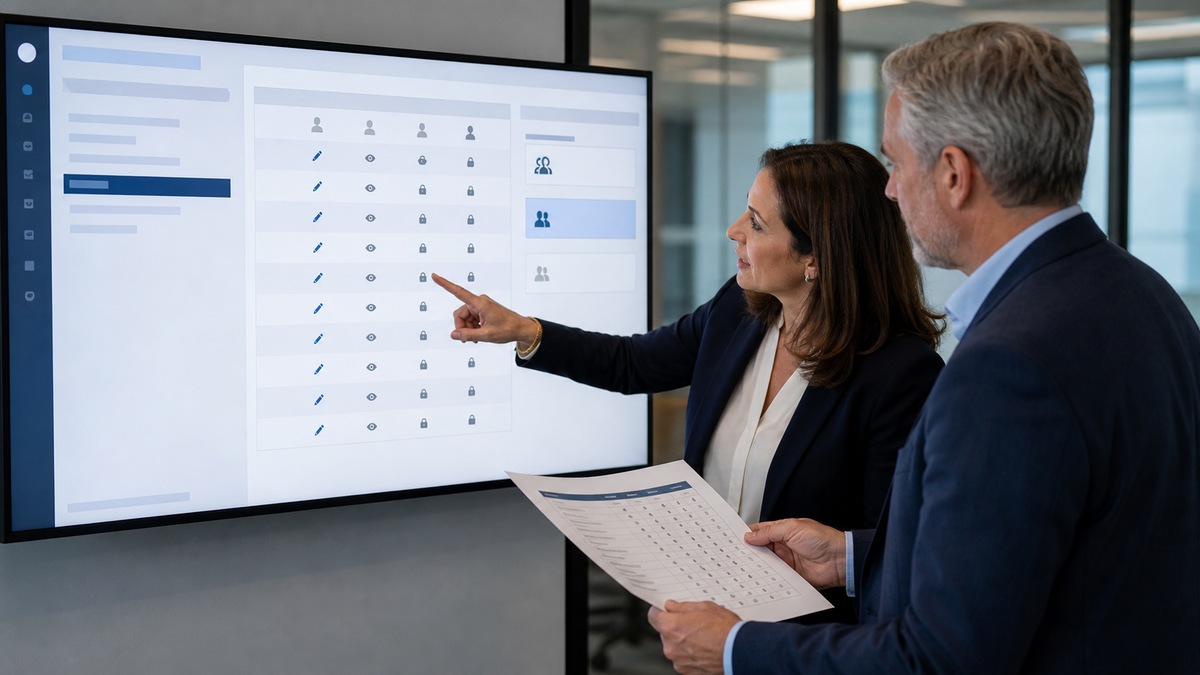
Build a permission matrix from recurring duties. MyCase lets administrators set feature areas to Add and Edit, View Only, or Hidden for each firm user. Inventory contacts, leads, cases, documents, calendars, tasks, communications, reporting, time and expenses, billing, trust activity, templates, and settings. For each role pattern, state what the user must create, change, view, approve, or never reach. Test with representative records because a navigation label does not prove what search, reporting, or linked records expose.
Case scope is an independent choice. MyCase distinguishes users who may access all cases from users limited to cases with which they are linked. The current access guidance notes that a user can have broad case visibility without being assigned to every matter, while removing the all-cases permission limits attorneys to assigned cases. Use linked-only access when duties permit, define who maintains case assignments, and create an exception process for temporary coverage rather than expanding access indefinitely.
Review the high-impact additional permissions separately: adding firm users, editing user permissions, deleting items, and managing firm preferences, subscription, and payment options. The option that restricts a user to time entries and expenses only also hides rates and other users’ entries and blocks several billing functions. Validate the behavior needed by contract timekeepers or narrow billing roles before deployment, and have users refresh or sign out and in after permission changes if the new state is not visible.
- Give each role profile a business owner, purpose, allowed features, prohibited actions, case scope, approver, and review interval.
- Test Add and Edit, View Only, and Hidden states with synthetic cases, searches, documents, reports, billing records, and navigation paths.
- Grant all-case visibility only when the job requires it, and record every temporary expansion with an expiration date.
- Separate user management, permission editing, deletion, and subscription or payment administration from ordinary case work.
Make MFA Enrollment and Recovery Auditable

MyCase requires multi-factor authentication and currently offers SMS, email, and Google Authenticator methods. The enrollment prompt can be skipped five times before setup becomes mandatory, so do not interpret a successful first login as proof that MFA is finished. During onboarding, have the user enroll through an approved method, sign out, complete a fresh challenge, and confirm that the account and device belong to the intended person. Record completion without collecting the password, seed, recovery code, or live one-time code.
The Remember this device for 30 days option should be governed by device ownership and risk. MyCase’s login guidance advises against remembering a shared computer. A firm may also decide that unmanaged or public devices never qualify. Email-based MFA is only as strong as the email account, and SMS introduces phone-number and carrier dependencies, so protect recovery channels and document which factors are acceptable for attorneys, staff, contractors, and emergency access.
Only administrators can reset MFA status for non-admin firm users through the Firm Users settings. The affected user must enroll again at the next login. If the only administrator is locked out, or no accessible administrator remains, MyCase describes a support process with manual identity validation. Keep at least two qualified admins where feasible, verify the employee before any reset, require a ticket and approval, and review account activity after an unexpected recovery request.
- Track invitation, activation, MFA enrollment, test login, verifier, date, and exception status for every internal MyCase account.
- Allow remembered devices only under a documented standard for ownership, encryption, patching, screen lock, and prohibited shared use.
- Require identity verification, an authorized approver, a ticket, and prompt re-enrollment for every administrator-performed MFA reset.
- Maintain more than one trained administrator and periodically test the escalation path without attempting a disruptive real lockout.
Control Client Portal Sharing at Every Layer

Client portal access is not a single global decision. MyCase allows the firm to enable or disable portal access on the contact, link the contact with the relevant case, and share selected information. Before sending an invitation, verify the person’s identity, email address, relationship to the case, authorized content, and any restriction involving joint clients, minors, organizations, or sensitive matters. A correct contact linked to the wrong case is still a serious disclosure problem.
Use a harmless test case and client account to inspect the actual recipient view. Check documents, events, messages, invoices, comments, uploads, and any other item the firm plans to expose. MyCase portal activity can show events such as login, document views, invoice payment, comments, uploads, removal, and archiving, subject to the viewer’s case permissions. Activity is useful investigative evidence, but it does not replace a sharing approval or prove that the recipient understood the content.
Turn off portal access when the relationship or sharing need ends, then verify the result with an appropriate test. MyCase states that disabling the portal prevents sharing and communication through MyCase for that contact. Review active client access at case milestones, personnel changes, representation changes, closure, and any suspected misdelivery. Preserve the approval, items shared, review dates, and removal action according to the firm’s records policy.
- Verify contact identity, email ownership, case link, authorized recipients, sharing purpose, and end condition before portal activation.
- Test selected sharing with non-sensitive content and an external-view account instead of inferring access from an internal screen.
- Review portal activity after a reported issue, unusual payment, unexpected upload, or suspected access by the wrong person.
- Disable portal access and confirm the outcome when the sharing purpose ends, do not leave dormant access merely for convenience.
Run Onboarding, Role Changes, and Departures as One Process
MyCase lets an authorized administrator add Attorney, Paralegal, or Staff users, link them with no cases, all cases, or specific cases, and set firm-level permissions. Complete the role approval before sending the invitation. On the first day, verify identity, activation, MFA, assigned cases, feature access, portal responsibilities, connected email or calendar tools, and expected denial tests. A welcome email is an invitation mechanism, not an access review.
For a transfer or promotion, remove obsolete permissions before adding new ones when practical. Recheck case links, all-case access, additional permissions, billing visibility, templates, saved reports, and integrations. MyCase support cannot change the firm’s case assignments or permissions on its behalf, so the firm needs a named administrator and a coverage plan. Schedule periodic recertification by a manager who understands both the employee’s duties and the sensitivity of the matters involved.
Firm users cannot be deleted from MyCase, they are deactivated. MyCase says a deactivated user cannot log in and can have tasks and events reassigned to an active user. Deactivate the departing person at the agreed cutoff, reassign owned work, revoke email and calendar integrations, recover devices, inspect forwarding or shared credentials, and confirm denial. Closing a case is a separate records action, and permanent case deletion is irreversible, do not combine user offboarding with bulk case deletion. Teams seeking a supported lifecycle review can use ALLMSP’s [Software Support](https://www.allmsp.com/category/software-support/) resources or [contact ALLMSP](https://www.allmsp.com/contact-us/).
- Require an approved request before invitation and retain evidence of role, case scope, MFA, test results, and the responsible manager.
- Revalidate access after a practice change, leave, promotion, temporary coverage assignment, billing-role change, or client restriction.
- At departure, deactivate the user, reassign tasks and events, remove integrations, recover devices, and test that sign-in no longer works.
- Keep user deactivation, contact portal removal, case closure, and irreversible case deletion as distinct procedures with separate authority.
Official product documentation and ALLMSP resources
- MyCase: Editing User Access Permissions
- MyCase: Manage User Access and Permissions Effectively
- MyCase: Admin User Versus Regular User
- MyCase: Add Firm Users
- MyCase: Deactivate a Firm User
- MyCase: Multi-Factor Authentication
- MyCase: Resetting MFA for Users
- MyCase: Disable Client Portal Access
- MyCase: View Client Portal Activity
- MyCase: Share Information With Clients and Contacts
- ALLMSP MyCase
- ALLMSP Law Firm IT Services
- ALLMSP Software Support
- ALLMSP Cybersecurity
- Contact ALLMSP
Frequently Asked Questions
What feature permission levels does MyCase provide for firm users?
MyCase lets administrators assign Add and Edit, View Only, or Hidden access by feature area. Test the resulting account because case scope, reporting, linked records, billing restrictions, and additional permissions can alter what a user can actually see or do.
What is the difference between all-case and linked-case access in MyCase?
All-case access lets a user reach cases across the firm even when the user is not assigned to each one. Linked-case access limits the user to assigned cases. Choose the narrower scope when duties permit and document temporary expansions with an end date.
Which MyCase permissions deserve separate approval?
Adding firm users, editing other users’ permissions, deleting items, and managing firm preferences, subscriptions, or payment options are high-impact powers. Review them separately from ordinary case work and do not grant them merely because someone has a senior job title.
Is MFA required in MyCase?
Yes. MyCase’s current help documentation says MFA is required, although a user can skip setup five times before it becomes mandatory. Verify enrollment with a fresh login rather than treating initial account activation as completion.
Which MFA methods does MyCase support?
MyCase currently documents SMS, email, and Google Authenticator. The firm should decide which methods are acceptable for each user population, protect the associated email and device, and avoid remembering shared or unmanaged computers.
Who can reset a MyCase user's MFA?
An administrator can reset MFA status for a non-admin firm user in Firm Users settings, after which the user enrolls again at next login. A sole locked-out administrator must contact MyCase and complete its identity-validation process. Document the requester, verification, approval, reset, and re-enrollment.
What controls a client's portal access in MyCase?
The firm enables or disables portal access on the contact, links the contact to the appropriate case, and shares selected information. Verify all three layers plus the recipient email and actual external view before placing confidential content in the workflow.
What can MyCase portal activity show?
The activity view can record events such as login, document viewing, invoice payment, comments, uploads, removal, and archiving, subject to case permissions. Use it during reviews and investigations, but retain separate evidence of who authorized each sharing decision.
Can a firm user be deleted from MyCase?
No. MyCase says firm users are deactivated rather than deleted. A deactivated person cannot log in and no longer carries the active subscription charge, the administrator can also reassign the user’s tasks and events to someone active.
What should a MyCase offboarding checklist include?
Confirm the cutoff time, deactivate the user, reassign tasks and events, review case ownership, remove email and calendar integrations, revoke related accounts, recover devices, test denied sign-in, and retain evidence. Handle portal contacts, case closure, and irreversible case deletion under separate procedures.


